



👀 The Asus ROG Xbox Ally X’s comfortable controller-style grips inspired the search for a similar Switch 2 solution
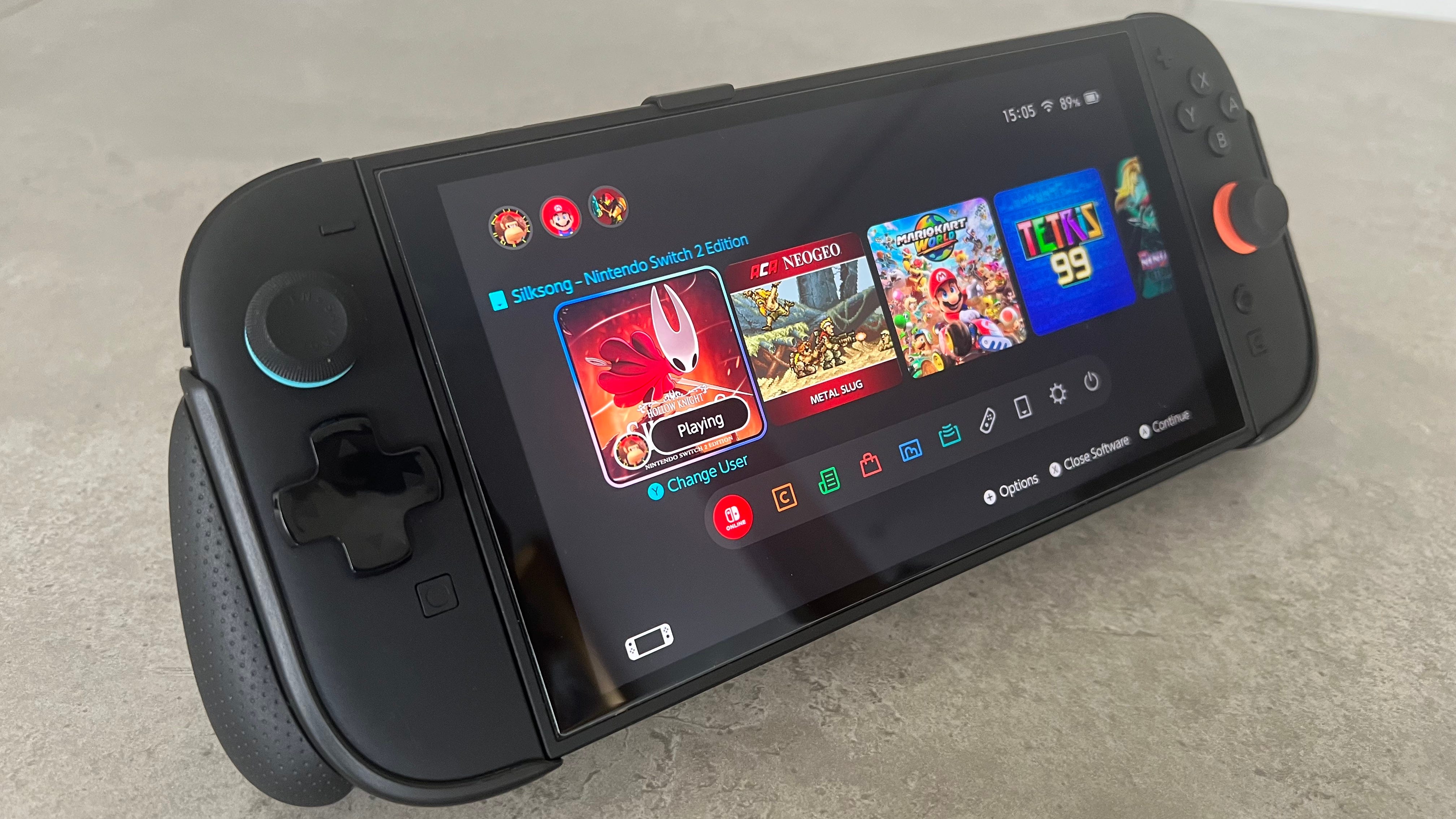
😍 The Skull & Co. NeoGrip for the Nintendo Switch 2 provides three types of ergonomic grips, greatly improving comfort during gameplay
🙌 Despite minor limitations, the NeoGrip is highly recommended for extended, comfortable handheld Switch 2 sessions
💰 It costs $29.99 and comes in black or neon blue and red
The Nintendo Switch 2 is about to get some serious competition in the form of the Asus ROG Xbox Ally X, albeit for $550 more.
If you’re willing to break the bank, the Asus ROG Xbox Ally X promises to deliver more power, a streamlined version of Windows 11 designed for handhelds, and the ability to play all your games across every PC launcher.
It’s being marketed as an Xbox by Microsoft, though that’s not entirely true, as you’ll only be able to play your existing console games via Xbox Cloud Gaming or if a title supports Xbox Play Anywhere.
Power is not the only key
Despite what you may think, it isn’t the power of the Asus ROG Xbox Ally X that I’ve been looking at with admiration. It’s actually those chunky-looking controller-style grips on the back, which makes the Nintendo Switch 2’s flat, rectangular profile look laughably uncomfortable.
Don’t get me wrong. I find the Switch 2 far more comfortable to hold than the original thanks to its bigger size and slightly rounded edges. But it doesn’t take too long before it helps speed up cubital tunnel syndrome and I’m left with numb, tingling hands.
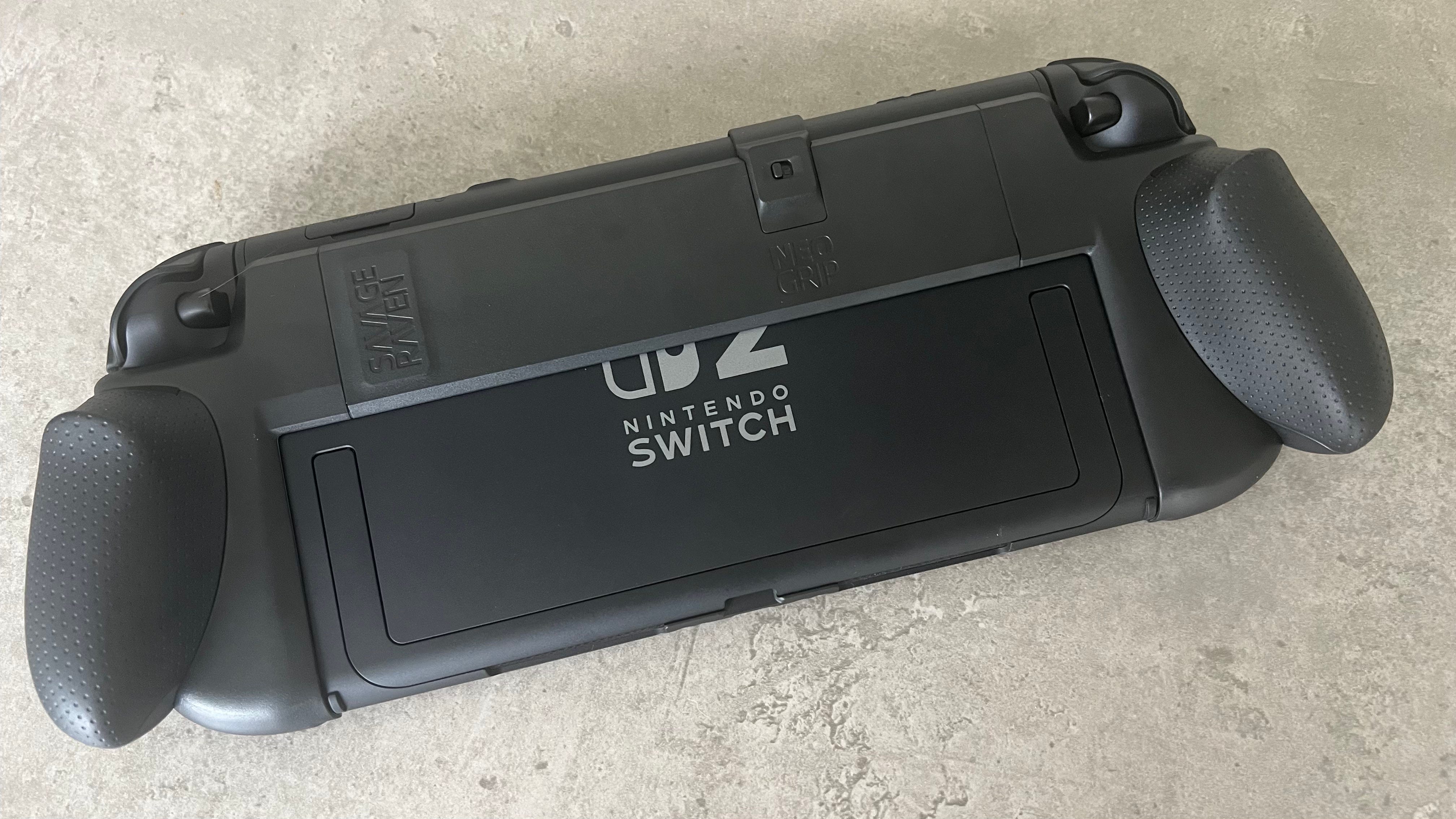
However, just like how I fixed the Nintendo Switch 2’s missing D-pad with a cheap accessory, I’ve picked up another item that I can’t recommend enough: the Savage Raven by Skull & Co. NeoGrip, which gives me the same grabbable, palm-fitting controller-like grips as the Asus ROG Xbox Ally X.
It’s replaced my previous favorite, the dbrand Switch 2 Killswitch case, as my go-to grip for a couple of reasons. The main one is that, while it increases the weight of the Switch 2 by around 100 grams, the way the console is distributed in your hands offsets the added heft wonderfully.
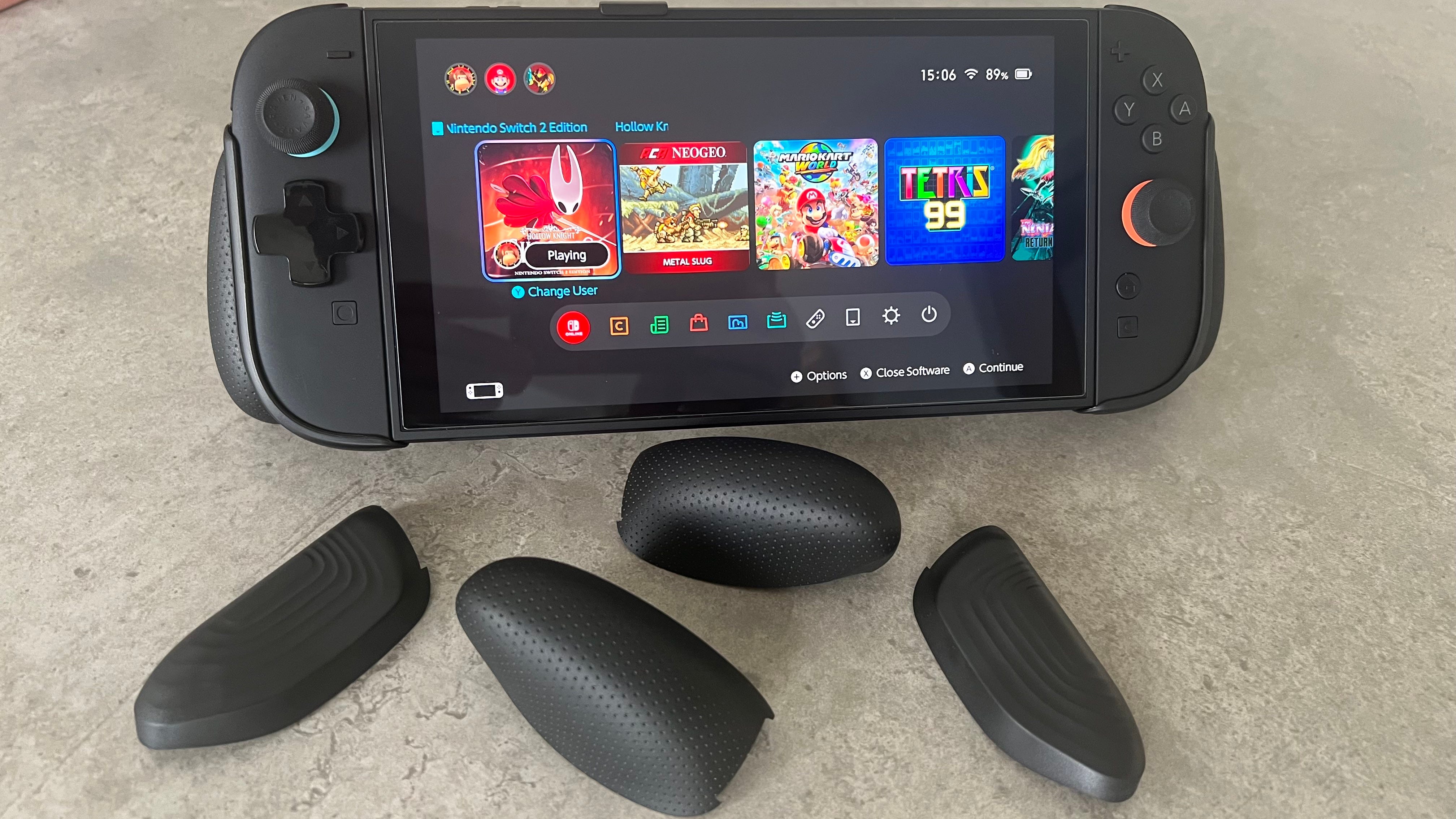
You can also choose between three different types of grips, or even mix and match. I prefer the Trigger grip over the Snap and Plus grips, but it’s great to have a variety of options available. They’re easy to slide on and off, too.
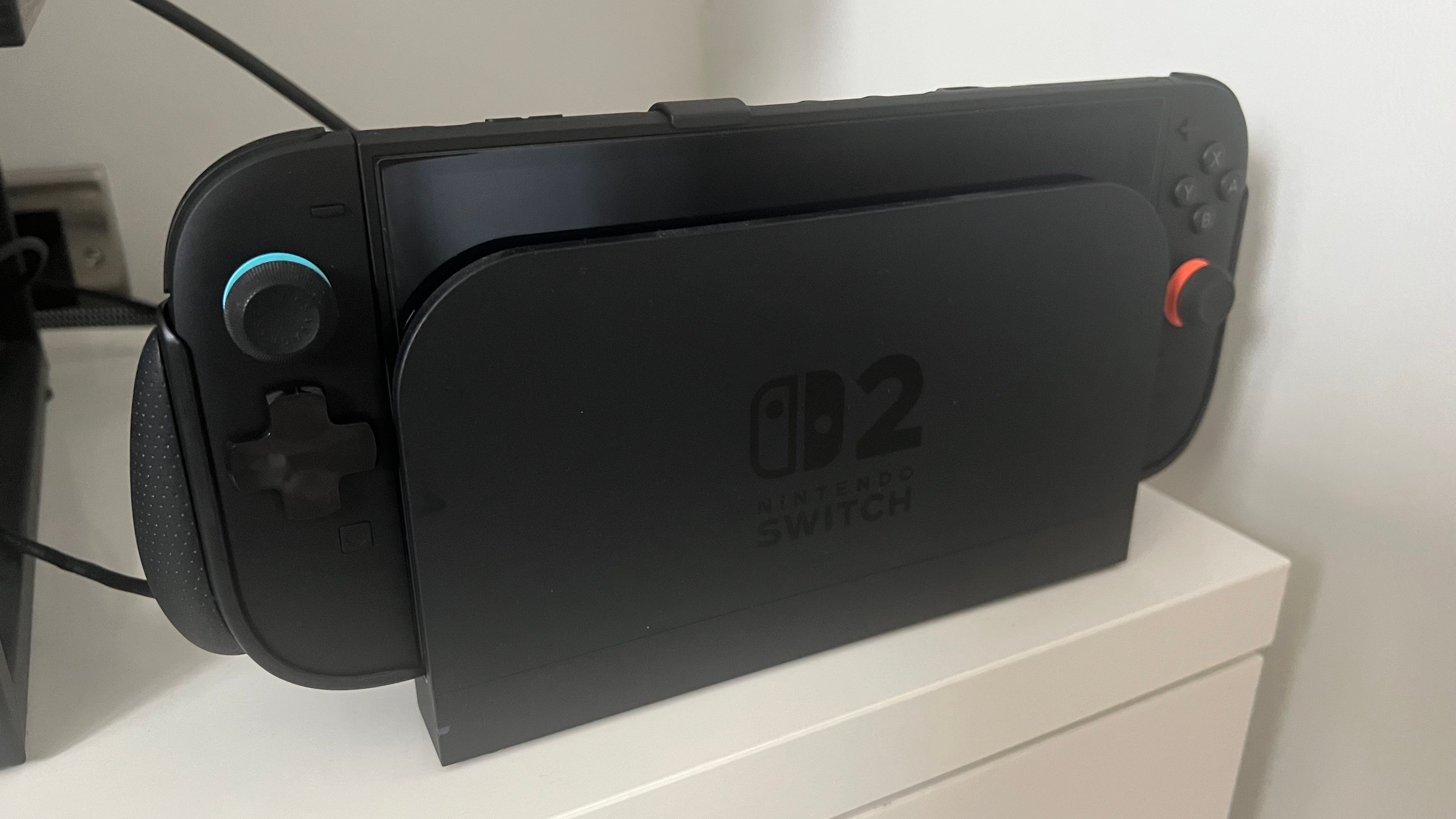
It’s also nice that the console can be docked without any adapter or workaround, and you can also still access the Switch 2’s kickstand.
Neo is the one
So far, the NeoGrip case has made playing the Switch 2 in handheld mode a thoroughly enjoyable experience. I’ve found I gravitate towards playing the Switch 2 in handheld mode more than ever, knowing that I’ll be able to game in comfort for hours.
Of course, there are a few flaws to mention. The design of the NeoGrip means you can’t detach the Joy-Con 2 controllers freely like with dbrand’s case. However, I only really revert to playing in split Joy-Con mode when I grow tired of holding the Switch 2 or if I’m experiencing prolonged discomfort. Perhaps when more Nintendo Switch 2 mouse mode games are released, it could become more of an issue.
It’s also very much a grip, not a case, so you’re better sticking with something like the dbrand Killswitch 2 case if you’d prefer more protection.
Out of all the Nintendo Switch 2 grips I’ve tried, though, the Savage Raven by Skull & Co NeoGrip is my top recommendation.
Up next: Nintendo Switch 2 criticism is overblown – and it’s time to address it
Adam Vjestica is The Shortcut’s Senior Editor. Formerly TechRadar’s Gaming Hardware Editor, Adam has also worked at Nintendo of Europe as a Content Marketing Editor, where he helped launch the Nintendo Switch. He also runs a retro gaming YouTube channel called Game on, boy! Follow him on X @ItsMrProducts.