



#5 is my favorite new iOS feature for iMessage users. See the web version for all 10 announcements in case your email client cuts it off
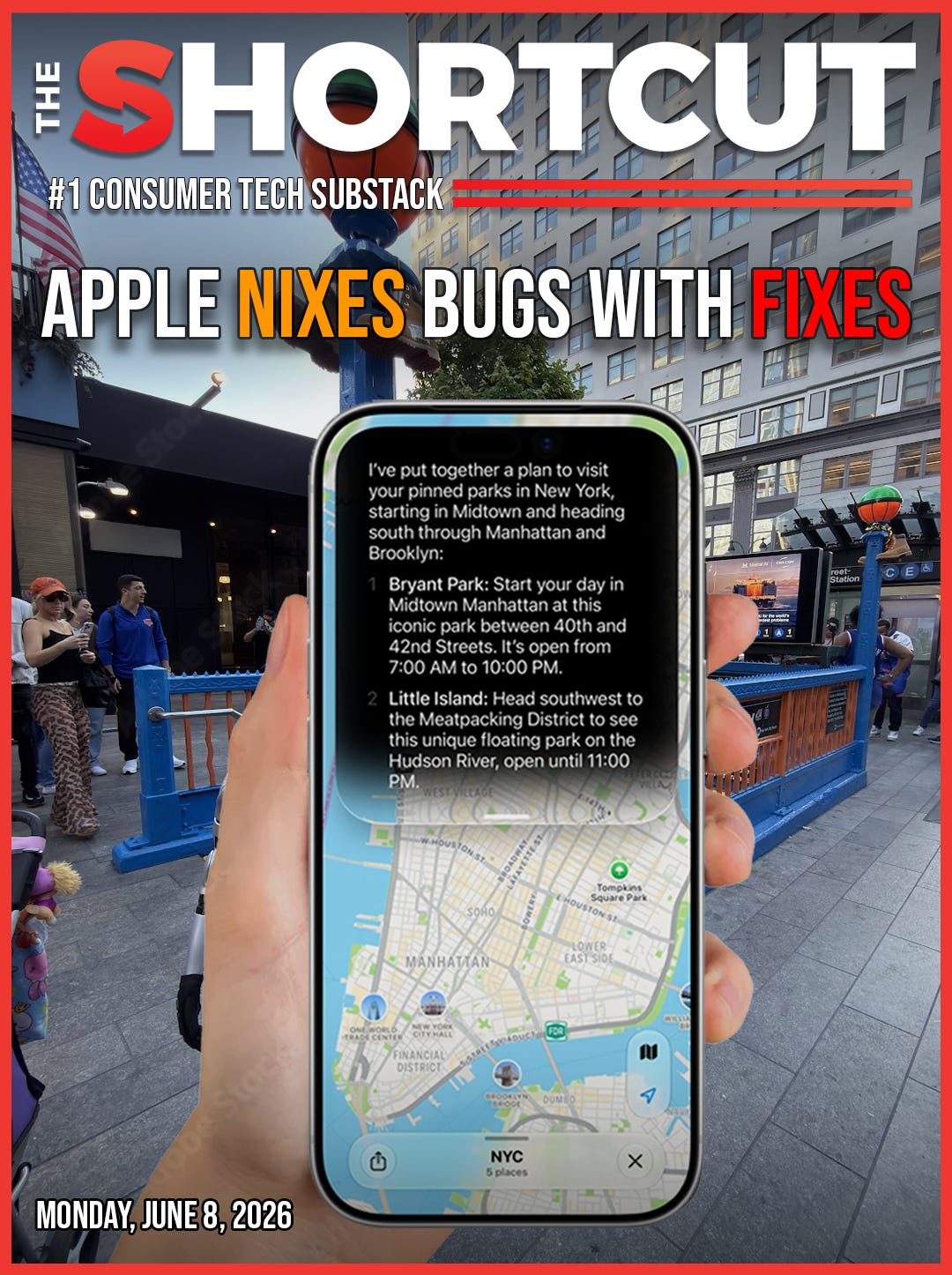

📣 Apple’s WWDC 2026 keynote revealed the future of iOS and Mac
🤖 Siri is getting a long-overdue upgrade, and its own AI app
📱 Your older devices will be faster and more efficient, promises Apple
🍁 This Fall is when you can expect to upgrade; public beta in July
🔟 Here are the 10 biggest announcements from Apple’s keynote
We’ve all had that moment with our iPhone. You tap the camera app only to see it buffer with a blurred viewfinder. You ask Siri something simple, and it gets it wrong – twice. You’re “connected” to Wi-Fi that quietly refuses to load a single page. An app opens with all the urgency of a Monday morning.
None of these is a crisis on its own, but they stack up fast, and they’re the real reason your phone can start to feel like more work than it should.
Apple’s goal with this year’s WWDC? Fix exactly that across iOS, macOS, visionOS, and Siri.
We noticed a trend while writing our liveblog: rather than chasing a flashy redesign or dangling far-off promises, Apple went straight for the daily papercuts – the slow loads, the dead connections, the assistant that never quite listened.
iOS 27 looks like the update built to make your iPhone quick and dependable again, with a wave of help heading to your Mac and AirPods, too. Here are the 10 biggest announcements from WWDC 2026 that will directly improve how you actually use your Apple devices.
10 biggest new features from Apple’s WWDC
1. 🚀 Every Apple device is getting faster
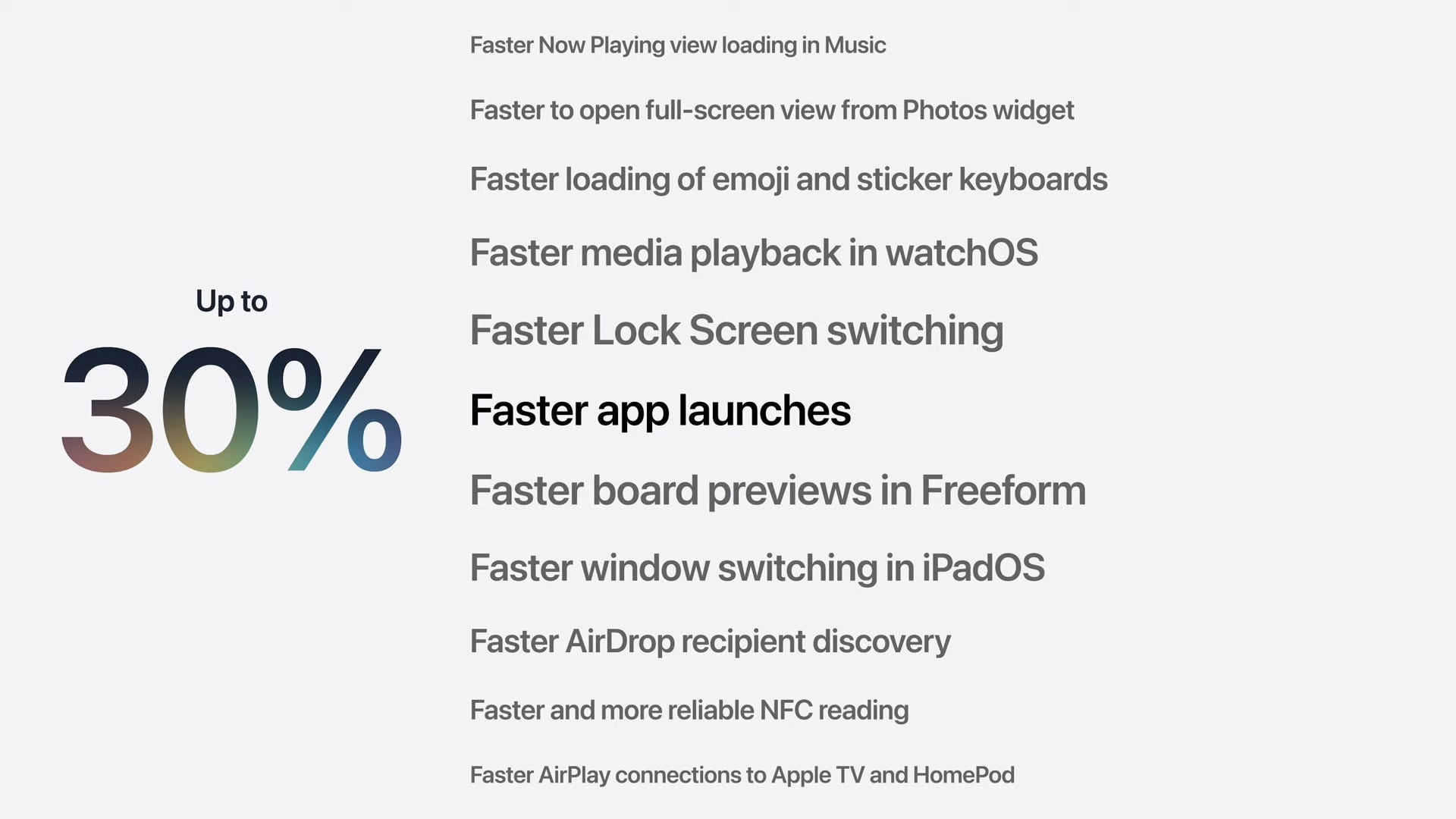
Apple kicked off WWDC 2026, promising that your iPhone, iPad, Mac, and Watch will get a speed boost: apps will launch up to 30% faster, and photos will appear up to 70% faster, courtesy of its optimized CPU Scheduler.
Even better for big-file senders, AirDrop will beam files up to 80% faster. Apple says it made virtually every improvement it could to the way its systems work.
2. 🤖 Siri and Apple Intelligence don’t suck anymore
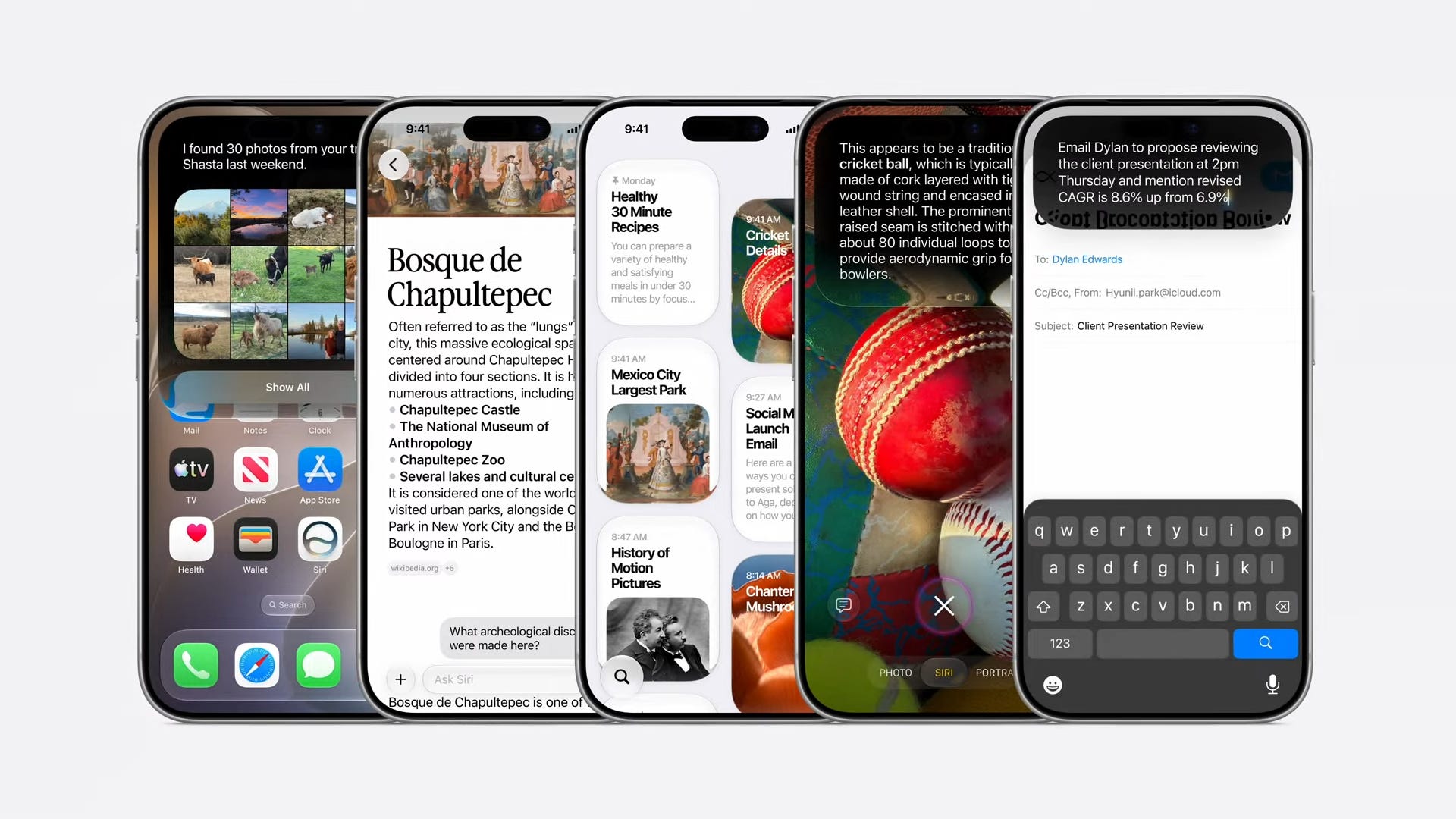
Apple’s AI-powered Siri feels two years late, but we’re finally getting a smarter, privacy-first assistant, one based on Google Gemini-based Foundation Models. There’s a chance this more robust and personalized version could catch up to other chatbots.
Siri AI can also securely see all of your iPhone and Apple account data on device – email, texts, calendar – to complete tasks like getting directions to a party, or finding a hole in your schedule. It’s the Siri that should’ve shipped when Apple Intelligence launched in 2024, finally making its way to users.
3. 📱 A dedicated Siri app will save your convos
Ever talk to Siri, and it acts like you aren’t best friends. Siri chats will live on in a dedicated Siri app where you can view all of your previous conversations across devices.
Of course, you don’t need to open the app every time you want to use Siri – you can still say “Hey Siri” or long-press the side button – but it’s nice that chats have a home base now.
4. 💰 Split the bill with Visual Intelligence
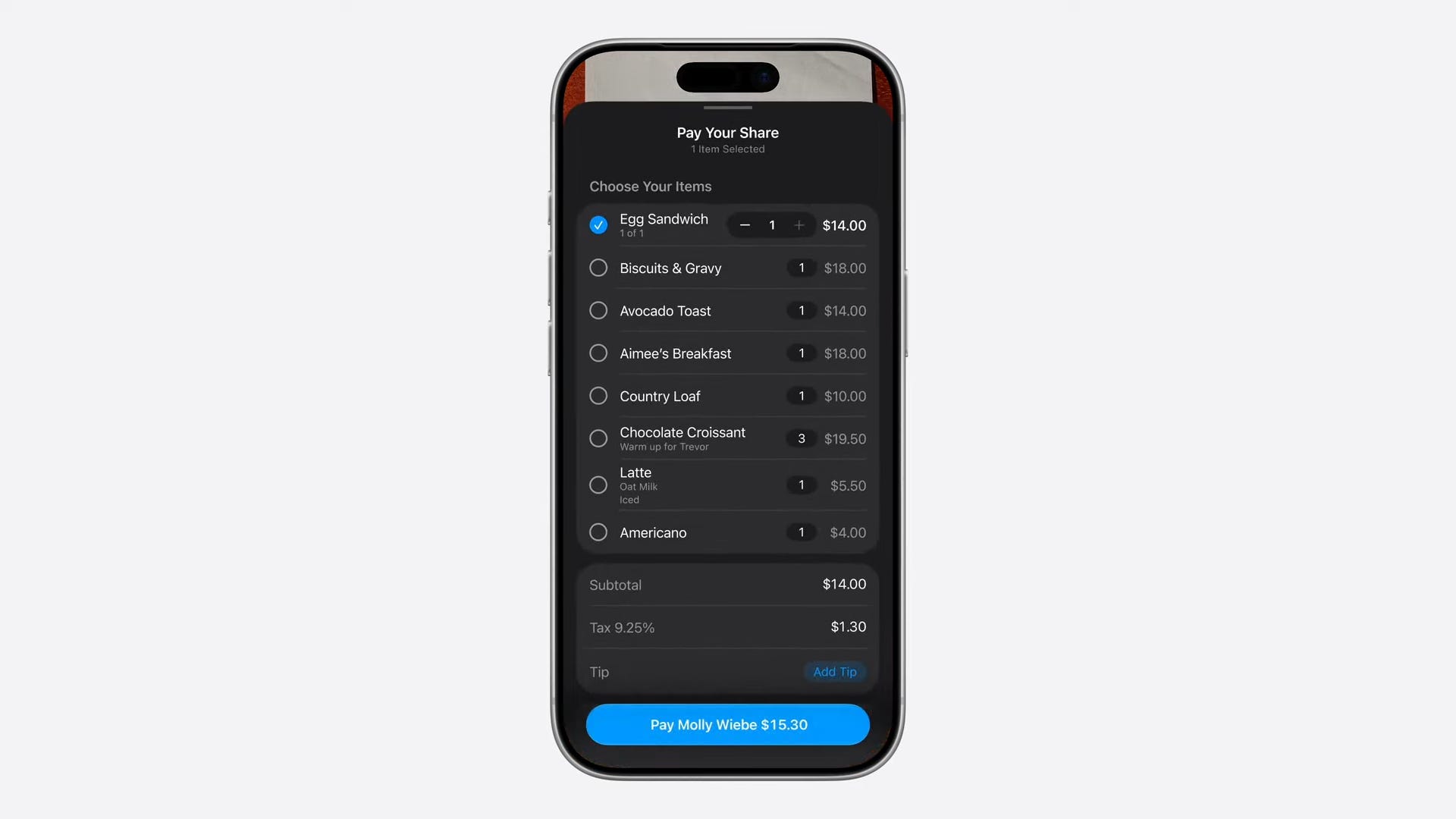
The calculator app just isn’t good enough for dinner bills with friends. So, naturally, one of the most hyped features in Apple Intelligence is its upgraded Visual Intelligence smarts.
You can point your camera at a receipt and get help calculating how much you owe for dinner. If you’re splitting the tab with friends and co-workers, each person can select which items they had in a photo of the receipt, all while a calculator counts up how much they owe.
As The Shortcut’s unofficial HR lady (hi Chloe!) would say, “this is gonna be life-changing for my girlies.”
5. 💬 iMessage hang-ups are getting eliminated
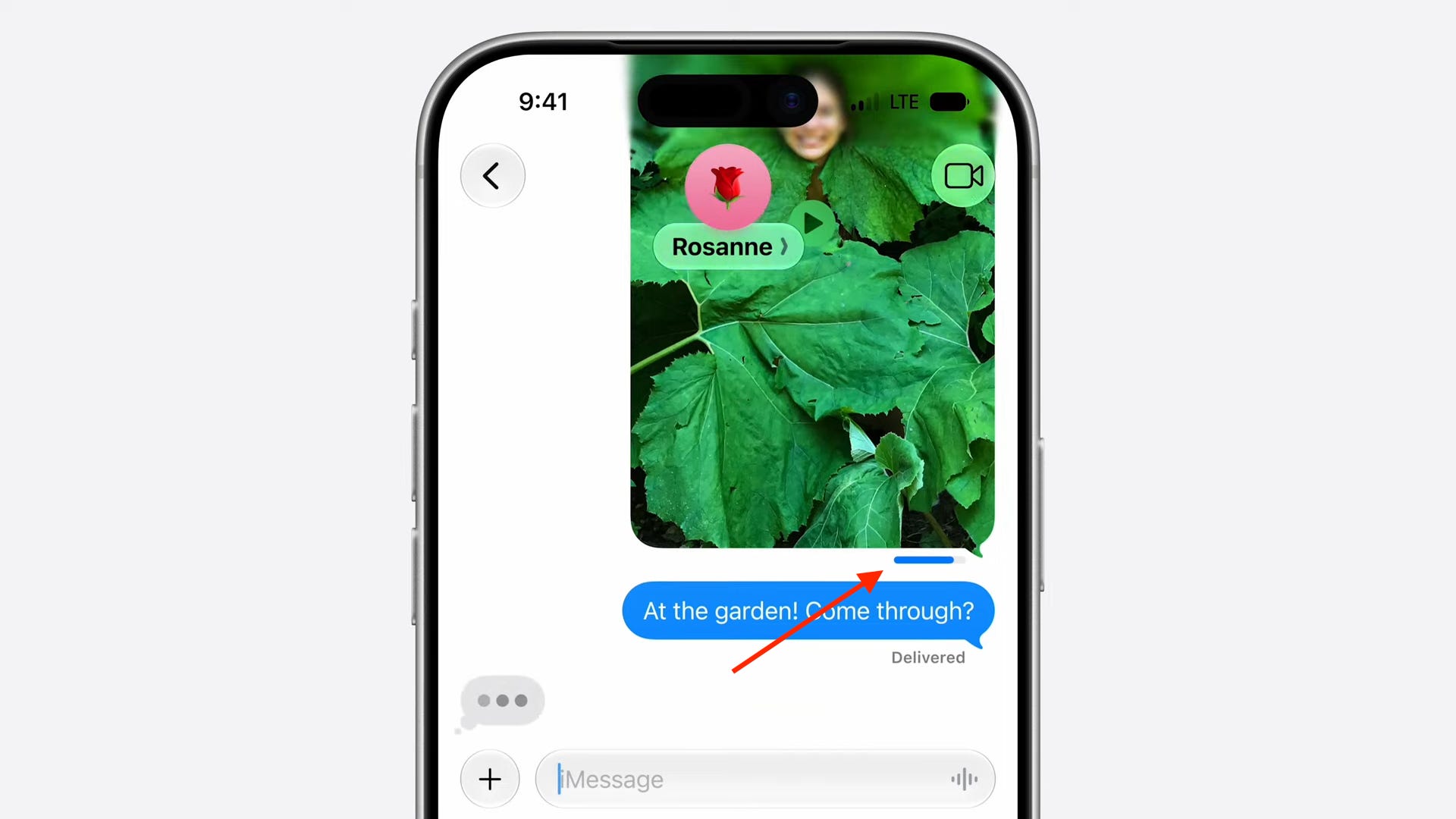
Frequent fliers, this one’s for you – you know the special hell of in-flight Wi-Fi. Drop a big photo or video into the chat, fire off a couple texts behind it, and the whole conversation seizes up while that media crawls its way to the cloud.
Now iMessage lets each message send on its own, with a per-message indicator that shows you exactly what’s stuck. So when one stubborn video takes its sweet time, it waits in line – instead of holding your entire group chat hostage.
6. 🛜 Walking by coffee shops will no longer leave you in WiFi limbo
Free Wi-Fi is great – right up until it strands you. You know the move: your iPhone latches onto a coffee shop or airport network, proudly flashes full bars, and then connects to absolutely nothing. It happens to me every single time I stroll past a café or step off a plane – I’m “online” according to my phone, but really I’m stuck on a dead signal or ambushed by a login screen I never saw coming.
Apple says its smarter Network Transitions feature finally settles the standoff, falling back to cellular on its own – so you can quit playing the toggle-Wi-Fi-off-and-on-again game just to get a page to load.
7. 🎧 Custom EQ comes to Apple AirPods at last
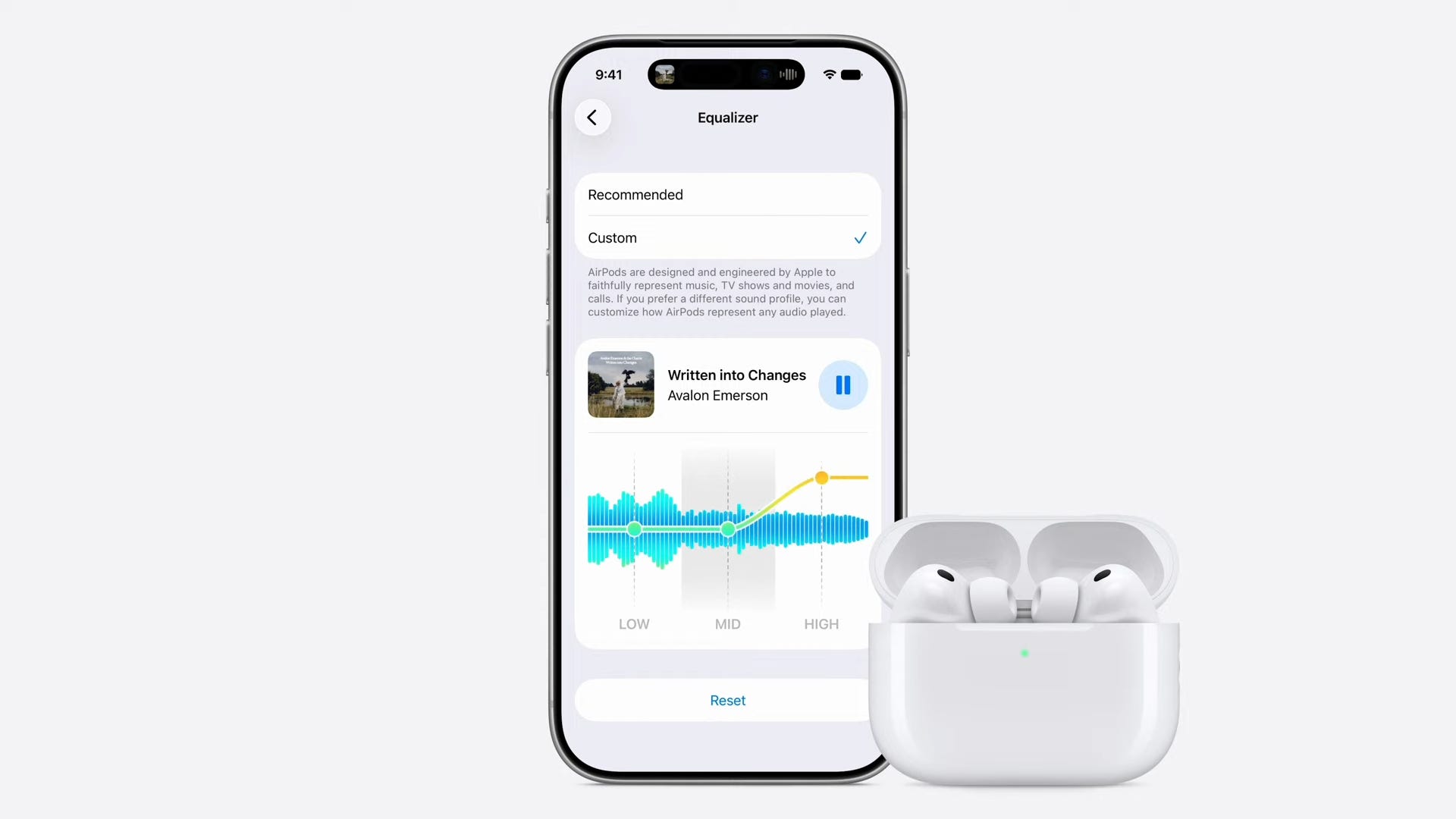
In a blink-and-you’ll-miss-it mention, Apple announced that custom equalizers are coming to AirPods. The new customizable EQ adds just three bands to adjust bass, mids, and treble, but this is a huge improvement over the absolute nothing we’ve had thus far.
Up until now, Apple has staunchly promoted its automatically adaptable EQ as superior to anything user-customizable. Now AirPods and AirPods Pro users will be able to adjust the audio output to match their personal preferences. There was no mention of custom EQ for the AirPods Max 2, but hopefully that’s on the way too.
8. 📸 Shared albums now support full resolution – and Android
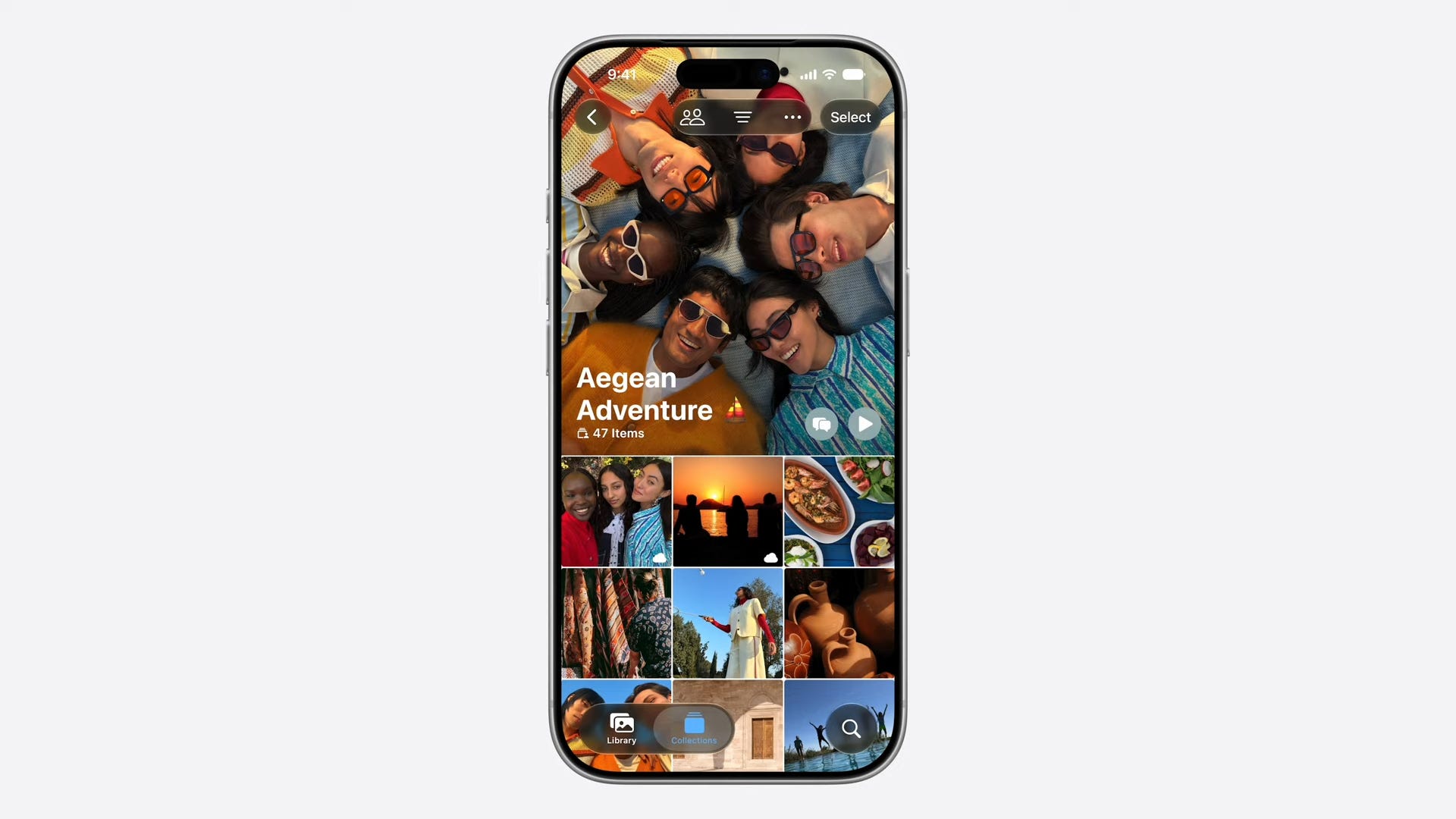
If you’ve ever used a shared album in iCloud with your friends, you probably know that your photos and videos generally look terrible. That’s because shared albums have never supported full resolution formats for your content – until now.
With iOS 27 and Apple’s other OS software updates, shared albums will be able to store photos and videos in their original quality. Plus, Apple is expanding support for iCloud shared albums to Windows and Android devices so that everyone can contribute.
9. 🏞️ Fix your photos with Spatial Reframing

Of all the AI image-editing features Apple showcased today, the way Spatial Reframe lets you change your perspective and zoom in or out on the photo is jaw-dropping.
This lets you fix any images where you might have a road sign in the background or when you should have stepped to the right for a more symmetrical image. Even with a simple photo, Apple Intelligence will fill in the details to turn your 2D images into a movable 3D environment where you can shift the perspective around and zoom in for a tighter shot.
10. 🫧 Liquid Glass gets that needed dimmer switch
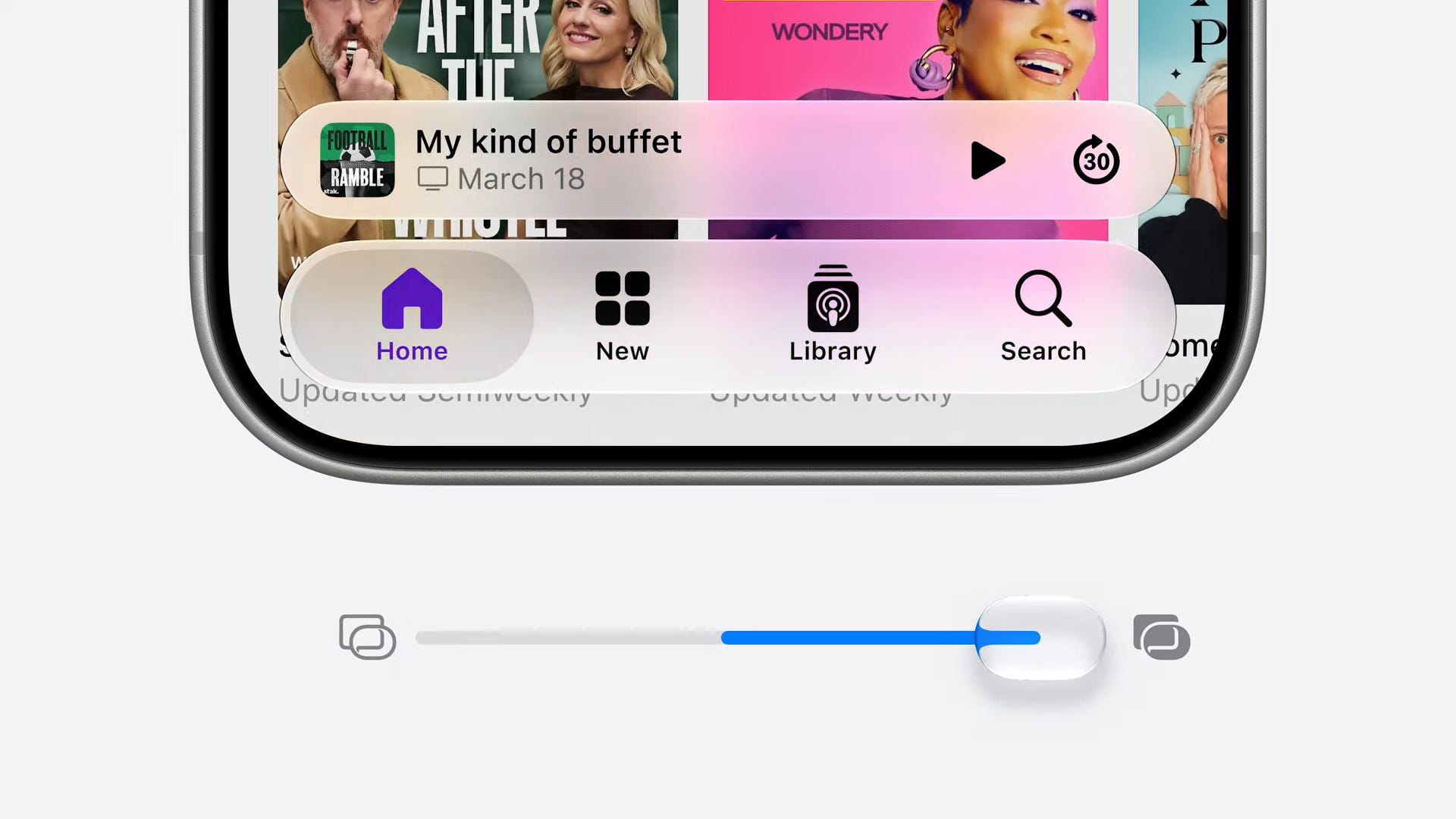
Is Liquid Glass a pain in the glass for your eyes, too? You’re not alone. One year after Apple launched its see-through redesign on a divided world, it’s finally handing us the knob we’ve been begging for – a slider that dials the transparency of your menus down, up, or all the way to blissfully opaque.
This UI fix lets us see straight again 👀, and it’s the No. 1 reason we’re grabbing the iOS 27 developer beta today instead of waiting around for July’s public release.
When do all of these features come out?

Apple is planning to release all of its OS updates this Fall, likely around the time that the new iPhones and Apple Watches hit store shelves, which we expect to happen in mid-September. You can expect to get iOS 27, macOS Golden Gate, watchOS 27, iPadOS 27, and visionOS 27 at that time on your devices.
⬇️ 5 more stories on The Shortcut


Computex 2026 Awards: the best tech we saw on the show floor and behind closed doors

Computex 2026 was possibly one of the most important shows in recent years. After all, it’s not every day Nvidia introduces its first-ever CPU while Intel throws down with its first gaming handheld processor. And while all this was happening Asus ROG celebrated its 20th anniversary and MSI celebrated its 40th anniversary.…


⬆️ Tap the button & add The Shortcut as a preferred source on Google ⬆️