


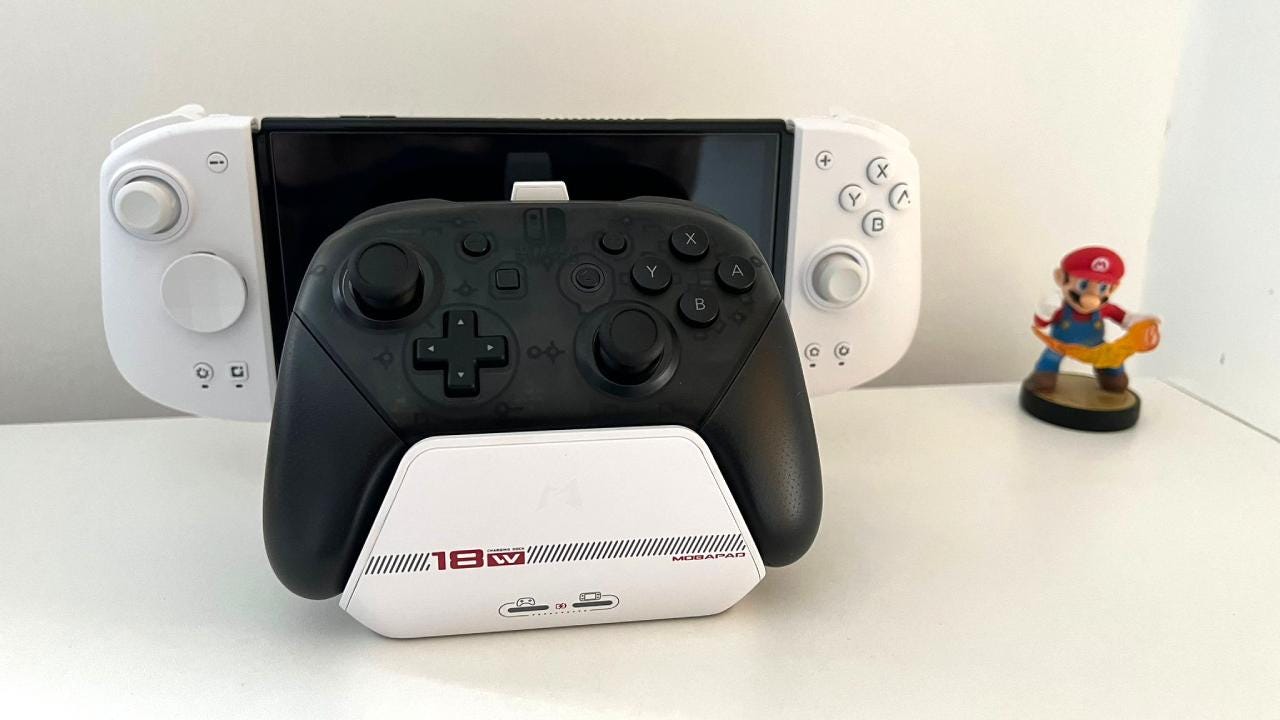

🏆 Review Score: 3 out of 5
Pros:
✅ Smart integrated design solution
✅ Visual charging indicators
✅ Switch fits into the Dock smoothly without any risk of scratching the screen
✅ Built with temperature control and safety in mind
✅ Charges Switch Pro Controller or Mobapad Chitu controller
✅ Reduces charging time of controller by 20%
Cons:
❌ No HDMI-CEC support
❌ No Ethernet port
❌ Contact adapters need to stay connected to your controller
❌ Charging can be a bit finicky when a controller is placed
The Shortcut Review
The Mobapad Nintendo Switch Dock is a pleasing upgrade that most people won’t need. It accomplishes its goal of being a viable alternative to Nintendo’s official Dock and includes additional functionality like being able to charge your Nintendo Switch Pro Controller or the Mobapad Chitu controller, but little else.
It’s also missing some features of the newer Nintendo Switch OLED Dock, including HDMI-CEC support and an Ethernet port, so it isn’t as easy to recommend as the Mobapad M6 HD, which is truly excellent and beats Nintendo’s Joy-Con in every department.
The Mobapad Nintendo Switch Dock is nice to have, then, but not something you should rush out and buy.
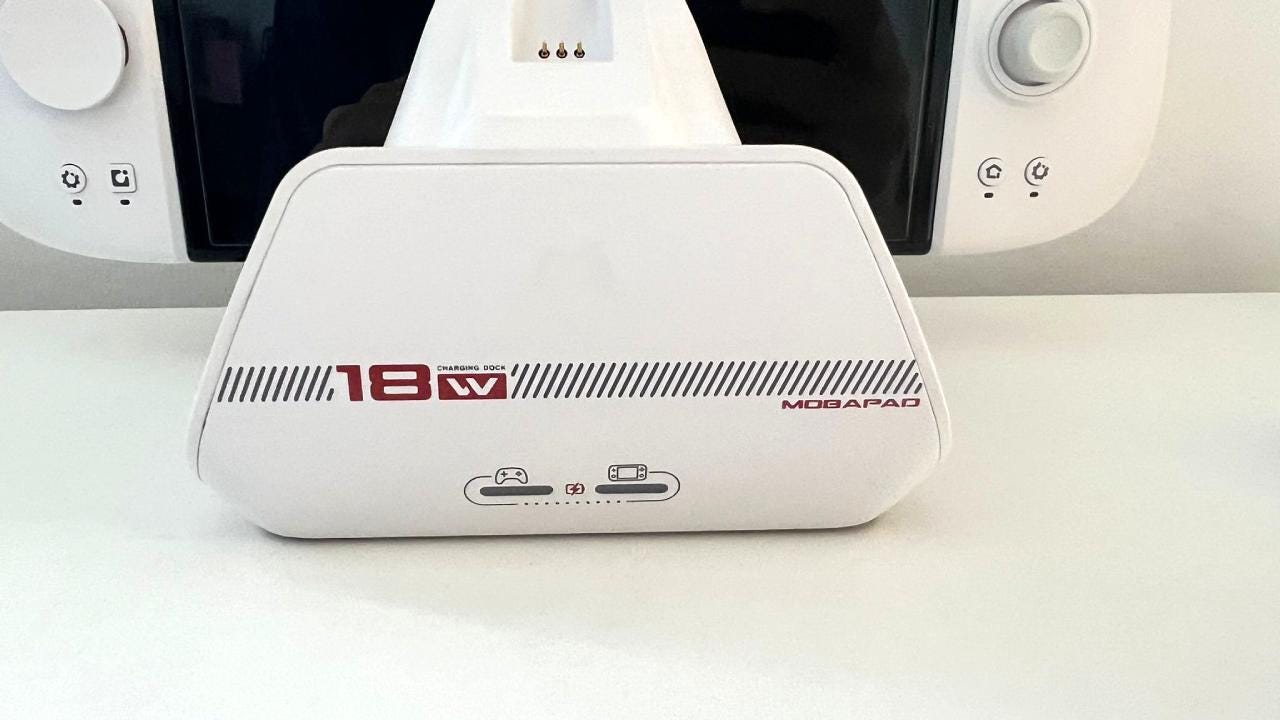
Mobapad Nintendo Switch Dock specs 🛠️
Price: $39.99
Compatibility: Nintendo Switch, Nintendo Switch OLED
Connections: HDMI, USB 3.0, Type-C power supply port
Weight: 370g
Colors: White
The Mobapad Nintendo Switch Dock is nice to have, then, but not something you should rush out and buy. However, if you’re looking for a second Dock or want a more integrated design, it might be worth it. Read my full Mobapad Nintendo Dock review below.
A review unit was provided by Mobapad.
What I loved about the Mobapad Nintendo Switch Dock ❤️
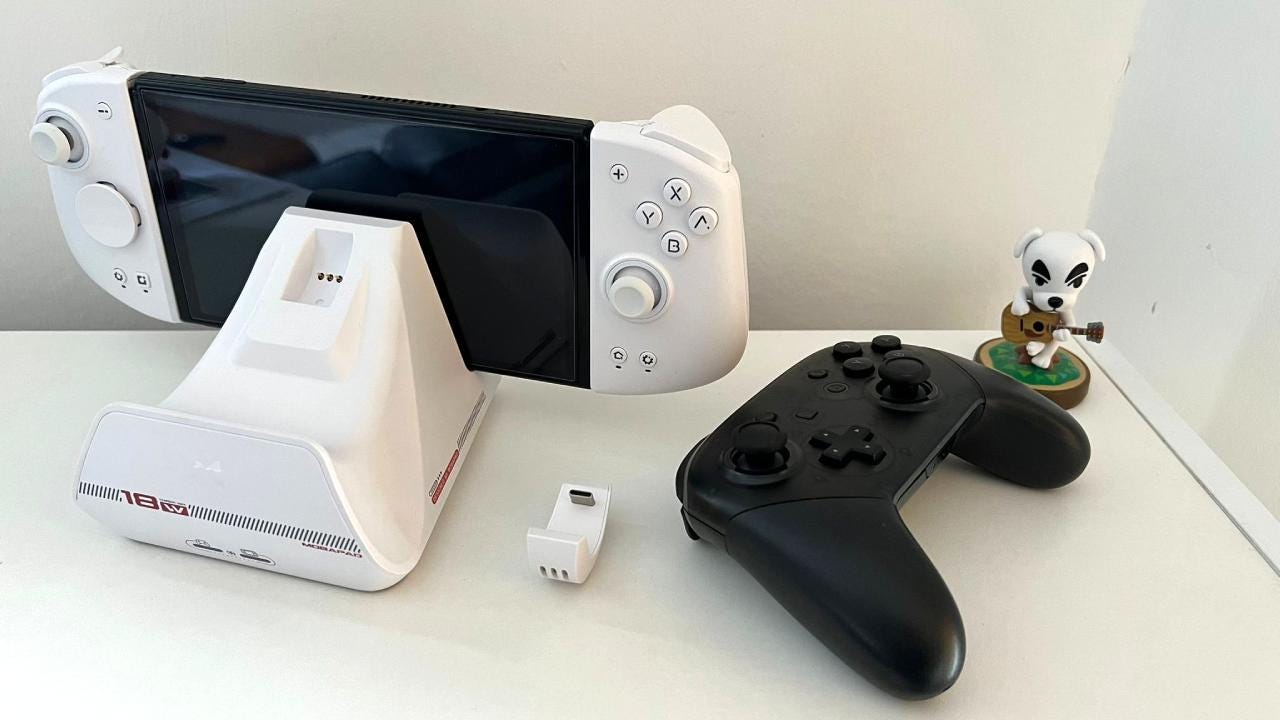
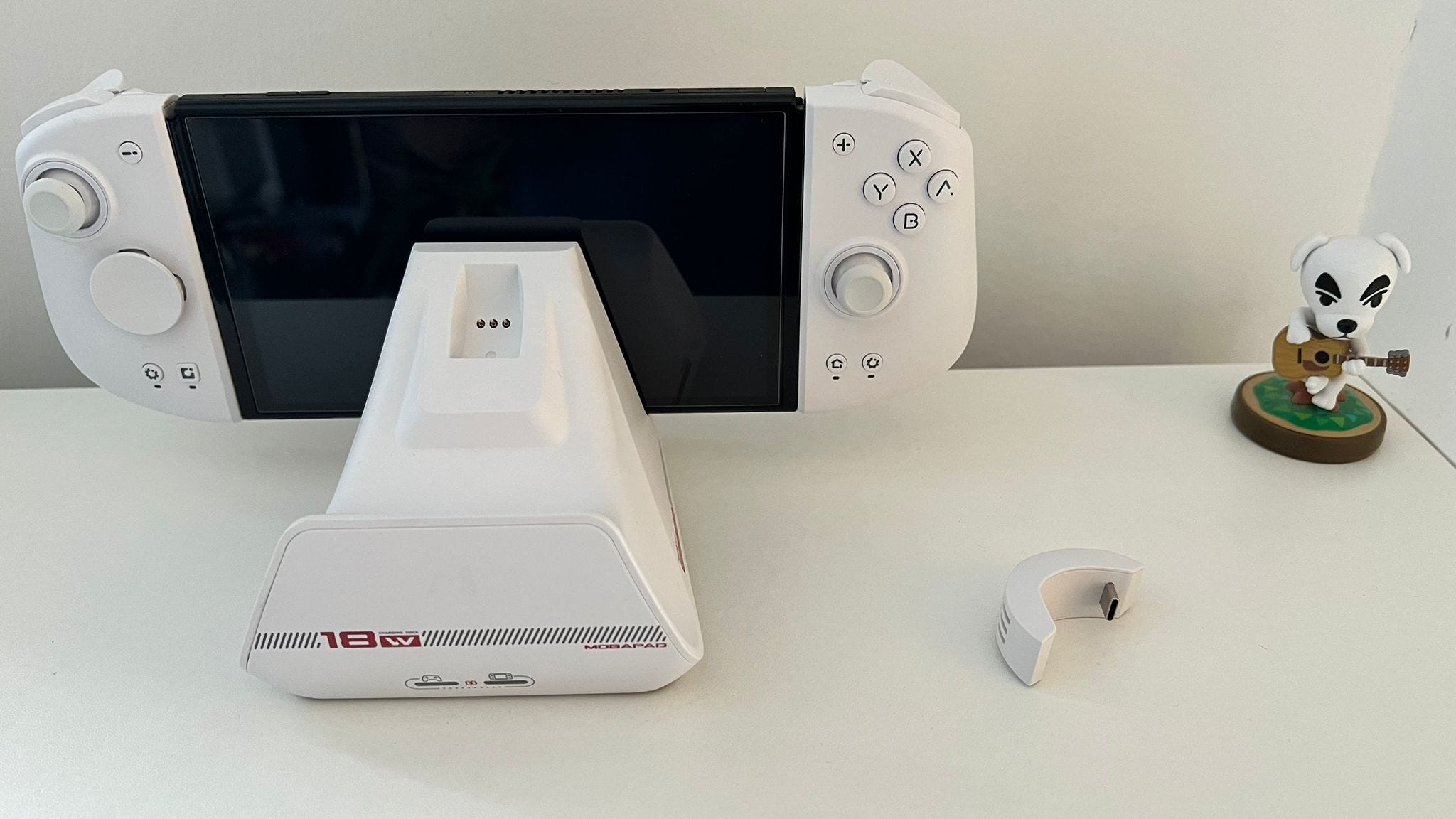
🤗 Smart integrated design. The Mobapad Nintendo Switch Dock is a clean, all-in-one setup that looks smart and lets you conveniently charge a controller as well as your Switch. It’s designed in such a way that the wires won’t be visible when facing the Dock head-on, either.
🔋 Visual charging indicators. A simple but welcome touch, the Mobapad Nintendo Switch Dock has two battery charging indicators: one for the controller and one for the system. They’ll flash when either device is charging and remain lit when they’re charged.
🌡️ Built with temperature control in mind. You won’t need to worry about the Mobapad Nintendo Switch Dock damaging your console. The Dock includes multiple circuit protections to ensure a stable power output without damaging the Switch’s battery. A built-in chip also monitors the temperature, preventing overheating or short-circuiting once the system or controller is fully charged.
Being able to wirelessly charge your gamepad once your session has ended is a nice perk.
🎮 Charges Switch Pro Controller or Mobapad Chitu controller. If you’re someone who primarily plays your Switch in Docked mode using a Nintendo Switch Controller or Mobapad’s Chitu controller, being able to wirelessly charge your gamepad once your session has ended is a nice perk. It means you’ll never run out of charge, though the Pro Controller’s 40-hour battery life means that rarely happens anyway.
👏 Won’t scratch your Switch screen. I’m always careful when placing the Nintendo Switch into the official dock, but it’s a lot easier to plonk the system into Mobapad’s Dock without worrying about scratching the screen.
⏳ Reduces the charging time of the Pro controller by 20%. Mobapad claims its Dock can charge the Nintendo Switch Pro Controller 20% faster than the competition. It takes around three and a half hours to fully charge the controller and Switch, and I found there was a slight improvement over what I’ve grown accustomed to.
What I disliked about the Mobapad Nintendo Switch Dock 💔
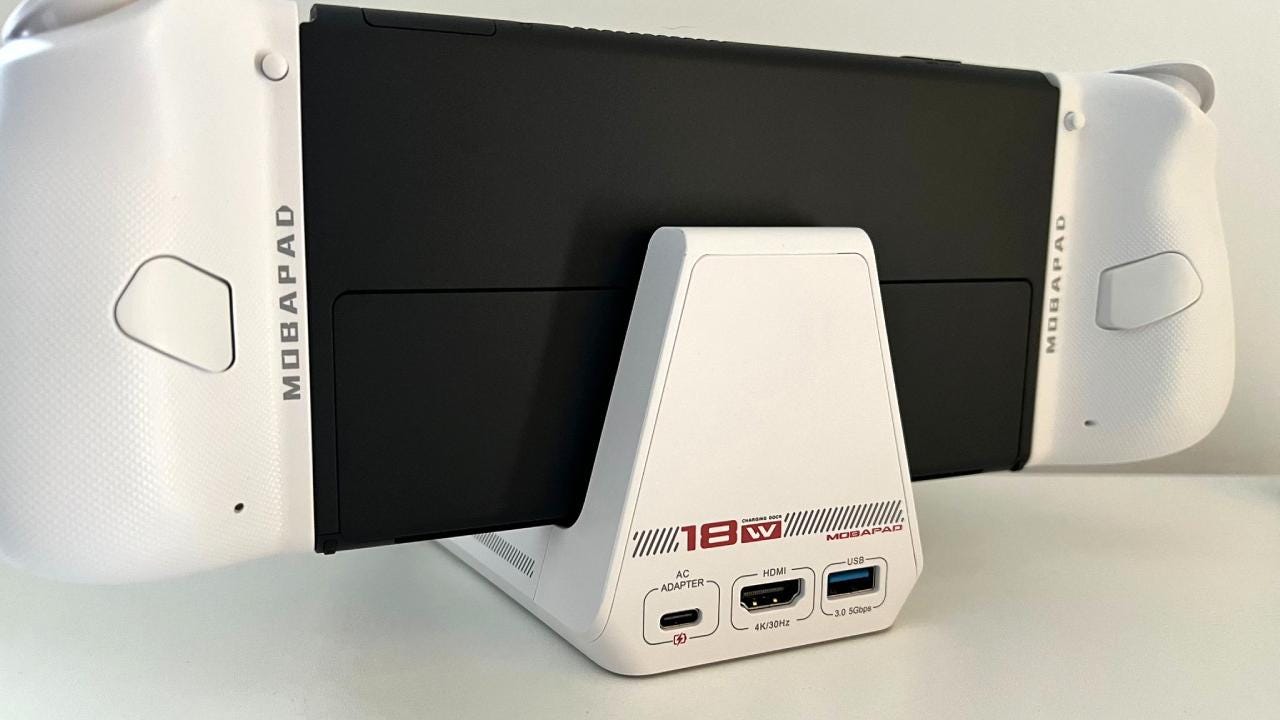
😖 No Ethernet port like the Nintendo Switch OLED Dock. The Nintendo Switch OLED Dock includes an Ethernet port, which is sadly missing from Mobapad’s alternative. If you play games like Super Smash Bros. Ultimate online, it’s recommended to use a wired connection for the most stable experience possible.
📺 No HDMI-CEC support. Just like the CRKD Nitro Deck+, the Mobpad Nintendo Switch Dock also doesn’t include HDMI-CEC support. It means that my TV didn’t turn on automatically when waking the Switch from sleep, which is a feature I’ve come to appreciate over the years.
I found myself having to wiggle the controller into place before the charging connection was recognized.
🔒 Contact adapters need to stay connected. Even though the Mobapad Nintendo Switch Deck offers wireless charging, you need to connect a contact adapter to your controller. The adapter needs to stay on your controller to charge it, as it doesn’t sit inside the Dock. It’s not a huge deal but it does spoil the aesthetic of Nintendo’s gamepad. It’s also a possibility that you could lose the connector in the future.
😪 Takes a bit of adjusting for the controller to charge. I sometimes found I had to wiggle the controller into place before the charging connection was recognized. It isn’t the seamless experience I was hoping for, though this might be an issue with my unit specifically.
Should you buy the Mobapad Nintendo Switch Dock? 🤔
Yes, if…
✅ You regularly play in Docked mode using a Nintendo Switch Pro controller.
✅ You want slightly faster charging times.
✅ You’d like a more streamlined setup overall.
No, if…
❌ You’re more than happy with the existing Nintendo Switch Dock.
❌ You use the Ethernet port on the Nintendo Switch OLED Dock.
❌ You mainly play in Handheld mode.
Adam Vjestica is The Shortcut’s Senior Editor. Formerly TechRadar’s Gaming Hardware Editor, Adam has also worked at Nintendo of Europe as a Content Marketing Editor, where he helped launch the Nintendo Switch. Follow him on X @ItsMrProducts.