


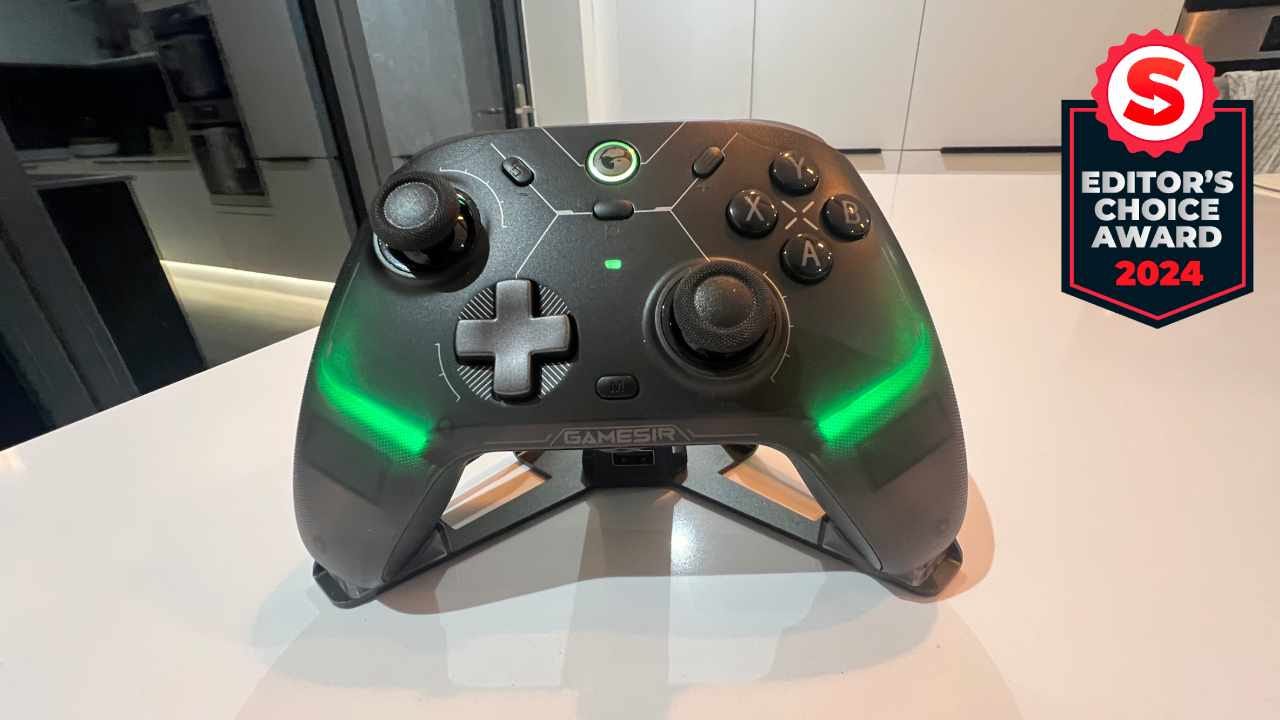

🏆 Review Score: 5 out of 5
Pros:
✅ Familiar ergonomic design
✅ Fantastic analog sticks
✅ PC and mobile software
✅ Excellent hair triggers
✅ Extremely competitively priced.
✅ Microswitch face buttons and D-Pad
✅ RGB lighting
✅ Includes a charging stand
Cons:
❌ Gyro doesn’t work on Xinput
❌ Microswitch hair trigger switch is rather fiddly
❌ Only two back buttons
The Shortcut Review
GameSir has been quietly creating some fantastic controllers over the years, and the Cyclone 2 is yet another prime example. It’s an excellent pro-focused controller that sets a new standard for value expectations thanks to its excellent build quality, slew of customization options, and accompanying charging stand.
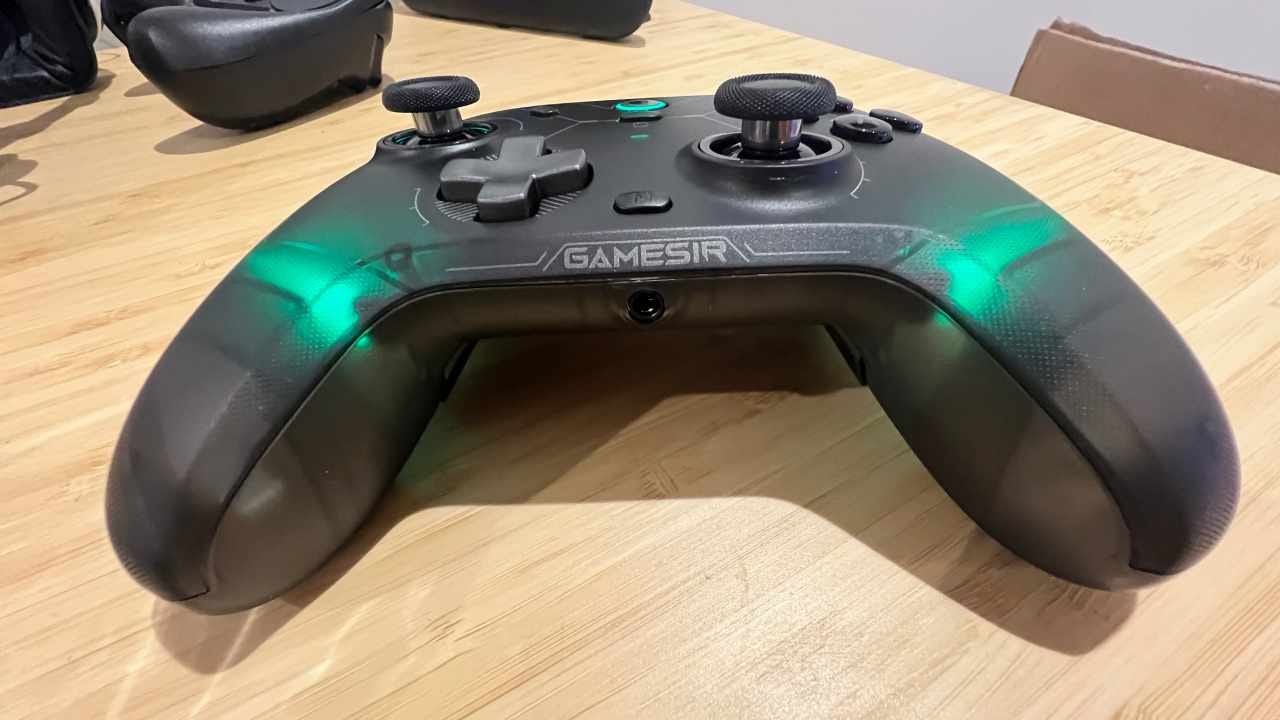
The GameSir Cyclone 2 features a smart, futuristic looking design that’s brought to life with immersive RGB lighting effects. The shape is almost identical to the Xbox Wireless Controller, though it comes with several improvements that competitive players will love.
The two back buttons are the first advantage. They’re easy to press, letting you map specific actions like ‘reload’ or ‘change weapon’ so you don’t have to take your thumbs off the sticks. The controller also uses Mag-Res TMR sticks, which offer a 1000Hz polling rate and durability comparable to Hall Effect sensors.
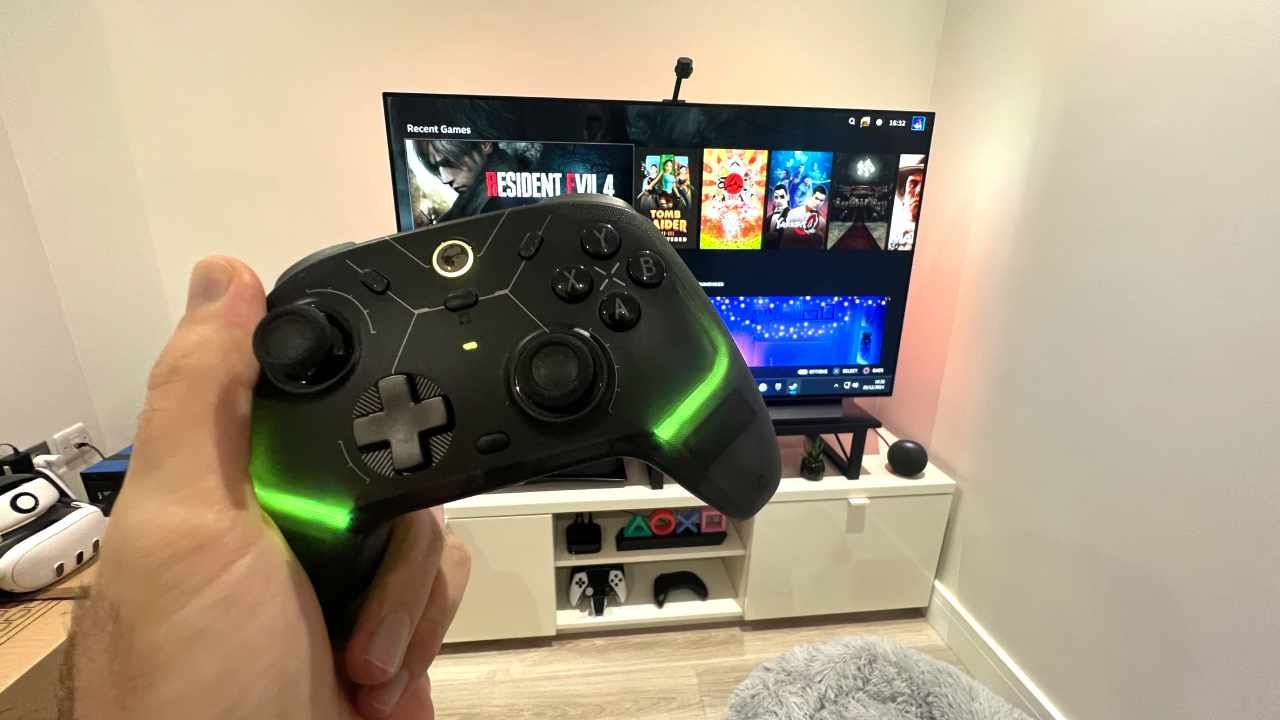
What really makes the GameSir Cyclone 2 stand out, though, is how you can switch between an analog trigger or a mouse-like microswitch hair trigger at a moment’s notice. It’s a little fiddly, admittedly, but it’s one of the best hair trigger implementations I’ve used in some time, and far superior to Sony and Microsoft’s elite controllers work.
GameSir Cyclone 2 specs 🛠️
Price: $55.99
Connection: 2.4G wireless dongle/wired/Bluetooth
Compatibility: PC, Switch, Android/iOS
Headphone jack: Yes
Weight: 229 grams
Gyro support: Yes
Colors: Black, White
The accompanying aluminium alloy charging stand is also a winner. It provides a fitting place to showcase your controller and means you don’t need to fumble around for a USB-C cable as you’ll always have a full battery. The wireless dongle can also be placed in the stand, freeing up a USB port on your PC.
These features alone elevate the Cyclone 2 to the next level, especially as the controller costs less than $60 and lets you customize almost every aspect using GameSir’s PC or mobile software. Compare that to the $100 to $200 price tags of other pro controllers, and you might wonder why the competition is so expensive when GameSir has delivered so much at such an affordable price.
Like the GameSir G7 SE, it’s hard to find fault with the Cyclone 2. If you’re looking for a fantastic PC controller, the GameSir Cyclone 2 should be top of your list.
A review unit was provided by GameSir.
What I loved about the GameSir Cyclone 2 ❤️
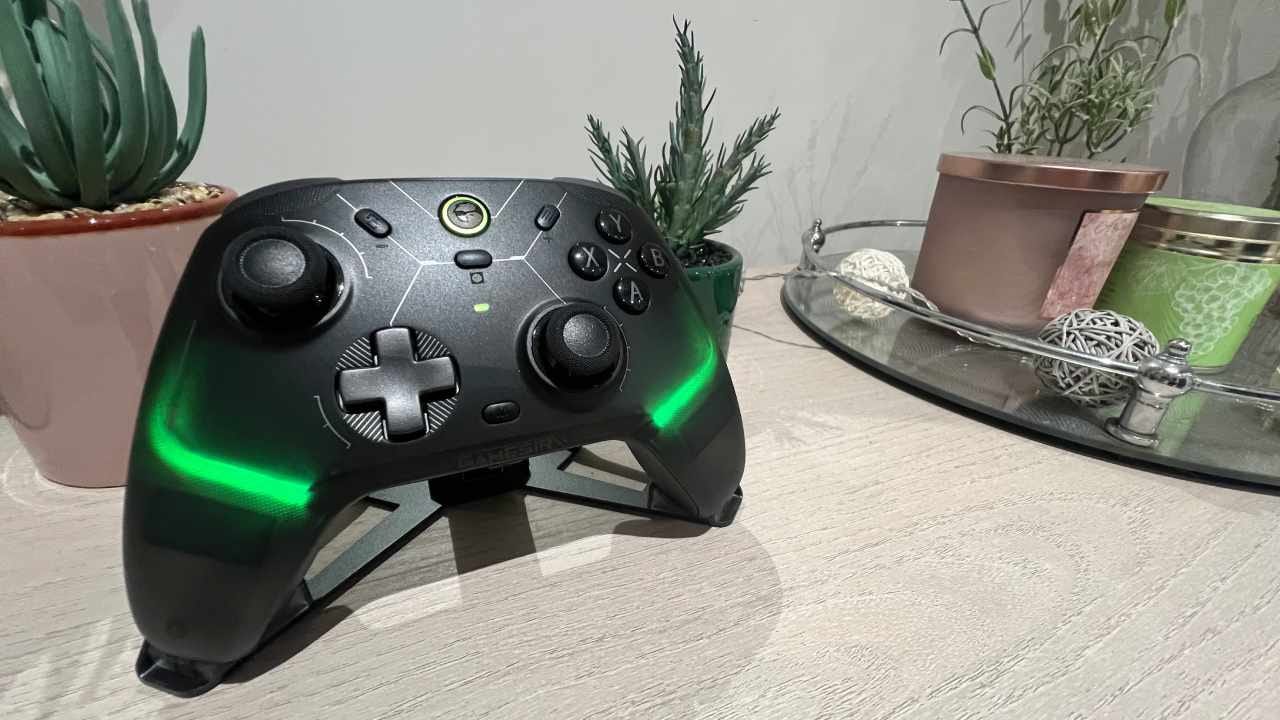
🎮 Familiar ergonomic design. The GameSir Cyclone 2 feels almost identical in the hand to Microsoft’s official Xbox Wireless Controller. And that’s a good thing, as Microsoft’s pad is universally loved for its ergonomic design. The textured grips on the Cyclone 2 are also a nice tough, giving you a bit more purchase when things get hectic mid-game.
👏 Fantastic analog sticks. GameSir has opted to use its own Mag-Res TMR sticks, which it says provides the same durability and longevity of Hall Effect Sticks. While it’s hard to prove those claims, the Cyclone 2’s sticks feel fantastic to use, with a pleasing tension, unwavering accuracy and slick outer rings that should prevent any future wear.
At $55.99, the GameSir Cyclone 2 delivers tremendous value.
🖥️ PC and mobile software. You can tweak the GameSir Cyclone 2 controller to your heart’s content using the company’s mobile or PC software. The PC software lets you tinker with almost every element, whether that’s changing the lighting, enabling a no deadzone mode, or applying turbo. Many commands can be done by inputting specific button combinations, too, like adjusting the vibration intensity.
💰 Extremely competitively priced. At $55.99, the GameSir Cyclone 2 delivers tremendous value. You’re getting a controller that has drift-free sticks, hair triggers, remappable buttons, RGB, a charging stand, gyro, and multi-platform compatibility. With Sony and Microsoft charging well over $150 for its pro controllers, the GameSir Cyclone 2 proves you can deliver quality and features for an affordable price.
🔫 Excellent hair triggers. With the flick of a switch, you can turn the GameSir Cyclone 2’s analog triggers into microswitch hair triggers. It provides a mouse-like click, which is super satisfying. It’s reminiscent of the Scuf Prestige controller’s excellent triggers, with minimal travel between presses.
The GameSir Cyclone 2 comes with one of the best charging stands I’ve used.
💨 Microswitch face buttons and D-Pad. Microswitch buttons are quickly becoming a favorite of mine. I love how easy they are to press and how responsive they are. Like the Mobapad Chitu HD, the GameSir Cyclone 2 features a microswitch D-Pad and face buttons.
🌈 RGB lighting. Love it or loathe it, RBG lighting brings a bit of pizazz to proceedings. The GameSir Cyclone 2 lets you turn your controller into a personal light show, and there are loads of options to available. Personally, I think the RGB lighting is a great addition and makes the controller look even more appealing.
🔋 Includes a charging stand. The GameSir Cyclone 2 comes with one of the best charging stands I’ve used. The controller sits in place perfectly every time, and the overall design feels and looks premium. Having the controller charge whenever its docked also means you’ll never have to worry about running out of battery mid-game.
📱 Works across many platforms. PC, Switch, or iOS and Android, the GameSir Cyclone 2 works across multiple devices. You can use Bluetooth or the included wireless dongle, and it means the Cyclone 2 could be the only controller you need depending on where you play.
What I disliked about the GameSir Cyclone 2 💔
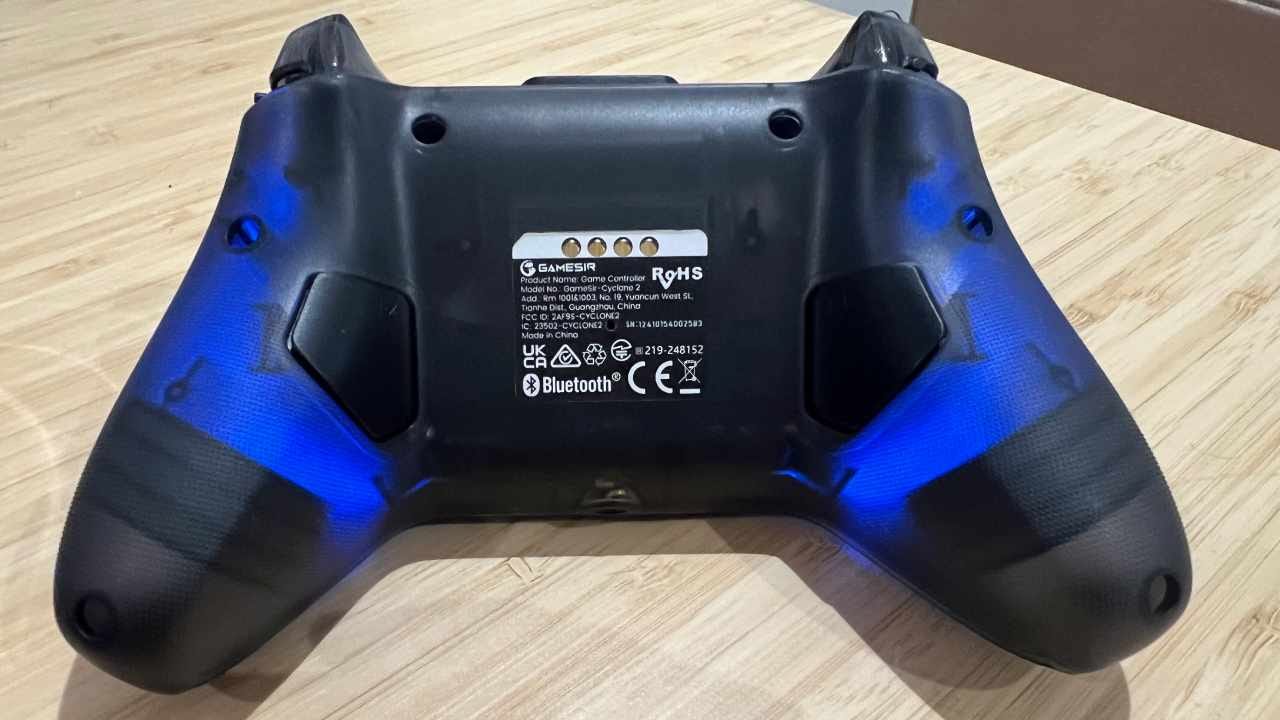
🥲 Gyro doesn’t work on Xinput. Even though the GameSir Cyclone 2 has gyro support, the default Xinput is recognized as an Xbox controller on Steam. That means no gyro, though there is a solution. You can change to DS4 (DualShock 4) or NS (Nintendo Switch) input, both of which support gyro controls.
💅 Microswitch hair trigger switches are rather fiddly. As great as the hair trigger stops are, they’re not the easiest to access. I found I had to use the underside of my nail to switch them on and off, but if you’re not switching between analog and the hair trigger modes often, it isn’t a big deal.
🤷♂️ Only two back buttons. It’s become common for most third-party controllers, like Sony’s DualSense Edge and the Mobapad N1 HD, to only include two back buttons. However, only having two means you can’t map every face button to the back, so you have to take your thumb off the right stick more than I’d like. Four buttons is still the gold standard for pro gamers.
Should you buy the GameSir Cyclone 2? 🤔
Yes, if…
✅ You want a superior alternative to the Xbox Wireless Controller.
✅ You’re worried about stick drift.
✅ You want a pro-grade controller for less than $60.
No, if…
❌ You prefer four back buttons.
❌ You want a controller that also works on PS5 and Xbox Series X|S.
Adam Vjestica is The Shortcut’s Senior Editor. Formerly TechRadar’s Gaming Hardware Editor, Adam has also worked at Nintendo of Europe as a Content Marketing Editor, where he helped launch the Nintendo Switch. Follow him on X @ItsMrProducts.