


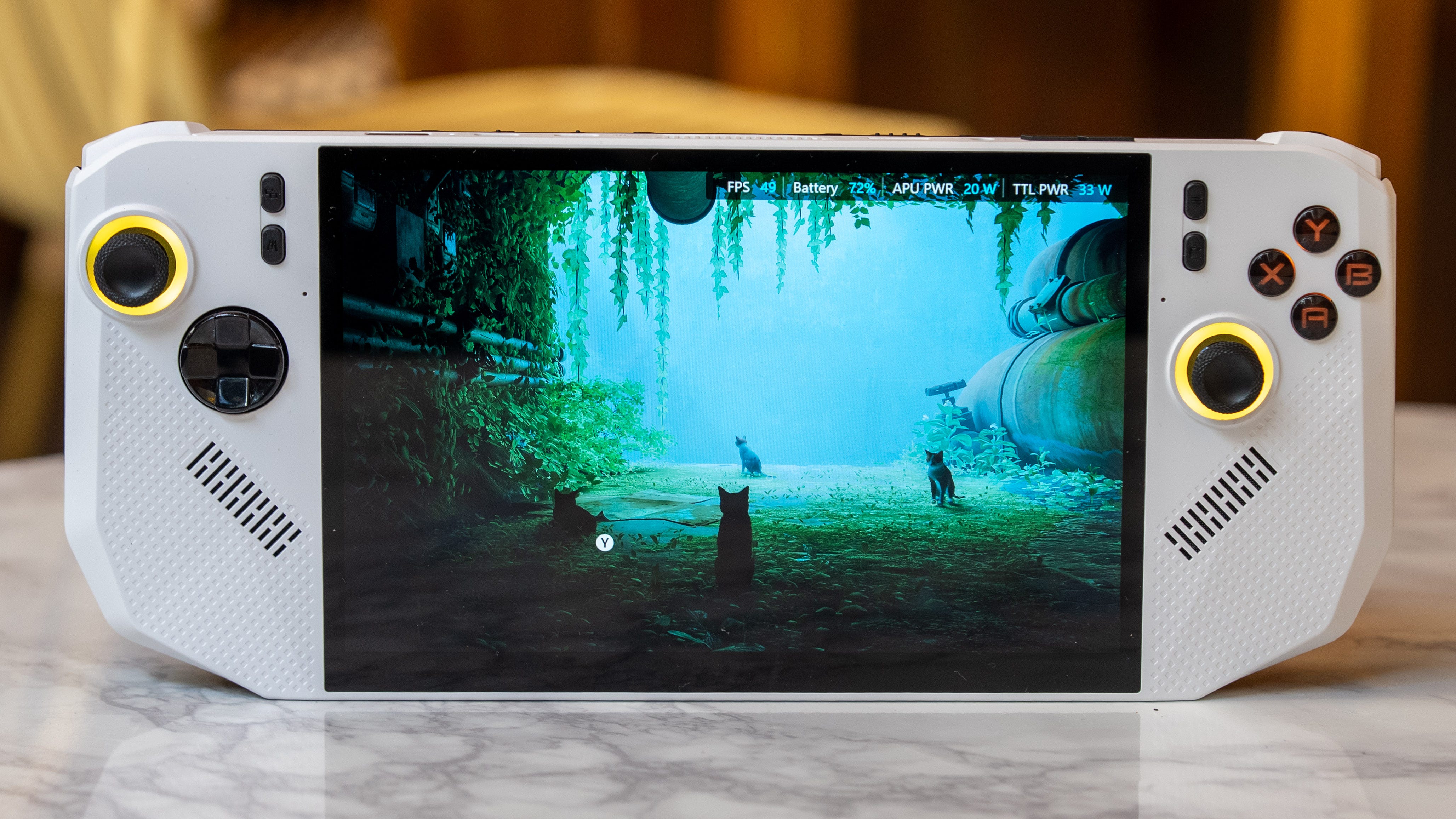

🎮 The Shortcut got a second time to go hands-on with the MSI Claw A8 for 45 minutes
😌 The MSI Claw A8 is the Goldilocks of gaming handhelds that feels just right
📺 Its 8-inch screen and taller 16:10 aspect ratio make handheld gaming comfortable
🪡 Fits right between the small 7-inch Asus ROG Xbox Ally X and the 8.8-inch Lenovo Legion Go 2
🤝 Features sculpted handles without shaping the handheld into a Batarang
📵 Xbox Full Screen Experience won’t be an Asus exclusive for much longer
🤖 MSI’s AI power optimization saves power while maintaining a playable experience


The MSI Claw A8 proves there’s still room for better gaming handhelds even after the spectacular Asus ROG Xbox Ally X and Lenovo Legion Go 2. Its 8-inch screen and taller 16:10 aspect ratio give it a Goldilocks-sized display that feels just right next to the smaller 7-inch Xbox Ally X and the biggie-sized 8.8-inch Lenovo Legion Go 2. The MSI Claw A8 also toes the line between comfort and portability with sculpted grips that are smaller than the Xbox Ally X’s, but are still substantial enough to hold onto.
I was also able to test how the Xbox Full Screen Experience, aka the gaming-optimized version of Windows 11, makes the MSI Claw A8 a smoother and faster gaming handheld. MSI also has its own AI-optimization tools that might make the Claw A8 a longer-lasting gaming handheld. My second hands-on with the MSI Claw A8 lasted only a cursory 45 minutes, but stay tuned, as I should be getting this handheld in for review by early next month.
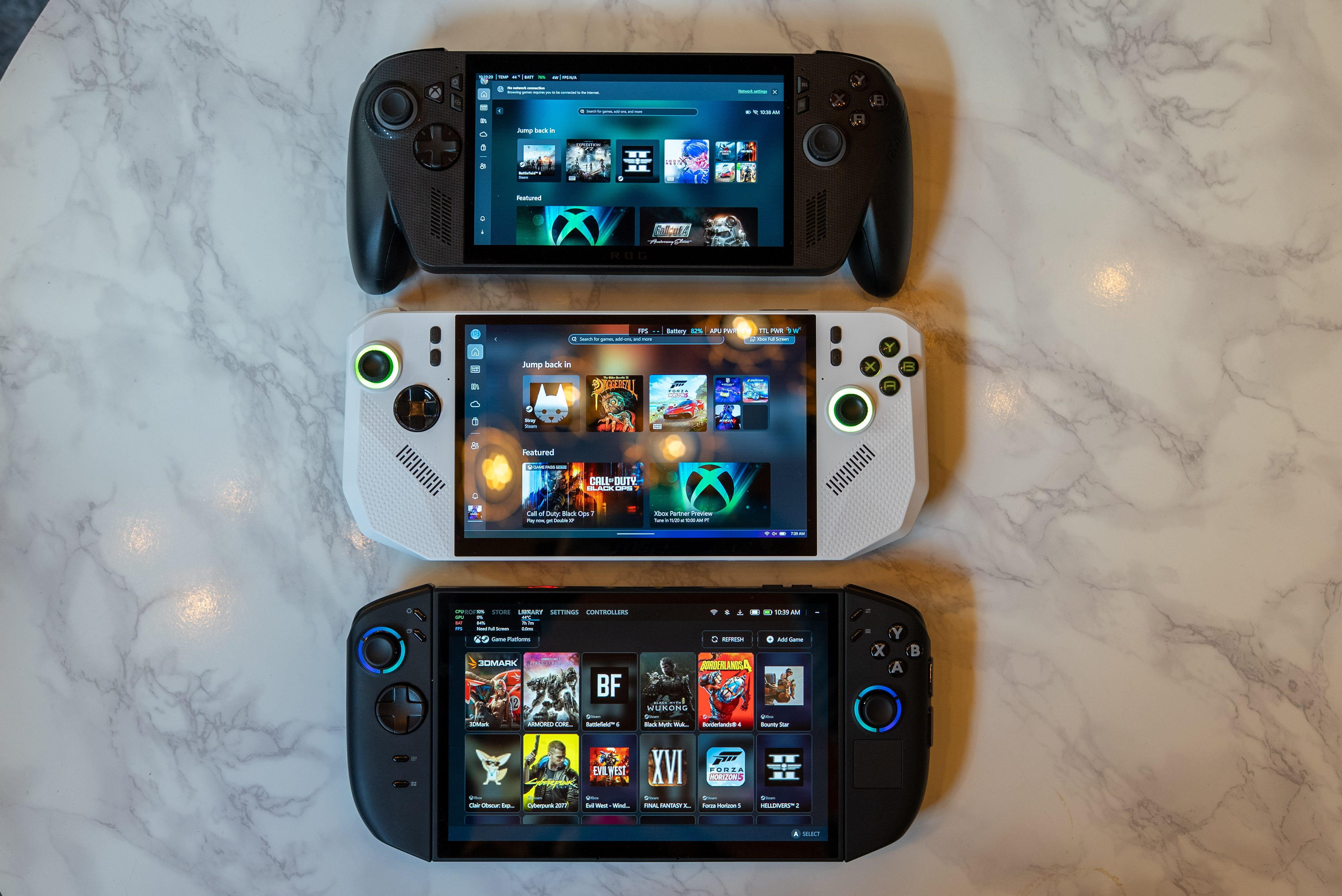
📺 Goldilocks screen size. The MSI Claw A8’s 8-inch screen feels just right, while the Asus ROG Xbox Ally X’s 7-inch screen is a little too small, and the Lenovo Legion Go 2’s 8.8-inch screen can be too cumbersome. Another thing that helps the MSI Claw A8’s screen feel more spacious is its taller 16:10 aspect ratio, compared with the Xbox Ally X’s widescreen 16:9 display. Character models and text scale large enough on this display that I can comfortably play games while holding this handheld at arm’s length.
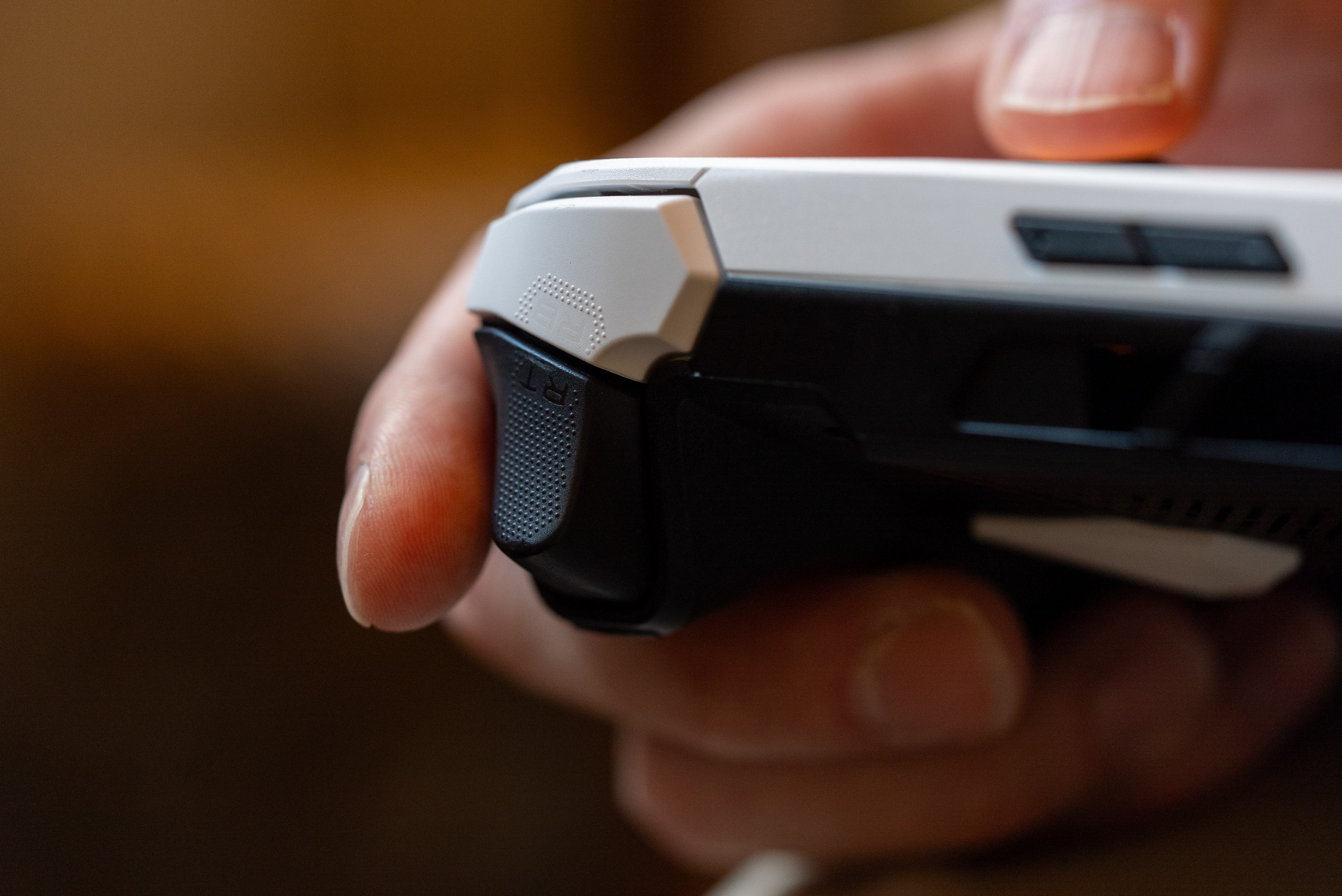
🤝 Gripping stuff. The Claw A8 greatly improves upon MSI’s last handheld by adding two sculpted grips on its edges. They’re not fully sculpted like the Asus ROG Xbox Ally X’s controller grips, but the squared-off handholds still offer plenty of extra purchase on this device. One other advantage of these shallower grips is that the MSI Claw A8 can fit into a slimmer case than the Xbox Ally X.
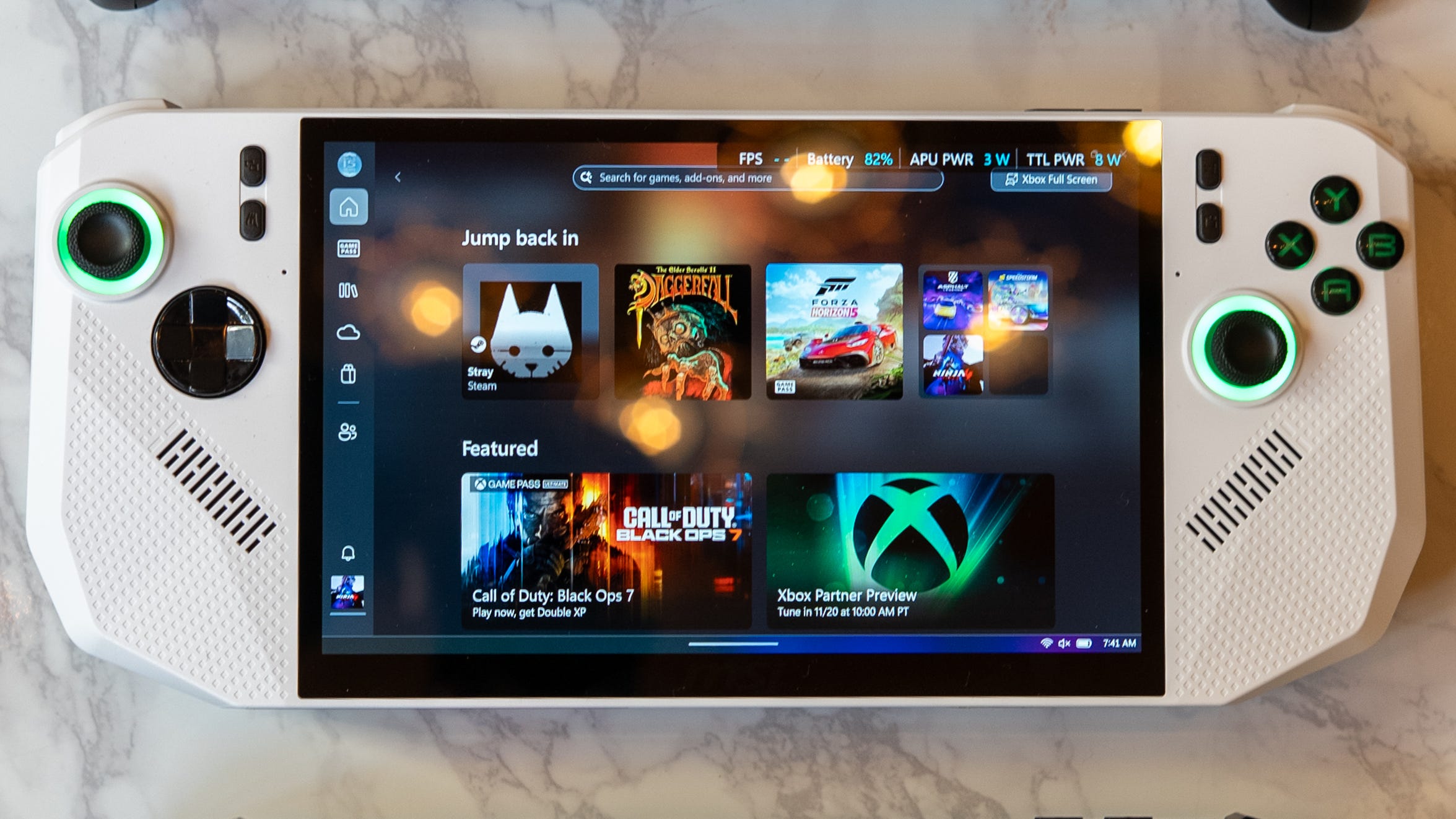
🎮 Xbox Full Screen Experience. Wait a minute, is that the Xbox Full Screen Experience on the MSI Claw A8!? Asus’ exclusivity on the gaming-optimized version of Windows 11 will end after only a month. MSI didn’t give me an exact date on when the XFSE will be available on the Claw 8 AI+ and Claw A8 – as well as any Windows gaming handheld you want – but a spokesperson said it should come any day now.
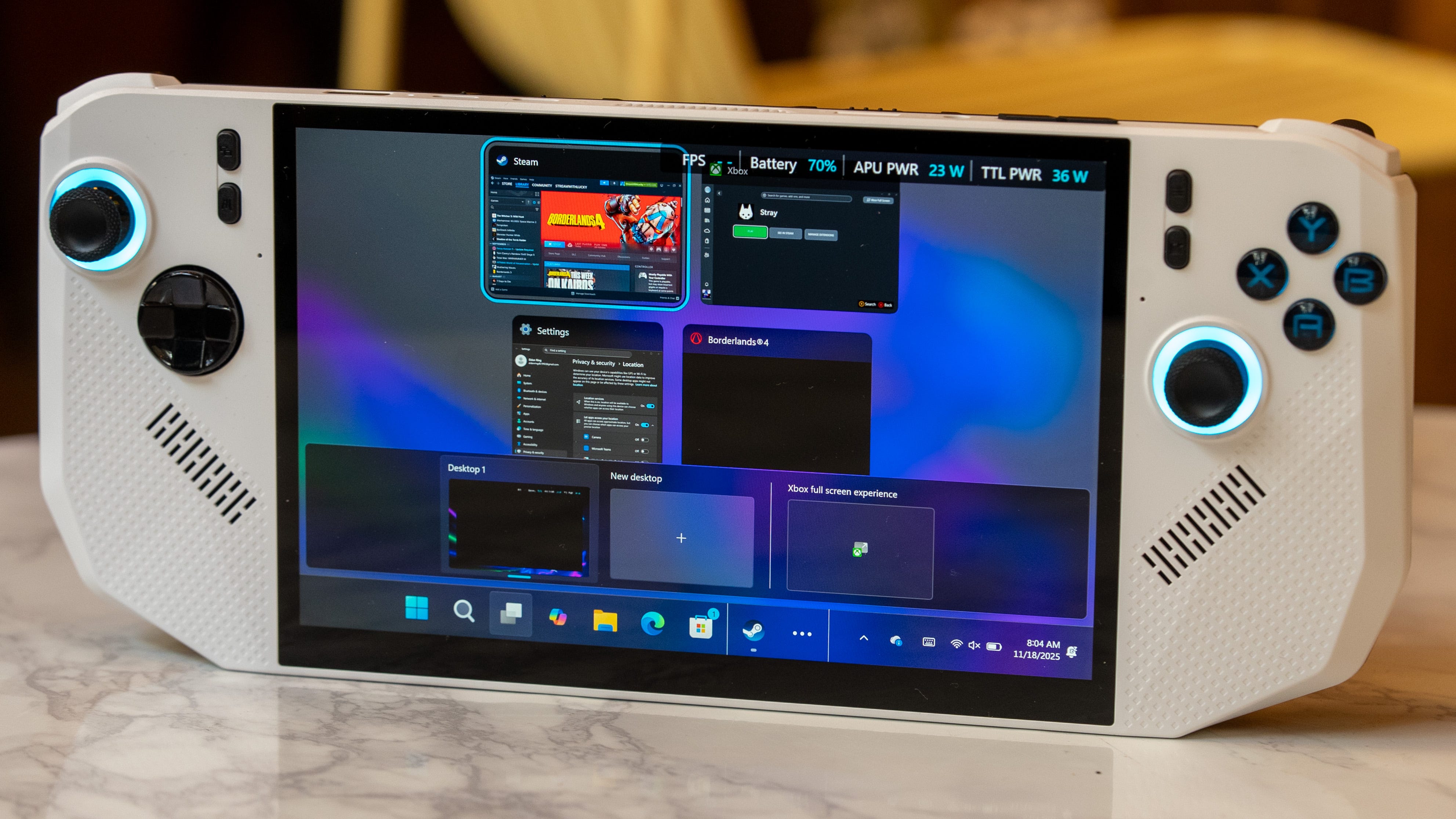
The Xbox Full Screen Experience works well on the Claw A8, even though it lacks a dedicated Xbox button. To get around this, you can either tap the MSI Center M shortcut on the left side of the screen to access the Xbox library or long-press it to enter MSI’s management software. Otherwise, I was able to navigate the Xbox app and change quick settings using just the controller buttons and sticks.
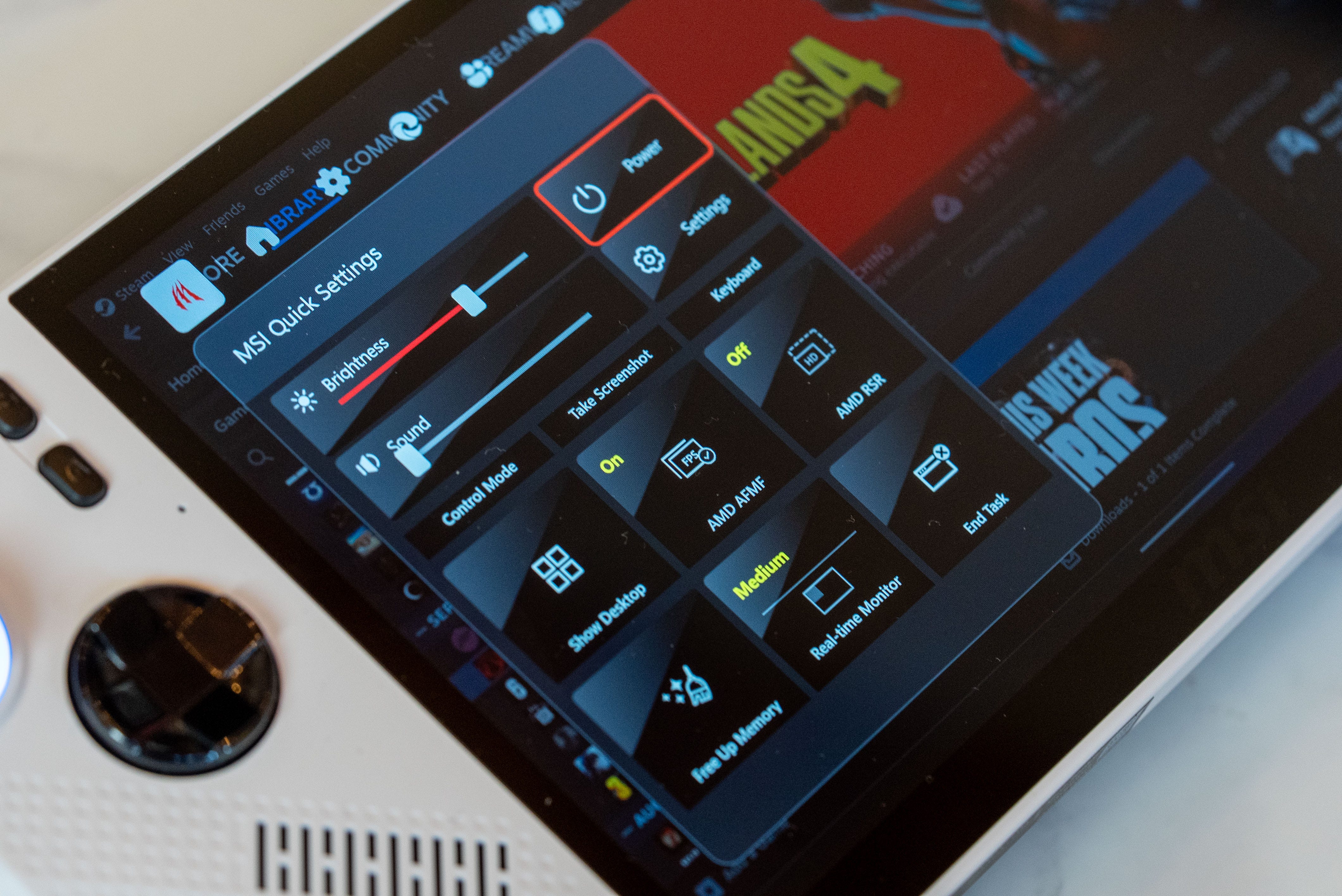
🔋 AI power saver. The MSI Claw A8 doesn’t have AI in its name like the MSI Claw 8 AI+, but this handheld still features the same power-saving optimizations we loved from our review of the latter. I ran Cyberpunk 2077 on the MSI Claw A8 in AI performance mode, achieving frame rates between 30 and 45 fps. That’s quite a bit lower than the Asus ROG Xbox Ally X’s 56-41fps and Lenovo Legion Go 2’s 51-40fps performance, but the AMD Z2 Extreme inside the Claw A8 was running at a lower TDP and still delivering a playable gaming experience. I’m very excited to see whether the MSI Claw A8 will be another battery-life champion like MSI’s previous Claw 8 AI+.
Kevin Lee is The Shortcut’s Creative Director. Follow him on Twitter @baggingspam.