


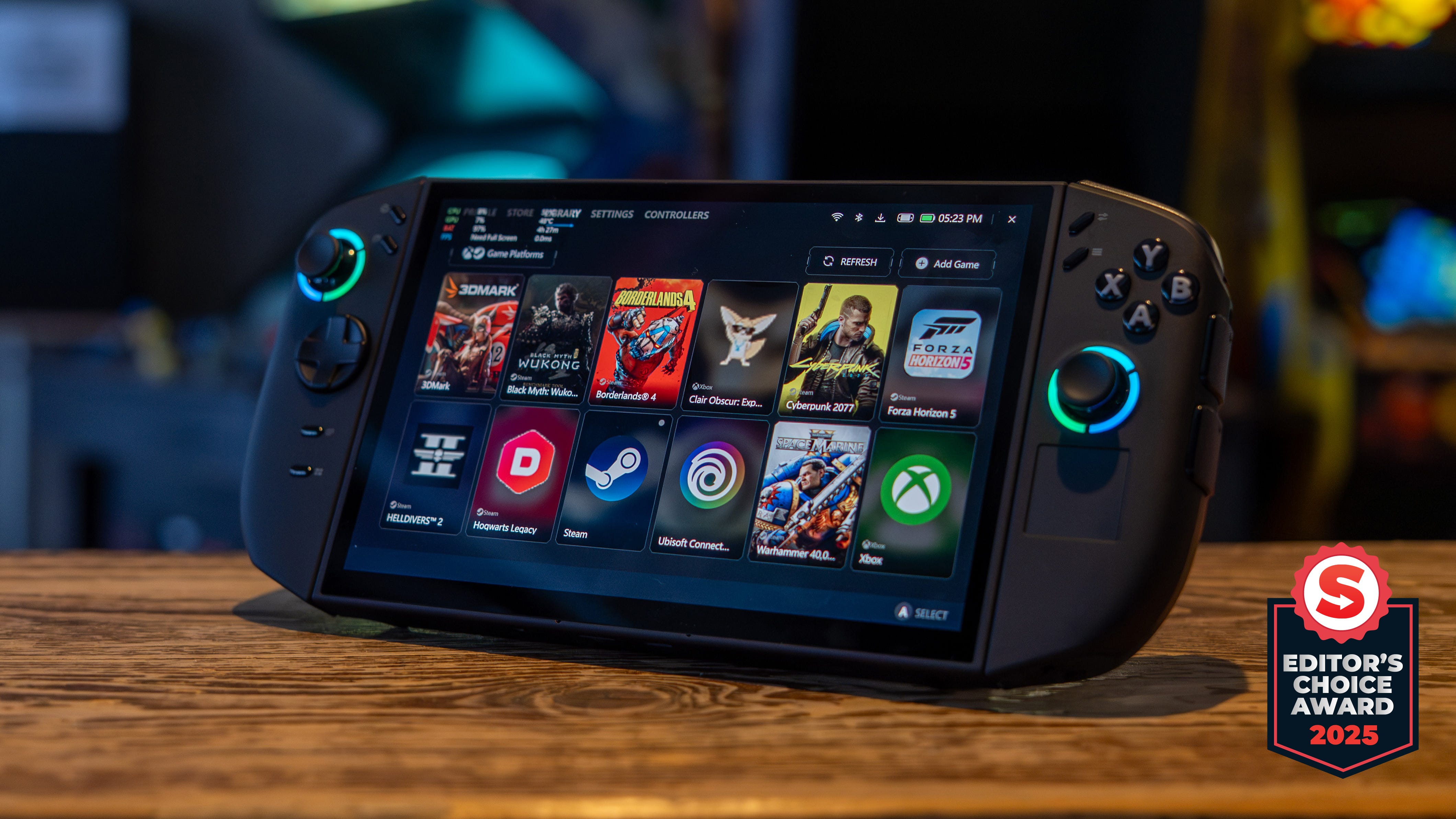
🏆 Review score: 4 out of 5
🏅 Editor’s Choice Award

✅ Pros
📺 OLED TV-quality display
🌗 Amazing contrast from 1,100-nit brightness and pure blacks
🎮 AMD Z2 Extreme lets you play more games on a handheld
📈 Allows you to run games at higher settings and lower levels of FSR
📊 Z2E can run games at half-wattage without dipping FPS
🖱️ Built-in trackpad, scroll wheel, and shortcuts make navigating Windows 11 bearable
🔘 27 programmable buttons!
❌ Cons
🤑 Double or more than the price of other handhelds
💤 Difficult to put to sleep
🚰 Battery drains even while the device is asleep
♨️ Easily turns on in a case and bag, resulting in overheating and rapid battery loss
🖥️ Mouse mode is more useful for navigating Windows 11 than gaming
The Shortcut Review
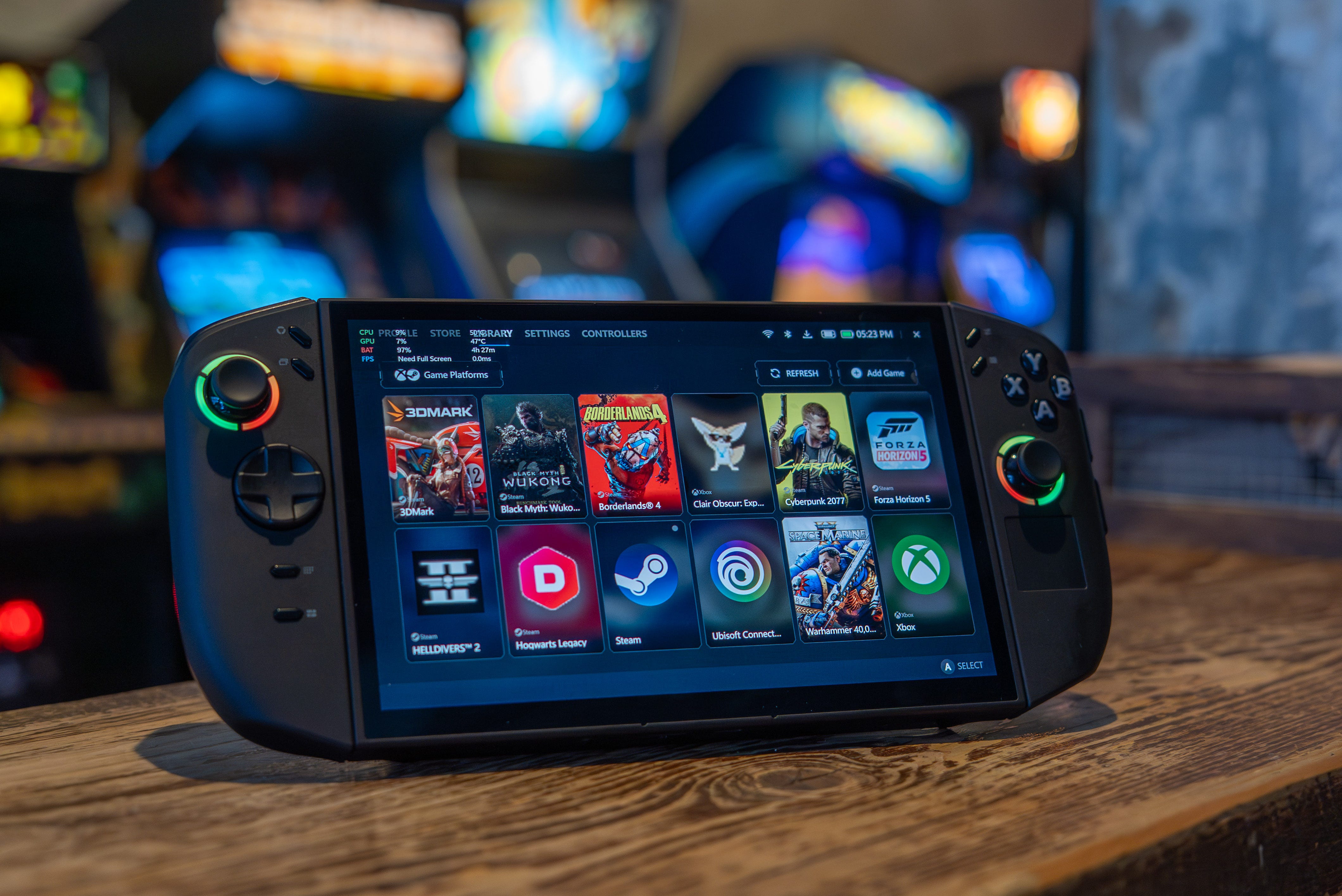
The $1,349 Lenovo Legion Go 2 is officially the first gaming handheld that costs as much as a laptop – but for that price, you get the best hardware available. The OLED display is absolutely gorgeous, featuring a 1,100-nit peak brightness, pure blacks, HDR colors, and the larger 8.8-inch screen size that makes gaming on this handheld comfortable. The new AMD Z2 Extreme chip lives up to everything I’ve dreamed of, allowing me to play more games on a handheld and run them at higher settings if they already worked on older handhelds at higher settings and frame rates. The improved efficiency of the new chip also makes it possible to keep your FPS high while running the chip at half power with only 15-17W.
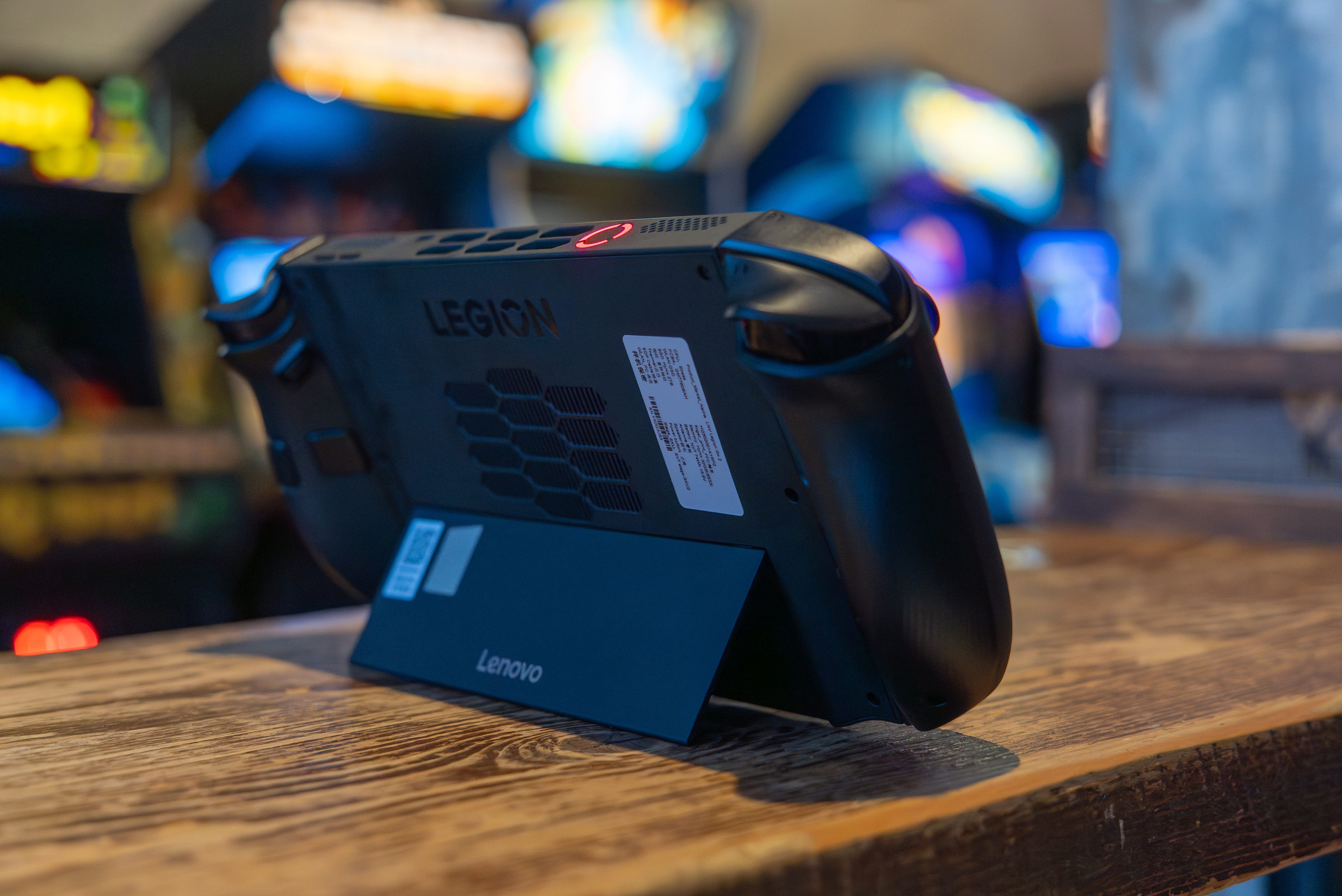
The original Lenovo Legion Go’s signature detachable controllers and kickstand add versatility for tabletop gaming whenever you get tired of holding the handheld up. I’m also so glad Lenovo went with a more ergonomic design that also helps shrink the overall size of the Legion Go 2.
The Lenovo Legion Go 2 isn’t without its problems beyond the high price. It’s unreasonably difficult to put the Legion Go 2 to sleep and keep it asleep while on the go. The mouse mode is excellent for navigating around Windows 11, but it often fails for gaming or requires remapping buttons. Battery life is also mid, maxing out at five hours at best.
Overall, the Lenovo Legion Go 2 is a substantially better gaming handheld than the original Legion Go. It delivers on almost everything Lenovo promised the Legion Go 2 would be. This is the ultimate gaming handheld for an HDR gaming experience, even if it costs double, if not more, than most of its competitors.
Full Review
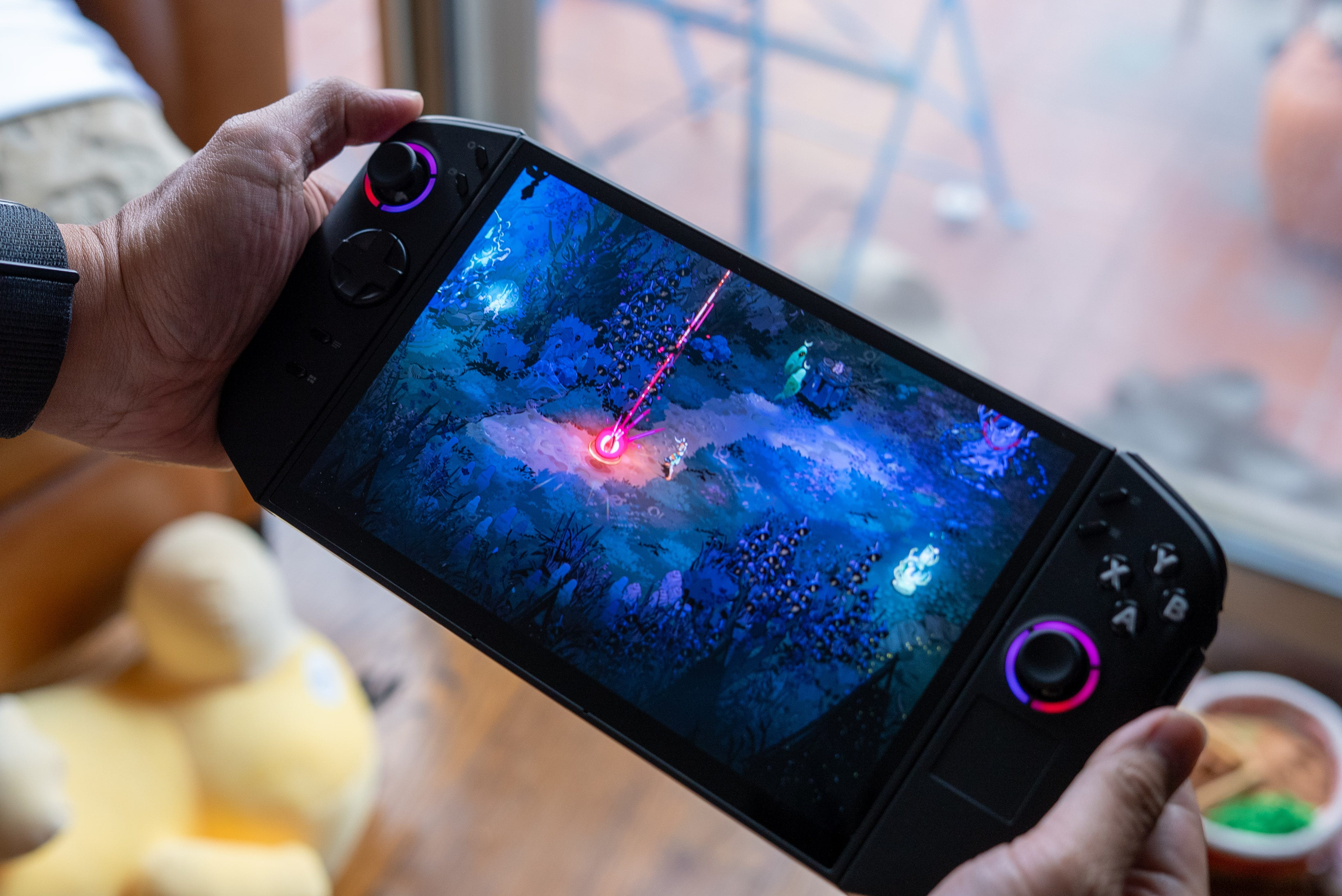
🤩 OMG OLED. OLED and peak 1,100-nit HDR brightness!?!? The Lenovo Legion Go 2’s display looks just as good as it sounds. It gets crazy bright, and the contrast is spectacular too, since pure blacks can sit right next to those bright highlights. Driving around the sun-drenched Mexican landscape in Forza Horizon 5 looks brilliant thanks to this display, which offers twice the screen brightness compared to most gaming handhelds, including the new Asus ROG Xbox Ally X and Nintendo Switch 2.
It’s like gaming with my desktop OLED gaming monitor or living room OLED TV, except I can take this amazing screen with me wherever I go.
📺 Big screen gaming. The Lenovo Legion Go 2’s display also comes in a large 8.8-inch screen size. That’s a bit larger than the 8-inch screen on the MSI Claw 8 AI+ or MSI Claw A8, but not too large to become unwieldy like the 11-inch Acer Nitro Blaze 11. The larger screen size comes in handy for playing strategy games like Tactical Breach Wizards and X-Com 2. I also don’t have to squint as hard to see while playing regular action games like Helldivers 2.
⚙️ Lower resolution upgrade with VRR. The Legion Go 2 might have had its resolution downgraded from 2,560 x 1,600 to 1,920 x 1,200, but this is actually a good thing. The original Legion Go was never able to play games at this resolution, and even with a more powerful Z2 Extreme CPU, the Legion Go 2 would struggle to run games at 1600p. That isn’t the case now that the Legion Go 2 has a 1200p display. I can enjoy every game at full resolution now, and they can even run at the display’s maximum 144Hz refresh rate. Games look smoother in general, thanks to the addition of variable refresh rate (VRR)
Performance
💪 More power. The AMD Z2 Extreme adds a nice bump in power from the Z1 Extreme, which has been the heart of most mainstream PC gaming handhelds to date. Our benchmark tests don’t portray the huge architectural leap we’re used to seeing in graphics cards, but it’s clear that the Z2E chip delivers more raw rendering power for games. The Legion Go 2 delivers over 10 fps, surpassing the Asus ROG Ally X. Notably, the Lenovo Legion Go S with Steam OS and a Z1E chip achieves performance that more closely matches the fps you can get from the new Z2E.
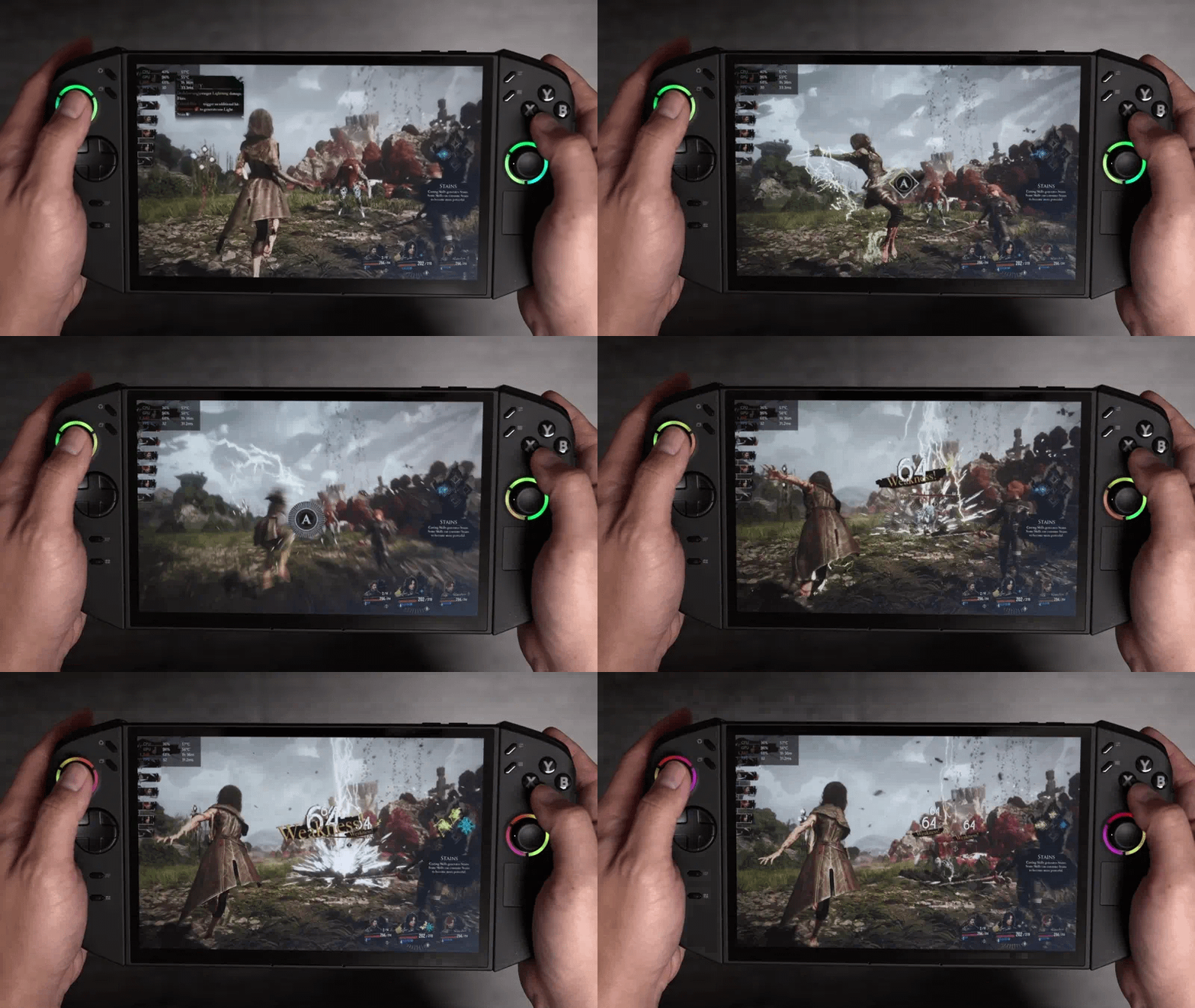
👾 Bump up the graphics. I can play games at a slightly higher medium-quality setting or FSR 3 set to balanced, whereas I would have to settle for low settings or set FSR 3 to performance to achieve a playable frame rate on a Z1E-powered handheld. What’s more, I can get Borderlands 4 and Space Marine 2 running at a playable 30fps on the Legion Go 2. These are both games that stutter or require running at potato-quality on older hardware, such as the Asus ROG Ally X.
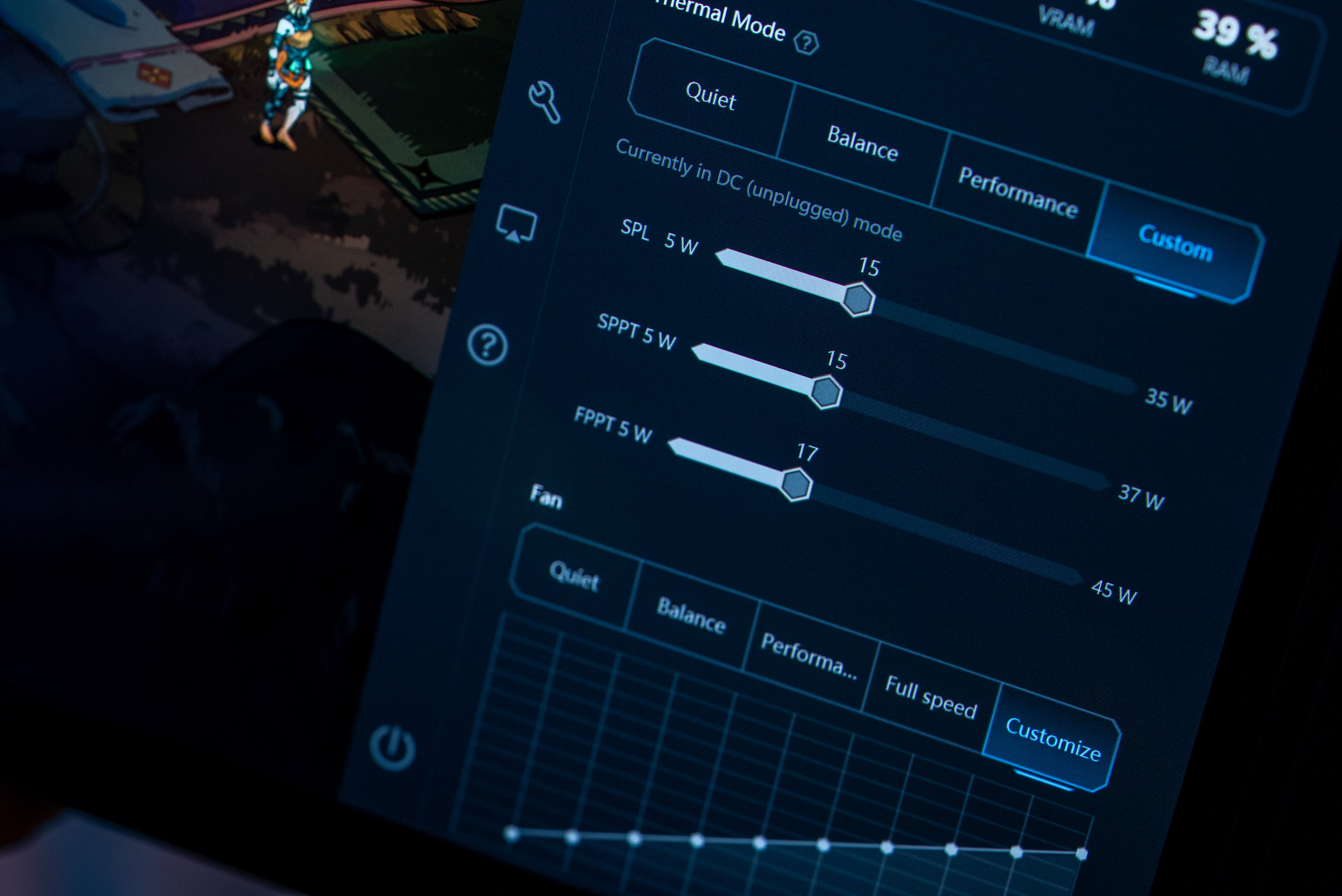
📊 Half power, full FPS. The new Z2E chip is also tuned to deliver higher gaming performance at lower power. I was able to run Helldivers 2 and Forza Horizon 5 at 50-60fps while having the chip consume only 15-17W, basically half of the chip’s maximum 35 watts. Usually, I would need to put the original Ally X into its 30W Turbo mode to get the same level of performance. This is a vast improvement in efficiency from AMD’s Z2 Extreme and RDNA 3.5 architecture, allowing you to game for longer while on battery or be more economical while plugged in.
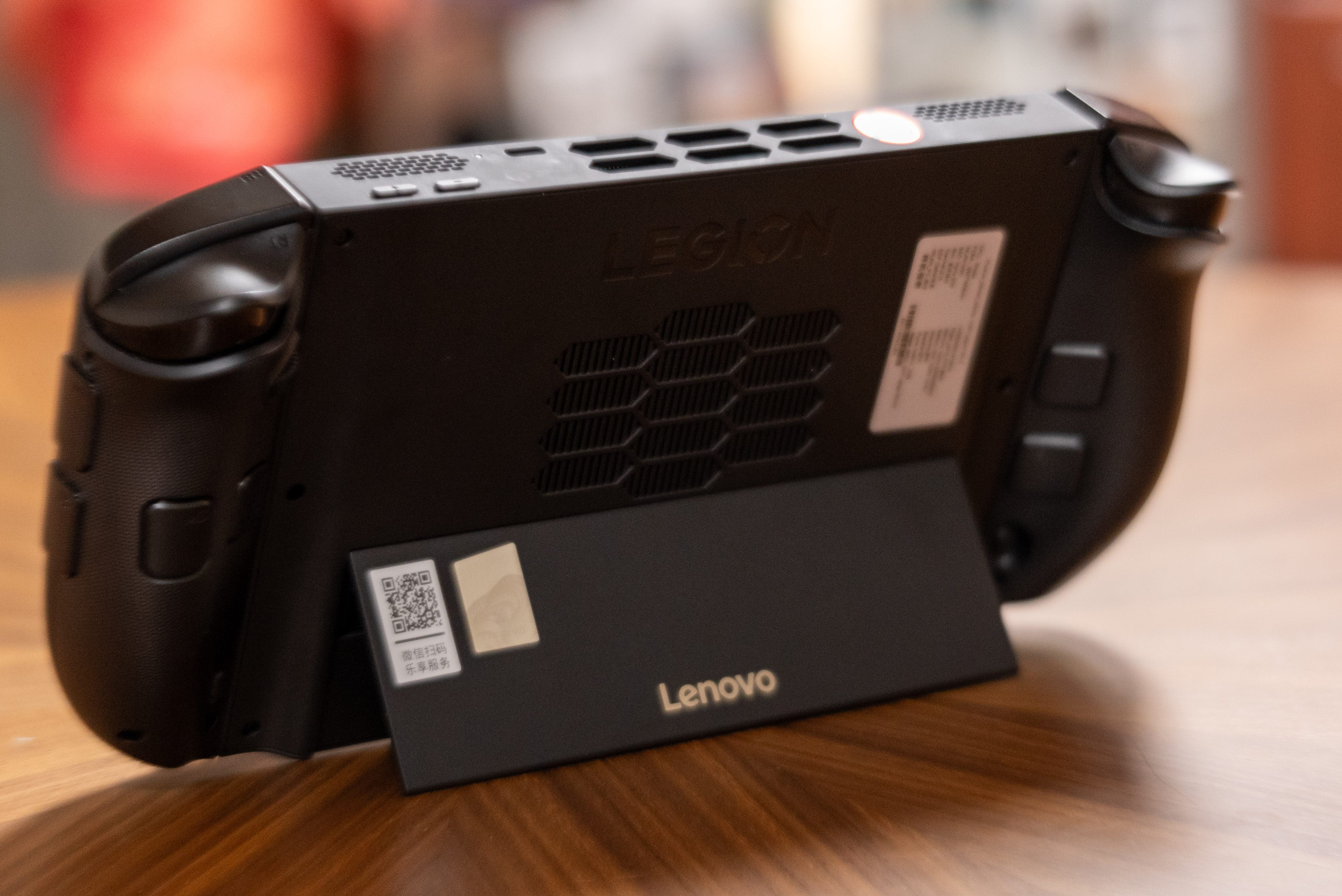
🪭 Efficient cooling. The Lenovo Legion Go 2 keeps its cool without sounding like a banshee. I only saw temperatures peak at 70°C, and that was with the most punishing 3DMark Steel Nomad and CyberPunk 2077 benchmarks. While playing games regularly with FSR 3, I’ll typically see temps peak at 65°C. Thankfully, the Legion Go 2’s cooling fans sound a lot quieter than the original Lenovo Legion Go or Z2 Go-powered Lenovo Legion Go S.
Battery life
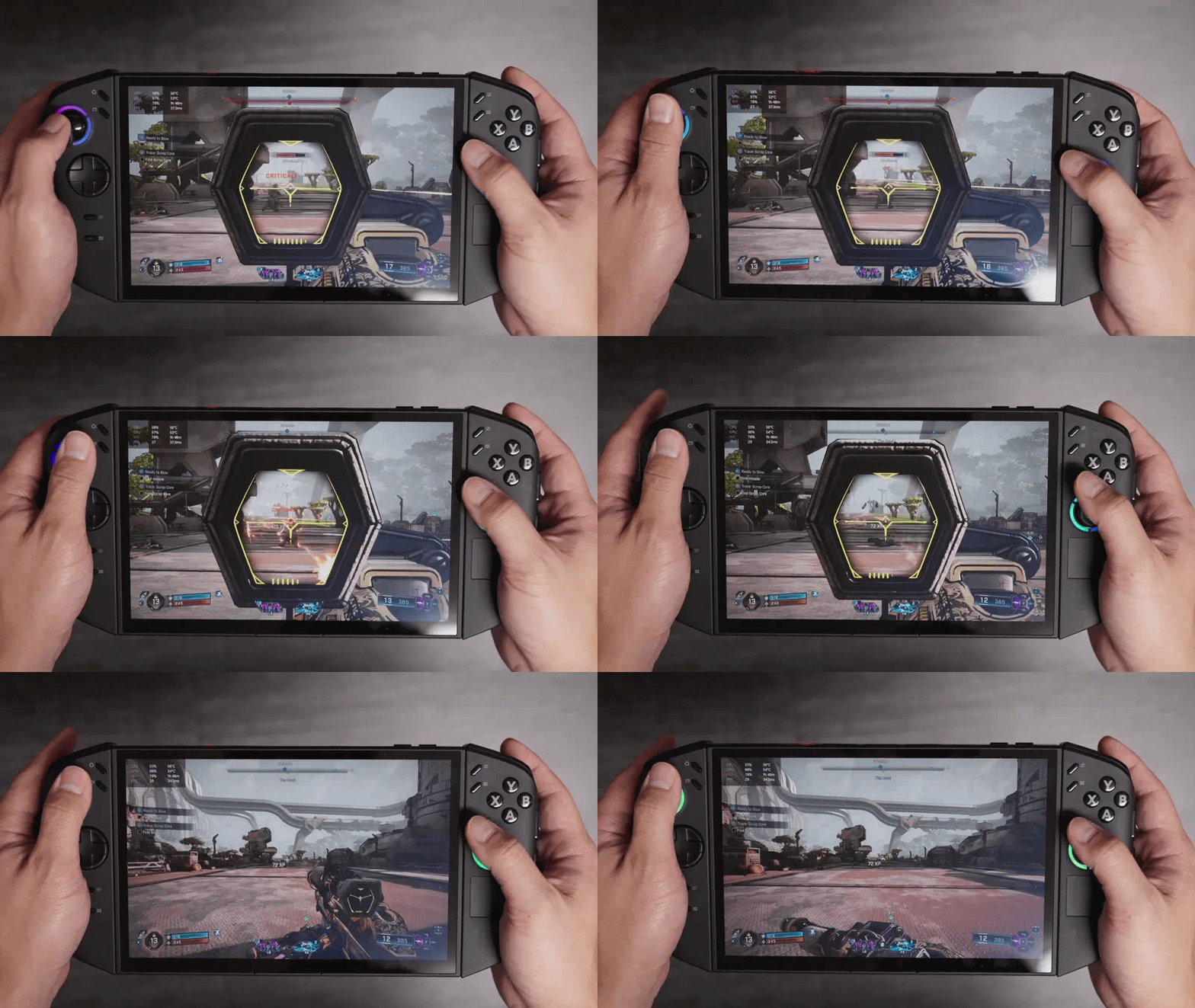
🔋 Decent battery life. All of those efficiency improvements from the new Z2E chip help the Legion Go 2 last for almost three hours of AAA gaming with titles like Borderlands 4 and Clair Obscura Expedition 33. With a lower custom 15-17W power mode, I was able to get closer to five hours of non-stop Hades II gameplay. It’s still short of the up to seven hours of gaming I got from the Asus ROG Ally X, but this handheld does have a smaller 74Wh battery and a larger display. Recharging is fast, though not as fast as the 50% in 30 minutes that Lenovo promised. In my testing, I saw 20% charge return in 15 minutes, and I was back to 40% in 30 minutes.
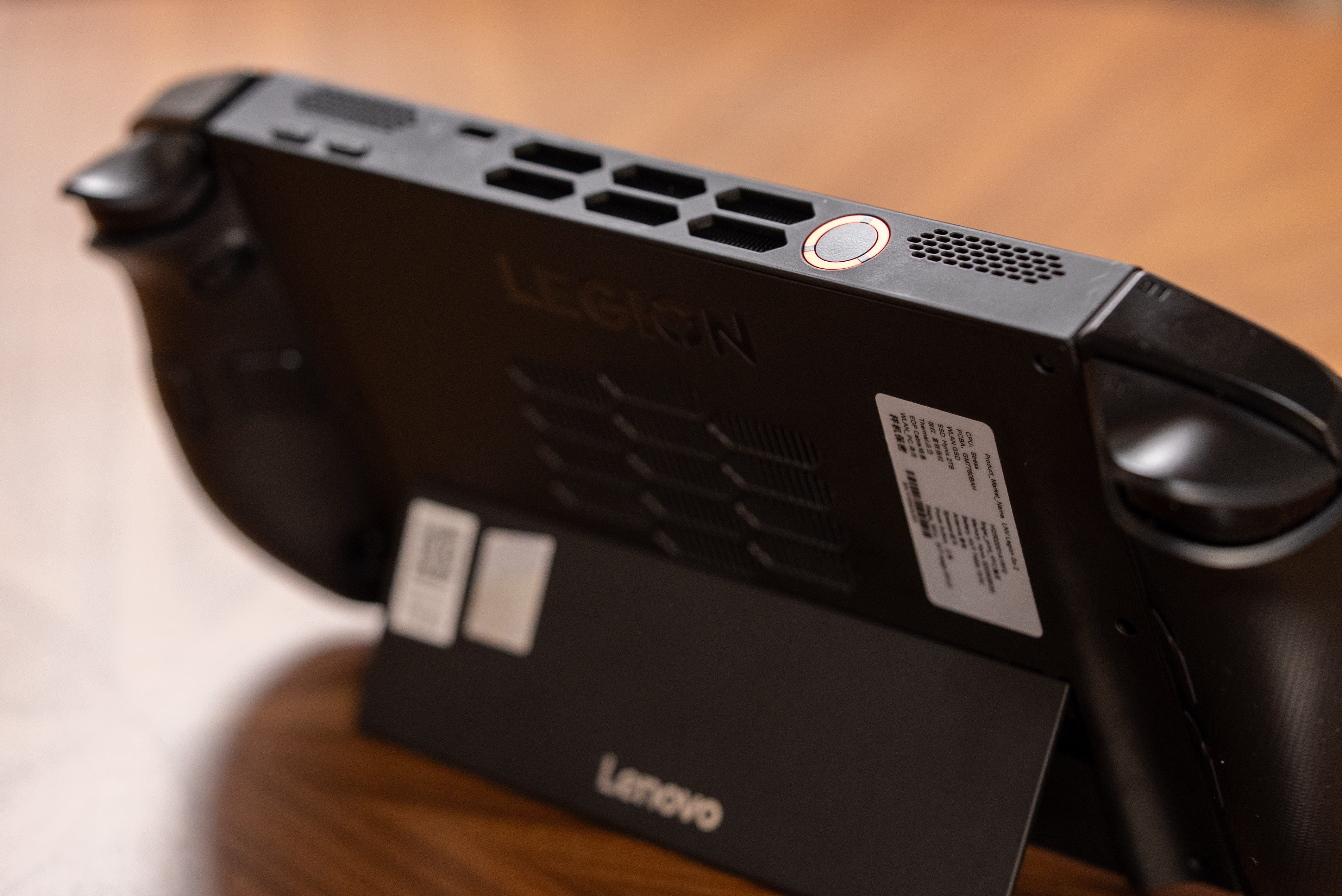
🥊 Go to sleep, go to sleep, go to sleep! Putting the Legion Go 2 to sleep is like that scene in Avengers when Iron Man repeatedly punches the Hulk in the face. The Legion Go 2 will blink back on 90% of the time after I’ve hit the power button, and then tell me that Windows Hello doesn’t recognize my fingerprint. Also, if you touch one of the buttons or triggers while the Legion Go 2 is going to sleep, it’ll snap attention too. Unfortunately, the Lenovo Legion Go 2’s battery also drains while sleeping. After having it sleep overnight, I saw it had lost 4% of its battery life.
♨️ Hot bag syndrome. Worse yet, the Legion Go 2 also easily wakes up while in its carrying case, overheating itself and draining its battery. It sucks to take this thing out of my bag to play, only to find out it’s been cooking itself and wasted 86% of its battery too. The power button sits completely flush with the top of the device, so even the slightest pressure turns it on while it’s in a case or bag. One easy fix would be to make the power button more inset or to add a circular guard around it.
Design


📐 Improved design. The Lenovo Legion Go 2 is as imposing as the original. Its 8.8-inch screen dwarfs other smaller handhelds, and it stands taller thanks to its built-in kickstand. Thankfully, Lenovo made the Legion Go 2 more ergonomic with rounded controller grips that also taper slightly downwards. With all these tweaks, the Legion Go 2 is ever so slightly narrower than its predecessor, but the main body of the system is also thicker and heavier.
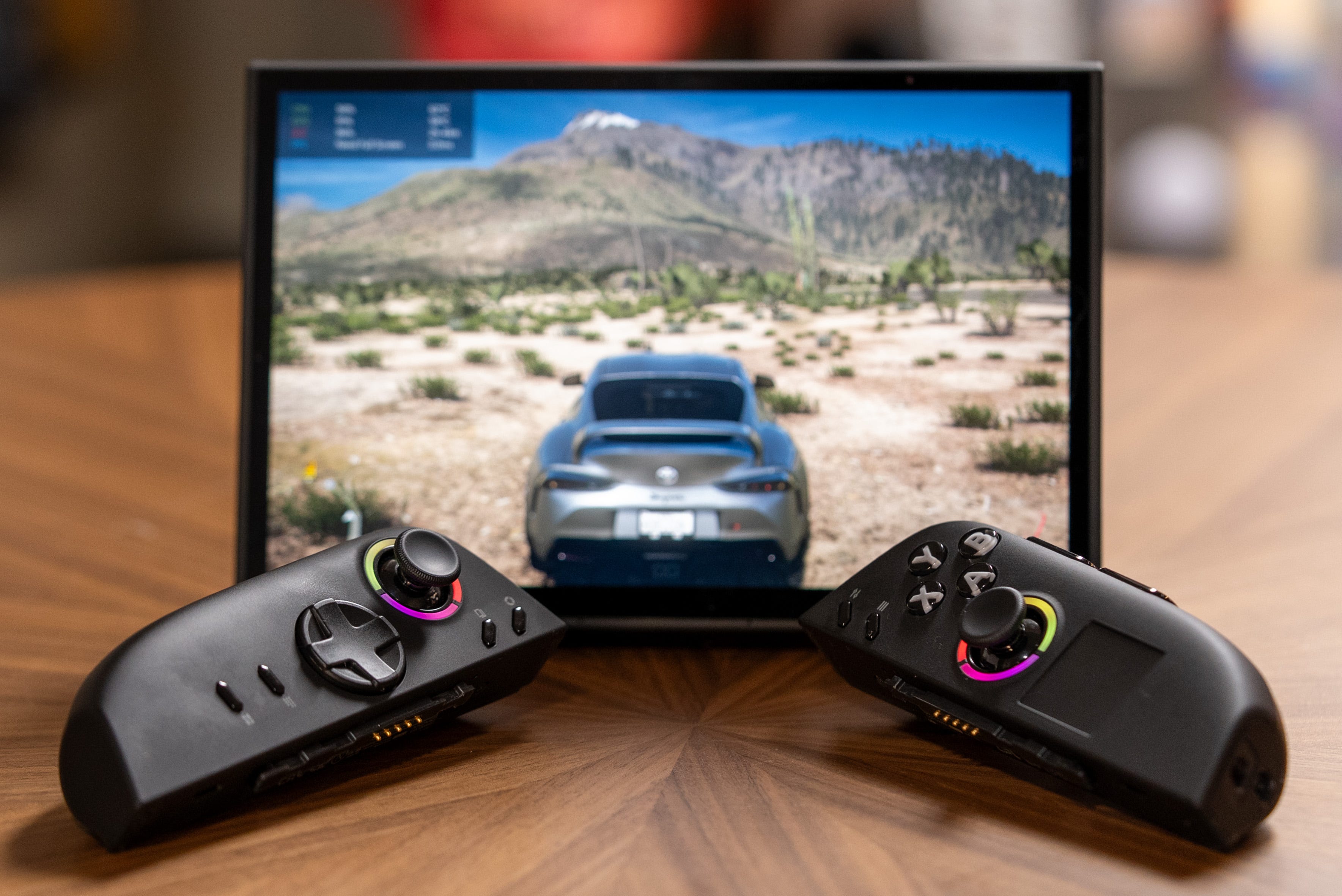
🎮 Detachable controllers. The Legion Go 2 continues to have detachable controllers like the Nintendo Switch 2, though they break away from a mechanical latch instead of magnets. This lets you keep the controllers in hand while you set the Legion Go 2 on a table whenever you get tired of holding the handheld up.
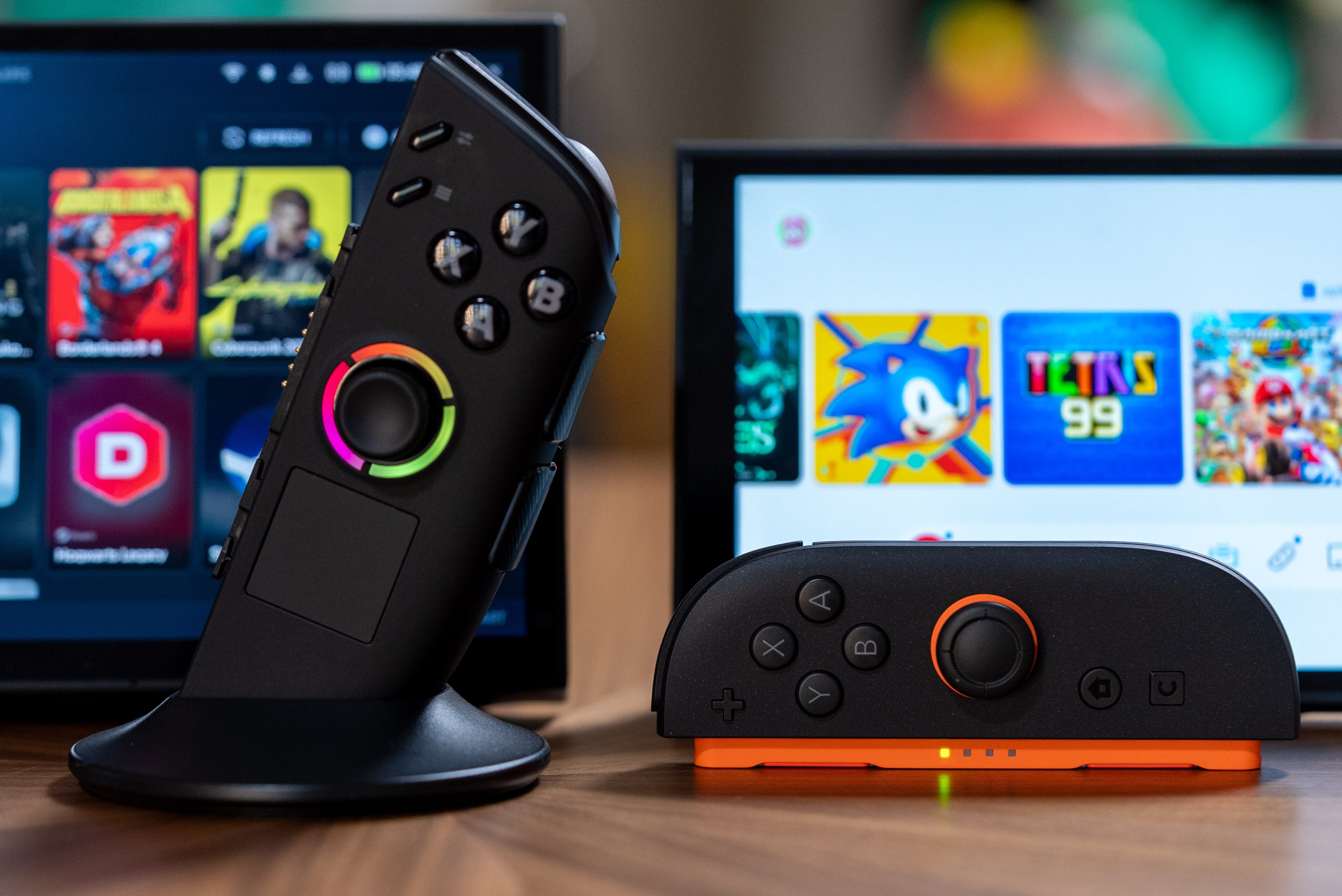
🎯 “First-Person Mode” You can also turn the right-hand controller into a gaming mouse, but the implementation isn’t as seamless as Nintendo’s. Some games, like Helldivers 2, have trouble accepting both gamepad and keyboard/mouse inputs at the same time. This happens because the left controller is still acting like a gamepad, while the right controller is essentially a computer mouse. Other games like Borderlands 4 work well with Lenovo’s “First-Person Mode,” but you’ll have to remap buttons manually, as by default the L3 button to sprint turns into an open map menu after you switch the right controller into mouse mode.


🖥️ Navigating Windows. There’s no getting away from the Windows 11 OS here; unfortunately, you still have to check for system updates, Microsoft Store updates, and updates across all your launchers like Steam and Epic. The good news is the Lenovo Legion Go 2 makes navigating Windows more bearable with a built-in trackpad and scroll wheel, the latter of which comes in very handy for scrolling down long EULA agreements to get into the Call of Duty 7 beta. Heck, there are even two shortcuts to access the task view and switch between windows (like Alt+Tab), making it easier to manage multiple launchers. You can also customize any of the Legion Go 2’s 27 buttons – that’s a crazy amount of buttons, btw – to do anything you like, including shortcuts for applications.
Should you buy the Lenovo Legion Go 2?
✅ Yes, if…
📺 You want OLED TV-like HDR colors and brightness on a gaming handheld
🎮 You want to play games at higher-quality settings
🕹️ You want to play more of your games on a gaming handheld
📈 You want to lower your power needs and get the same FPS performance
You’re tired of holding your gaming handheld
❌ No, if…
🏋️♂️ An 8.8-inch and 2.03 pound is too much to handle (get the Asus ROG Xbox Ally X instead)
👾 You were fine with the performance of older handhelds (get the Lenovo Legion Go S (Steam OS) instead)
❎ You only have games from Xbox Game Pass (get the Asus ROG Xbox Ally X instead)
λ⚙️ You don’t want to see Windows at all (get the Lenovo Legion Go S (Steam OS) instead)
Kevin Lee is The Shortcut’s Creative Director. Follow him on Twitter @baggingspam.