




🏆 Review Score: 4.5/5 - ‘Awesome’
🏅 Editor’s Choice Award
✅ Pros:
🤗 Super comfortable to hold
😲 Sticks feel even better than the Switch 2 Pro Controller
😴 Wakes the Switch 2 from sleep
🗣️ M button cleverly acts as the ‘C Button’
💨 Mechanical buttons are super responsive and easy to press
🎮 Works on PC as either a Switch Pro controller or as an Xbox 360 controller
❌ Cons:
🎧 No headphone jack
🤷♂️ Back button mapping isn’t stored on a per game basis
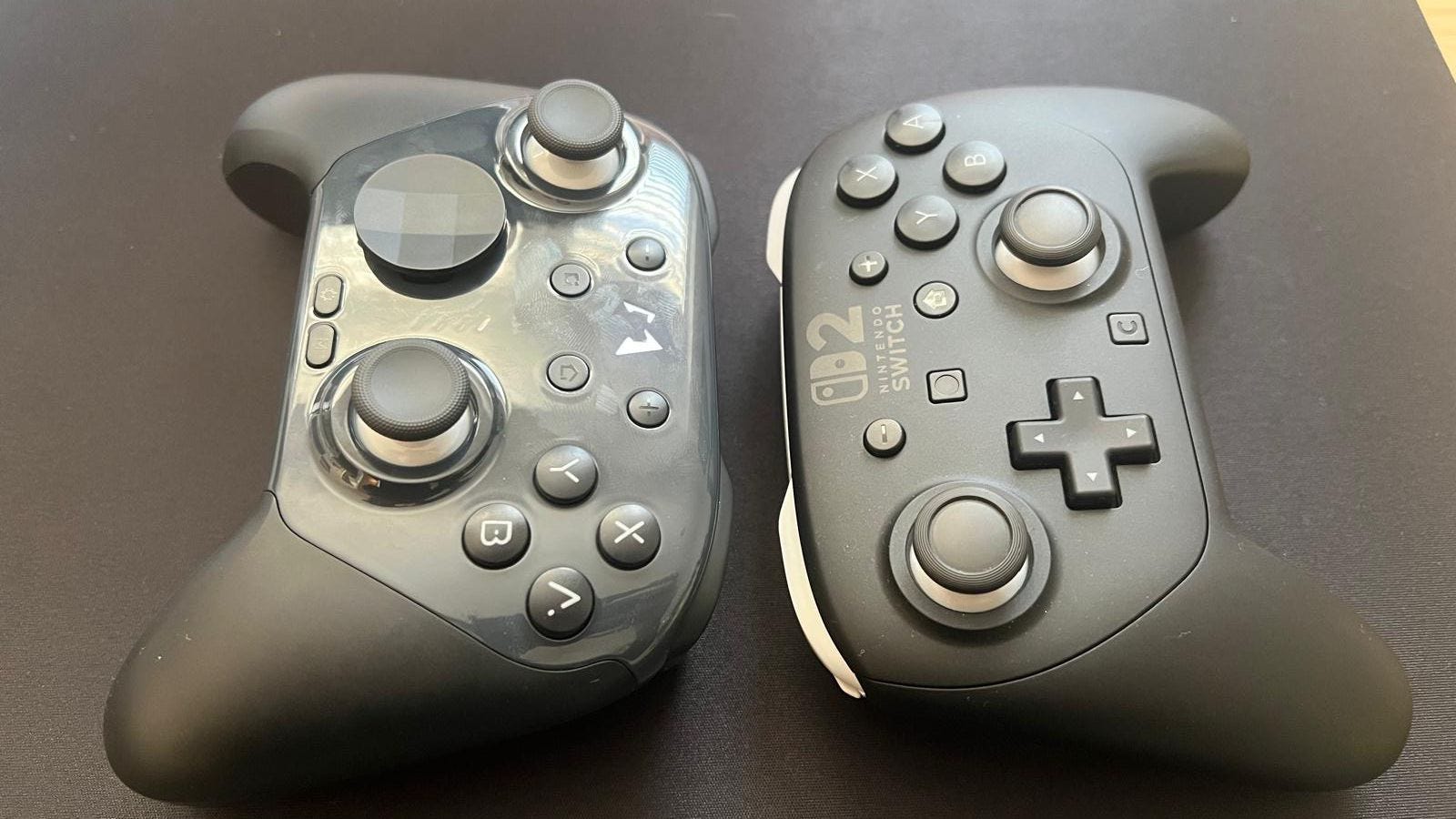
🫣 Glossy faceplate picks up everything
The Shortcut Review
Mobapad has quietly established itself as one of my favorite peripheral manufacturers in the last few years thanks to its excellent range of Nintendo Switch and Nintendo Switch 2 controllers that often match first-party offerings. The company has a strong track record of providing products that boast exceptional build quality, a litany of must-have features, and for being sold for an astonishingly competitive price.
The Mobapad Chitu 2 HD is another fine example and the best alternative to the Nintendo Switch 2 Pro Controller I’ve tried. At $49.99, it’s significantly cheaper than the Switch 2 Pro Controller which costs $89.99, and makes it difficult to argue you should pay almost double for Nintendo’s gamepad.
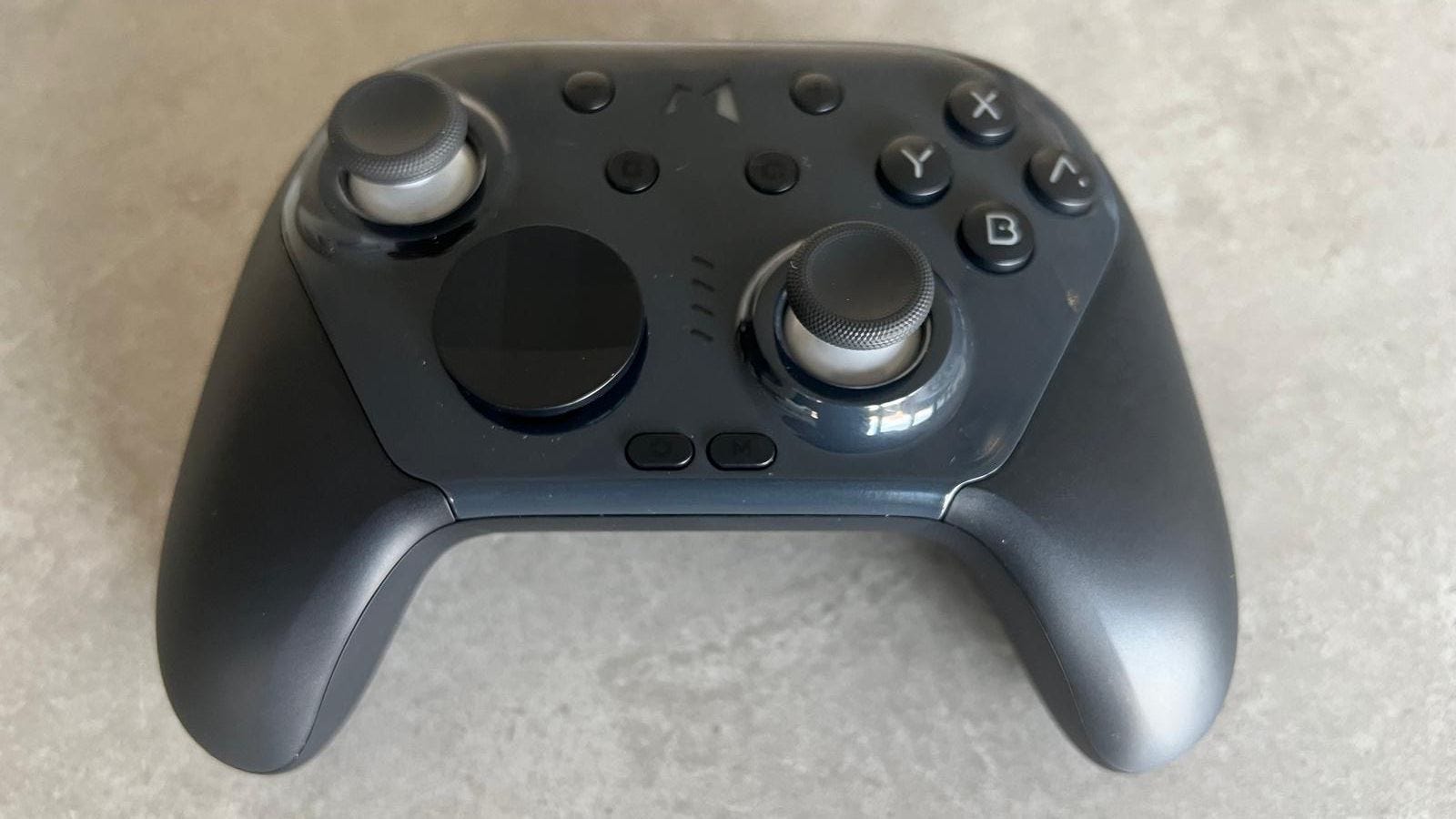
Not only does the Mobapad Chitu 2 HD come with all the features you’d want – HD Rumble, smooth gliding sticks, two back buttons, amiibo support, gyro controls, wake from sleep, and even a workaround for the C Button – but you’ve also got TMR (Tunnel Magnetoresistance) sticks that all but eliminate drift from occurring.
Mobapad Chitu 2 HD specs 🛠️
Price: $49.99 ($65.99 with charging dock)
Connection: Bluetooth, wired
Compatibility: Nintendo Switch, Nintendo Switch 2, PC, mobile
Weight: 252g
Colors: Black, Glossy Black, White, Pink
Another advantage is that the Mobapad Chitu 2 HD works on PC via Bluetooth or a wired USB-C connection, and can function as either a Nintendo Switch Pro Controller (complete with gyro controls) or an Xbox 360 controller. It’s a fantastic addition, and worked well during my testing. However, make sure you disable ‘Steam Haptics’ to avoid the rumble sometimes getting stuck until the next action.
It’s another cracking controller for Nintendo Switch or Switch 2 users to enjoy.
There are some drawbacks to Mobapad’s controller. There’s no headphone jack, which may be essential for some players, and the back buttons can’t be customized on a per game basis, like with Nintendo’s Switch 2 Pro Controller. The clicky mechanical buttons and D-Pad can also be polarizing, but I’ve always enjoyed the responsiveness they provide. Again, though, you’re paying half the price of the Switch 2 Pro Controller, so these issues can easily be overlooked.
🎮 Mobapad Chitu 2 HD best settings: simple tweaks can help you get the most out of this controller
Read my full Mobapad Chitu 2 HD review below to find out why it’s another cracking controller for Nintendo Switch or Switch 2 users to enjoy.
A review unit was provided by Mobapad.
What I loved about the Mobapad Chitu 2 HD ❤️
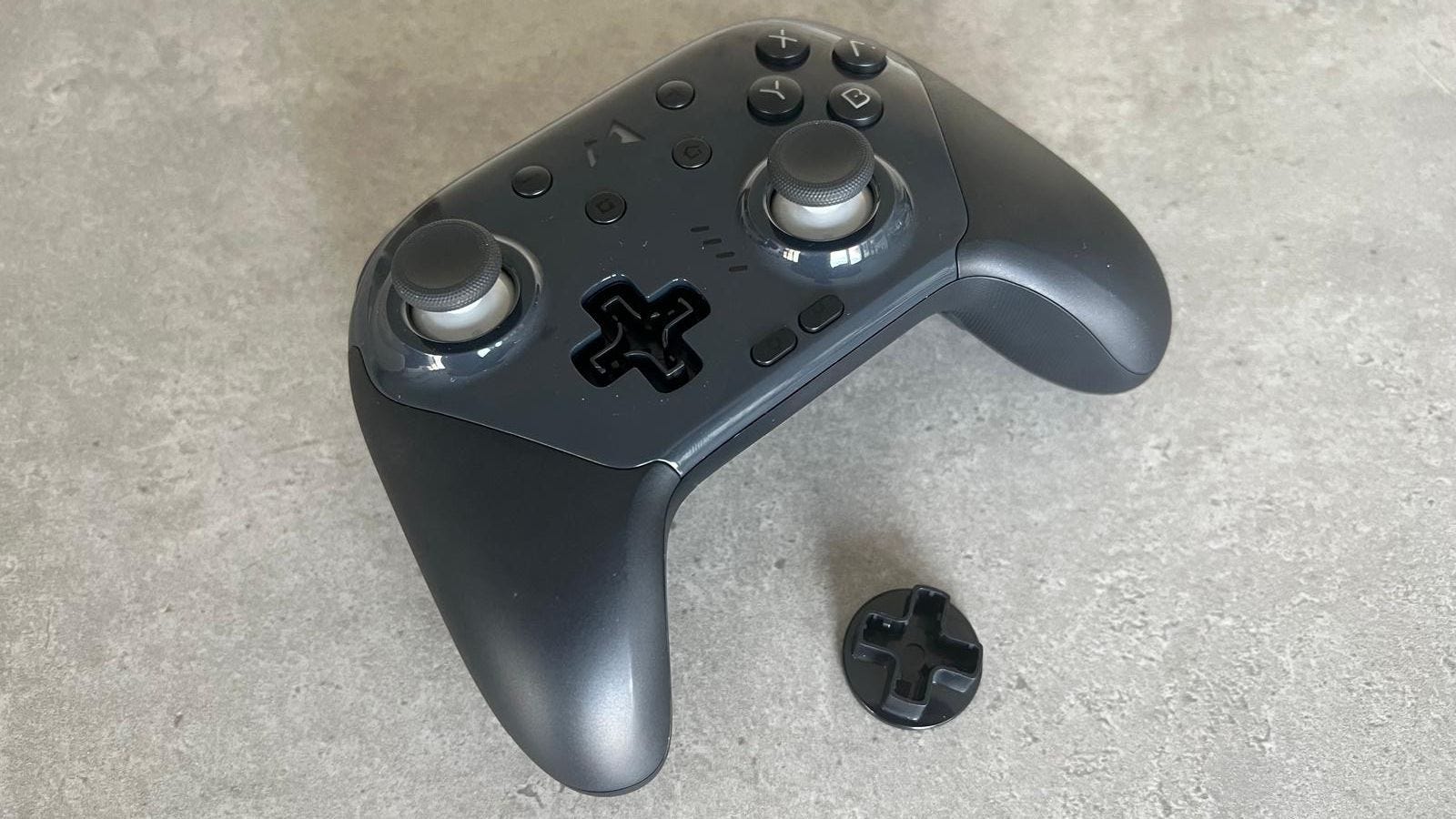
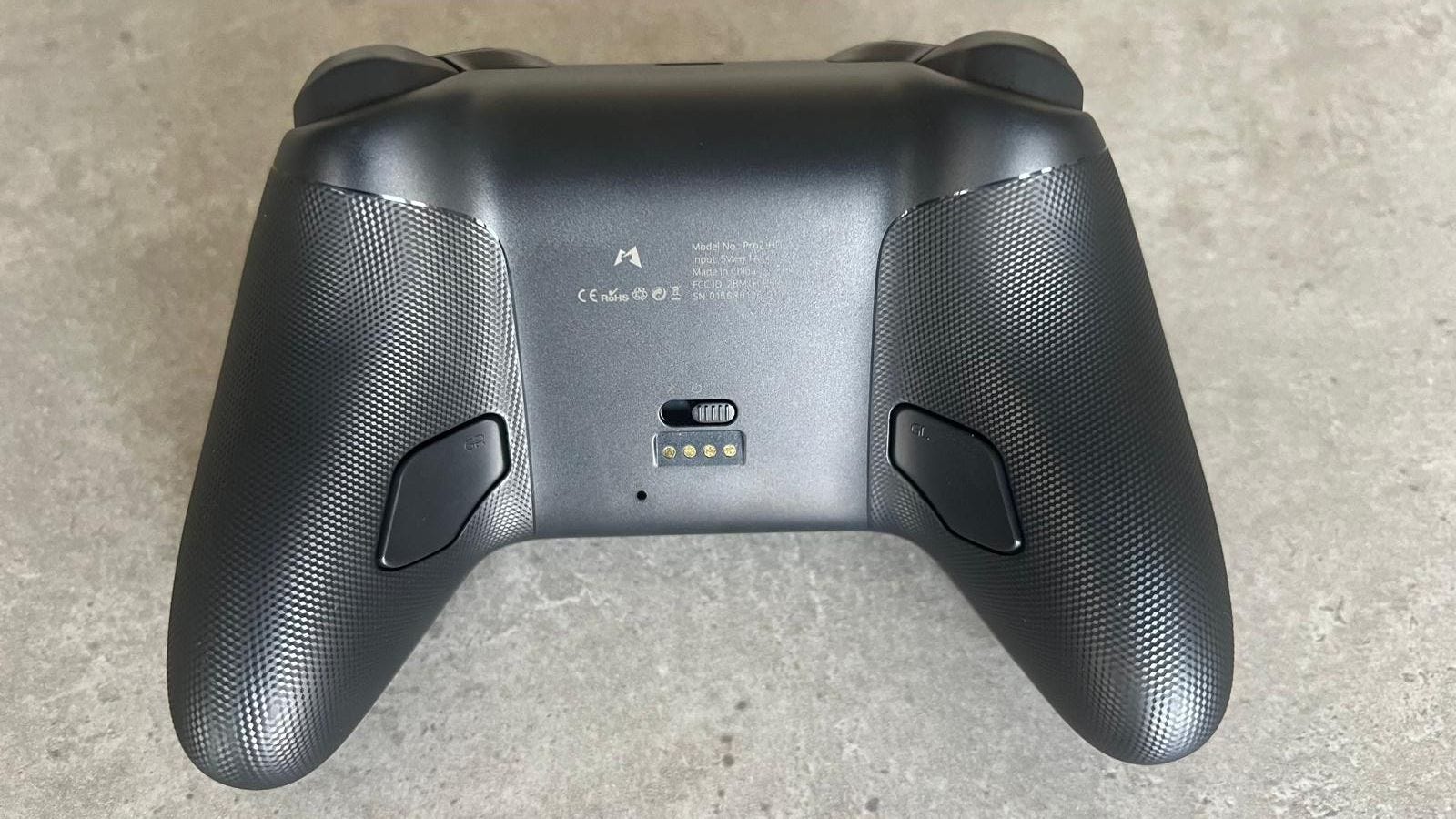
🤗 Super comfortable to hold with plenty of grip. Mobapad has nailed the ergonomics of its latest controller once again, as it’s a joy to hold. Added tactile bumps on the back of the grips, triggers and shoulder buttons provides plenty of purchase, even if things get a little sweaty mid-game.
😲 Sticks feel even better than the Switch 2 Pro Controller. The “smooth-gliding” sticks of the Switch 2 Pro Controller are a revelation, but the Mobapad Chitu 2 HD offers a similar, if not superior alternative. Not only are they TMR sticks, which should make them resistant to any drifting in the future, but the concave shape of the analog sticks provides more surface area and grip when playing. It’s amazing how similar they feel.
😴 Wakes the Switch 2 from sleep. Funnily enough, even Nintendo’s own Switch Pro Controller can’t wake up the Switch 2, which is a real pain. Luckily, the Mobapad Chitu 2 HD can, so you don’t need to get up off the couch whenever you want to play.
The “smooth-gliding” sticks of the Switch 2 Pro Controller are a revelation, but the Mobapad Chitu 2 HD offers a similar, if not superior alternative.
👍 Swappable D-Pad. Mobapad continues to offer two styles of D-Pad with its controller, which I love to see. You can choose between a circular D-Pad, ideal for fighting games, or a traditional crosshair D-Pad, that won’t let you down during Tetris 99 or platformers. Simply pop off the D-Pad, and choose the one you like.
🗣️ M button cleverly acts as the ‘C Button’. You won’t find a dedicated C Button anyone but Nintendo’s own controller, but Mobapad’s solution is rather clever. Press the M button during a game, and a macro command will start that opens up the home menu, navigates to GameChat, and begins the application. Obviously, it falls apart if you try it anywhere else but in a game, but it’s a nifty addition for those who want to jump into GameChat quickly.
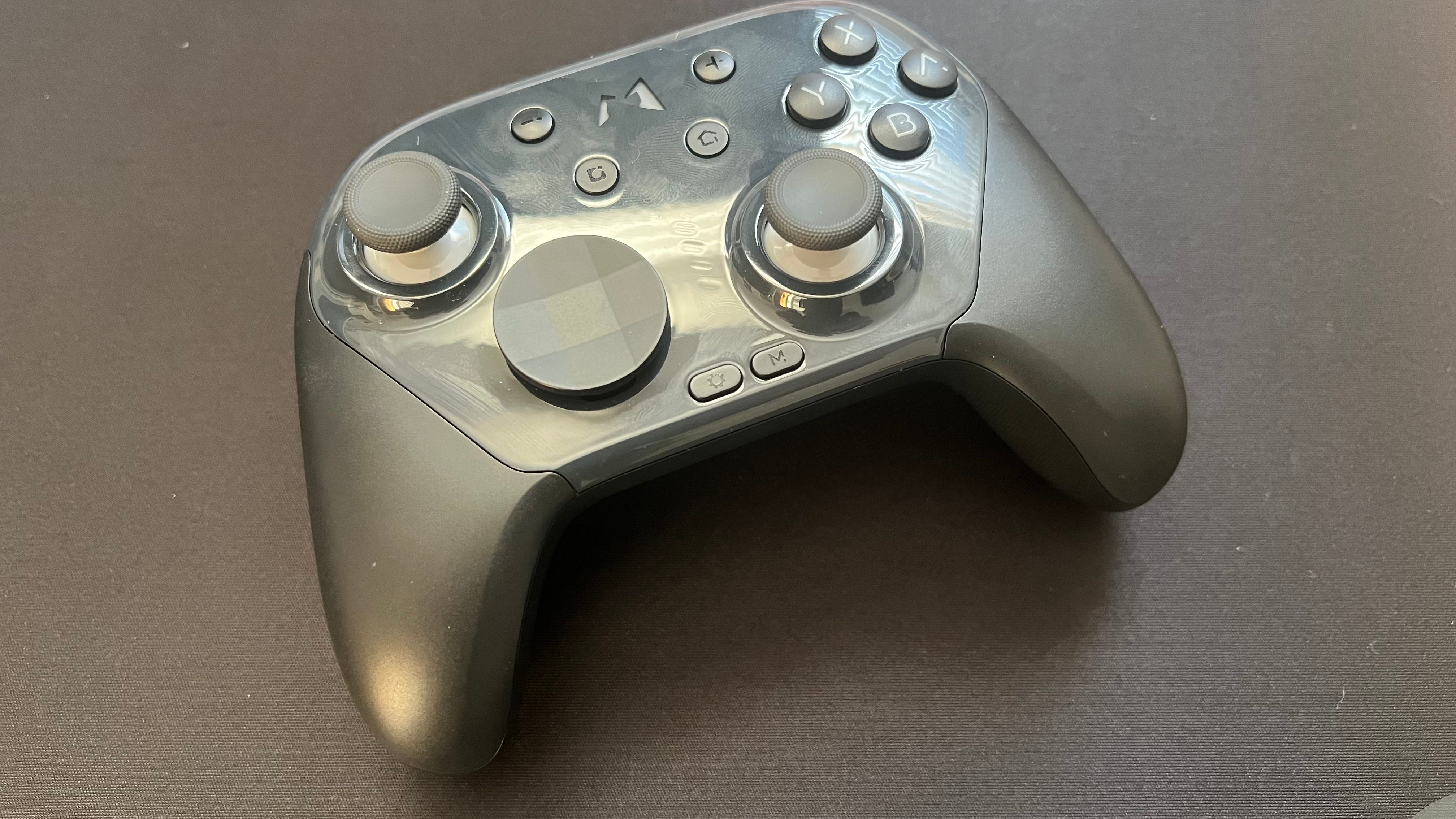
💨 Microswitch buttons are super responsive and easy to press. Not everyone loves the clicky nature of mechanical buttons, but I’ve always been a fan. Microswitches are easy to activate with a low actuation point, reducing fatigue over time. They also feel more tactile and responsive than membrane style buttons.
🎮 Works on PC as either a Switch Pro controller or as an Xbox 360 controller. If you want to use the Mobapad Chitu 2 HD on PC, the good news is that it works wonderfully. You can use it as either a Switch Pro Controller or a classic Xbox 360 pad, in both wired and wireless configurations. Using Steam Input, you can activate gyro controls and even use the back buttons.
You can tweak and customize the Mobapad Chitu 2 HD controller using the Mobapad mobile app, which allows you to reduce the analog stick deadzones, reassign buttons, and adjust the rumble.
🔋 Battery life lasts for 15-20 hours. While it can’t quite compare to the impressive 40 hours of battery that Nintendo’s Switch 2 Pro Controller offers, you’ll average around 15 to 20 hours of use before the Mobapad Chitu 2 HD needs to be charged. That’s a decent amount, and a far cry from the 8 hours max the PS5 DualSense controller tends to offer.
📱 Easy to use mobile app. You can tweak and customize the Mobapad Chitu 2 HD controller using the Mobapad mobile app, which allows you to reduce the analog stick deadzones, reassign buttons, and adjust the rumble. There are shortcuts that allow you to make certain changes without the app, but thankfully it’s easy to use and works well.
What I disliked about the Mobapad Chitu 2 HD💔
🎧 No headphone jack. If you’re favorite pair of gaming headphones use a wired connection, you’re out of luck with the Mobapad Chitu 2 HD. There’s no headphone jack, which means you’ll either have to rely on the sound coming from your TV, or grab a wireless pair instead.
The Mobapad Chitu 2 HD’s back buttons are excellent and easy to press, but you’ll have to stick with the buttons you’ve assigned across all games, or head to the app to change them.
🤷♂️ Back button mapping isn’t stored on a per game basis. This wouldn’t usually be a criticism, but the Nintendo Switch 2 Pro Controller lets you map the back buttons on a per-game basis. It’s a fantastic feature that, once you experience, is easy to miss elsewhere. The Mobapad Chitu 2 HD’s back buttons are excellent and easy to press, but you’ll have to stick with the buttons you’ve assigned across all games, or head to the app to change them.
🫣 Glossy faceplate be gone. Mobapad sells a version of the Chitu 2 HD with a matte faceplate, and it’s definitely the one to get. Glossy material on a controller never makes sense, and unsurprisingly it’s easy for the faceplate to become covering in fingerprints and grime.
Should you buy the Mobapad Chitu 2 HD? 🤔
Yes, if…
✅ You want a controller that matches the Switch 2 Pro Controller’s features
✅ You play on Nintendo Switch/Switch 2 and PC
✅ You’re worried about stick drift
No, if…
❌ You need a controller with a headphone jack
❌ You’ve already got a Nintendo Switch 2 Pro Controller
❌ You really dislike microswitch buttons
Adam Vjestica is The Shortcut’s Senior Editor. Formerly TechRadar’s Gaming Hardware Editor, Adam has also worked at Nintendo of Europe as a Content Marketing Editor, where he helped launch the Nintendo Switch. He also runs a retro gaming YouTube channel called Game on, boy! Follow him on X @ItsMrProducts.