


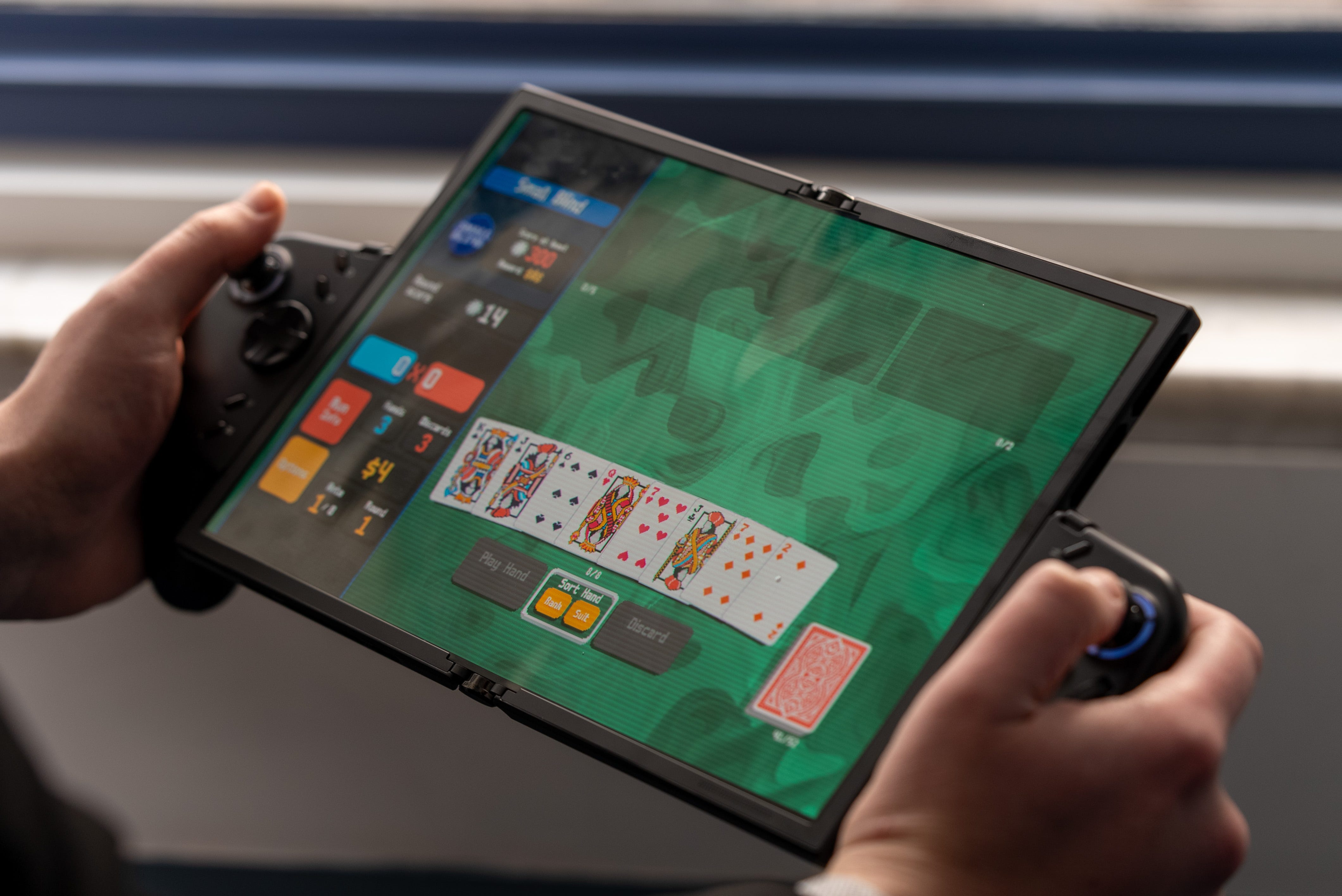

📣 Lenovo introduces its Legion Go Fold Concept
💻 Combines a foldable tablet with a Windows laptop and a gaming handheld
↔️ Features a foldable screen that stretches from 7.7 inches to 11.6 inches
🎮 Controller grips attach to the screen in both vertical and horizontal orientations
👾 Vertical screen lets you play tall games in full screen or a split view for watching videos while you play
🕹️ Controller features a built-in screen
⚙️ Powered by an Intel Lunar Lake Core Ultra 7 258V CPU with 32GB of RAM and a 48Whr battery.
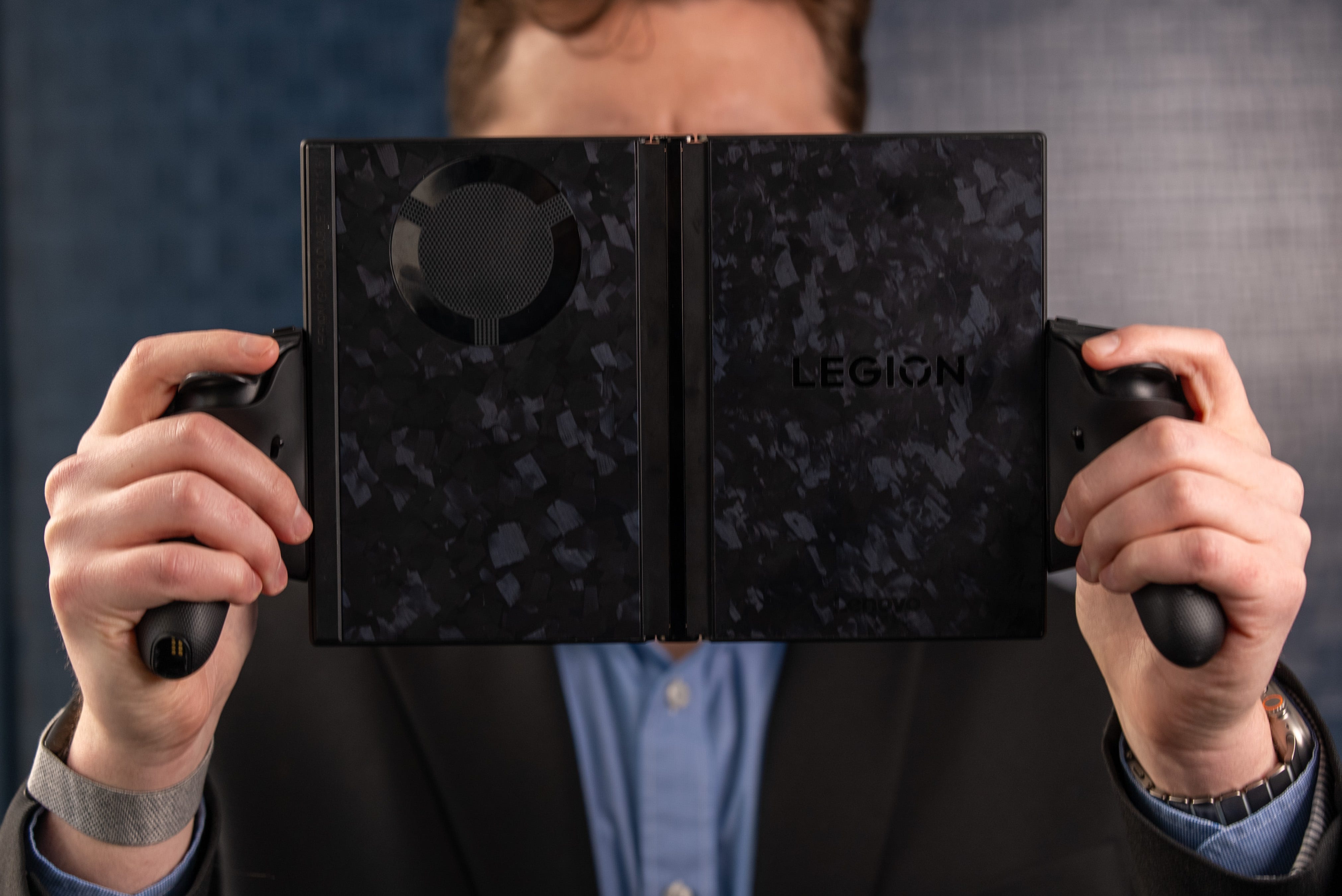
The Lenovo Legion Go Fold Concept wants to be your all-in-one device that works as a Windows laptop, tablet, and gaming handheld, and so far, it works surprisingly well. The device is wild. Firstly, it has a foldable display that lets it transform into a 7.7-inch or 11.6-inch tablet. In either state, you can clip on a pair of Joy-Con-esque controllers, turning it into a gaming handheld. It also comes with a keyboard folio, so you can use this thing as a straight-up Windows laptop too.
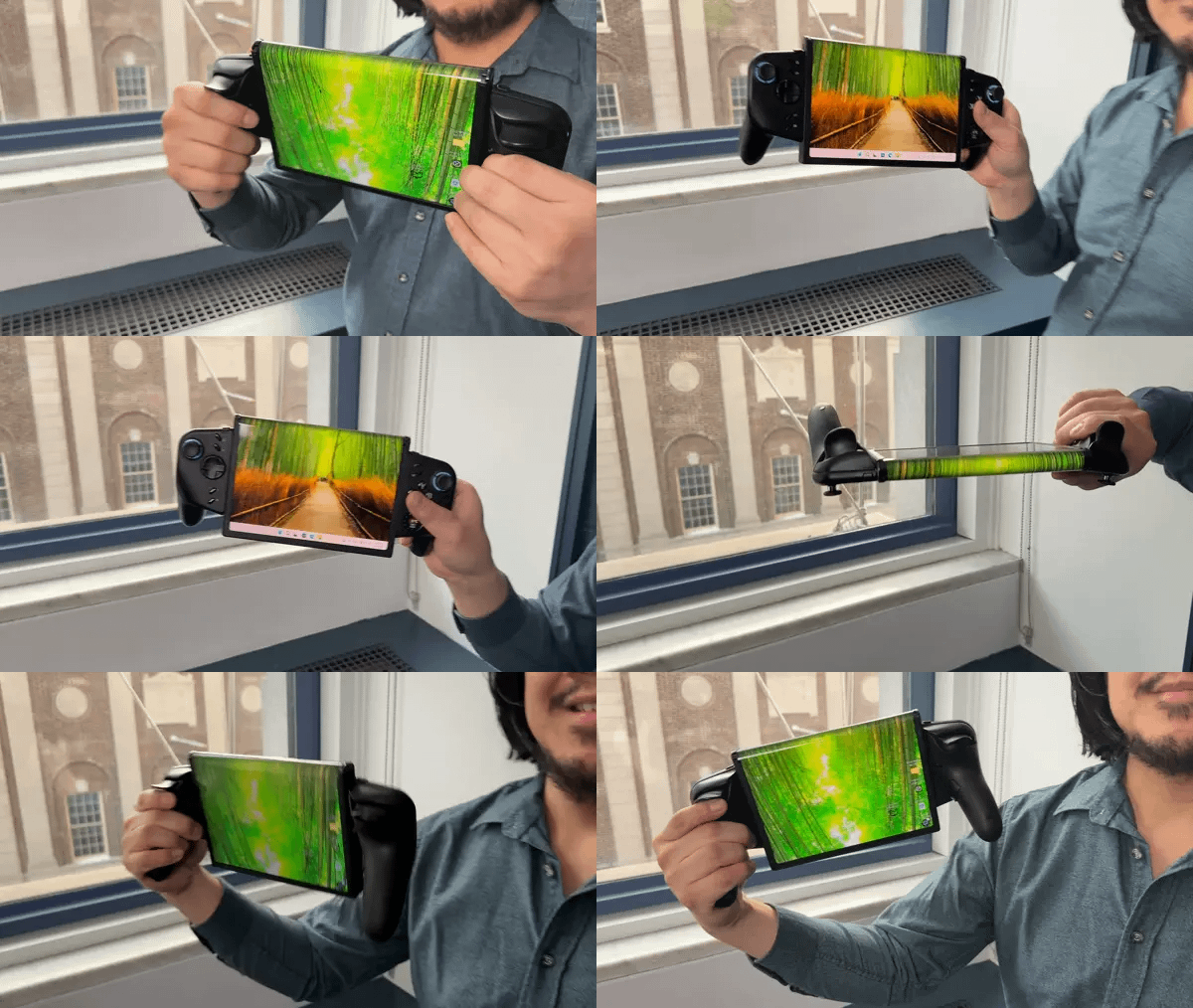
🎮 Handheld gaming. You might think playing with a handheld with half its screen folded back and hanging off the back of the device might be awkward, but it feels surprisingly natural thanks to the Legion Go Fold’s sold controllers. The 7.7-inch screen size is also just the screen upgrade I wanted for the Asus ROG Xbox Ally X; it gives you just a little more screen real estate for your gaming pixels without making the device too big to handle.
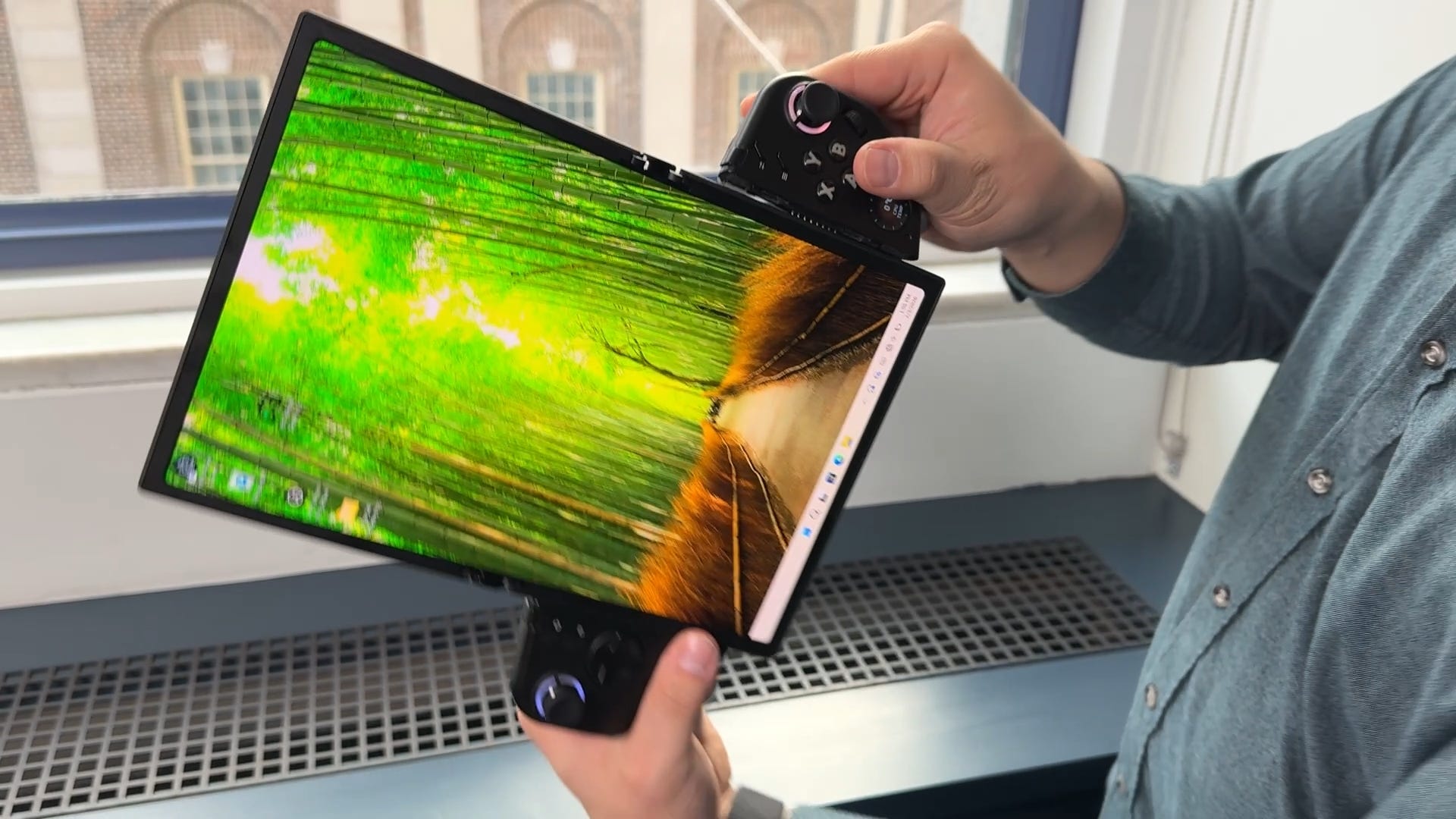
📺 Biggie-sized gaming. Of course, gaming on a bigger screen never hurts, and you can blow up this gaming handheld from 7.7 inches to 11.6 inches. In this mode, the Legion Go Fold basically turns into an iPad Pro with a pair of attached controllers.
👾 Vertical or Horizontal gaming. What’s more impressive than gaming on an 11.6-inch tablet is that the Legion Go Fold has controller slots that support both vertical and horizontal gameplay. Vertical gaming might be useful for games like Ikaruga, Downwell, and pinball titles. Alternatively, you could turn on split-screen mode so you can game while watching a stream or a walkthrough video on the other half of the display.
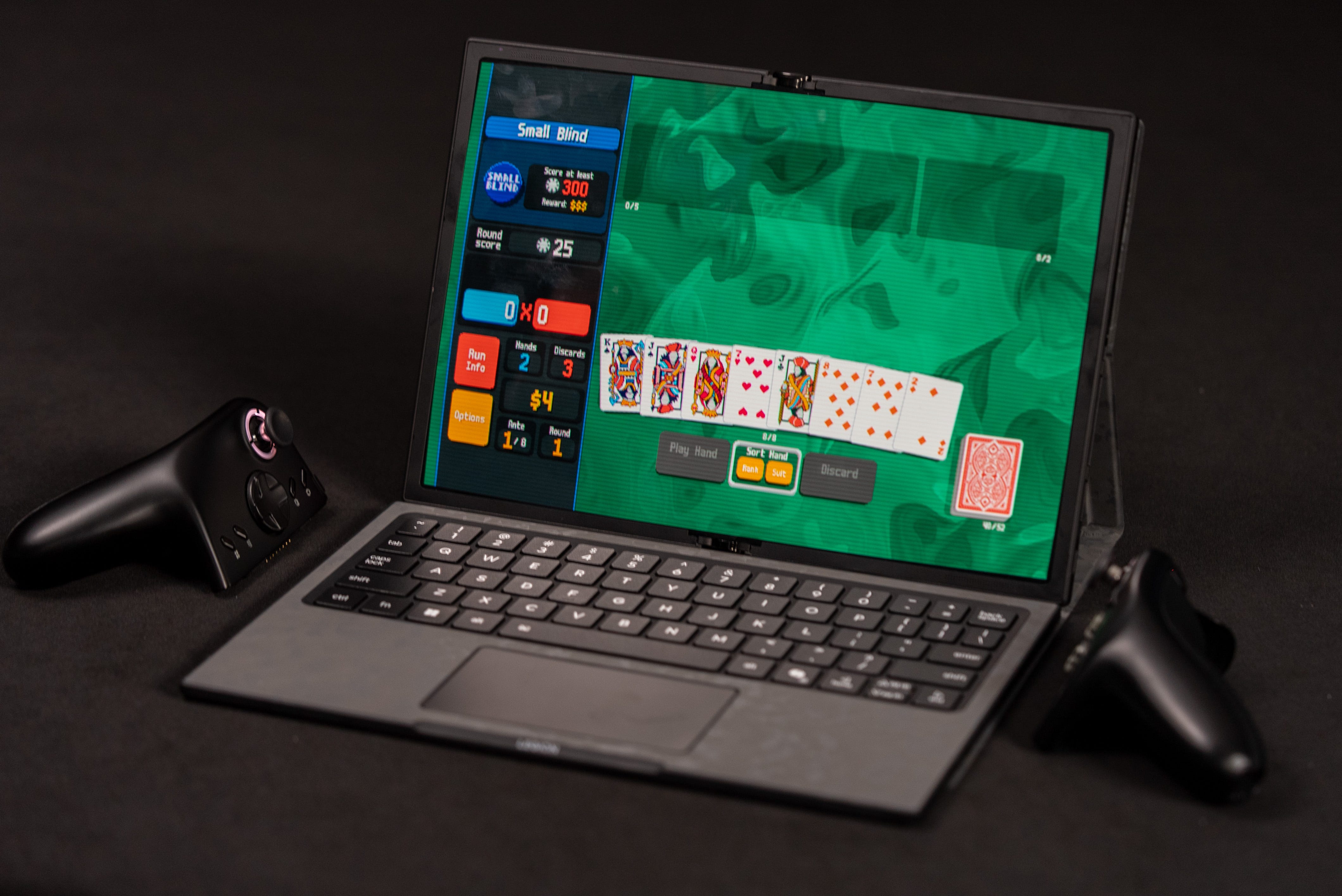
💻 Work hard, play hard. The Lenovo Legion Go Fold Concept’s last accessory is a keyboard folio that lets you turn this gaming tablet into a full laptop. It’s great for users who want to game with a keyboard or just use this machine as a plain-old clamshell laptop. Don’t worry about playing or working with just the trackpad either, as just like the Lenovo Legion Go 2, the right controller also works as a vertical mouse.


🕹️ Get a grip. The controller grips on the Legion Go Fold Concept are the best we’ve seen from Lenovo. Now that they’re more of an optional add-on, they’re bigger and more ergonomic with full-on controller grips. They also work wirelessly just like the regular Legion Go, so you can play with the tablet sitting in its laptop folio case. Aside from the new grips, the controllers also have a tiny display on the right grip that can be used to check the time, CPU temps, or display a little animation like these two cartoon dogs.
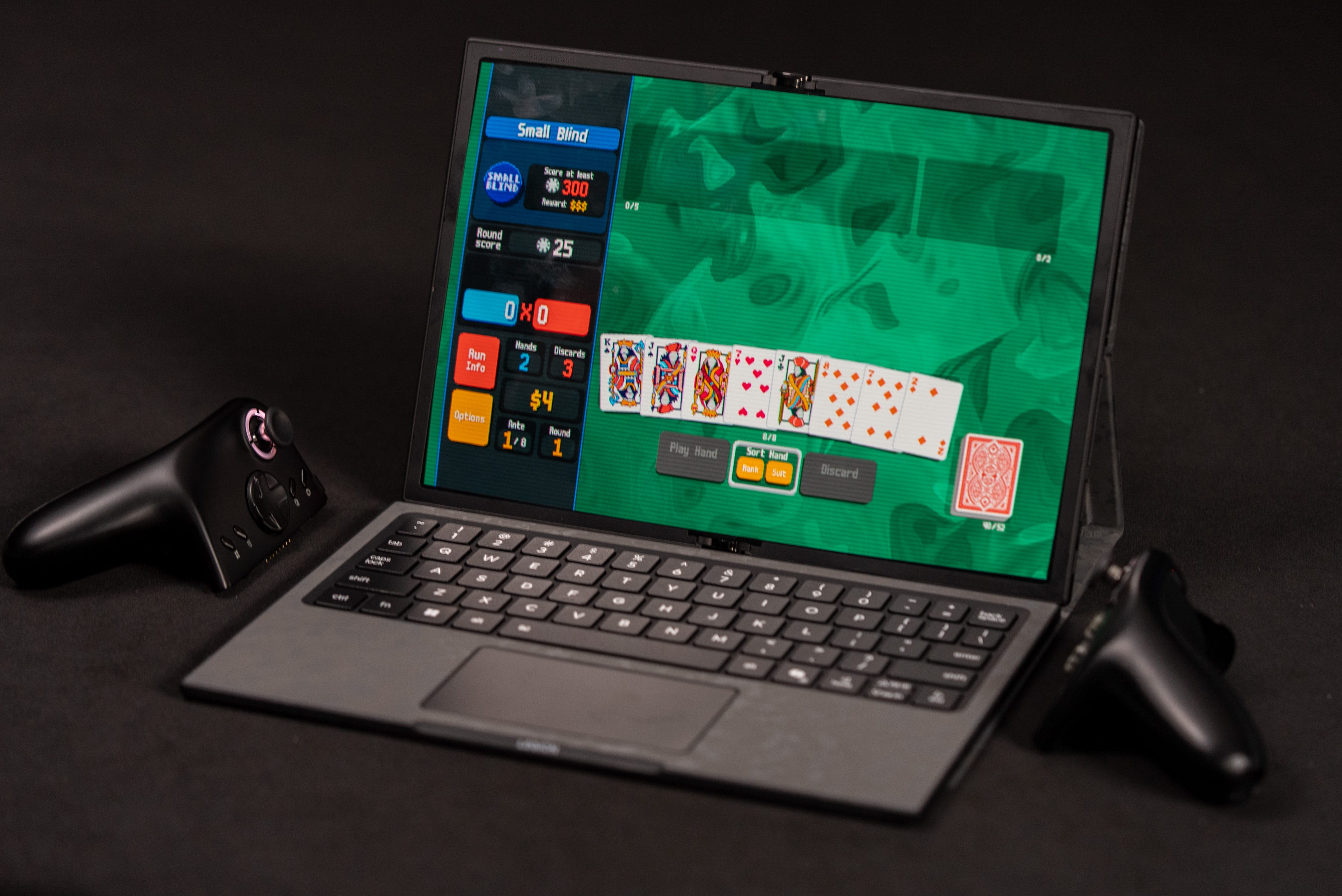
⚙️ Lunar Lake power. The Lenovo Legion Go Fold Concept is powered by an Intel Lunar Lake Core Ultra 7 258V. This is the same processor that powered the MSI Claw 8 AI+, which we know was a powerful performer that’s even still capable of keeping up with the latest AMD Z2 Extreme-powered machines like the MSI Claw A8. Unfortunately, during our hands-on time, the only game we were allowed to play was Balatro, which is essentially a gussied-up and remixed version of poker. So we haven’t really gotten a chance to stretch the Lenovo Legion Go Fold’s legs out.
Kevin Lee is The Shortcut’s Creative Director. Follow him on Twitter @baggingspam.