


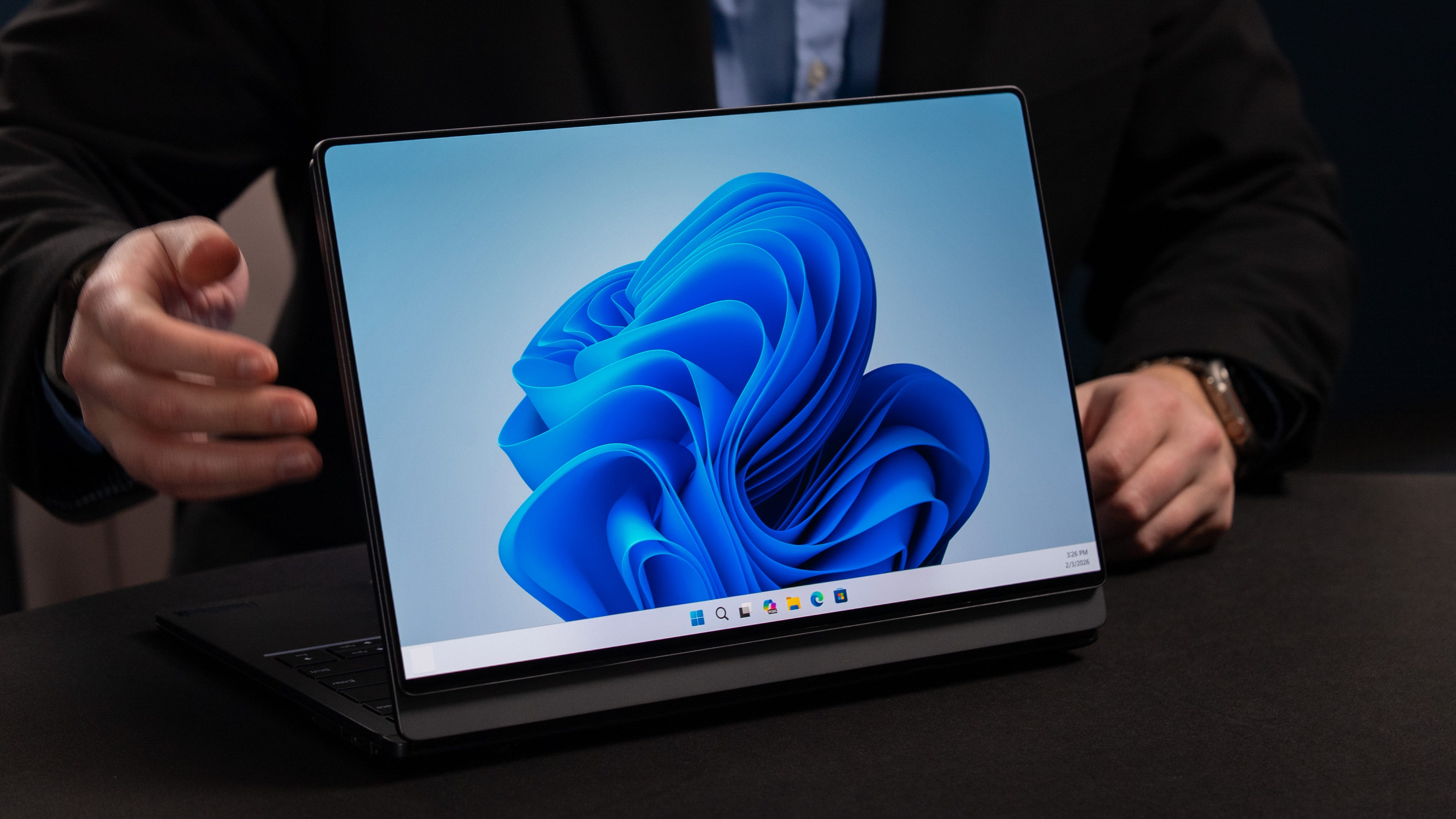

📣 Lenovo announces a ThinkBook Modular AI PC Concept
💻 This modular laptop breaks apart into a dual-screen workstation with a detachable keyboard
🖥️ The rear display detaches and can be used as a second monitor
📺 Removing the wireless keyboard reveals a third display
🔌 Ports can be swapped on either side with USB-A, USB-C, and HDMI options
We thought we had seen it all from Lenovo after its concept laptops with extending rollable screens, flipping screens, and auto-twisting mechanisms – Lenovo pulled out its biggest surprise with a modular laptop that includes three screens, swappable ports, and even a detachable keyboard. It sounds crazy on paper, but this might be the most practical concept Lenovo has devised as it gives you a portable dual-screen desktop you can deploy anywhere, and it comes wrapped in a thin-and-light laptop package.
Modular laptops aren’t exactly new after Framework has been producing notebooks with easily detachable ports and panels for years. Lenovo, however, is taking modular laptops from both a repair and upgrade perspective, but also making it possible to carry a dual-screen workstation anywhere. I love the flexibility of this system, and while specs (including battery life) are light, I hope this becomes a real product we can buy soon.
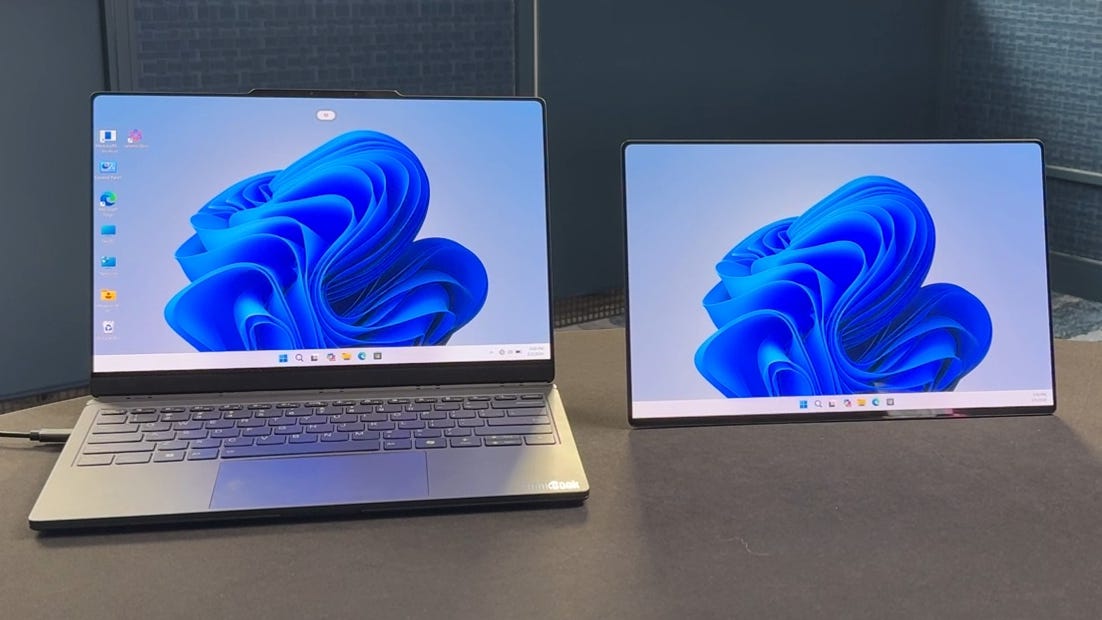
🖥️ Detachable back screen. The Lenovo ThinkBook Modular AI PC Concept has the most seamless rear screen we’ve ever seen. It’s a few millimeters thick and lives attached to the back of the laptop, where it draws power and video through pogo pins. The screen pops off with just a bit of pressure, and to reconnect it to the laptop, you need to plug in a wire with pogo pin connectors on both sides. There’s also a little support that magnetically attaches to the back of the screen, which basically serves as a hood strut to keep the detached display propped up.
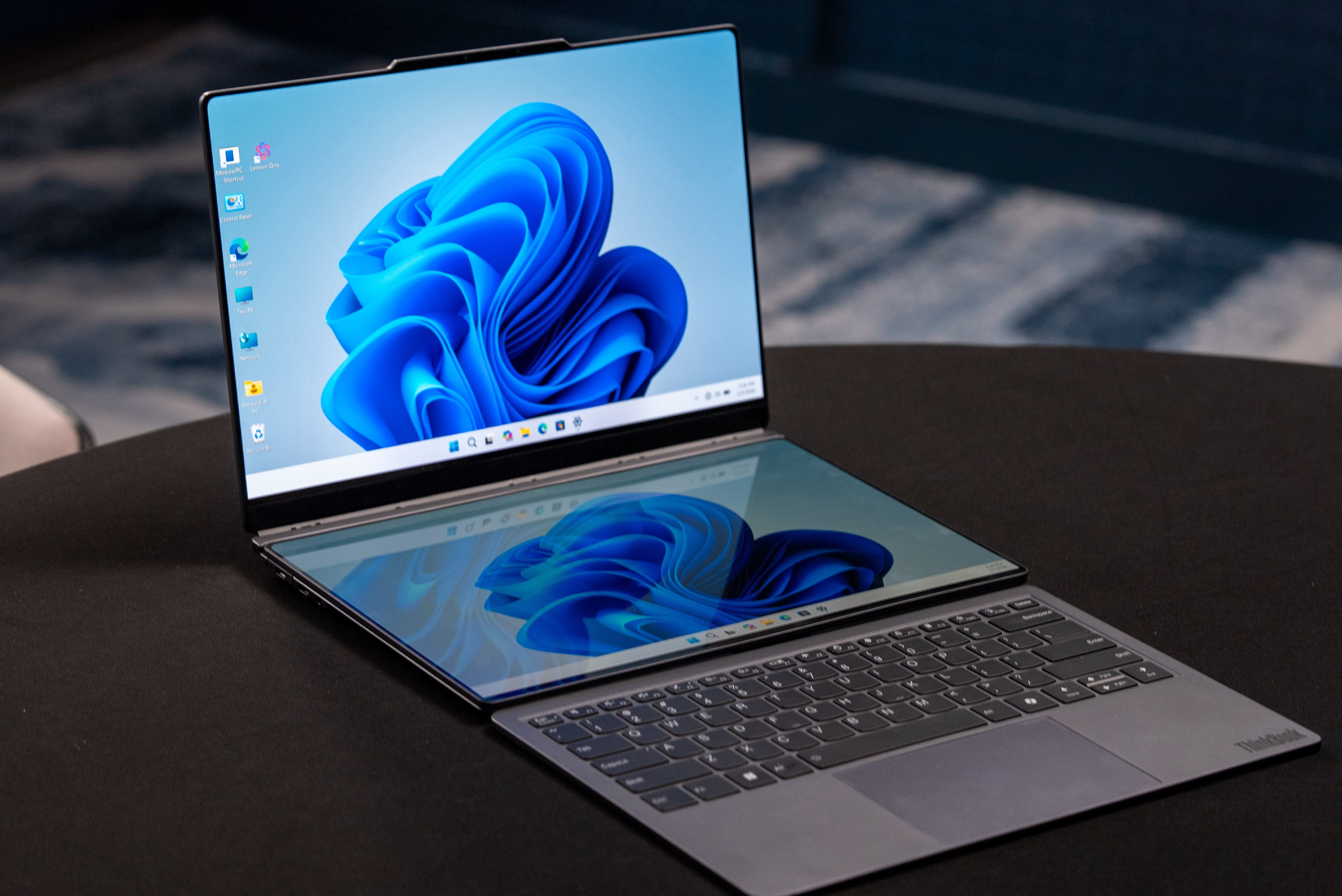
📺 Dual-screen setup. As if what you could do with the back screen wasn’t cool enough already, you could also turn this laptop into a dual-screen machine just like the Asus ZenBook Duo. You can do this by detaching the keyboard and placing it onto the laptop base. Unfortunately, Lenovo’s modular laptop doesn’t include any way to prop up the whole notebook, so the last screen stays flat, parallel to your work surface, unless you bring along a laptop stand.
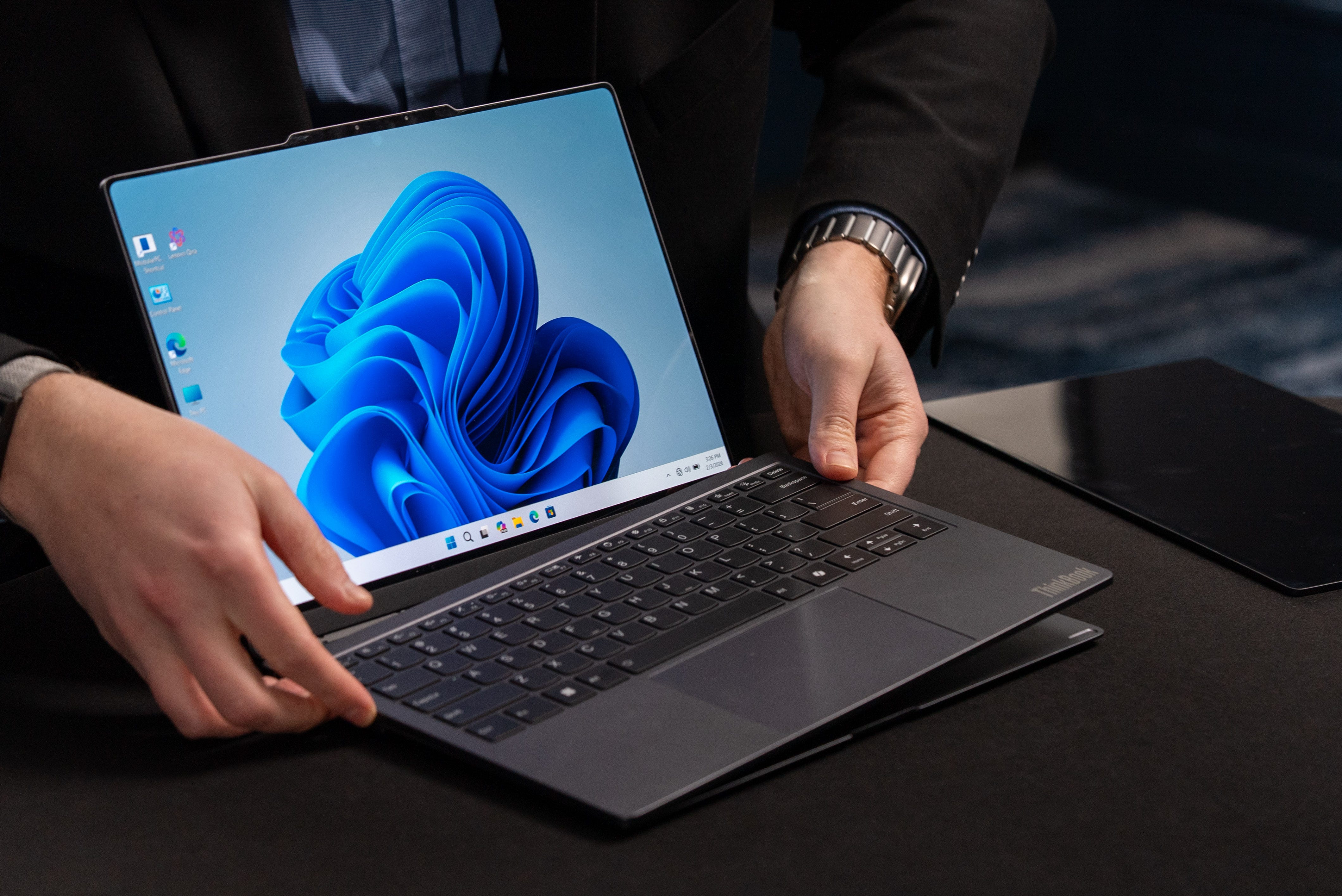
💻 Carry small, use big. This is the ethos behind the Lenovo ThinkBook Modular AI PC. Basically, you have a superflexible dual-screen setup packed into a thin, light laptop. Once you’re at a desk or cafe, you can break apart the laptop to add a second screen either to the side or just above the other, with a detached keyboard too. Alternatively, you could just leave the display attached to the back of the laptop for presentations to your coworkers or clients.


🔌 Swappable ports. The modular nature of this ThinkBook also extends to its ports. The ports come off as modules, allowing you to interchange them with a USB Type-A or Type-C and HDMI. The interchangeable IO is great if you need to swap your USB-C power to either side of your laptop, connect a display, or connect a USB keyboard/mouse adapter. Everything plugs in through pogo pins, and I hope there’ll be more options in the future, like Ethernet and SD card slots.
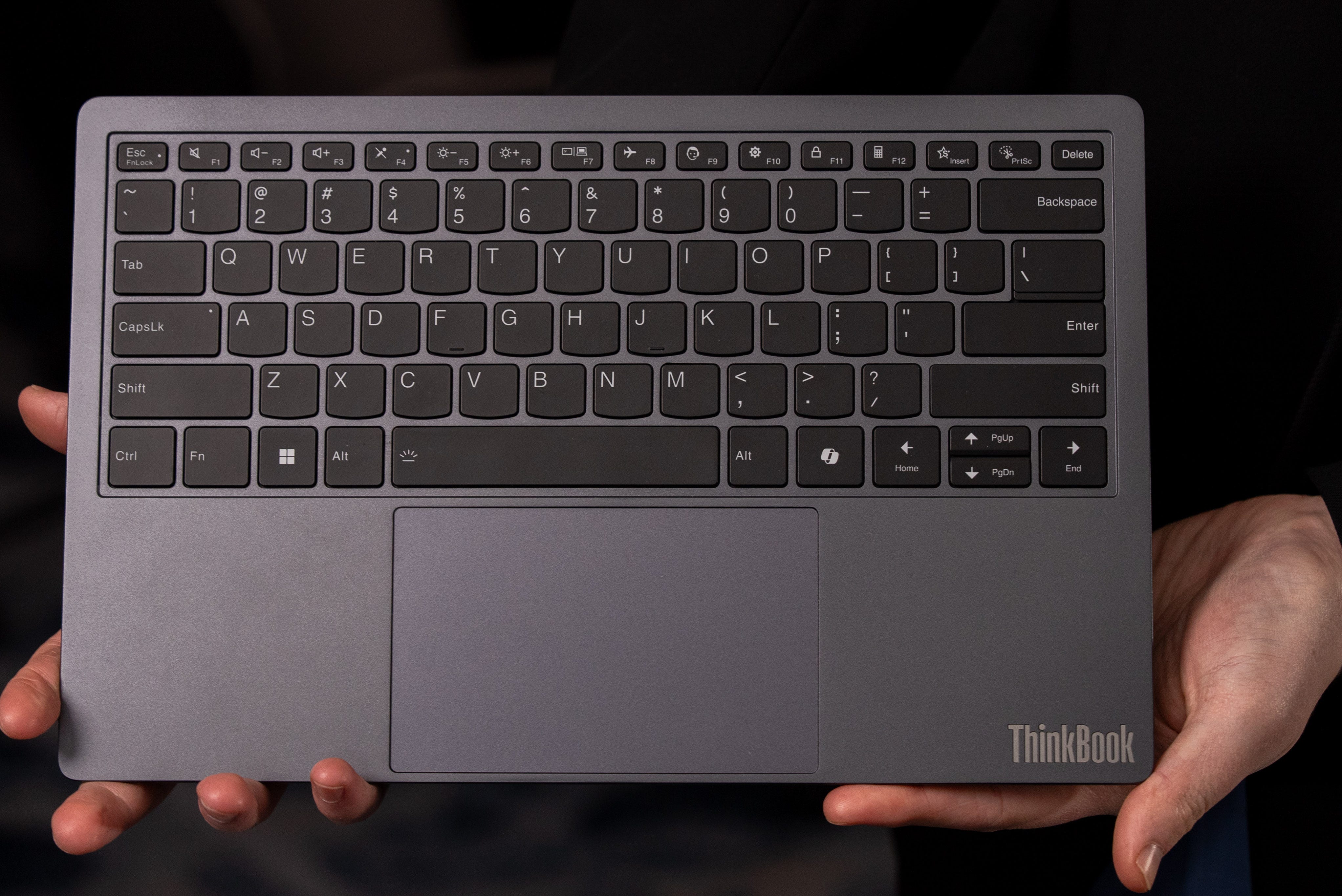
⌨️ Wireless keyboard. The Lenovo ThinkBook Modular AI PC Concept’s last party trick is a fully detachable keyboard. It works completely wirelessly, and I didn’t sense any lag even from the trackpad, which also comes off with the keyboard. Even though the keyboard is so thin, it still features a decent amount of travel and a crisp response.
Kevin Lee is The Shortcut’s Creative Director. Follow him on Twitter @baggingspam.