


🏆 Review score: 4.5 out of 5
🏅 Editor’s Choice Award

✅ Pros
🧑🤝🧑 Dual OLED screens in an even smaller package
📘 Improved hinge reduces the distance and angle of separation between the two displays
⚙️ Panther Lake Intel Core Ultra X9 388H is a beastly chip for work and gaming
🎮 Fantastic 60fps gaming at full resolution is finally possible on an Ultrabook
⌨️ Thinner keyboard with deeper key travel and a larger trackpad
🔋 99Wh higher capacity battery delivers up to 22 hours of battery life
❌ Cons
🤑 High $2,299 price
💻 Thicker than your average laptop
🪭 Can get warm and loud under full load
👁️ Narrow vertical viewing angles on displays
The Shortcut Review
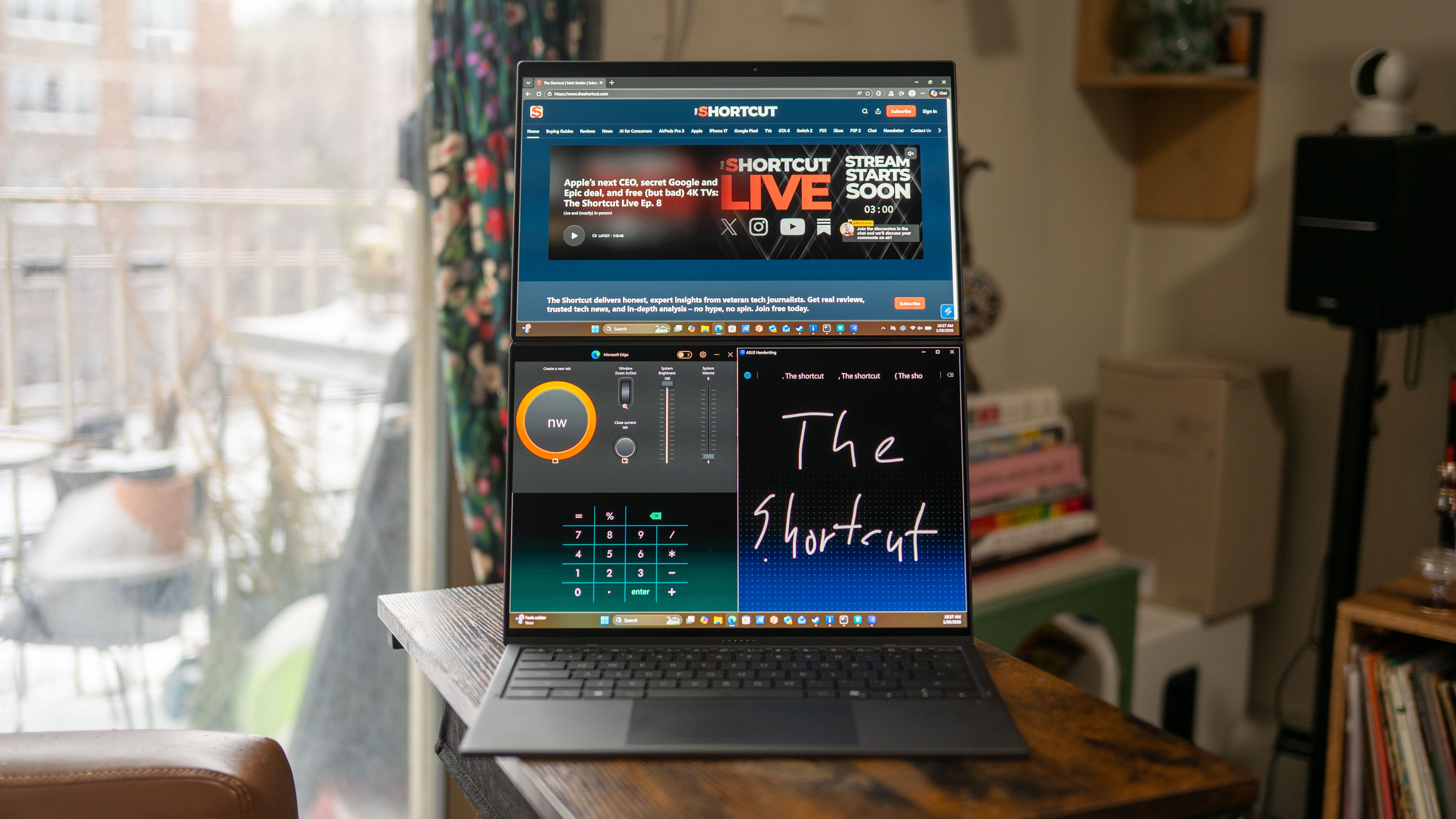
The Asus ZenBook Duo (UX8407AA) is the laptop you dreamed of traveling with. It has two 14-inch OLED screens built in, long battery life, enough power for gaming, and it’s pretty light, all things considered. This dual-screen laptop is the pinnacle of technology today, with its almost seamless design and the power of Intel’s latest Core Series 3 Ultra processors. The only catch is that this marvelous machine costs $2,299.
For all that money, this laptop offers the best of the best you can get in a dual-screen notebook or any laptop, for that matter. It features two 14-inch 3K (2,880 x 1,800) OLED displays with 144Hz refresh rates and a top-shelf Intel Core Ultra X9 388H processor to drive everything. That’s all wrapped up in a more refined, smaller dual-screen chassis made of Asus’ durable Ceraluminum, while boasting up to 22 hours of battery life. The real kickass spec of this laptop is its Intel ARC B390 graphics, which includes a full 12 Xe3 cores to deliver 60fps gaming at full resolution.
This is the laptop that truly gives you everything for work and gaming, with long battery life and two screens, no matter where you take it.
Full Review
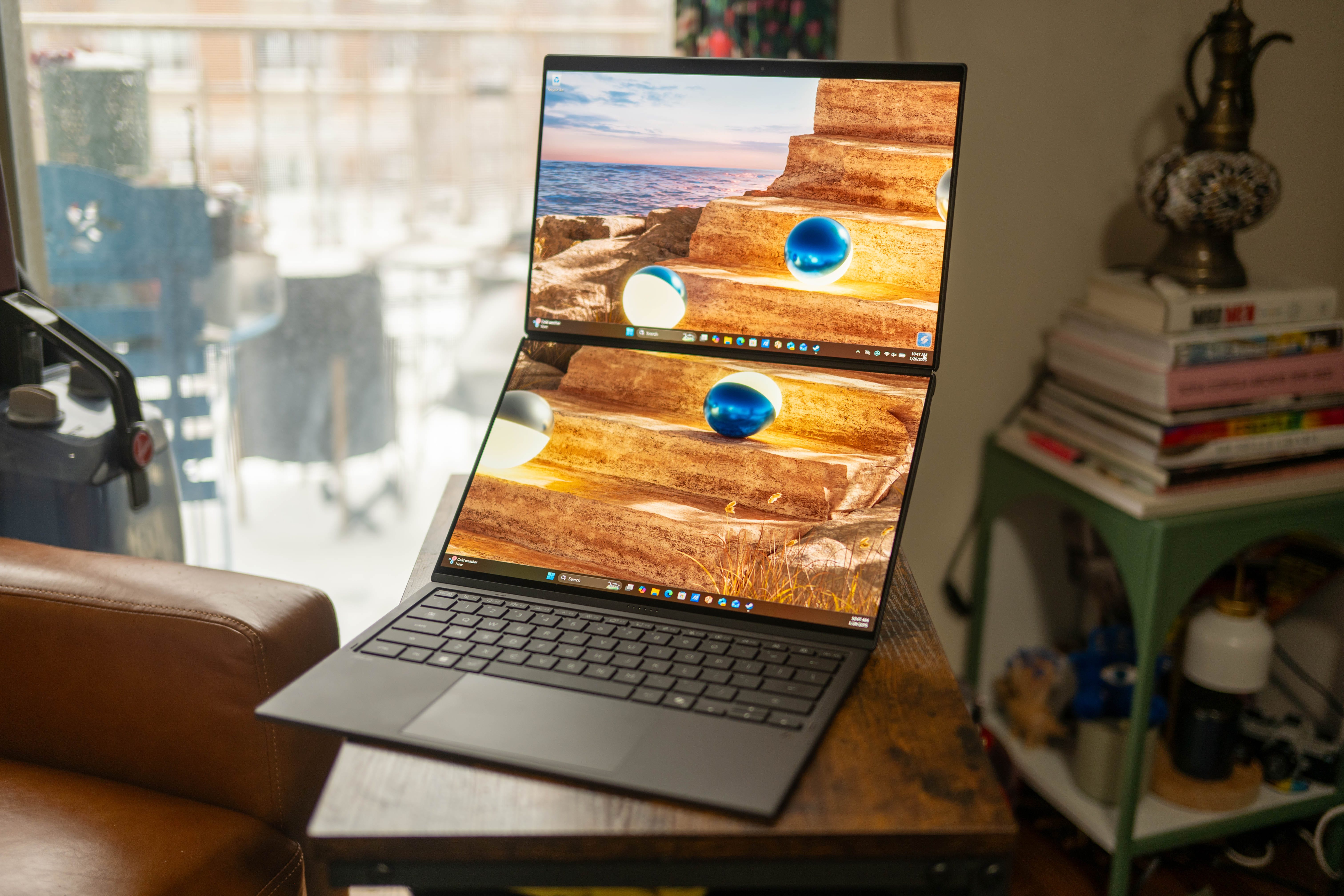
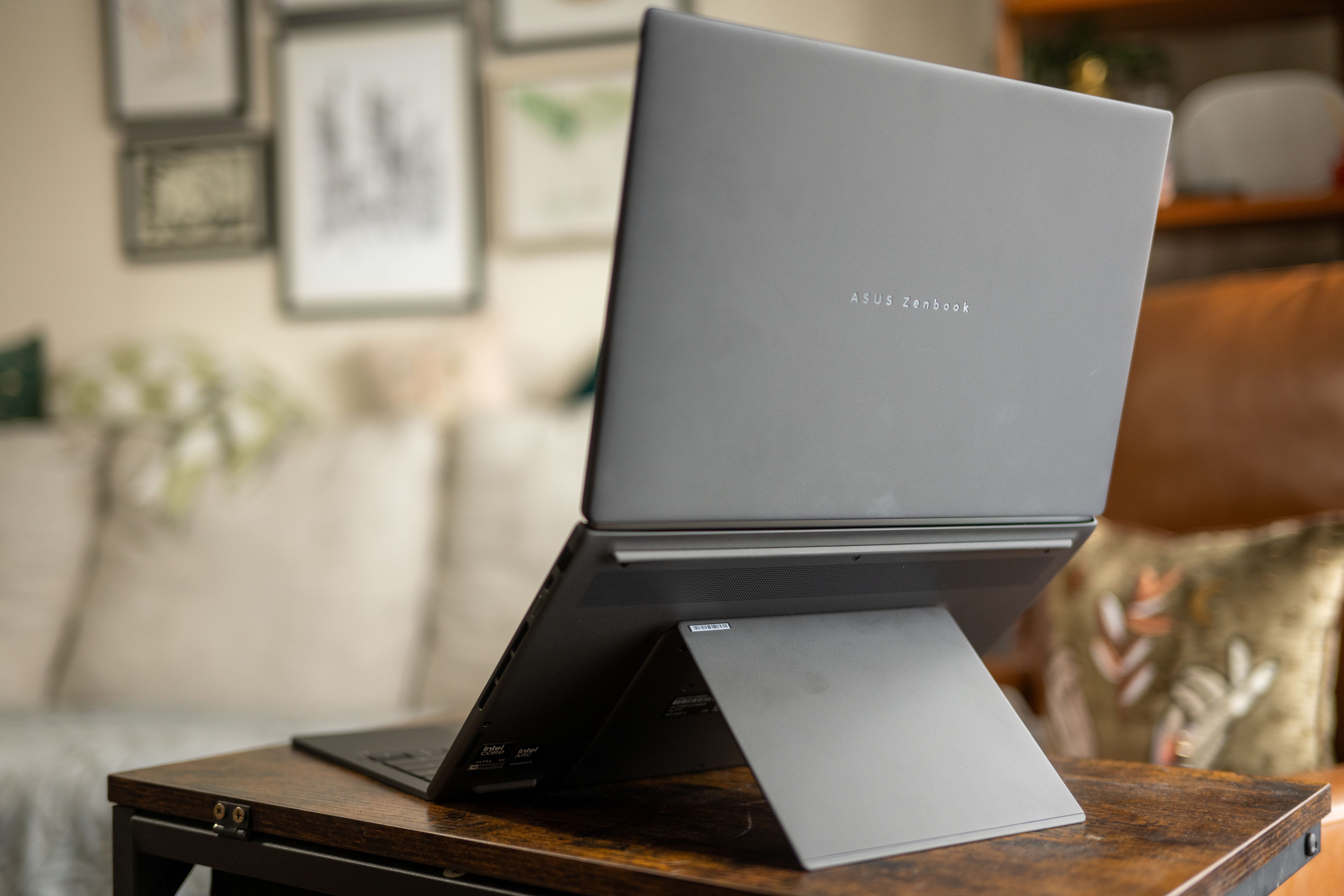
🧑🤝🧑 Double the screen, double the fun. The Asus ZenBook Duo looks like any other notebook, albeit with a thicc bottom section, but yank the keyboard away, and you’ll reveal a second screen. Thanks to the integrated kickstand on the back of the laptop, you can use those two 14-inch screens standing upright on top of each other or side-by-side in a portrait orientation. The displays even play a fun falling marbles animation as you rotate the device. Both screens offer the same 3K resolution (2,880 x 1,800), 144Hz refresh rate, and 1000-nit HDR peak brightness – so you’ll get the same picture from either display.
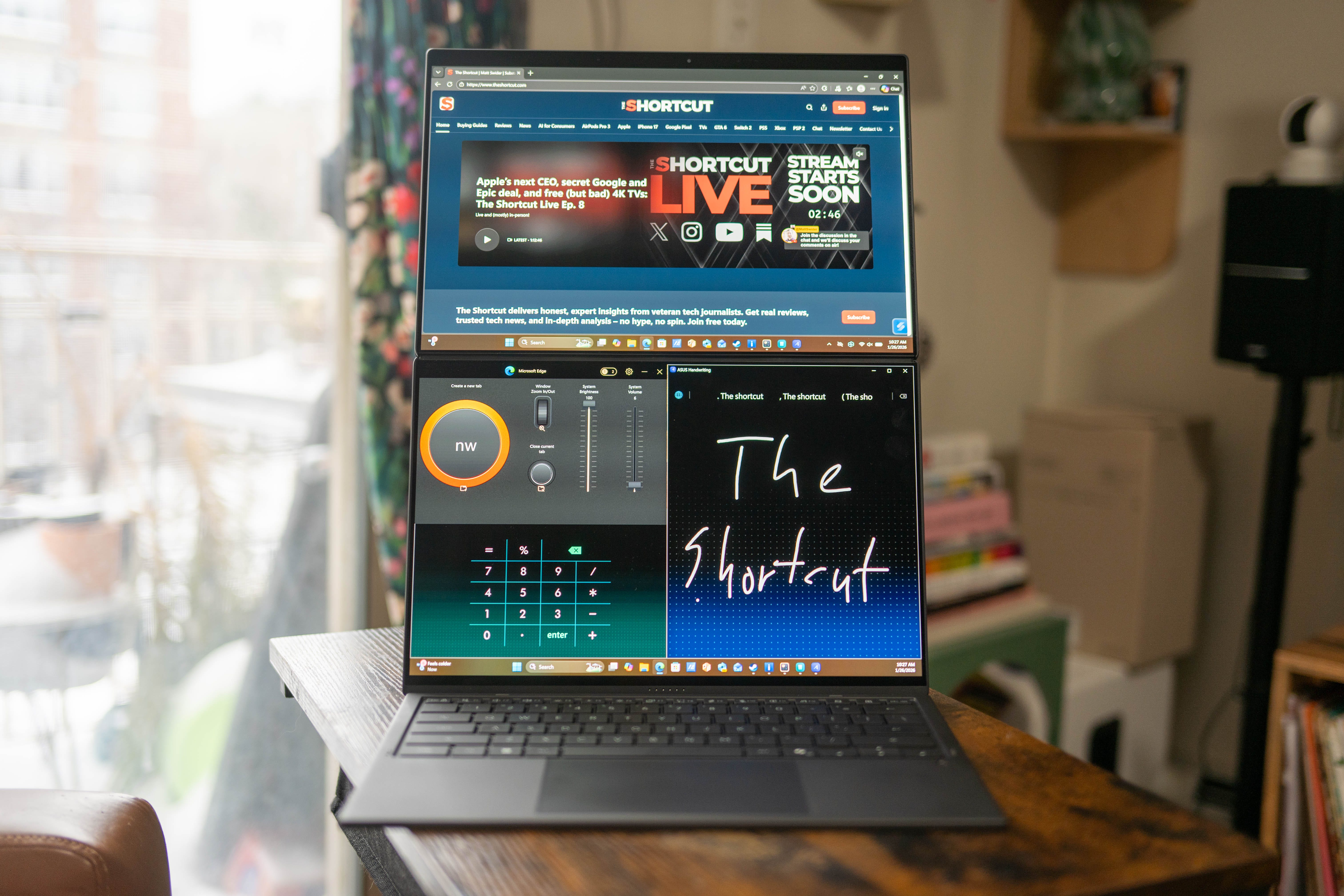
🖥️ 2x productivity for anything. While it’s great to have a second screen for your browser, text messages, YouTube, or anything else, Asus’ ZenScreen software makes managing both screens a breeze. ZenScreen offers a variety of split-window templates to organize your apps.
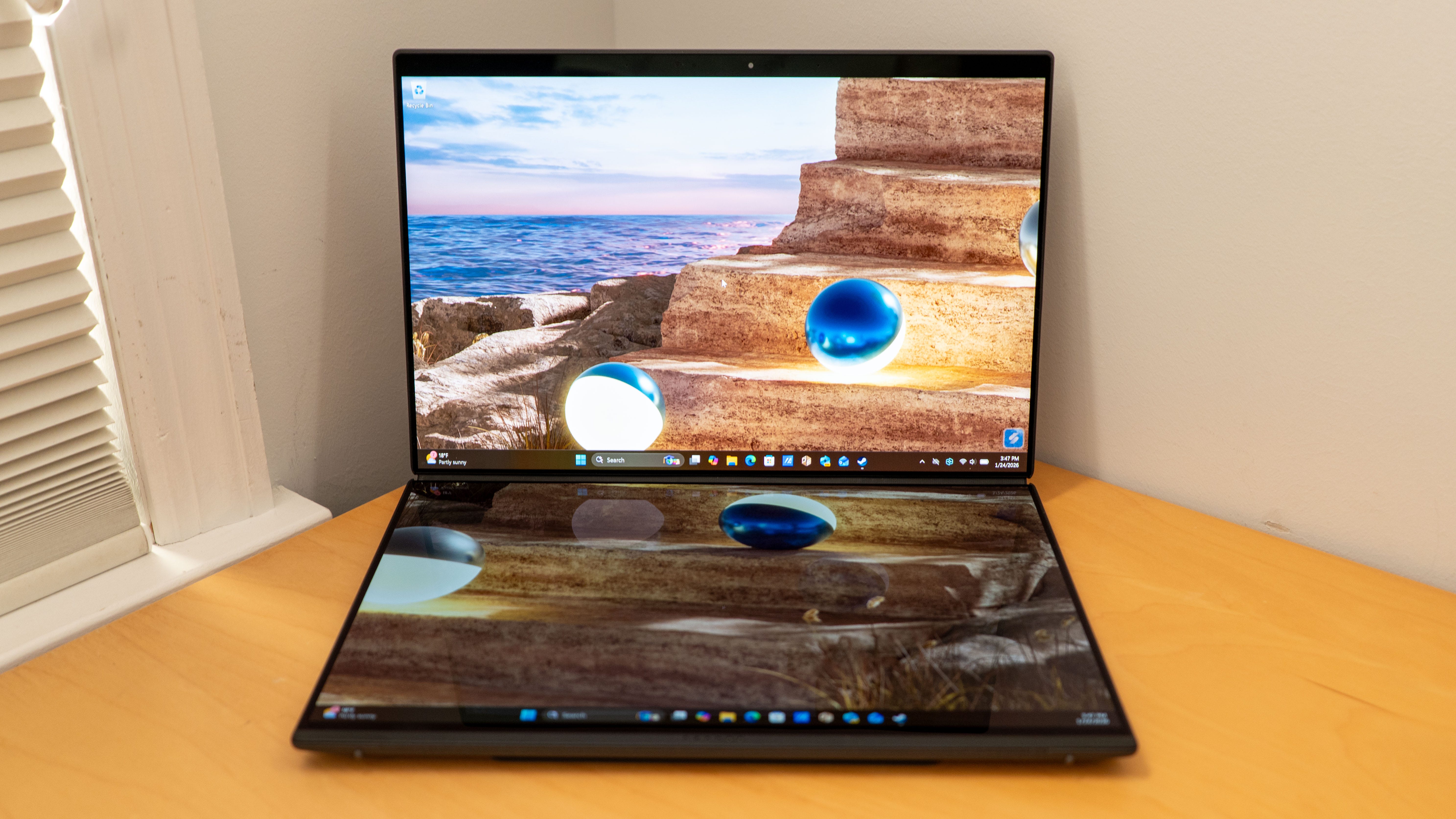
Alternatively, Asus has a few built-in widgets for handwriting, a control panel, and a calculator. You can also set up custom templates to auto-launch apps and arrange them automatically. While working, I’ll have the second display set up so I can write notes, change settings on the fly, and keep a calculator handy. For gaming, I can use the second screen display the Intel graphics metrics and watch Twitch.
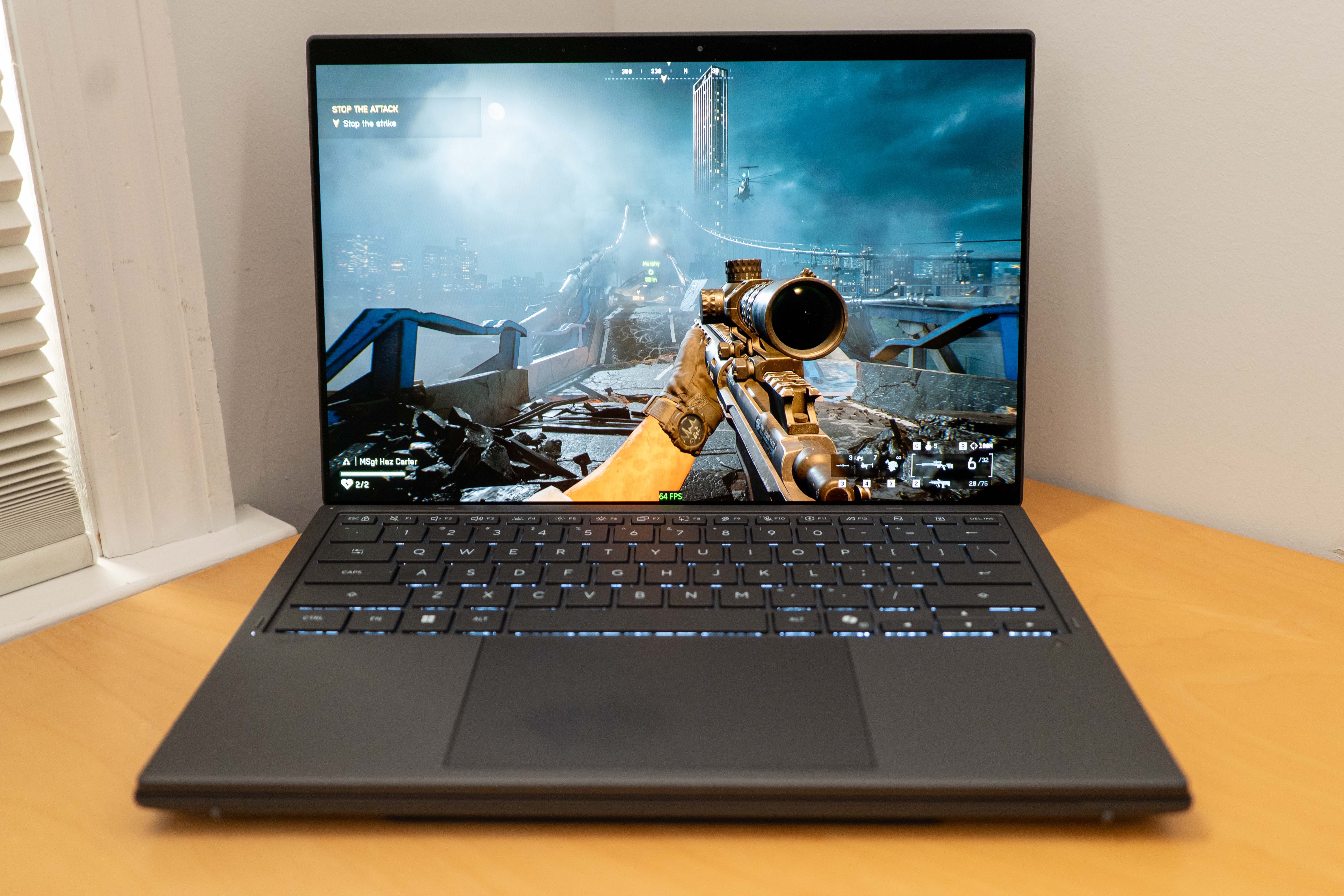
🎮 Gaming ready. Speaking of gaming, the Asus ZenBook Duo comes ready to play. This machine can easily run Battlefield 6 and Helldivers 2 at 60fps and 2,880 x 1,800 full resolution. Panther Lake’s Xe3 graphics are a huge step up for integrated graphics, and this laptop comes rocking Intel’s flagship Intel Arc B390 with 12 GPU cores. Our benchmarks show that the Intel Core Ultra X9 388H’s integrated graphics are so powerful that they just trail the Nvidia GeForce RTX 5050.
🔊 Dolby Atmos Audio. This laptop features six speakers, including two dual-side speakers and two extra front-firing tweeters hidden within the hinge. These speakers not only create a fuller symphony but can also support Dolby Atmos on their own.
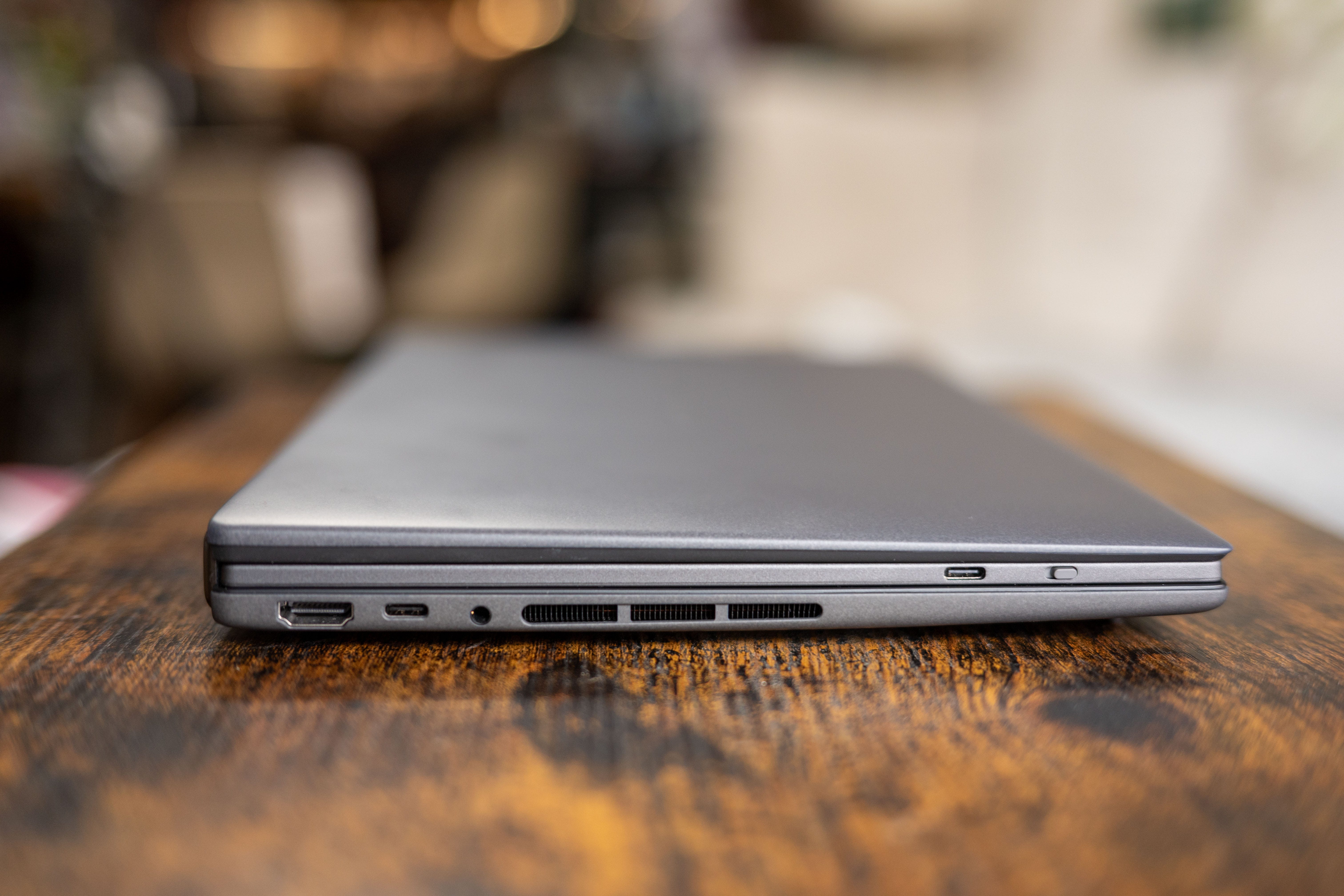
🤏 Slimmer in all the right places. For a laptop with two screens and a detachable Bluetooth keyboard, the Asus ZenBook Duo only weighs a light 3.6 pounds. That’s the same weight as the 2024 model, but Asus has shrunk the 2026 model’s overall dimensions to 12.21 x 8.21 x 0.77-0.92 inches. Most of those space savings come from the thinner and more seamless hinge. The 2024 Zenbook Duo had an offset, Z-shaped hinge that put a lot of unwanted space between its two screens. This 2026 version reduces the space between the displays to only 8.28mm while placing them on an even plane, so the laptop opens to a flat 180°.
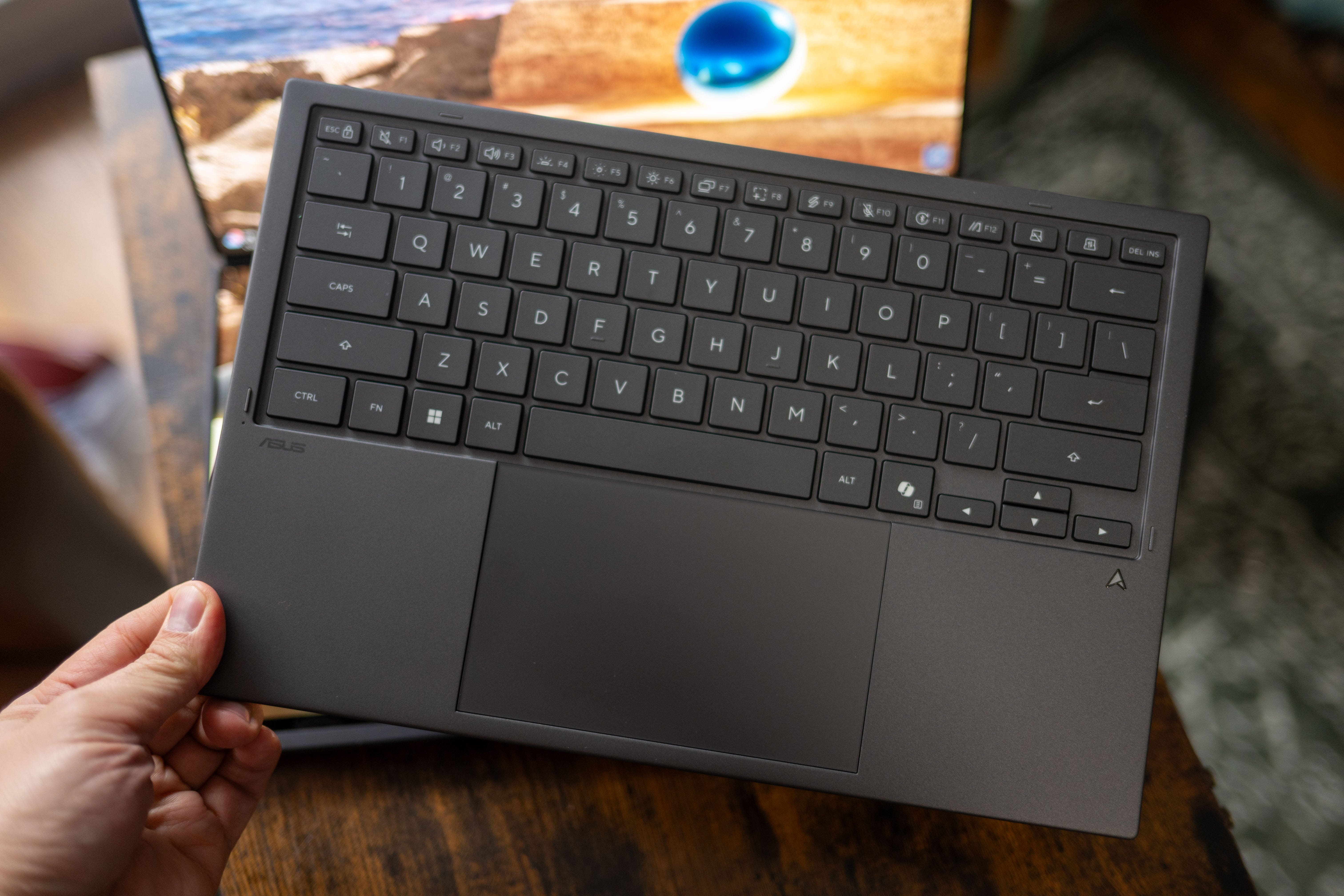
⌨️ Great detachable keyboard. One of my favorite improvements to the Asus ZenBook Duo is its detachable Bluetooth keyboard. It’s a tiny bit slimmer than its predecessor, but it offers a deeper 1.7mm key travel and a larger trackpad. Asus also improved the pogo pin connection by hiding them and adding magnets so they only pop up when you attach the keyboard.
🔋 18-hour battery life. I got 18 hours of battery life from this laptop with regular use, or 15 hours with both screens on simultaneously. PCMark 10’s office suite benchmark ballparked battery life at around 22 hours and 14 minutes while using just one screen in clamshell mode. I also got 1 hour and 35 minutes of full-power gaming from the Asus ZenBook Duo while playing Battlefield 6 before the laptop switched into low power mode. Recharging might not seem terribly fast, as the laptop only shot back up to 13% in 15 minutes and then to 25% after 30 minutes of being plugged in, but remember this machine has a higher-capacity 99Wh battery.
Should you buy the Asus ZenBook Duo (UX8407AA)?
✅ Yes, if…
🧑🤝🧑 You’ve ever wished you had a second screen while using your laptop
🎮 You wanted a gaming-capable work laptop
🔋 You want a laptop with all-day and then some battery life
❌ No, if…
💲You don’t have $2,299 to blow on a laptop
🫣 You can’t stand the sight of generated frames
Kevin Lee is The Shortcut’s Creative Director. Follow him on Twitter @baggingspam.
Wow, you really convinced me I need to start saving for this ZenBook. Ace reviw!