


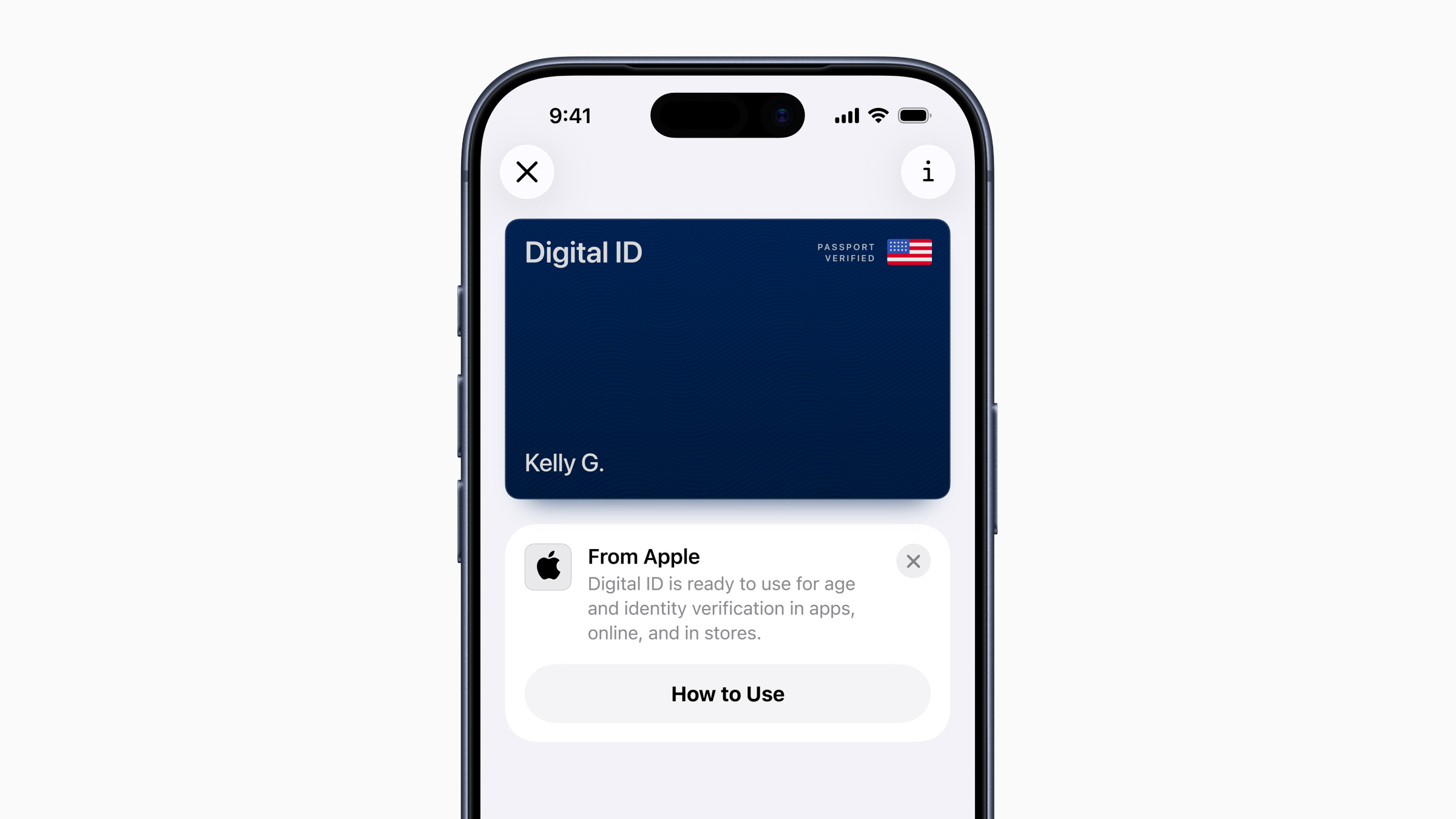

🍎 Apple has released its long-anticipated Digital ID feature for Apple Wallet
🪪 It allows you to create a digital version of your ID based on your passport
👮 You can verify your identity at over 250 TSA checkpoints at airports to start
❌ You can’t use it for international travel, however
🚘 The feature also works with driver’s licenses in states that support it
Apple has released a long-awaited feature that lets you add a US passport to your Apple Wallet. The feature, called Digital ID, lets you securely store your personal information from your passport to verify your identity when necessary. Apple says the feature will be supported at TSA checkpoints at over 250 different airports across the country, which is a promising start for the feature.
Digital ID works for those who have a Real ID in the United States and those who don’t, which will help make domestic traveling a bit easier. Apple notes that this isn’t a replacement for your physical passport and that you still need it for international travels, but at least you can leave your passport in your backpack when you get in the TSA line and rely strictly on your phone.
The feature works in conjunction with digital driver’s licenses, which is available in 12 US states and Puerto Rico.
How to create and use a Digital ID on your iPhone
It’s pretty easy to set up your Digital ID. You create it the same way you would add a card to your Apple Wallet: go to the Wallet app, tap the “+” button, and select “Driver’s License or ID Cards.” From there, you scan the photo page of your physical passport, scan the chip on the back of your passport to verify the information, then take a few selfies for additional verification. Afterwards, your ID is stored in your wallet and can be pulled up by double-tapping the power button and selecting it from your list of cards.
Apple says that in the future, you’ll be able to use your Digital ID at various businesses and organizations that require identity and age verification, which could mean that pulling your ID out on your way into a bar will soon be a thing of the past.
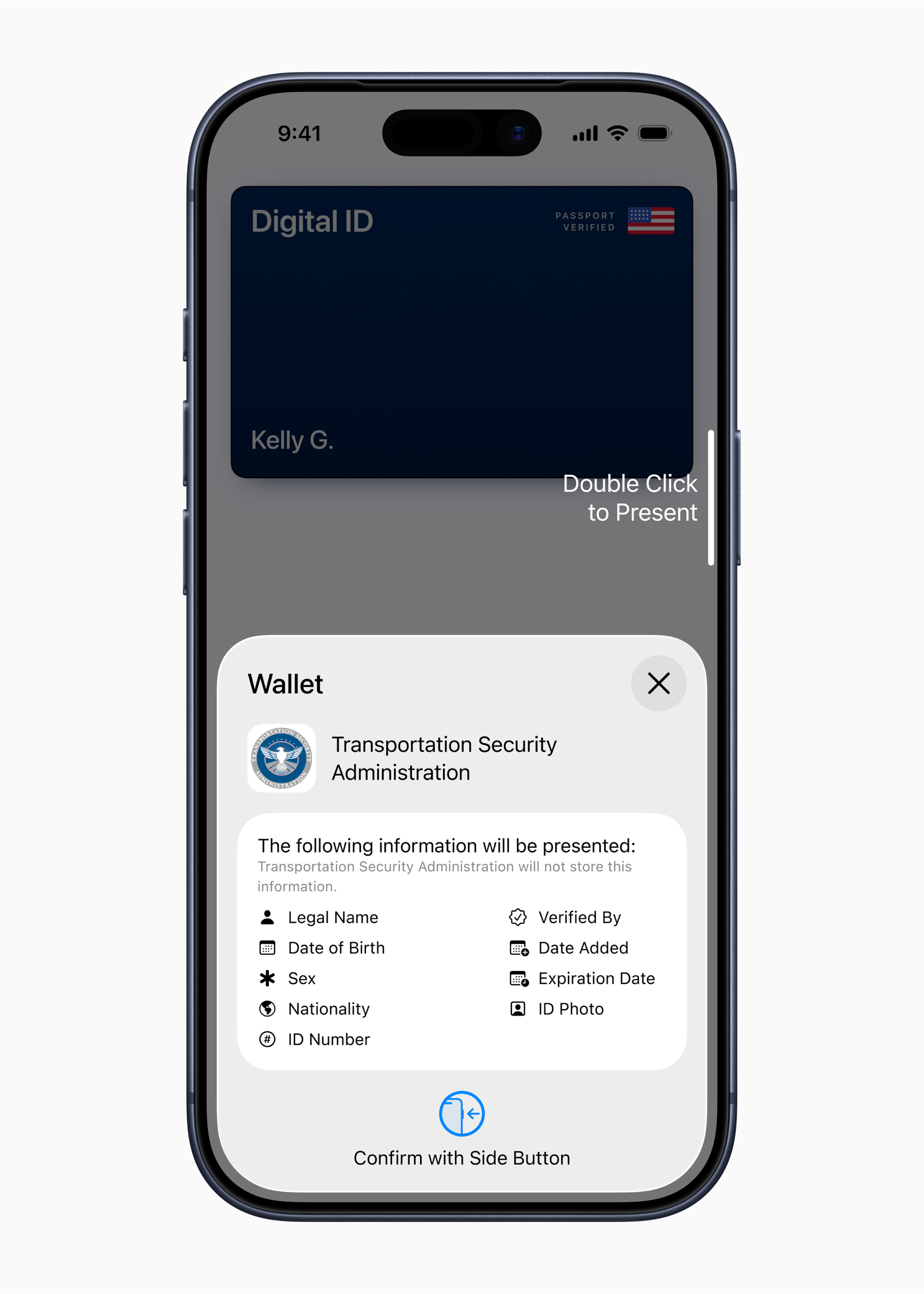
It also seems like sharing your Digital ID with TSA will be easy. Double-tapping the power button and presenting it like your credit card via Apple Pay is all it takes when you’re up next for verification, and you can see all the information that’ll be shared with the TSA agent.
All of your information is encrypted and can’t be seen by Apple, according to the company. You also won’t have to hand over your phone to anyone for identity verification, and when you do share your information, it won’t be stored by any third parties.
Apple is rolling out the feature now to iPhone owners. I personally gained access to it on my iPhone 17 Pro Max running iOS 26, so if you want a sure-fire way to get Digital ID, upgrade to the latest version of iOS.
Max Buondonno is an editor at The Shortcut. He’s been reporting on the latest consumer technology since 2015, with his work featured on CNN Underscored, ZDNET, How-To Geek, XDA, TheStreet, and more. Follow him on X @LegendaryScoop and Instagram @LegendaryScoop.