




🤖 Adobe is giving Photoshop and Lightroom some big AI updates
🦾 At MAX 2025, the company revealed new features like improved Generative Fill, AI layer names, and Assisted Culling
🌠 One of the most impactful new features is AI-generated labels for layers
📅 Adobe is already rolling out these updates
Adobe announced a lot of AI upgrades during its huge MAX 2025 conference in Los Angeles, and two platforms that are getting some of the most interesting updates include Photoshop and Lightroom. We were in-person for the kick-off keynote this week, and there were lots of cheers for what Adobe has done with these products, especially when it comes to Photoshop.
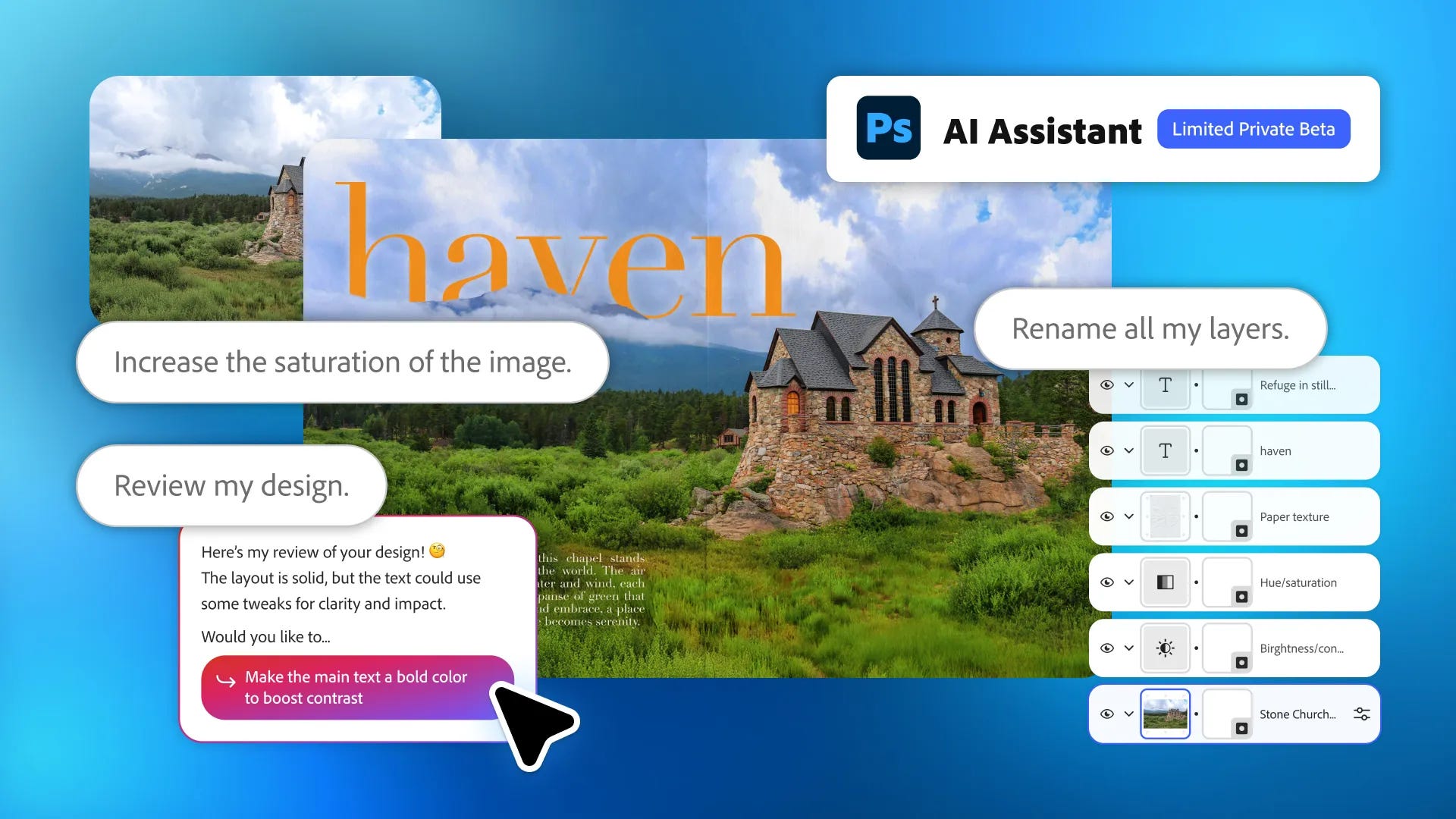
🌠 No more typing layer labels. The shining star? AI-generated names for your layers. Yes, folks, Adobe is eliminating the need to name all the layers you use in your Photoshop projects. Instead, it can look at what’s in your layers and automatically generate names for each of them. The amount of excitement for this feature from the crowd was electric, so I imagine when this rolls out to all users, plenty of people will be adopting it right away.
🖌️ Fill in the blanks, but better. One of the larger AI updates Photoshop is getting is improved Generative Fill. Now, when you go to expand your image or prompt it to add or remove something, you can choose which model to use to get the job done. To start, Adobe is giving users access to Google Gemini 2.5 Flash Image, Black Forest Labs FLUX.1 Kontext, and Firefly Image models. This will come in handy if a certain model works better for generating the thing you’re asking for.
📐 Resize and restore. Adobe is also integrating Topaz Labs’ image models into Photoshop, which powers a new upscaling feature that uses AI to increase the resolution and clarity of your photos. A demo on stage showcased the ability to restore old printed photographs and tiny artistic renderings, and the results appeared promising.
🎨 Blend your colors together. Harmonize is another new feature in Photoshop that, with the click of a button, can use AI to identify the lighting, color, tone, and other aspects of your base layer and apply it to different layers, helping to blend everything. There’s also a new AI Assistant in the web version of Photoshop, which lets you type prompts to edit photos (“adjust the exposure and contrast a bit,” “make this picture feel more vibrant,” etc).
📸 Post-shoot de-stresser. In Lightroom, Adobe is adding a feature called Assisted Culling. It uses AI to sift through all the photos you’ve imported and highlight the best ones, while organizing all the ones that seem similar into stacks. You can even use it to deselect ones that aren’t in focus or just look funny.
😁 Smile! But… this way, this time. There’s also a new tool for repositioning the way someone is facing in a photo. Using a prompt, Adobe showed off how it could move someone’s head from facing the side of the frame to looking directly at the camera. The results in the demo seemed interesting, although it’s one of those features that begs to be tested in the real world.
📅 Released. Adobe is rolling out a majority of these features now to Creative Cloud users. The Lightroom updates are in beta stages and will evolve over time to production features.
Max Buondonno is an editor at The Shortcut. He’s been reporting on the latest consumer technology since 2015, with his work featured on CNN Underscored, ZDNET, How-To Geek, XDA, TheStreet, and more. Follow him on X @LegendaryScoop and Instagram @LegendaryScoop.