


🏆 Review score: 4.5 out of 5
🏅 Editor’s Choice Award

✅ Pros
📐 New sleek and solid aluminum chassis
📺 OLED screen displays gorgeous contrast levels
🐈⬛ Panther Lake Intel Core Ultra X7 358H delivers heavy duty multi-tasking power
⚙️Flagship Intel Arc B390 graphics in a mid-range processor
🎮 Gaming-capable ultraportable laptop
🖊️ Handy MSI Nano Pen smartly stows onto the underside of the laptop
❌ Cons
🔅 Screen brightness maxes out at 300-nits
📽️ HDR only works for playing videos, not games
🐌 60Hz screen feels slow compared to other MacBooks and Laptops with 90-144Hz displays
🕹️ Extended gaming can cause your frame rate to tank
The Shortcut Review
xThe MSI Prestige 14 AI+ Flip is the greatest laptop MSI has ever produced, and it’s a bargain for $1,299 for everything it’s capable of. It’s the sleekest laptop MSI has ever produced, both in thinness and the premium build of the new aluminium chassis for this 14-inch 2-in-1 notebook. Inside, Intel’s new Panther Lake Core Ultra X7 358H processor gives this machine all the grunt it needs for supreme multitasking and to play AAA games like Battlefield 6 and CyberPunk 2077. I wouldn’t go for the MSI Prestige 14 AI+ Flip if you’re looking for an ultraportable gaming laptop; it’s just a work laptop that can play games, as the screen maxes out at 60Hz, and frame rates can suffer during extended gaming sessions.
Using the MSI Prestige 14 AI+ Flip is fantastic overall. It has a long battery life, lasting multiple days rather than just a full workday. The MSI Prestige 14 AI+ Flip is also thin and light enough to use as a tablet, and it comes with a nifty, stowable Nano Pen with a microphone for summoning and giving Copilot+ tasks.
While there’s a lot to like about the MSI Prestige 14 AI+ Flip, especially for its $1,299 price, there are some glaring compromises MSI has made to lower the cost of this machine. Namely, the OLED screen delivers great contrast but is hampered by a 300-nit peak brightness, a pedestrian 60Hz refresh rate, and HDR that only works for video. There’s a more expensive, larger $1,549 16-inch MSI Prestige 16 AI+ Flip that fixes these problems with an HDR 600 display and a higher 120Hz refresh rate. But for just a little more than a MacBook Air, MSI has delivered on one of the best Windows 11 laptops of 2026 so far.
Full Review
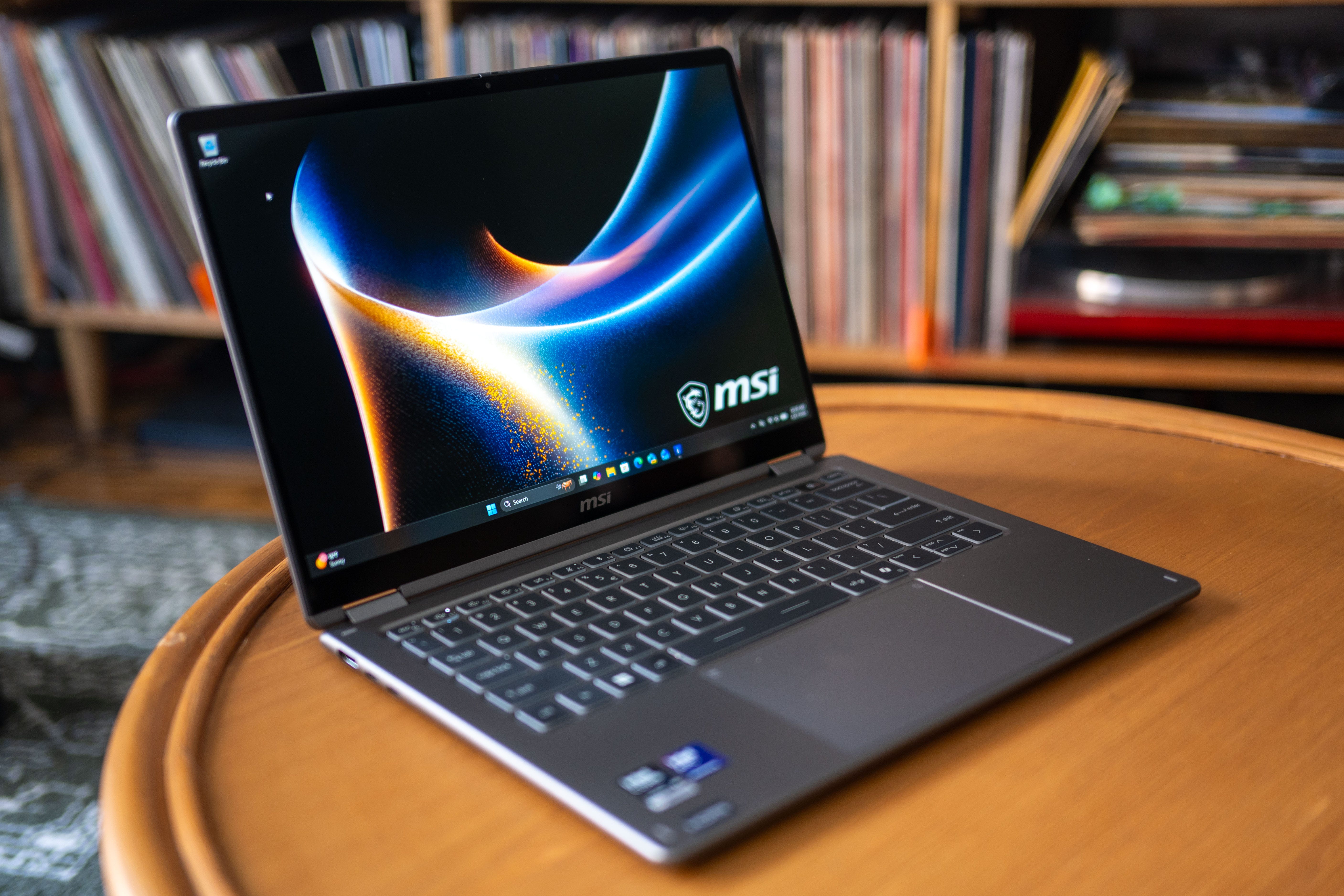
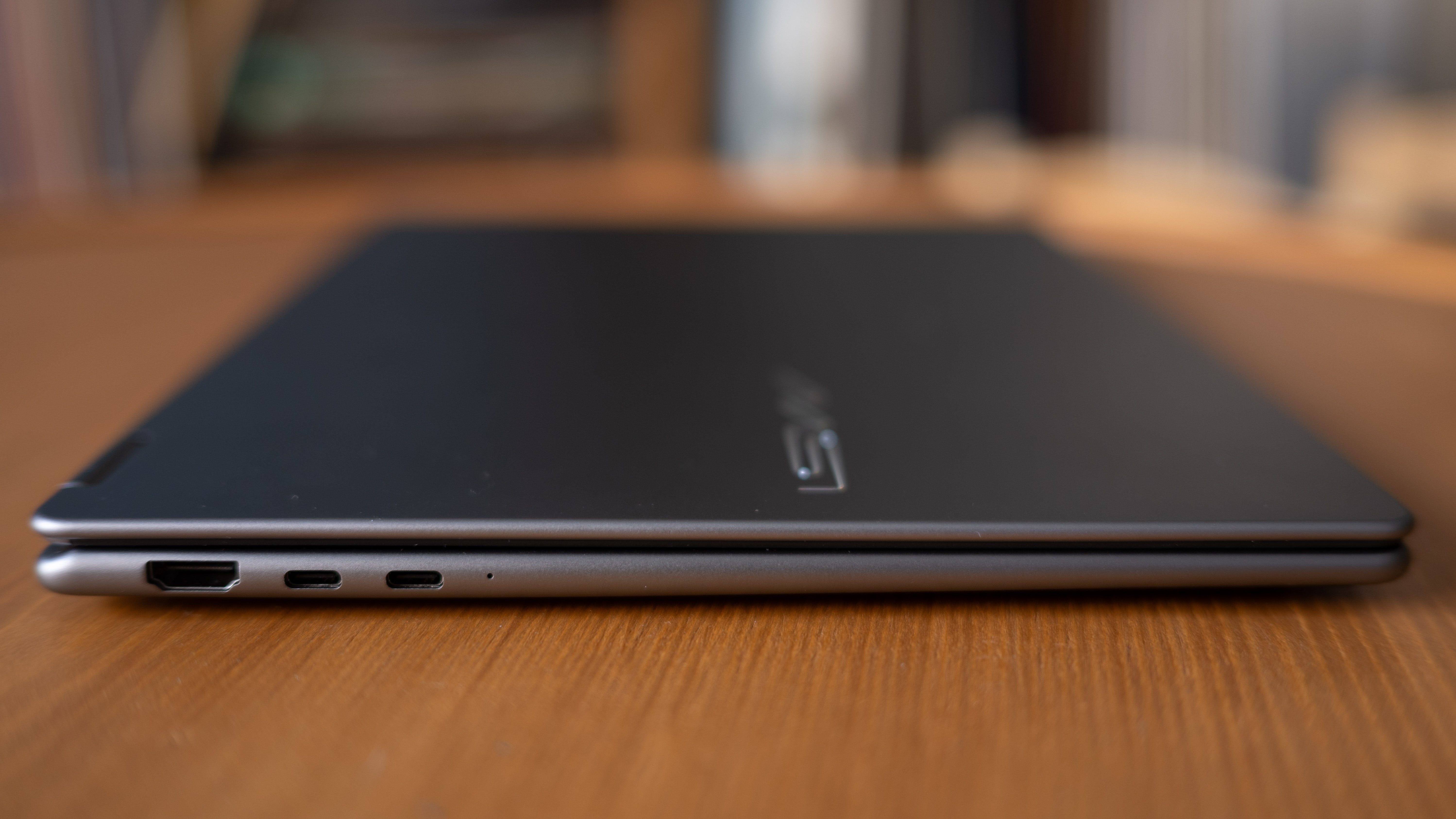
📐 Fresh new design. The MSI Prestige 14 AI+ Flip is the freshest new design I’ve seen from MSI yet for its regular consumer laptops. There isn’t a hint of MSI’s gaming DNA here. Instead, this prestigious machine is all about sleek, rounded edges forged into a premium aluminum chassis. The MSI Prestige 14 AI+ Flip also feels seriously thin and light in hand with its 14.08” x 10.01” x 0.47-0.55” dimensions and 2.9-pound weight.
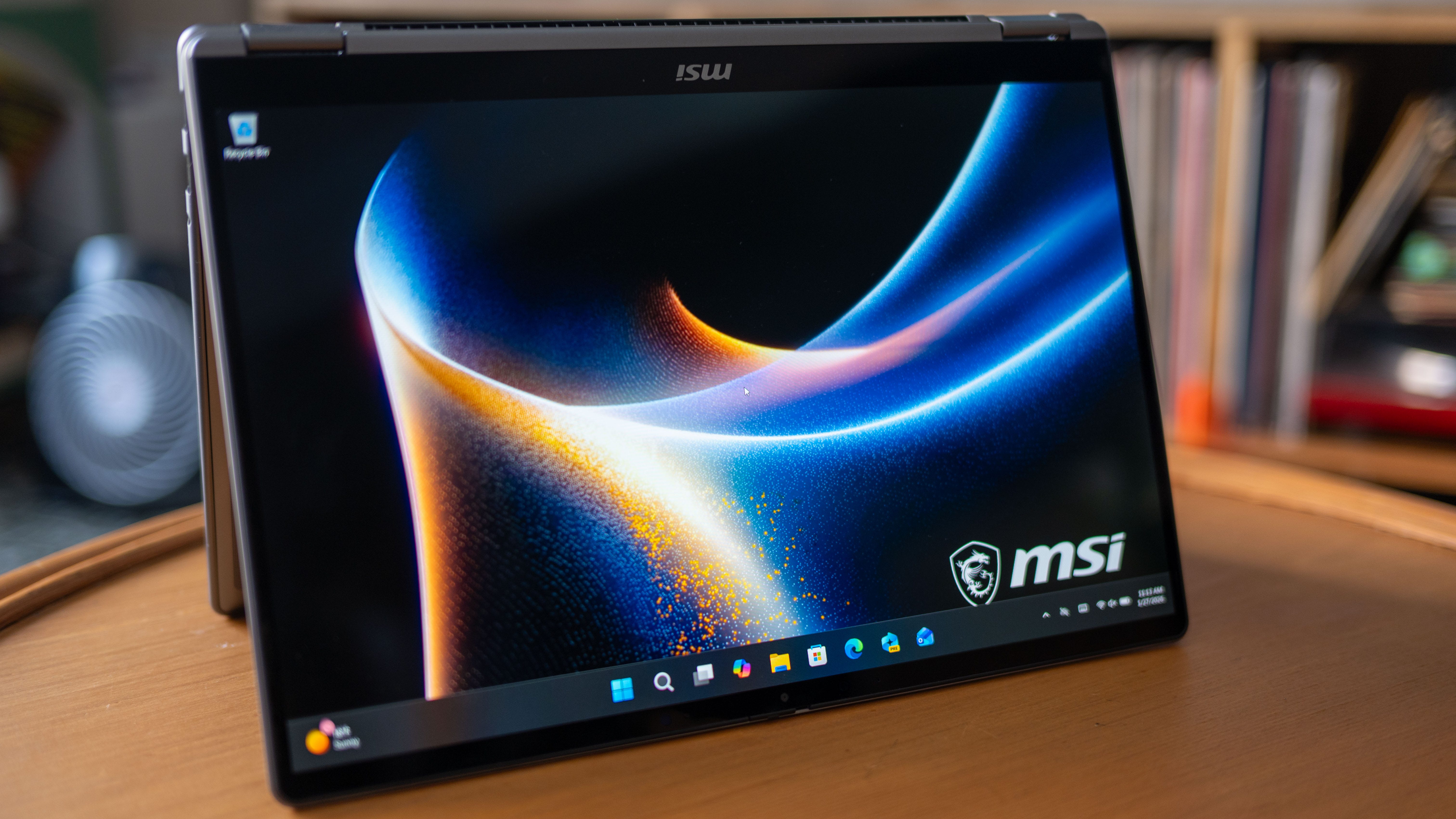
🔄 Flipping cool. The MSI Prestige 14 AI+ Flip might look like any other clamshell laptop, but it’s actually a convertible 2-in-1 laptop you can flip into a tablet. Thanks to its wonderfully thin and light chassis, the Prestige 14 AI+ Flip feels natural to use as a tablet, whether you’re reading webpages and comics or using it as a portable sketchpad and notepad with its integrated virtual pen. Now, MSI hasn’t fixed the age-old problem of awkwardly using a Windows laptop as a tablet and pressing the keyboard keys behind it, but that’s true of any convertible laptop like the MSI Prestige 14 AI+ Flip.
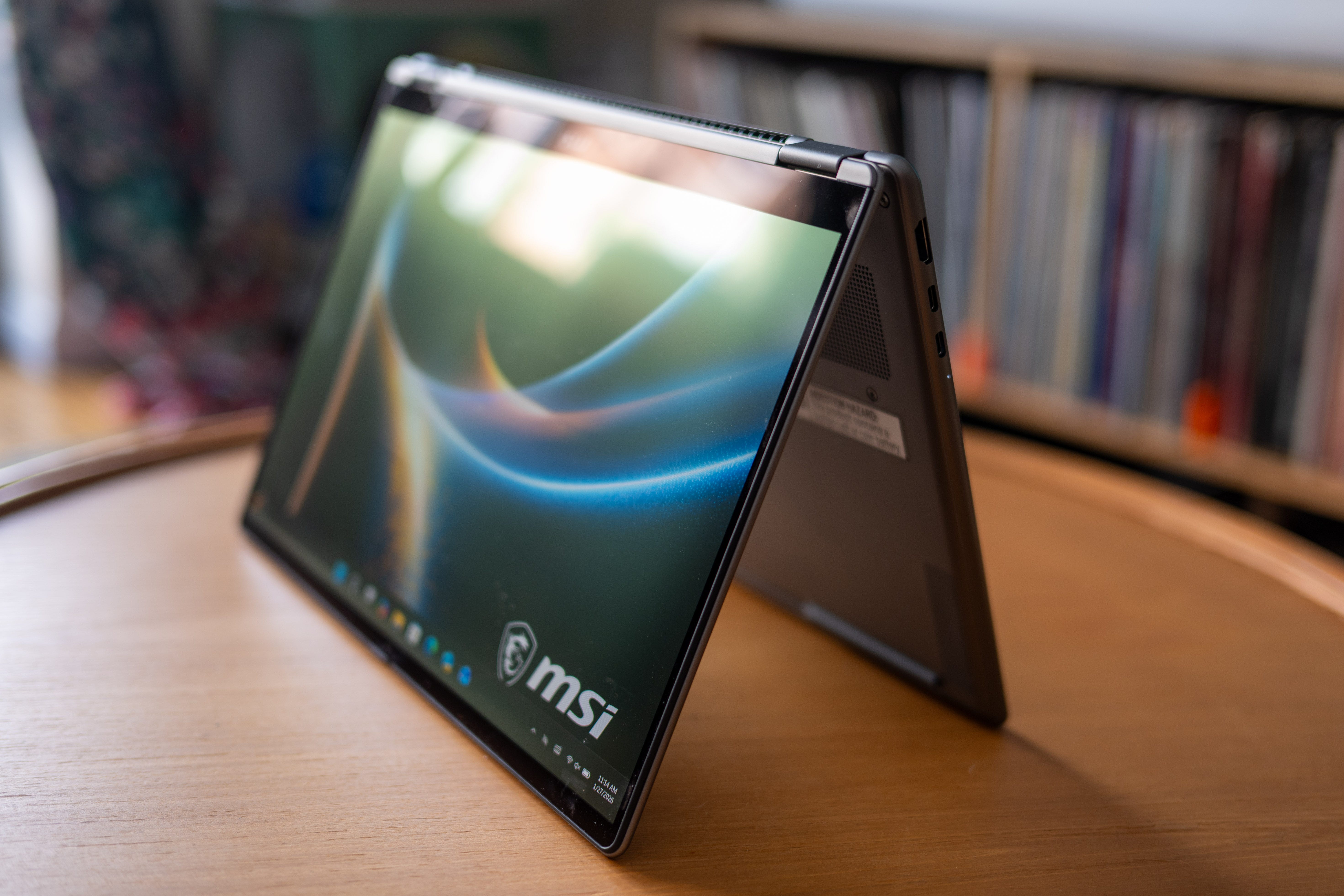
📺 That’s good, that’s bad screen. OLED screens are an automatic plus on any device, but the display MSI chose for this laptop goes like the old Simpsons “that’s good, that’s bad” joke. While OLED displays achieve deep, true blacks, peak brightness is limited to a meager 300 nits, so this laptop’s screen isn’t the easiest to use on a sunny day. Steaming video looks great on this display and plays in HDR, but unfortunately, the Prestige 14 AI+ Flip doesn’t support HDR for gaming. The 60Hz screen is also serviceable, but it’ll feel slow if you’ve gotten used to the iPhones and Android devices with 90Hz-144Hz displays.
🐈⬛ Panther Lake-powered. The MSI Prestige 14 AI+ Flip is powered by a mid-range Intel Core Ultra X7 358H, but Panther Lake delivers such a step-up in performance that it runs like a flagship device. Apps start instantaneously, video encodes fast, and AI tasks are snippy too. My favorite bit about all Intel’s X7 and X9 chips is that they come with the top-shelf Intel Arc B390 graphics, designed to go toe-to-toe with AMD’s Strix Point APUs, which have held the top spot in integrated graphics power.
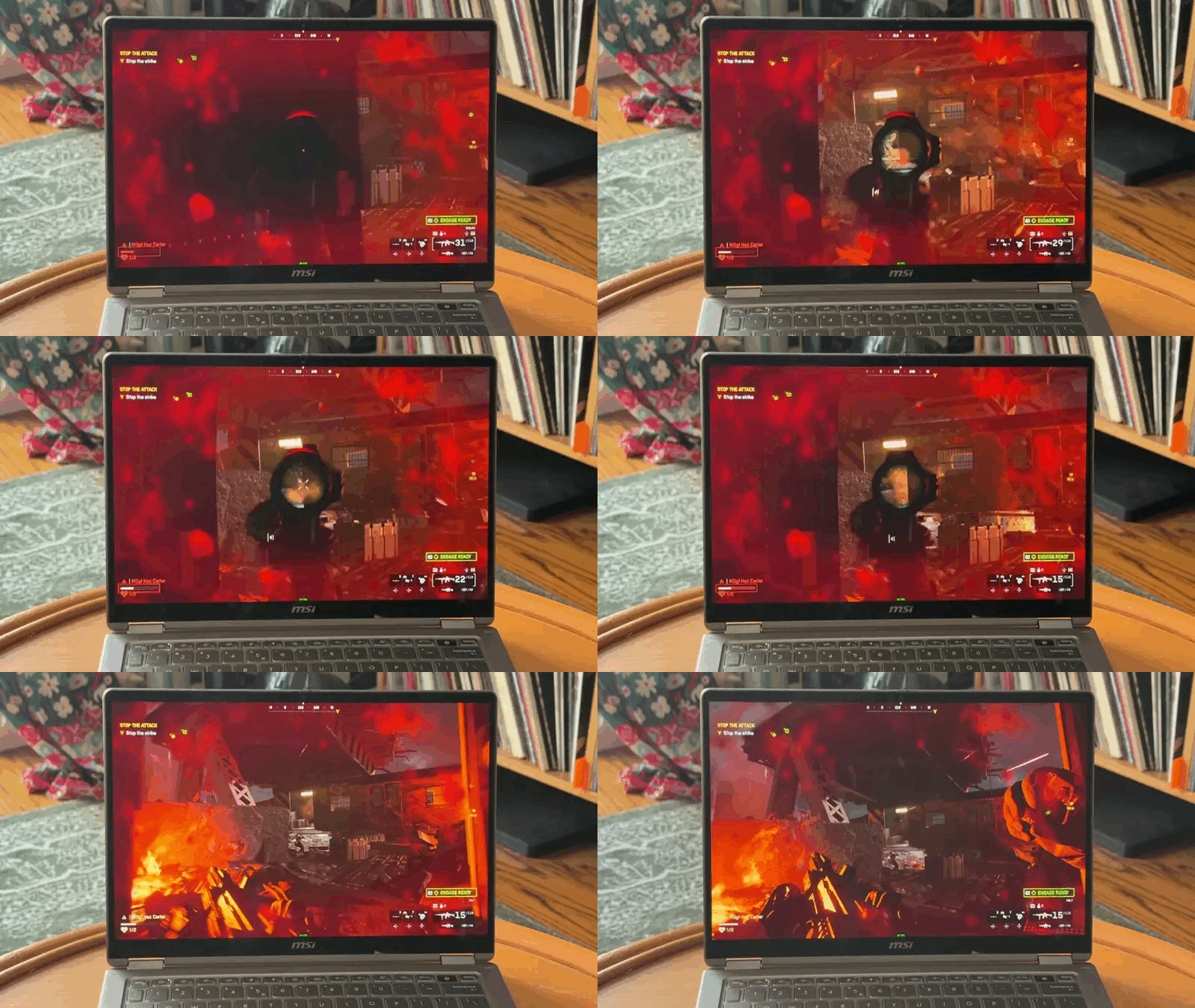
🎮 Gaming in spurts. Although the MSI Prestige 14 AI+ Flip features the same graphics that let me play all day with the Asus ZenBook Duo, this machine just wasn’t as impressive for gaming. Battlefield 6 only averaged around 45 fps, which is amazing for an Ultrabook, but I saw an almost rock-solid 60 fps on the Asus ZenBook Duo, which had a faster clocking Intel Core Ultra X9 388H CPU and operated at a higher 45W TDP.
I also saw consistent packet loss while playing multiplayer games, which caused network lag, so the MSI Prestige 14 AI+ Flip doesn’t have competitive-grade Wi-Fi either. The lack of HDR gaming support is also disappointing, given that videos are supported. Still, the new Intel Arc B390 graphics in this machine are impressive. I was able to get Clair Obscura: Expedition 33 at 50-60fps in full 1200p resolution with medium settings, and XeSS set to Balanced. This laptop can still game, but it seems better suited to offline experiences.


🖊️ Pen and pad. MSI’s greatest innovation on the Prestige 14 AI+ Flip is its integrated virtual pen, stowed away between the laptop’s feet. A combination of magnets and a locking mechanism keeps the pen in place. Pressing a small latch at the bottom of the laptop causes the pen to eject with a spinning flourish that’s a lot like the last scene of Free Willy. Slotting the pen back in is easy enough after you’ve aligned it correctly, and it’ll charge in this slot too. If the pen ever runs out of juice, just 13 seconds of charging gives you 45 minutes of usage.
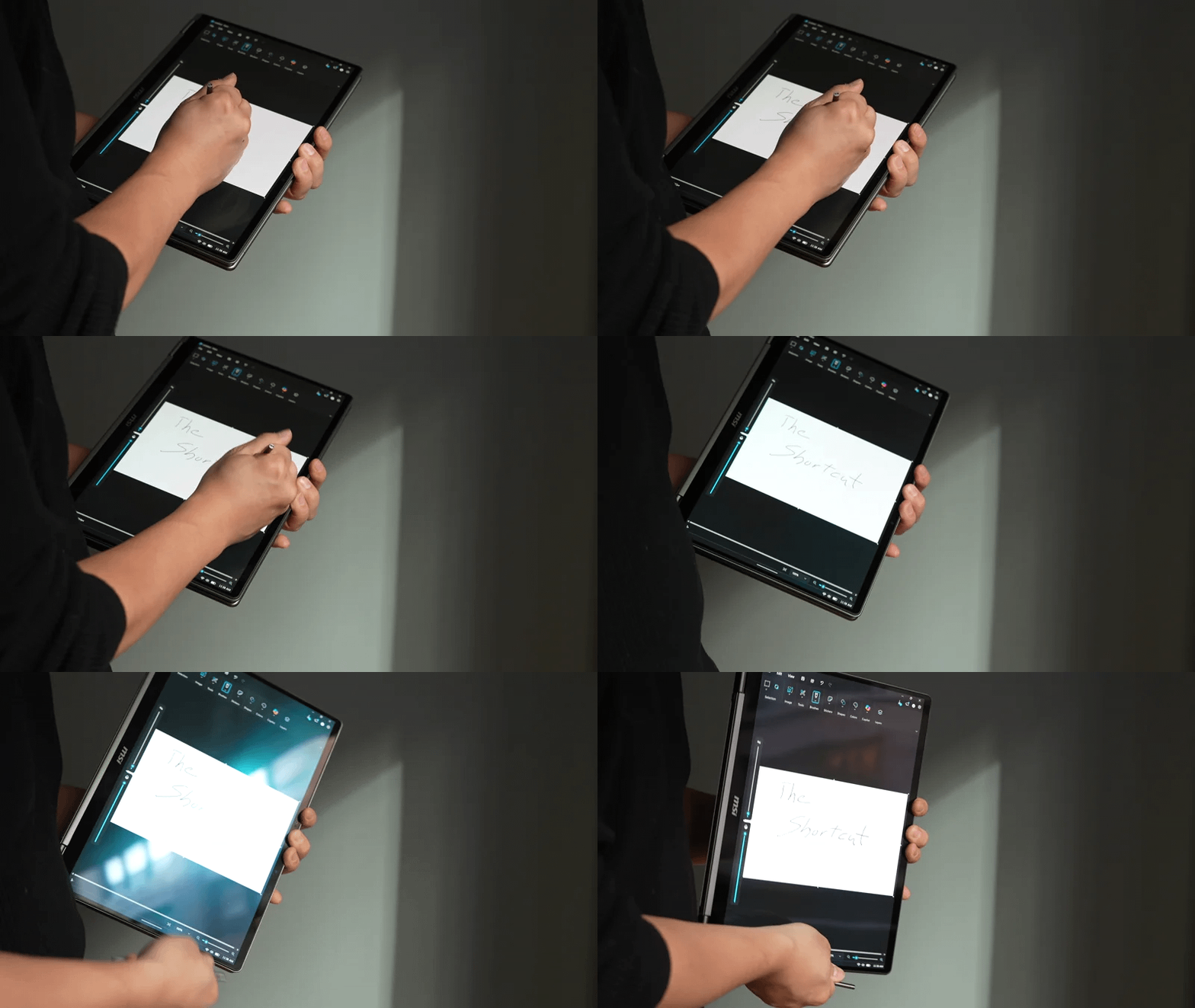
The virtual pen itself is slim and bears a striking resemblance to the Samsung Galaxy S-Pen we’re expecting to see in the Samsung Galaxy S26 Ultra. As far as digital inking experiences go, MSI’s Nano Pen is serviceable for quick notes and sketches. It doesn’t offer nearly the same nuances of tiling and pressure as the inking experience on the Surface Pro 12. The pen also has a pair of buttons to summon Copilot+ and start the microphone for conversing with Windows 11’s AI assistant.
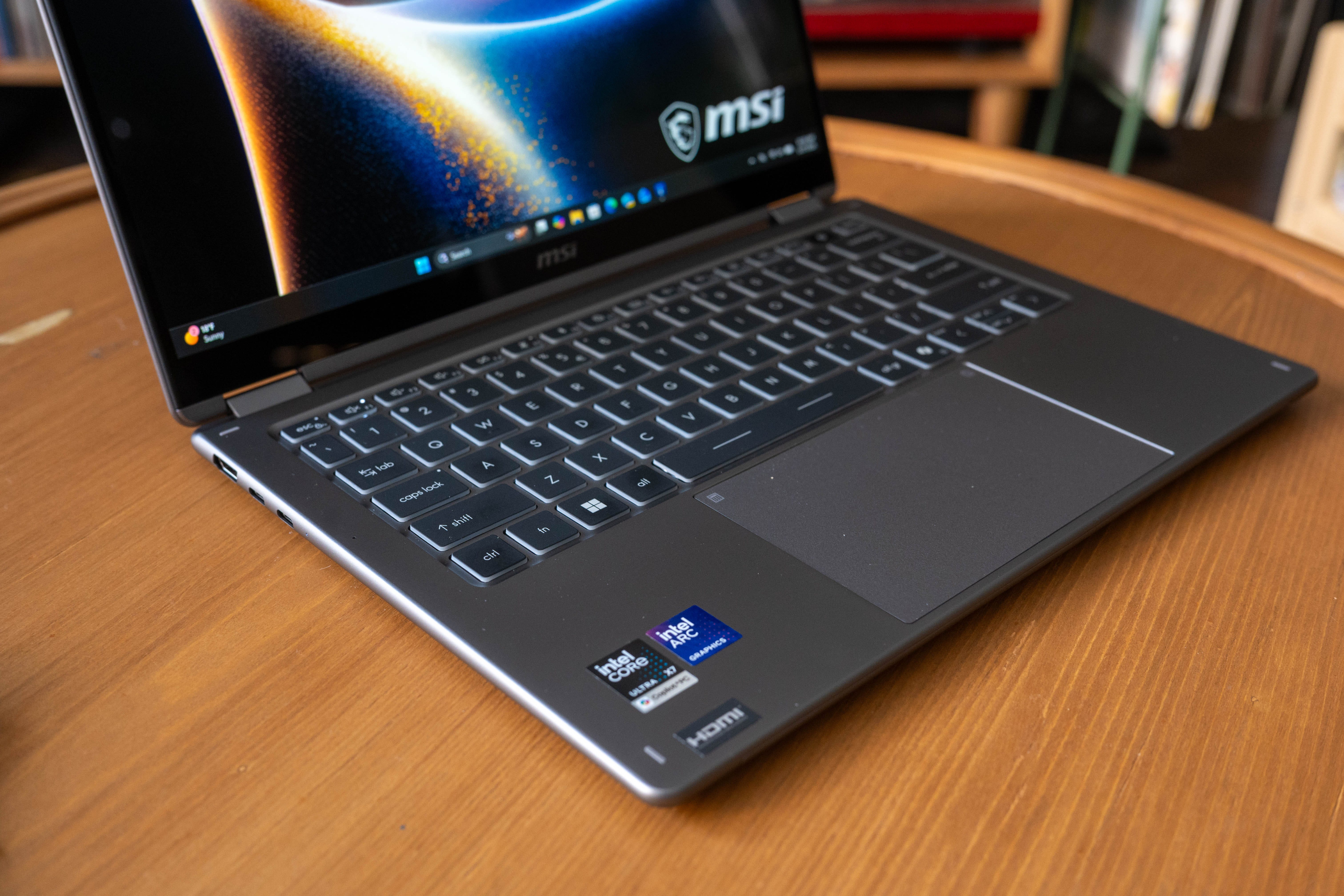
🖲️ Touchpad. MSI’s new Action Touchpad also features a larger surface and shortcuts on its corners and edges. Pressing the top-left corner opens the calculator, and hitting the top-right corner opens the MSI Center S utility app. You can also drag your fingers along the sides of the touchpad to adjust volume and brightness.
Windows Hello Login x2. The MSI Prestige 14 AI+ Flip offers two biometric sign-in options: a Windows Hello IR camera and a fingerprint scanner. This is handy as I almost always have the built-in privacy cover over the webcam, so having the fingerprint scanner is a nice fallback for convenience.
🔋All-day(s) Battery life. Battery life is one of the MSI Prestige 14 AI+ Flip’s strongest suits, delivering all-day usage for multiple days. PCMark 10’s Modern Office benchmark test took 21 hours and 46 minutes to fully drain the battery. Testing the laptop on regular workdays, I got well over 10 hours of use and still had more than 40% of the battery life left to last another day.
Should you buy the MSI Prestige 14 AI+ Flip?
✅ Yes, if…
💅 You’re a stickler for aesthetics and finely built machines
💪 You need a laptop with heavy multi-tasking capabilities
🎮 You want a work laptop that can play games on occasion
🔋 Battery life that lasts for days instead of hours matters to you
❌ No, if…
☀️ You use your laptop in mostly bright environments
👾 You’re looking for an ultraportable gaming laptop
📲 You’re used to faster screens
Kevin Lee is The Shortcut’s Creative Director. Follow him on Twitter @baggingspam.