


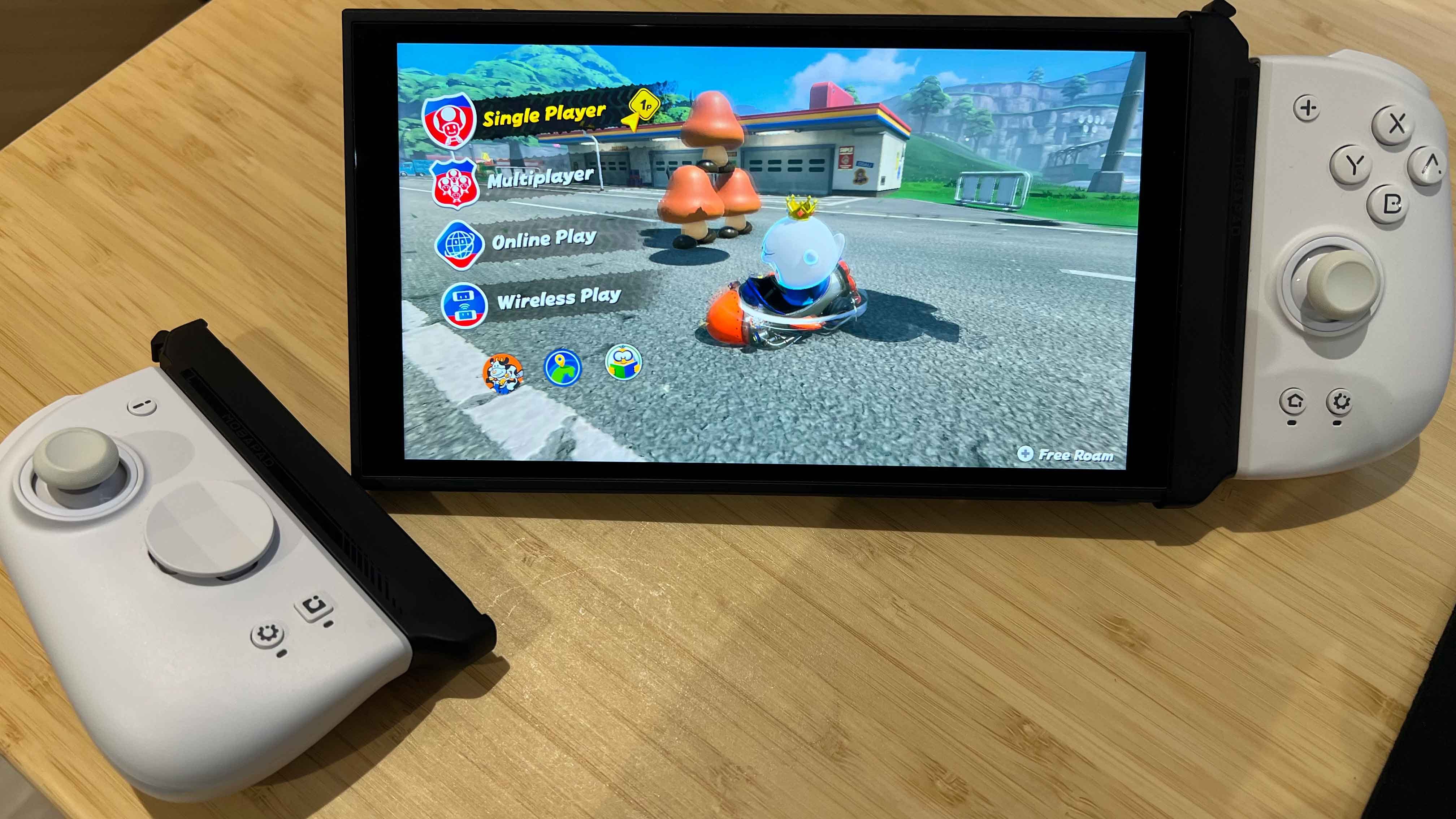

🏆 Review Score: 4/5 - ‘Great’
✅ Pros:
🙌 Breathes new life into your existing Mobapad Joy-Con controllers
🧲 Rock-solid magnetic connection
👏 Easy to pop on and off
🔋 Charges the Joy-Con when playing in handheld mode
❌ Cons:
☹️ Isn’t the prettiest configuration to look at
🪫 Doesn’t charge unless the screen is on
The Shortcut Review
The Mobapad C70 Pro Joy-Con Adapter for Switch 2 serves a very specific purpose. It’s an accessory for those who already own the excellent Mobapad M6 HD or Mobapad S1 HD controllers, which were one of the best Nintendo Switch 2 controllers you could buy.
However, with the Nintendo Switch 2 moving to a magnetic connection system, the Mobapad M6 HD controllers were basically made redundant, unless you were using them in wireless mode. Thankfully, the Mobapad C70 Pro Joy-Con Adapter lets you use your existing Mobapad M6 HD controllers on the Switch 2, and it works surprisingly well.
Mobapad C70 Pro Joy-Con Adapter specs 🛠️
Price: $20.70
Compatibility: Mobapad M6 HD/S Joy-Con, Mobapad S1 HD/S Joy-Con
Weight: 68g
Colors: Black
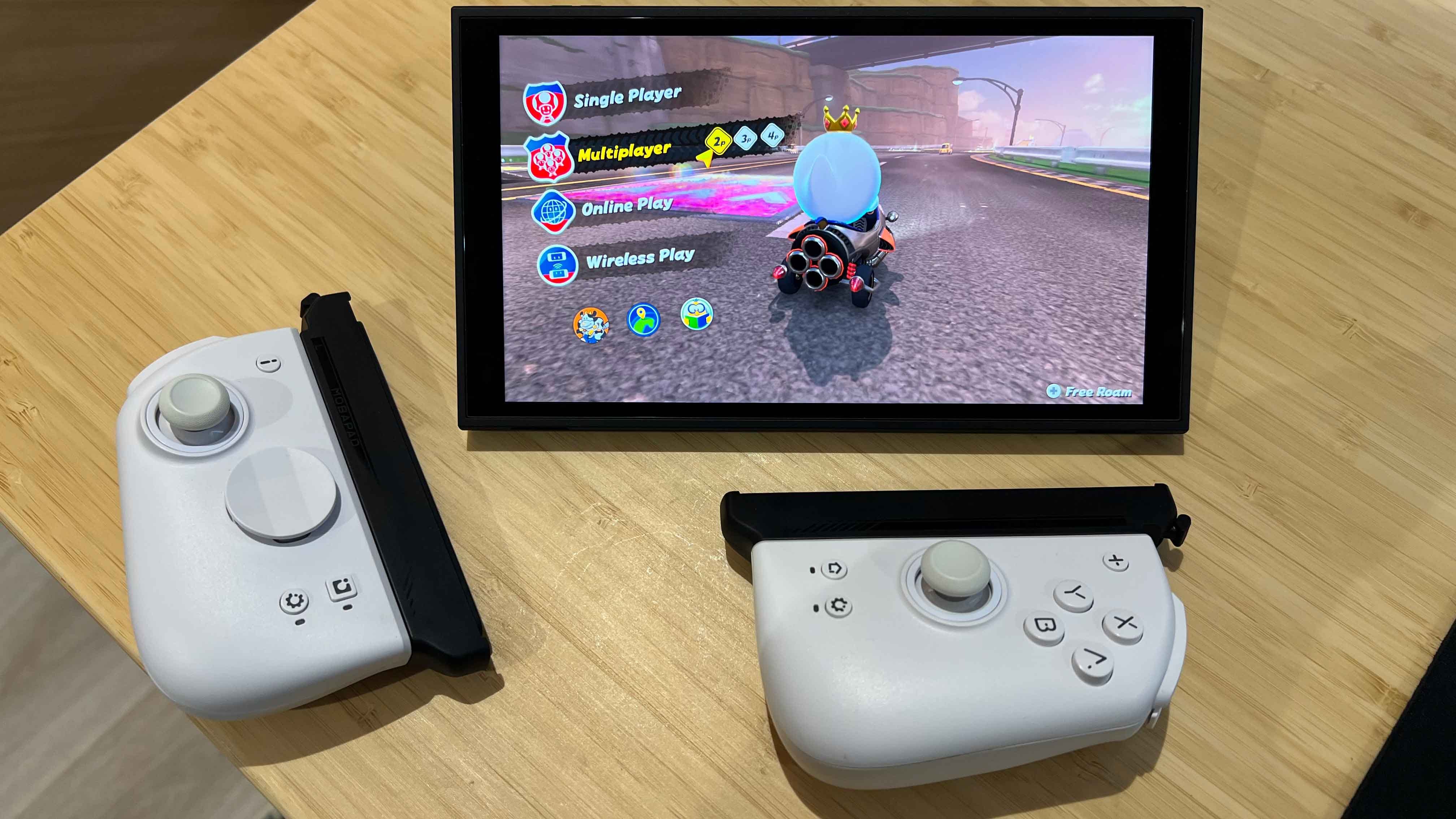
It may look a little odd and unwieldy when connected, but the Mobapad C70 Pro Joy-Con Adapter provides a rock-solid magnetic connection to the Switch 2 console and is comfortable to hold. It also fits in the dock, albeit a bit snugly, and provides convenient charging to the Mobapad M6 HD controllers when the display is on.
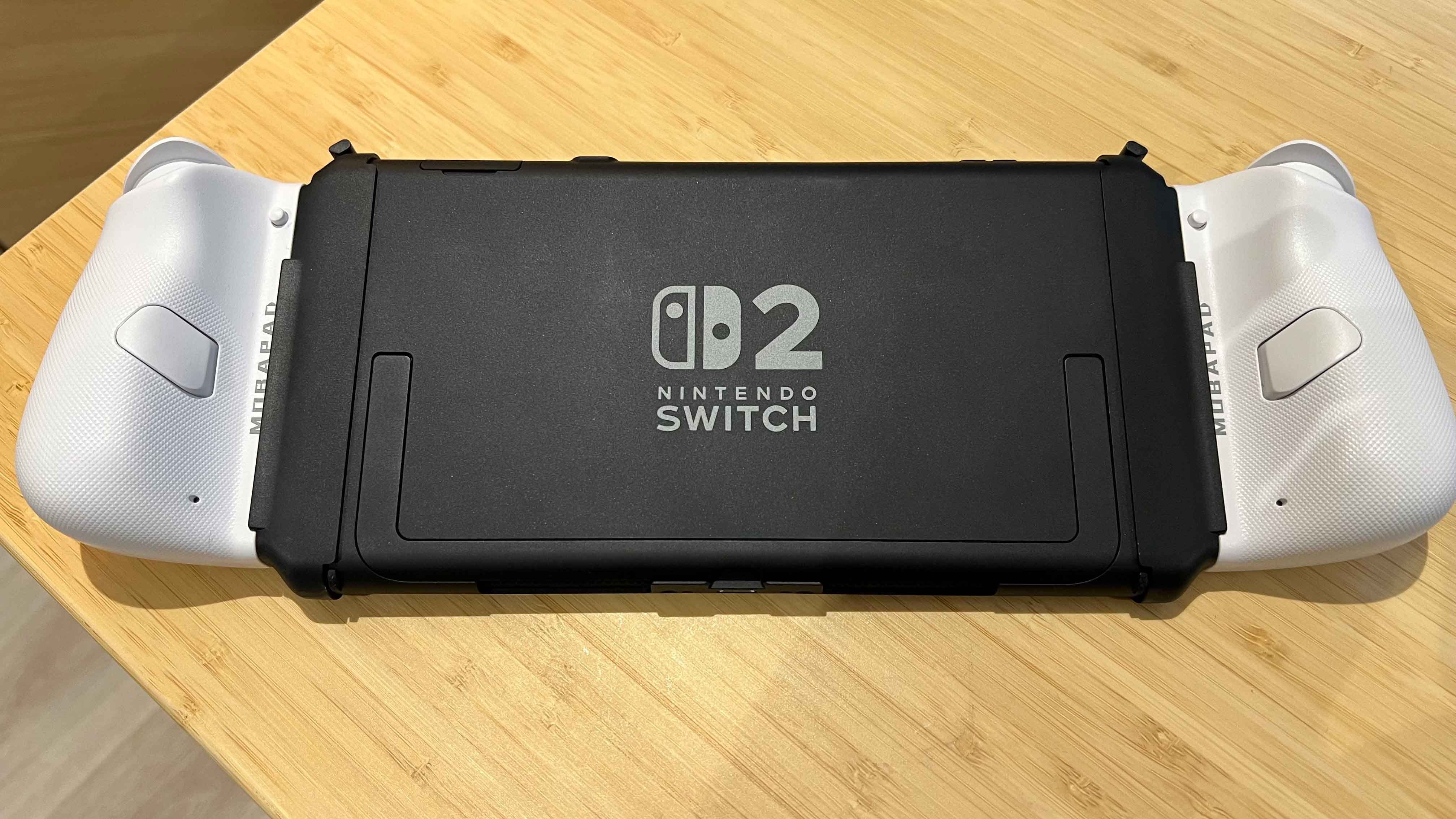
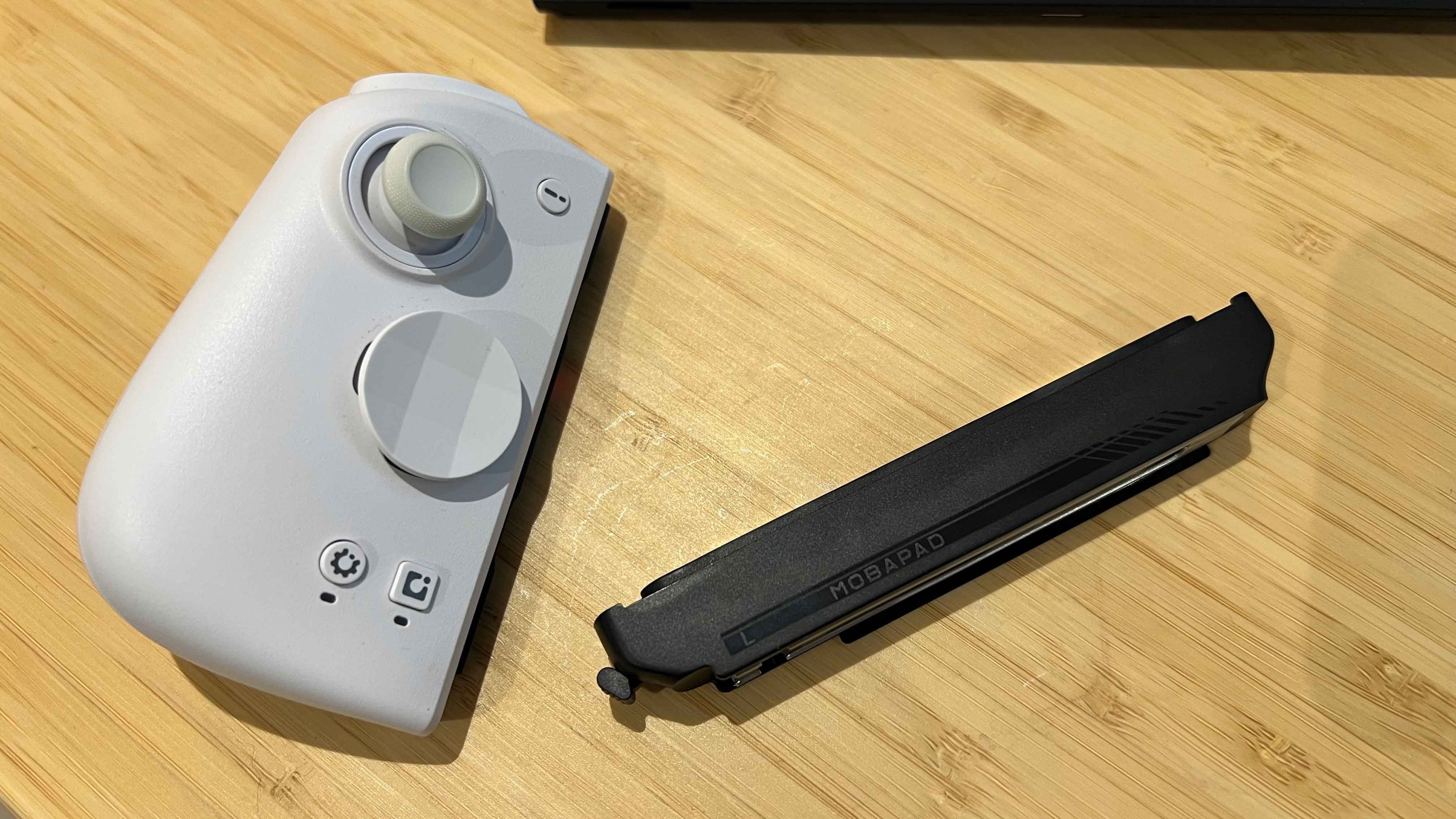
You simply slide the M6 HD controllers into the adapters, and then attach the controllers just like the Switch 2 Joy-Con. They snap on with a satisfying click, and there’s even an easy to press release button so you can remove the controllers safely.
It may look a little odd and unwieldy when connected, but the Mobapad C70 Pro Joy-Con Adapter provides a rock-solid magnetic connection to the Switch 2 console and is comfortable to hold.
The functionality of the Mobapad M6 HD controllers remains: you’re still getting HD Rumble, gyro controls, and a far more ergonomic shape. However, there aren’t any mouse sensors in the M6 HD controller, naturally, and the HD Rumble provided by the Switch 2 Joy-Con is more nuanced.
Still, if you were looking to carry over your controllers to the Switch 2, the Mobapad C70 Pro Joy-Con Adapter for Switch 2 is an essential purchase. Read my full Mobapad C70 Pro Joy-Con Adapter for Switch 2 review below for more.
A review unit was provided by Mobapad.
What I loved about the Mobapad C70 Pro Joy-Con Adapter for Switch 2 ❤️
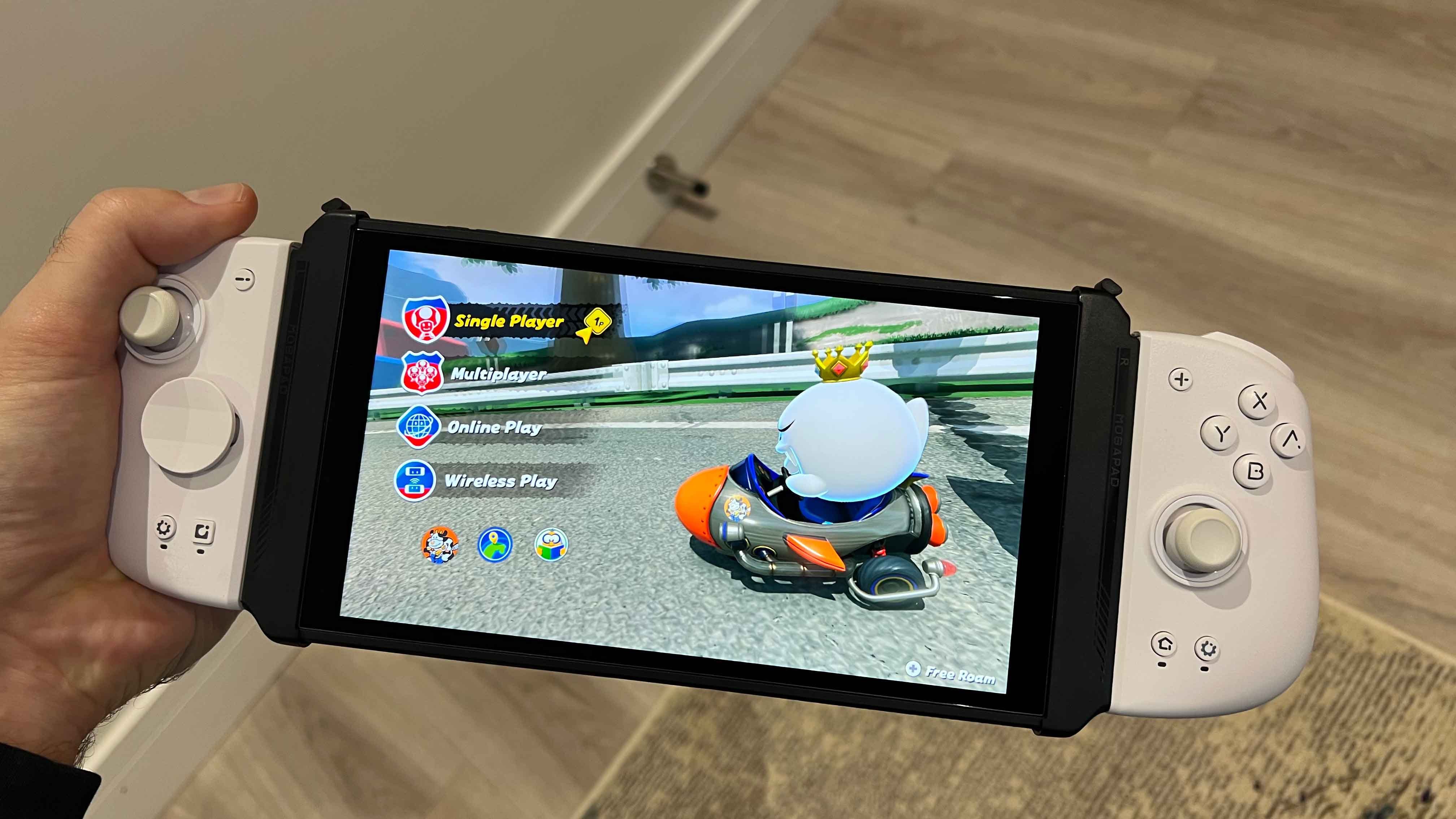
🙌 You can use your Mobapad M6 HD/S or S1 HD/S Joy-Con controllers. I crowned the Mobapad M6 HD the best controllers for the Nintendo Switch, and I stand by that statement. They’re incredibly comfortable to hold, retain all the key features of the original Joy-Con, and have lovely microswitch clicky buttons. Being able to use them in handheld mode for Switch 2 is fantastic, and aside from missing the C Button for GameChat and mouse mode, they’re still superior to the Joy-Con 2 when it comes to overall feel and ergonomics.
The magnetic connection is extremely strong, and there’s no perceptible wobble or give, either.
🧲 The connection to the Switch 2 console is rock-solid. You don’t need to worry about the Mobapad C70 Pro Joy-Con Adapter snapping off mid-game. The magnetic connection is extremely strong, and there’s no perceptible wobble or give, either. You can pick the console up with one hand, and be safe in the knowledge your Switch 2 system isn’t going anywhere.
👏 You can remove and attach the C70 Pro Adapter with ease. If you want to switch things up, it’s easy to detach the Mobapad C70 Pro Adapter. A large release button is located at the top of the adapter that lets you pop the controller off quickly and easily.
🔋 Your Joy-Con controllers will charge when the screen is on. Unlike the C70, the C70 Pro supports charging when you’re playing the console in handheld mode. It’s a feature that was sorely missed from Mobapad’s first attempt, so it’s great to see it on the C70 Pro version.
What I disliked about the Mobapad C70 Pro Joy-Con Adapter for Switch 2 💔
😖 Looks a bit weird because of the Switch 2’s bigger display. There’s no getting around the fact the Mobapad C70 Pro Joy-Con Adapter makes the console look a little odd in handheld mode. The bigger, 8-inch display means the proportions are out of whack, but you’ll soon get used to it.
🪫 Doesn’t charge when the screen is off. Unfortunately, the attached Joy-Con controllers only charge when you’re actually using the Switch 2 in handheld mode. They won’t charge when the screen is off, or when the console is docked.
Should you buy the Mobapad C70 Pro Joy-Con Adapter for Switch 2? 🤔
Yes, if…
✅ You already own the Mobapad M6 HD/S or Mobapad S1 HD/S controllers
✅ You want to use the Switch 2 in handheld mode with more ergonomic controllers
No, if…
❌ Only charges when the Switch 2’s display is on
❌ Not the most attractive looking setup
Adam Vjestica is The Shortcut’s Senior Editor. Formerly TechRadar’s Gaming Hardware Editor, Adam has also worked at Nintendo of Europe as a Content Marketing Editor, where he helped launch the Nintendo Switch. He also runs a retro gaming YouTube channel called Game on, boy! Follow him on X @ItsMrProducts.