


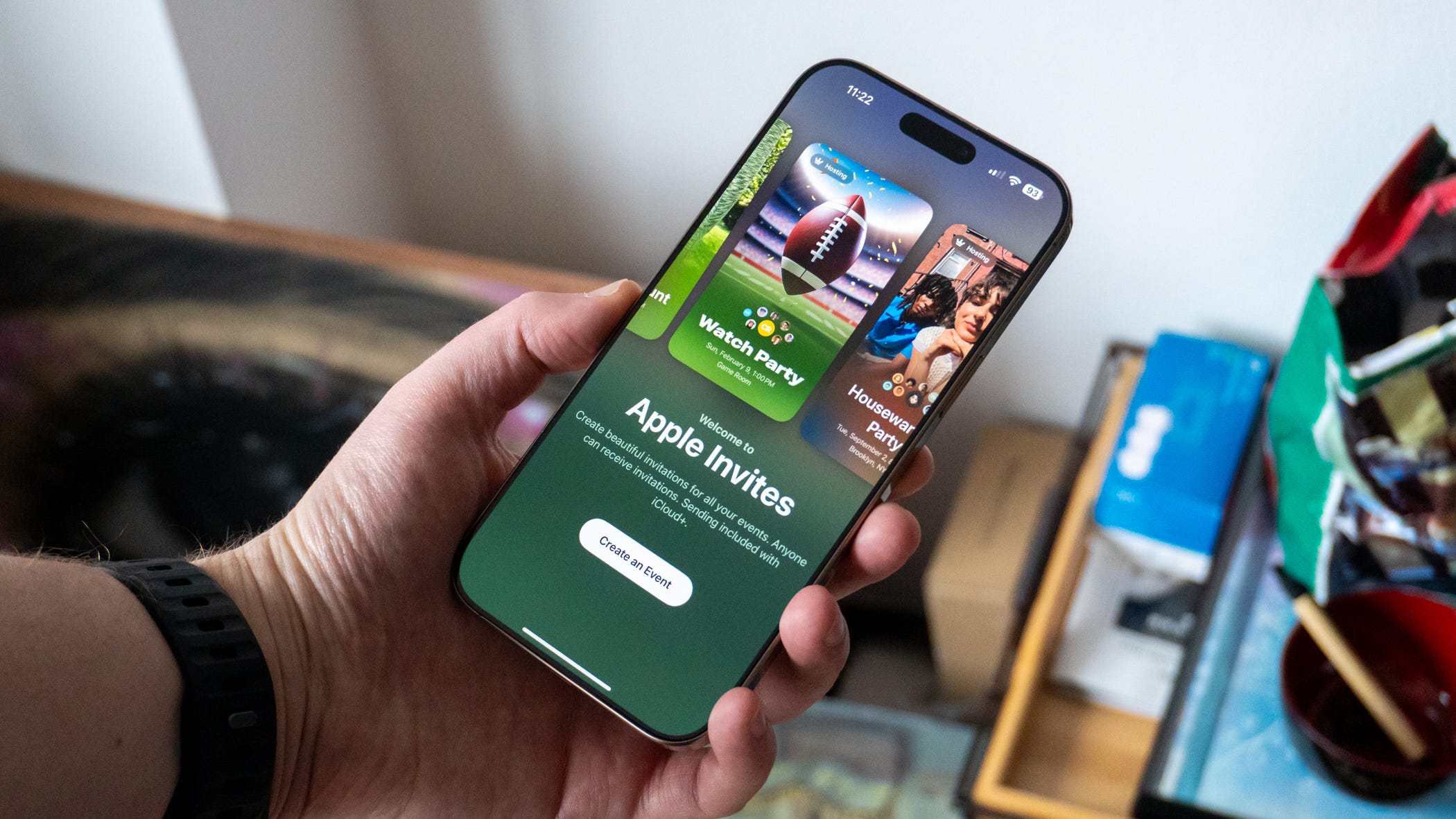

🎉 Apple dropped its new Invites app this week, and it’s causing confusion
📱 Users opening the “free” app are met with a notice about iCloud
☁️ While the service is technically free, it’s actually an extension of iCloud+
👀 Here’s what you need to know about the event planner for iPhone
It’s rare for Apple to drop its own apps out of the blue, but that’s what the company did this week with Invites. It’s a new app that lets you create beautiful invitations for upcoming events and send them to your friends. It’s like the iPhone-only equivalent of popular event planner Partiful.
While the app is free to download, there’s a bit of confusion around who gets to use it. It doesn’t cost anything to accept an invitation you’ve received, but in order to send one, Apple requires an iCloud+ subscription, which has led to a lot of folks wondering whether Apple Invites is actually free.
✉️ What can you do with Apple Invites?


The Apple Invites app does come with a lot of neat features. It allows you to create personalized invitations for events, keep track of who RSVPs, and more. You can configure invitations with custom backgrounds from your photo gallery, emojis, and even AI-generated images thanks to Apple Intelligence on iPhone 16. You can also customize the font and color.
With each invitation, the Invites app will automatically add map and weather information for attendees to reference. You can post messages on invites to provide updates about your event, and you can send invites to non-Apple users to respond on the web.
In addition, Apple lets you create collaborative playlists in Apple Music for you and your guests to play. Each invite also automatically creates a shared photo album so you don’t miss out on any iconic shots from your event. The app is also just beautiful to look at; it reminds me a lot of visionOS on the Apple Vision Pro, which iOS 19 is rumored to take design cues from come the fall.
☁️ Apple Invites requires iCloud+ to send invites, not receive them
So, is any of this free to use?
Here’s the short end of it: if you want to use Invites to the full extent, you need to be a subscriber of iCloud+. Apple built the app as an extension of its cloud subscription service for two possible reasons: to retain customers as long as it can and to entice new ones to sign up.
The cheapest iCloud+ subscription available is $0.99 per month which gets you 50GB of cloud storage. That’ll also give you the ability to send invitations through Apple Invites. If you want collaborative playlists, you’ll need to be an Apple Music subscriber which’ll cost $10.99 per month. Other music streaming apps like Spotify aren’t supported.
In total, you’ll need to spend at least $11.98 per month to get the most out of Apple Invites. While the app is completely free to download and use to respond to invites, you’ll have to pay to play if you want to create your own.
Is all of this worth it? Only if you’re regularly scheduling events and are currently an iCloud+ subscriber. Otherwise, Partiful is sitting right there. The Invites app is definitely better looking and friendlier to iPhone users, but it’s one of many different ways to invite your friends to your next gathering.
Max Buondonno is Editor at The Shortcut. He’s been reporting on the latest consumer technology since 2015, with his work featured on CNN Underscored, ZDNET, Newsweek, TheStreet, and more. Follow him on X @LegendaryScoop and Instagram @LegendaryScoop.