


🏆 Review score: 4.5 out of 5
🏅 Editor’s Choice Award

✅ Pros
🎮 4K 120fps gameplay over streaming looks as good as a real gaming PC
⚡️ Snappy response time and relatively low latency
📺 Broad device support for PCs, laptops, Macs, gaming handhelds, and LG OLED TVs and monitors
🌈 10-bit HDR 4:4:4 looks stunning and is more colorful than HDR10
🐇 Faster 90fps streaming on the Steam Deck and 120fps streaming on the Lenovo Legion Go
🎥 Cinematic Quality Streaming improves sharpness on backgrounds and HUDs
No price increase over $20 per month with these upgrades
❌ Cons
👾 Only 22 RTX 5080-supported games at launch
🗺️ RTX 5080 SuperPODs are currently only available in select US cities, Paris, and Frankfurt
📊 Data usage is still high
🎲 Install-to-Play is currently filled with mostly free-to-play and obscure games
📋 Separate graphical settings within GeForce Now and in-game menus
The Shortcut Review
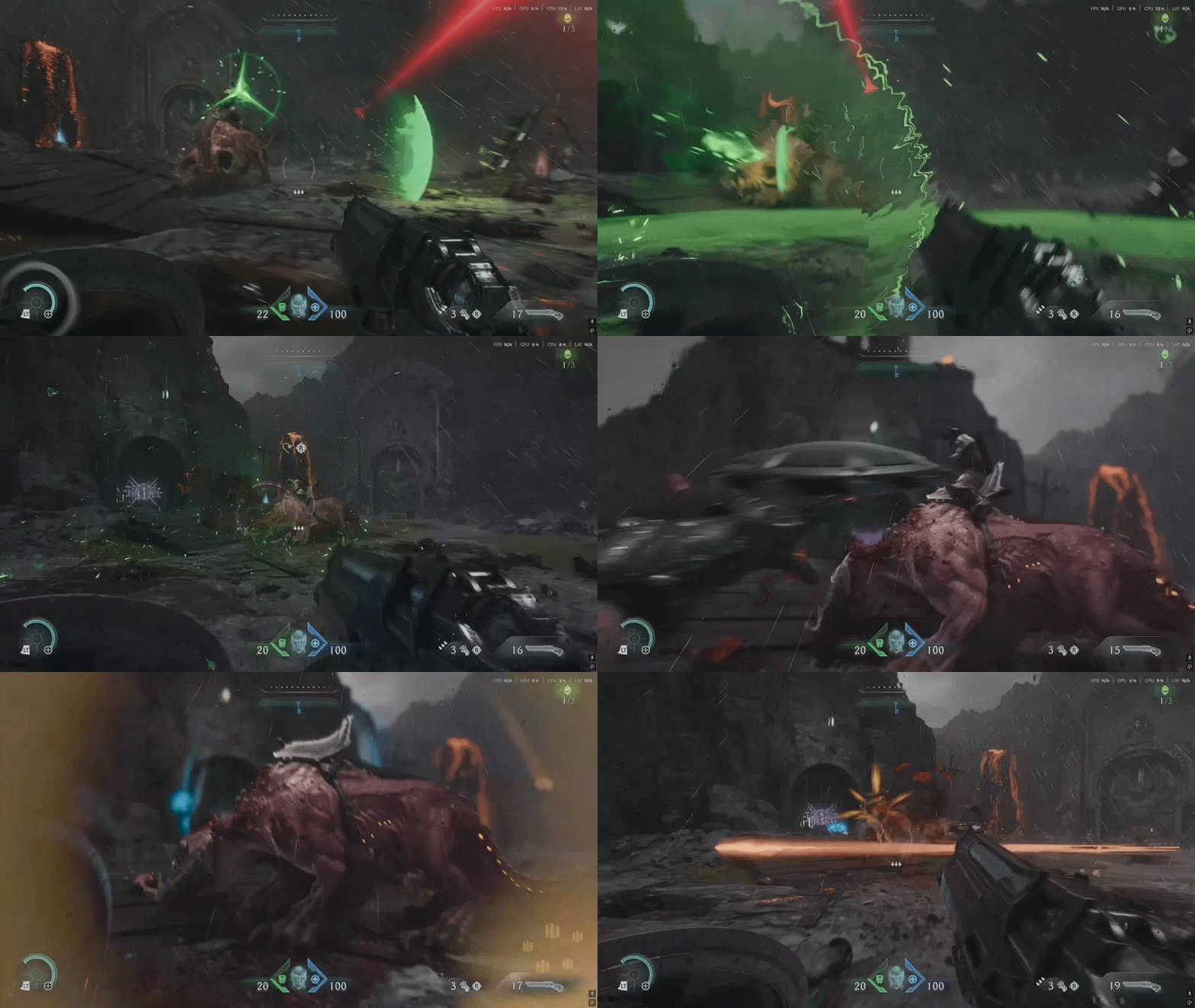
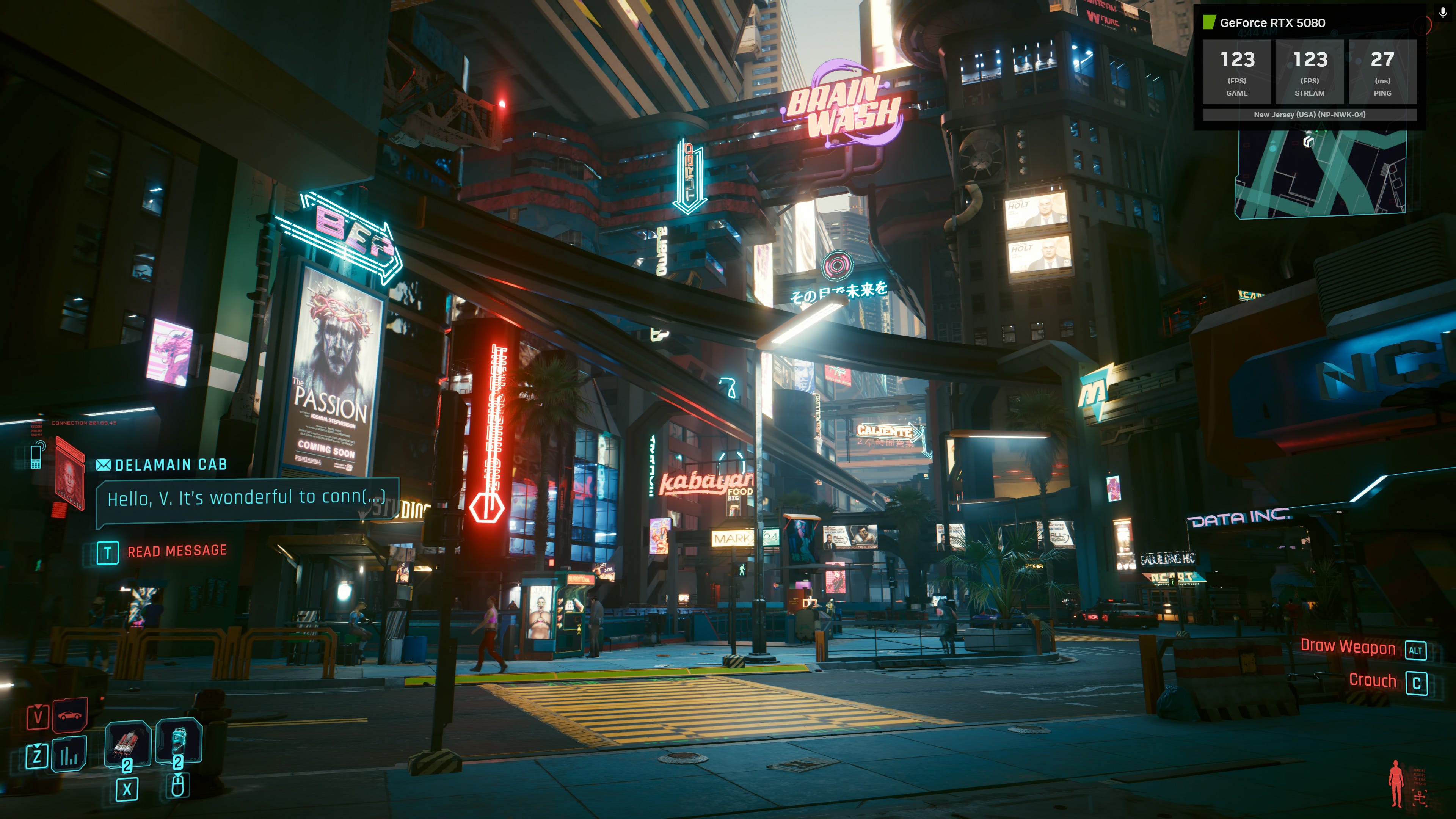
When Nvidia told me that it was upgrading its GeForce Now gaming streaming service to RTX 5080-equivalent performance, I expected higher frame rates to be the biggest takeaway. However, after streaming 4K 120fps Cyberpunk 2077 directly on an LG OLED 4K TV, 4K 120fps Assassin’s Creed Shadows on a MacBook Pro, and 90fps Doom Dark Ages on a Steam Deck OLED, GeForce Now could be the only gaming platform you need.
I’ve been playing with the upgraded GeForce Now Ultimate experience for a week now, and it feels like gaming on a real gaming PC, but I can also use it on any old PC, MacBook, or even a gaming handheld. Even though I was streaming games from a server in New Jersey, I felt like I was playing Indiana Jones and the Great Circle at a rock-solid 4K 90fps and Overwatch 2 at 1080p 360fps from a PC right next to me. Better yet, 10-bit 4:4:4 HDR and Nvidia’s new Cinematic Quality Streaming helped games look and play even better than running the game from a PS5 Pro.
Aside from the occasional lag spike and sudden packet loss, I was never taken out of my seemingly perfect streaming game experience. For $20 per month, Nvidia GeForce Now can truly stand as a gaming platform on its own, especially if you don’t have any gaming hardware at all. Just load up GeForce Now onto your MacBook, Chromebook, or even a low-powered gaming handheld like the Lenovo Legion Go S (with Steam OS preferably), and you’ll be able to go to town with Nvidia GeForce RTX 5080-level gaming.
Full Review
🎮 4K 120fps gaming. Playing Assassin’s Creed Shadows and Doom: Dark Ages at 4K 120fps is a revelation for streaming games. Gameplay looks silky smooth thanks to the improvements from Nvidia DLSS 4 with Multi-Frame Generation. Yes, there are fake frames, but they’re almost indistinguishable from the real ones, and they’re even less noticeable over streaming. The suite of RTX 5080-supported games on GeForce Now was limited to 22 titles – Apex Legends, Baldur’s Gate 3, Clair Obscur: Expedition 33, Hell Is Us, and Indiana Jones and the Great Circle – but I can confirm they all looked superb and performed exactly as if I was playing them on a local PC.
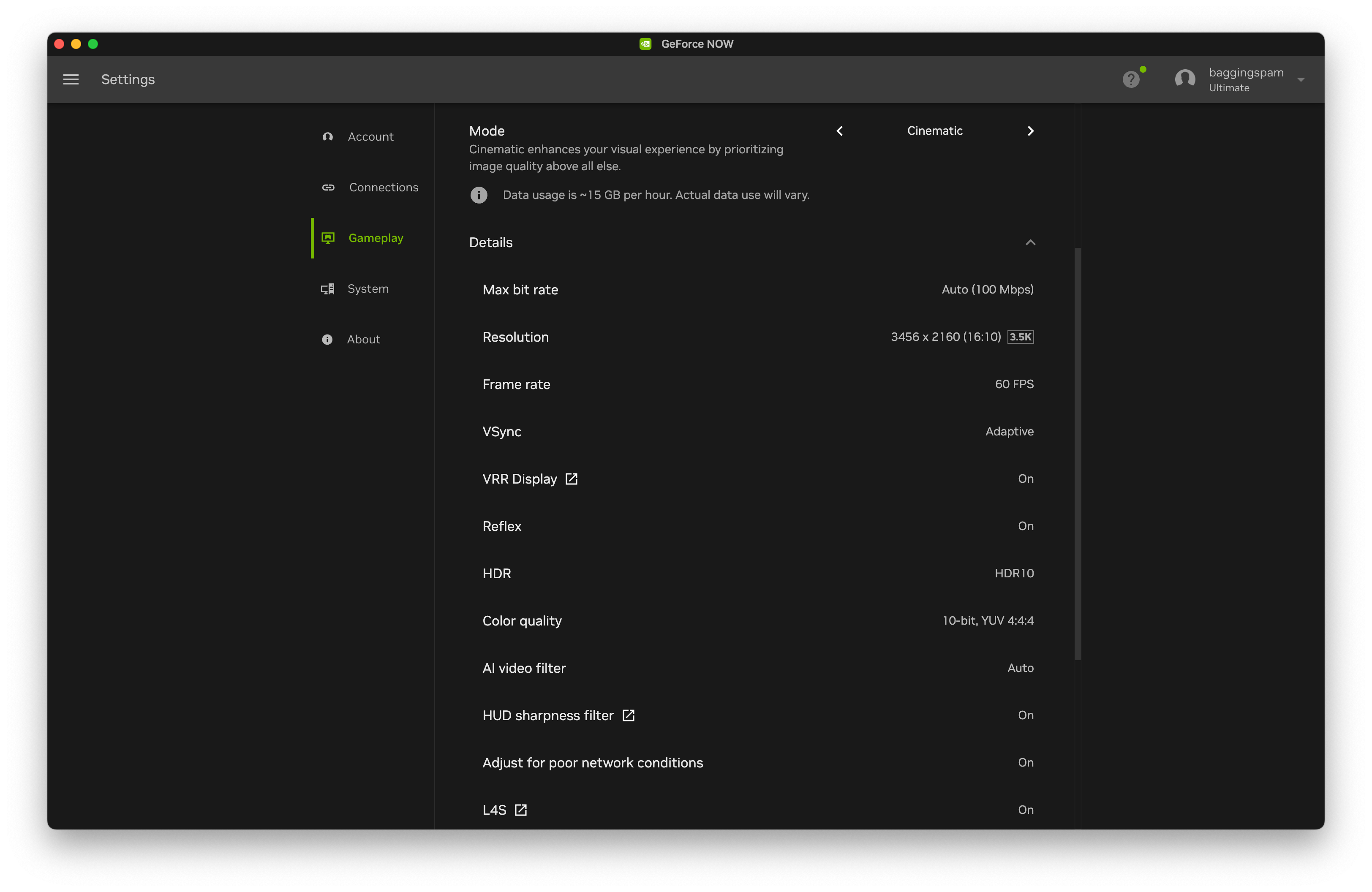
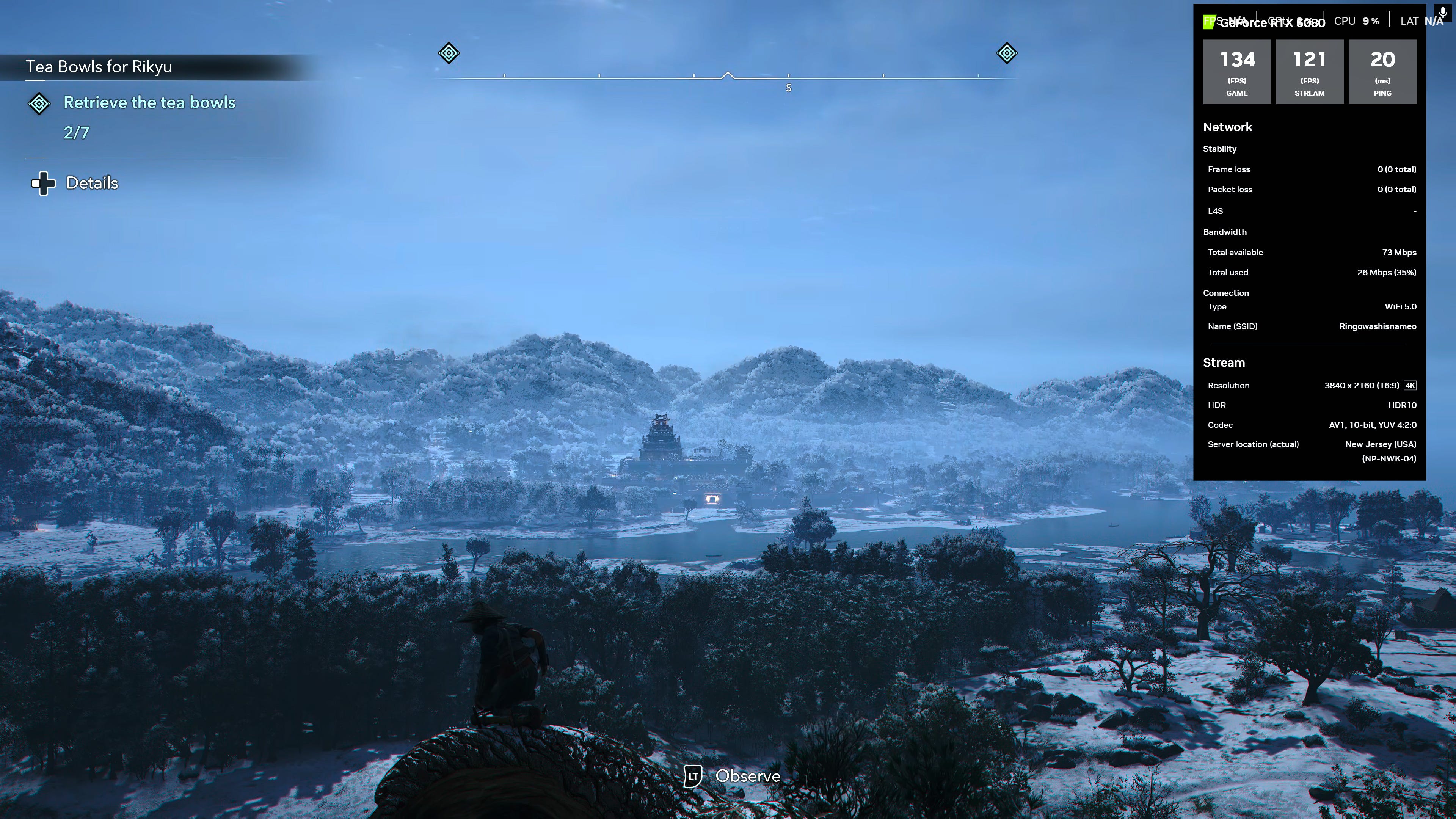
🎥 Cinematic Quality Streaming. This latest version of GeForce Now also introduces Cinematic Quality Streaming (CQS), which entails several under-the-hood improvements to the game streaming experience. First up, CQS improves HDR with a 10-bit 4:4:4 YUV color model, which, to my eye, produced even deeper color than I saw while gaming with my actual RTX 5080. There’s also an AI video filter that removes digital noise and artifacting around moving objects. This helps foliage and other background objects appear less pixelated while you’re moving past them. Lastly, games stream over the internet using AV1 encoders that smooth out any network speed bumps for a smooth gameplay experience that’s rarely interrupted.

⚡️ Low latency. Games streaming from GeForce Now don’t just look good, they feel incredibly responsive. Although I saw my latency was anywhere between 20-30ms, I didn’t have a problem pulling off timed parries in Hell is Us and Doom: Dark Ages, even while using a wireless controller. A combination of Nvidia Reflex and L4S (Low Latency, Low Loss) technology from internet providers helps make GeForce Now more responsive.


💻 Better than a real RTX 5080? From benchmarking Cyberpunk 2077, the virtual RTX 5080 actually delivered higher FPS performance than the real one I had plugged into my PC. GeForce Now servers are actually equipped with 48GB of VRAM, more than the 16GB of VRAM available on physical RTX 5080 cards. This could potentially allow you to enable more visual settings to achieve better image quality while streaming, but I couldn’t push the video memory usage in any of the games I tested beyond 16GB.
👾 Better than a PS5 Pro? I never thought I’d say this, but playing Assassin’s Creed Shadows streaming over GeForce Now is better than playing it locally on a PS5 Pro. Nvidia has just made game streaming so good that the latency is on par, if not better, than a console with better visuals to boot. Playing AC: Shadows on PS5 Pro, I can see the frame rate hitch in a busy battle or while performing some complex wall ejects and other parkour moves, but I don’t get any of that while streaming. The HDR rendering on GeForce Now also features much brighter highlights, extended lighting sources, and more visible sun streaks.
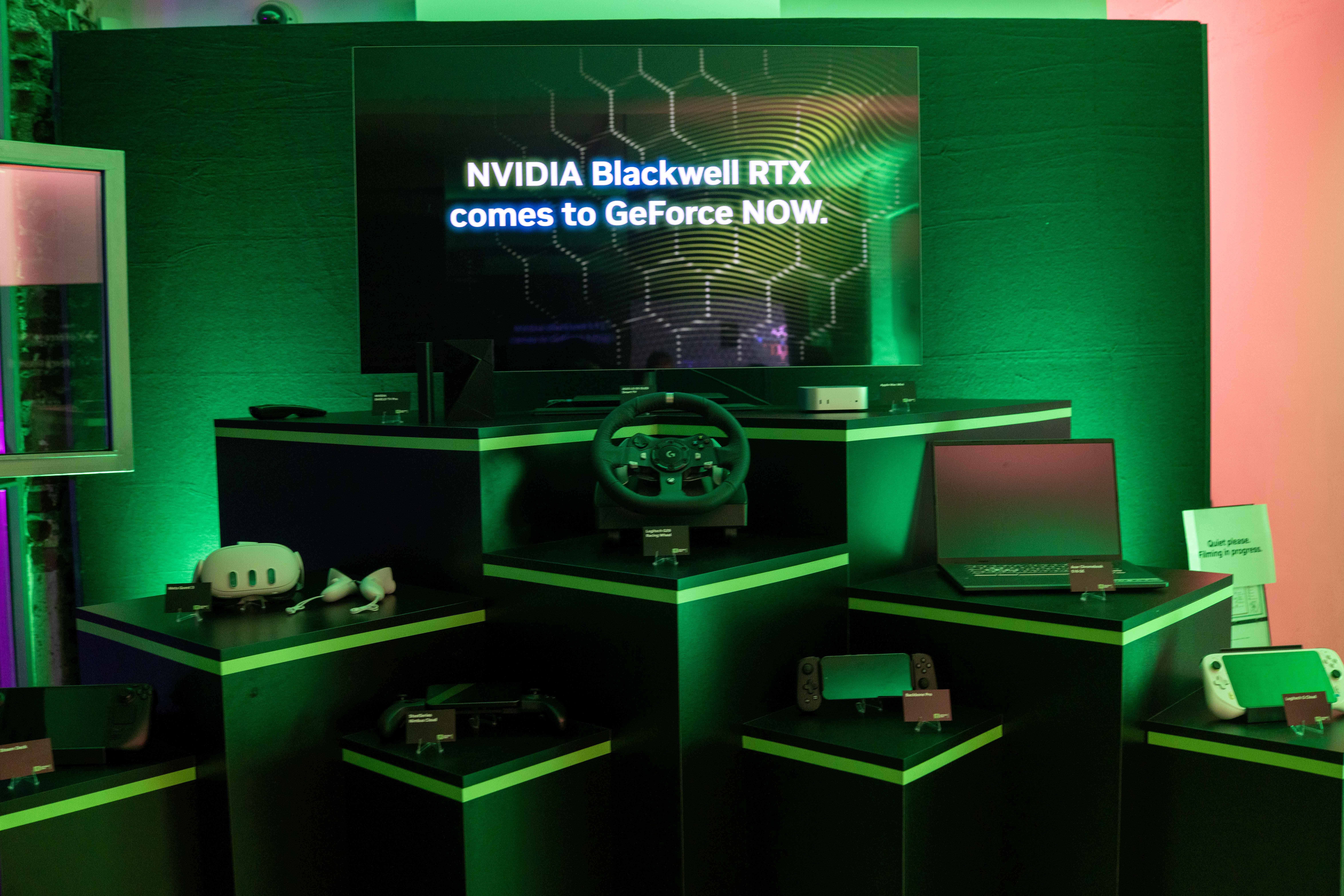
🕹️ Handheld gaming on fleek. GeForce Now is also even better on handhelds with added 90fps support for the Steam Deck and 120fps support for the Lenovo Legion Go S. It’s a joyous experience to play CyberPunk 2077 on the Steam Deck OLED at 90fps with full HDR color. The Lenovo Legion Go S, meanwhile, has become my go-to Marvel Rivals machine now that it can run at 120fps. These are frame rates that these handhelds could rarely achieve using their built-in processors, but now I can play AAA games with the same graphics quality as a full-on RTX 5080 gaming PC.
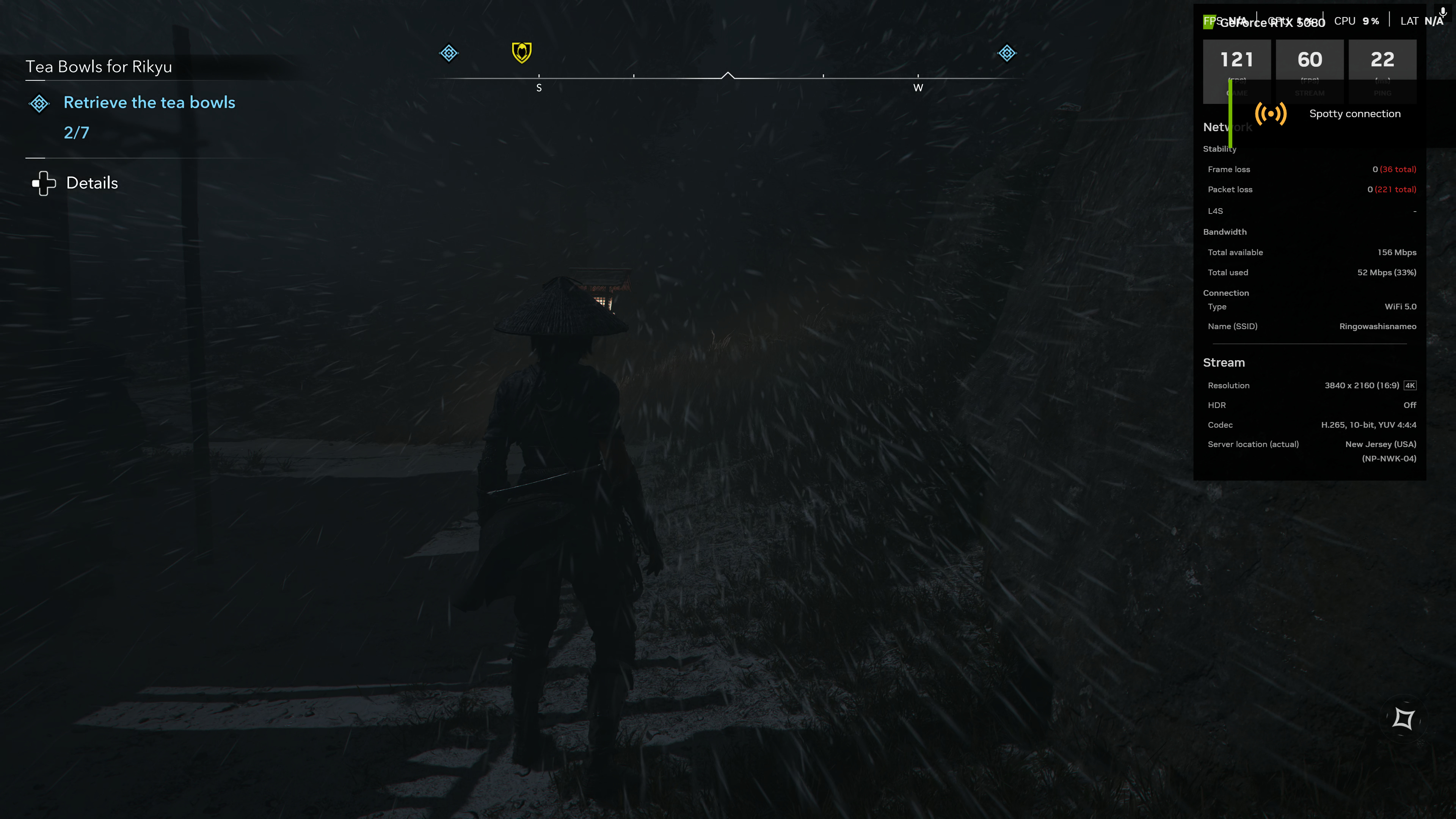
😱 Bandwidth costs. Unfortunately, you can’t get more than 60fps gaming with Cinematic Quality Streaming, at least without some real technical tweaking. By default, CQS is capped at 60fps because it already consumes a lot of data with a 40-58Mbps bit rate. If you want 90-120fps or higher with CQS, you’ll have to manually tweak your own streaming quality profile and copy over all the CQS settings. However, you’ll need a really fast broadband connection and hopefully no data caps to feed this game streaming beast. I saw my bandwidth usage jump to 100Mbps with 4K 120fps and CQS game streaming – that’s 17-18GB per hour!
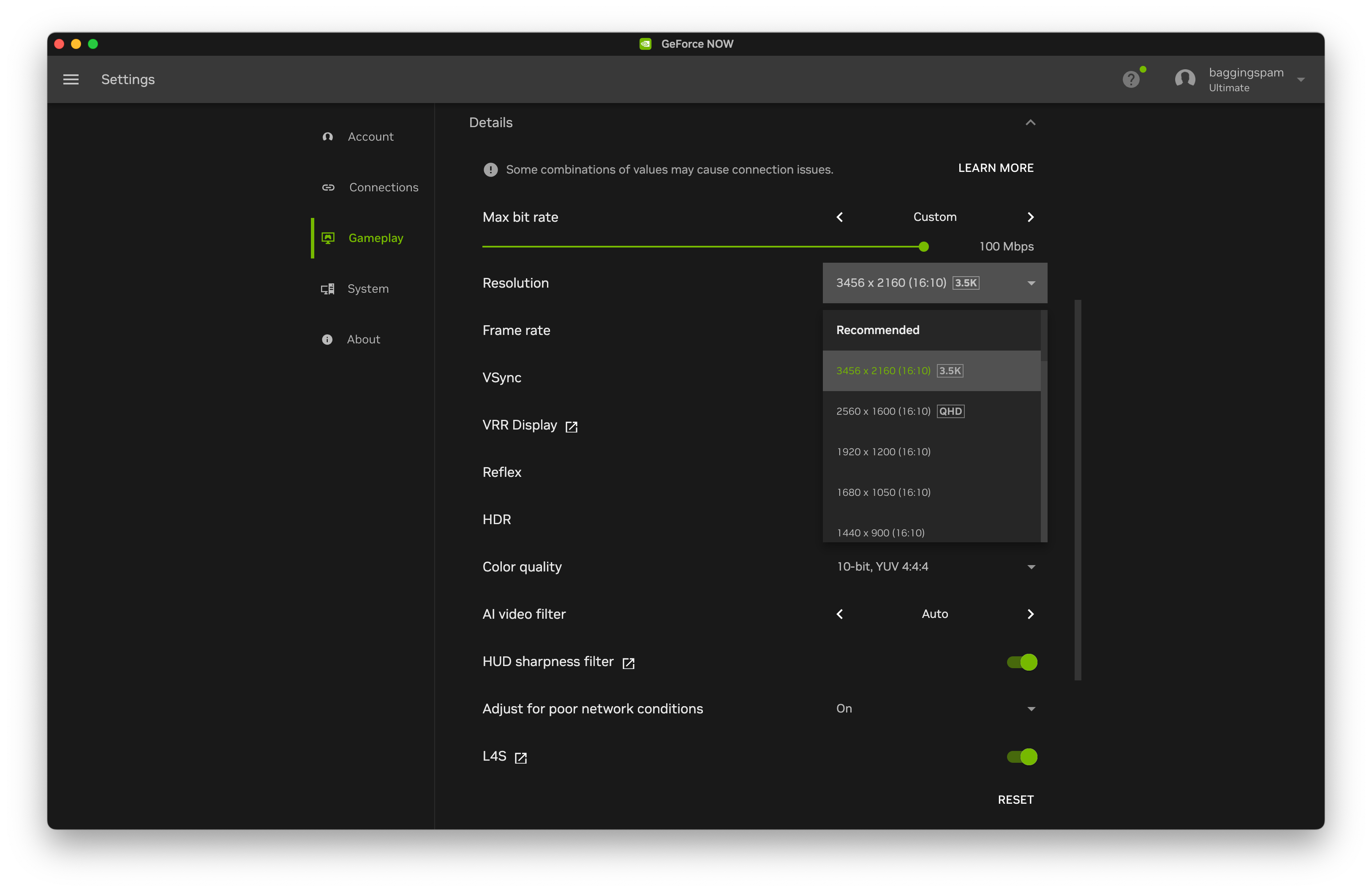
📋 Frustrating menus. If changing settings for the best 4K experience doesn’t sound frustrating enough, be prepared to revisit the GeForce Now settings frequently. Unfortunately, you can’t change your resolution or frame rate on the fly while you’re in-game. Instead, you’ll have to stop your session entirely to get back to the GeForce Now menu settings and then relaunch whatever you’re playing. That shouldn’t be a huge issue if you’re mostly playing on one screen/device, but while I was testing with four products, I always made a point to check my settings before starting a game stream.
▶️ Install-to-Play. Install-to-Play could solve one of GeForce Now’s biggest problems: not finding your games on the streaming service. I say 'could' because most of the 2,360 installable games are older, niche titles, such as DCS World, Real-Time Audio Visual Experience, and Lost Eldolons – not exactly hits for most gamers. Scrolling down the first few pages of available Install-to-Play options, there are only a few games I would actually play, like Sleeping Dogs, System Shock, Steamworld Heist, and Star Wars Knights of the Old Republic. Hopefully, many more developers will opt to add their games to the Install-to-Play program.
📍Location, location, location. Nvidia’s GeForce RTX 5080 SuperPODs aren’t available everywhere immediately. Instead, the upgraded service is being rolled out in a phased process, starting with select cities in the US – including San Jose, Los Angeles, Chicago, and Newark – as well as Paris, France, and Frankfurt, Germany. Nvidia plans to bring more GeForce RTX 5080 SuperPODs online and announce their availability in new cities every GeForce Thursday. There’s also a live map to see where the service is available near you.
Should you subscribe to Nvidia GeForce Now?
✅ Yes, if…
🫥 There aren’t any consoles or other gaming hardware in your household
🎮 Your gaming library is already spread out through Xbox, Steam, Epic, Ubisoft, and GoG
💻 You want Nvidia GeForce RTX 5080-level power without the hassle of building a gaming PC
📺 You want higher-fidelity, deeper contrast, and faster gaming on multiple screens/devices
👾 You’re looking for a graphics and frame rate upgrade from console graphics
❌ No, if…
🫠 You don’t play any of the 22 available RTX 5080-supported games
🛜 Your Internet provider has strict data caps
🐌 Your Broadband connection can’t support at least 100Mbps
🗺️ You don’t live in one of the regions supported with the latest GeForce Now upgrades
😡 Latency really bothers you while gaming
Kevin Lee is The Shortcut’s Creative Director. Follow him on Twitter @baggingspam.