


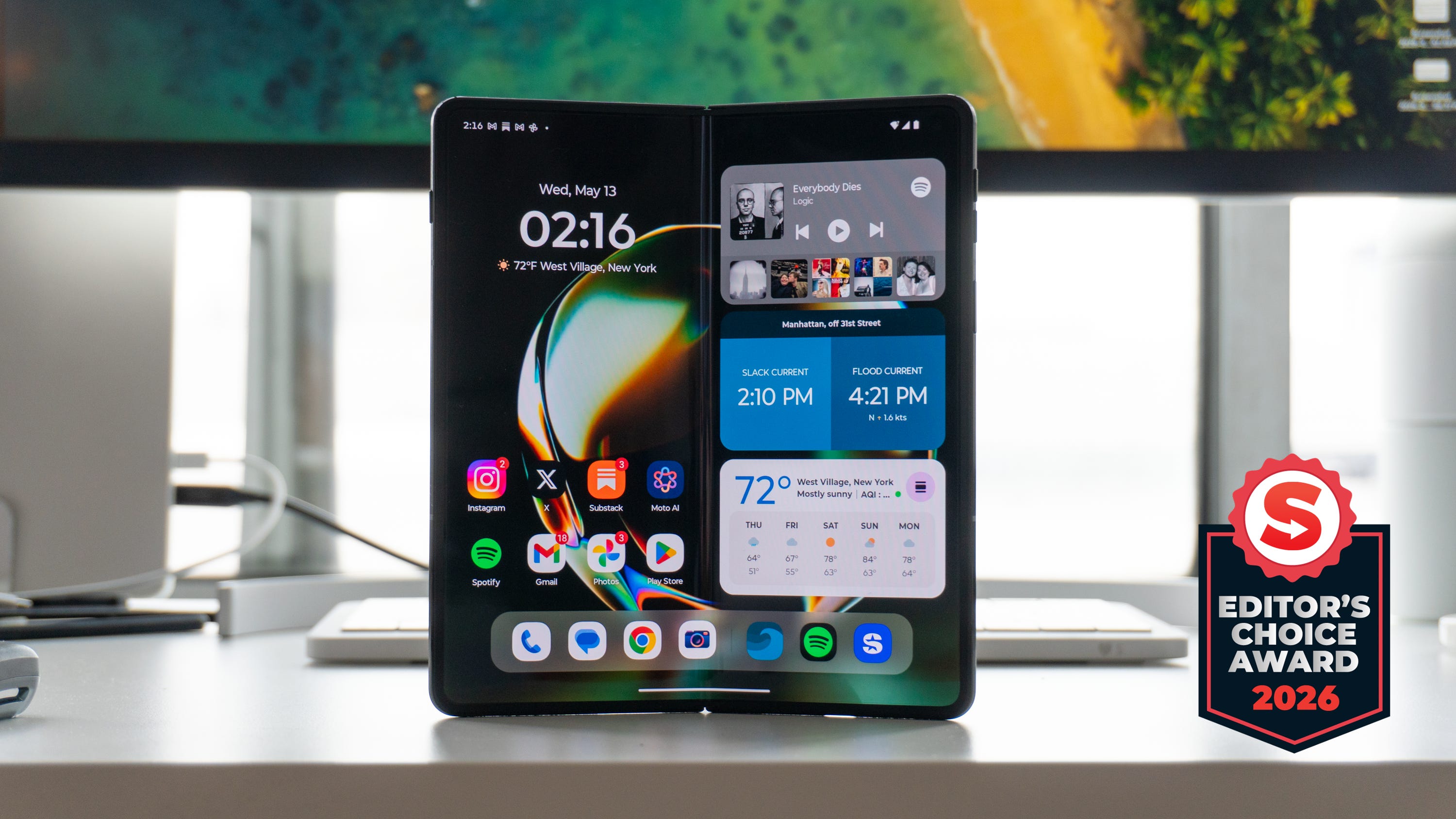
🏆 Rating: 4.5/5
✅ Pros
📸 Photo quality is great - and more reliable than Samsung’s Fold 7
✍️ It works with a stylus
😍 Beautiful design and displays
⚙️ Reliable performance
🔋 All-day battery life (and then some)
🔊 Surprisingly good speakers
7️⃣ Seven years of Android updates
❌ Cons
📹 Video quality is lackluster
📲 Software isn’t as consistent or useful as competitors
🧲 No Qi2 MagSafe support
💰 The pen is $99, and you have to carry it around separately
The Shortcut review
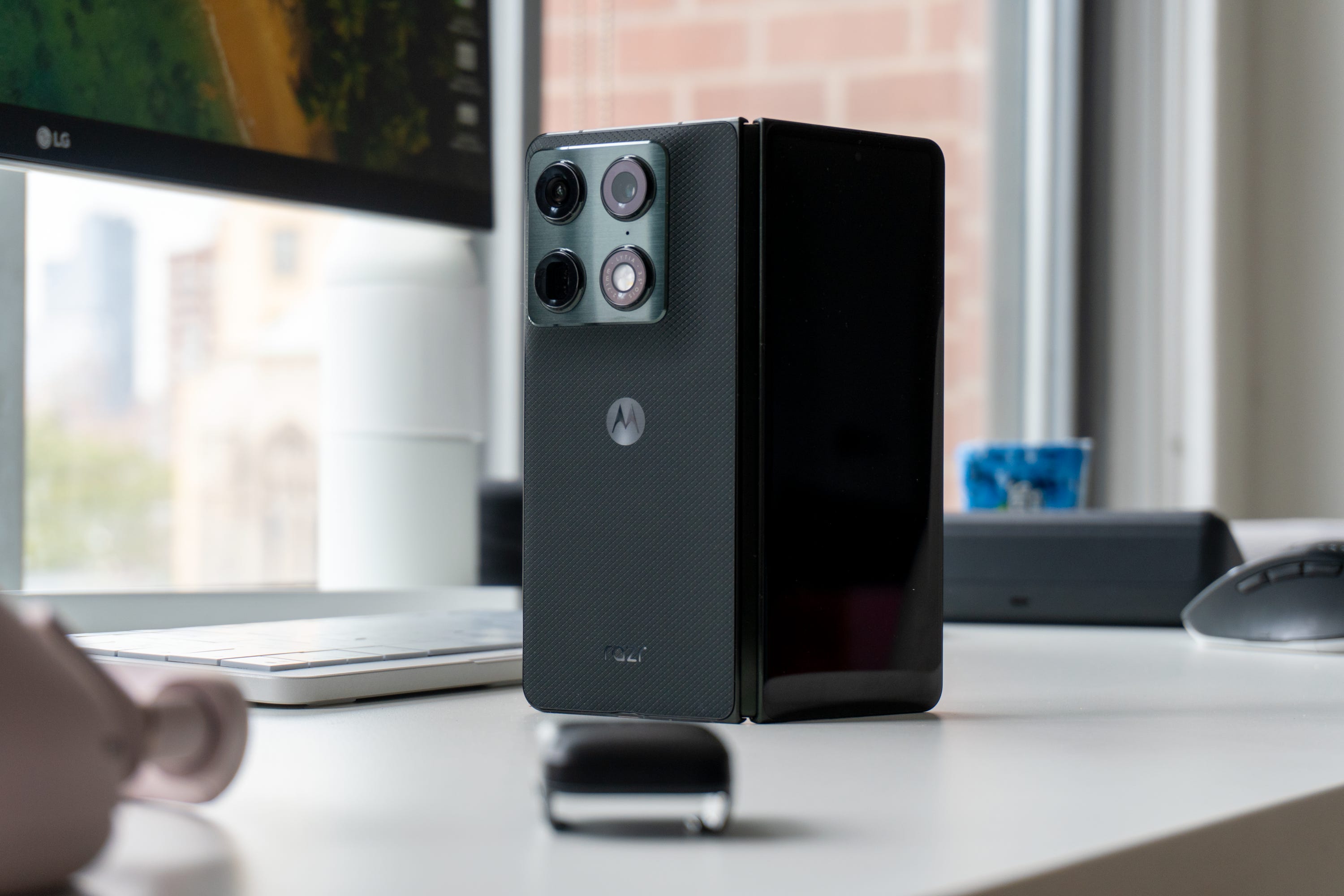
Motorola has expanded the Razr smartphone lineup beyond just flip phones. The new Razr Fold is the company’s first swing at a book-style foldable, a direct competitor to the Galaxy Z Fold 7 and Pixel 10 Pro Fold. At $1,899.99 with a premium design and high-end specs, this phone is designed to compete directly with the big dogs - and Moto’s efforts pay off (well, for the most part).
The Razr Fold feels like the type of phone that Motorola hopes will stand out by filling in the gaps left by others on the market. The camera quality and support for a stylus are two big factors. Between the great pictures I’ve taken and the fact that you can take notes by writing them down, there’s reason enough to get this phone over Samsung or Google’s. It’s also plenty fast, looks beautiful, and lasts all day on a full charge.
Motorola’s software chops aren’t quite up to par with what Samsung’s been able to do with One UI, which does affect the multitasking experience of this foldable. I’m also not a fan of the lack of Qi2 MagSafe support, and it’d be nice not to have to pay an extra $100 for the pen. But as a whole, the Razr Fold stands on its own as a well-rounded smartphone that folds in half. If you’re just entering the world of foldables or need one you can write on, Moto’s device is for you.
Review notes
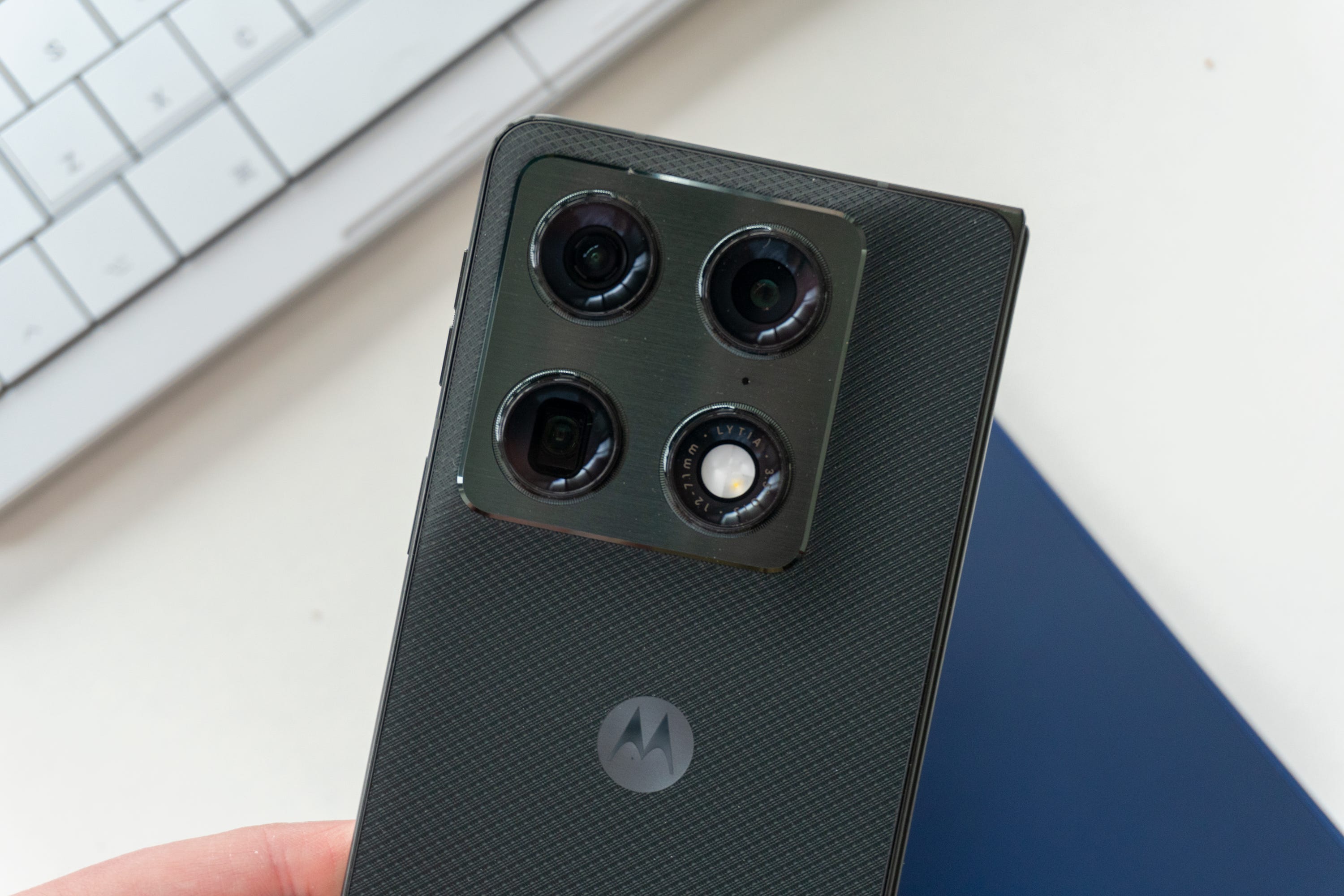
📸 Camera quality is great for photos. The big question pegging the Razr Fold is the camera, which Motorola says is the best on any foldable and the second best on any smartphone (according to DXO Mark, who’s been ranking smartphone cameras for years). After test-driving the camera around Manhattan, it’s proven to be a fantastic shooter. It’s a lot more consistent than what the Galaxy Z Fold 7 can produce, while the HDR processing looks a bit more life-like than what you get from the Pixel 10 Pro Fold.


Main camera: A lot of the best pictures you’ll take will be with the 50MP main camera. Moto includes a Sony LYTIA 828 sensor, which is widely regarded as one of the most capable cameras on the market. As a result, photo quality is fantastic. You get a ton of detail and clarity in any lighting, while its depth of field can deliver portrait photos without even having to enter portrait mode. I like how it’s able to balance highlights and shadows, too; nothing’s too overblown and, compared to my iPhone 17 Pro Max, photos generally look closer to the way the scene looked in-person. It’s even able to hold its own at night, keeping dark dinner and drinks photos in focus with good detail.

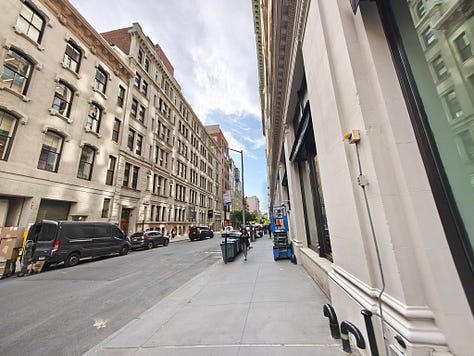
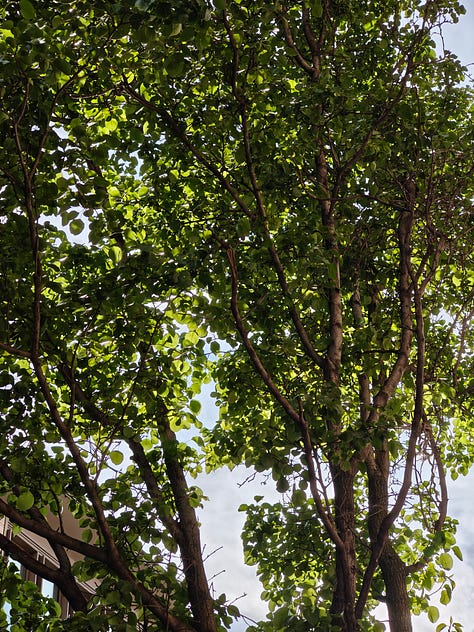
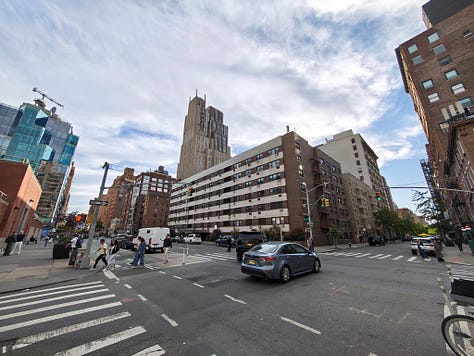
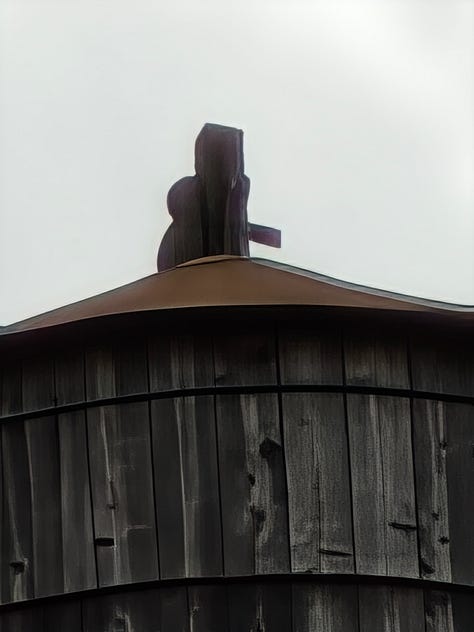


Samples from the telephoto and ultra-wide cameras on the Razr Fold. (Credit: Max Buondonno / The Shortcut) Telephoto: The 50MP Sony LYTIA 600 periscope camera on the Razr Fold is also a capable shooter. With 3x optical zoom and up to 100x hybrid zoom, you can score some nice-looking zoom shots. Unlike a lot of telephoto cameras I’ve tested, there isn’t a huge difference between it and the main camera, so photos will look very consistent across each. Of course, once you go beyond 10x, photos tend to look very soft and washed-out (there’s also some AI processing to extract more sharpness and clarity which… yuck), but if you stick to zoom between 3x and 10x, you’ll be fine.
Ultra-wide: The 50MP ultra-wide camera is the weakest among the three sensors, but it’s still capable of capturing good pictures, albeit with less detail and exaggerated saturation. The 122-degree field of view gets a lot of a scene in a single frame which is nice, but each photo isn’t as pleasant to look at as they are coming from the main and telephoto cameras. In addition, nighttime ultra-wide phones tend to look over-processed and, at times, a little too dark.
Selfies: There are two selfie cameras on the Razr Fold: a 32MP camera on the folding screen and a 20MP camera on the cover screen. Both can deliver some decent selfies in good lighting, but if you want to take the best ones, you can open the device and use the cover screen to take a selfie with the main camera, which I highly recommend. It’s not that the selfie cameras are bad themselves, but when you can use one of the best smartphone camera sensors on the market for your selfies, why not go with it?
Camera app: Motorola packs a good amount of features into the camera app on the Razr Fold, including Action Mode for fast-moving subjects, hand gestures for triggering the shutter button, and more. There’s also a new feature called Frame Match which lets you line up exactly how you want the frame of a photo to be, before handing your phone to a friend to take a picture of you. It uses an overlay of a photo so that the other person can align the camera perfectly to how you want it. The feature’s also rolling out to the rest of the Razr family, and given how obviously useful it can be, it’s only a matter of time before it’s replicated by other manufacturers.


📹 Videos are a toss-up. On the one hand, the Razr Fold has the specs to shoot some great videos. With up to 8K 30 fps support and Dolby Vision, the main camera can take sharp-looking videos with good color and brightness. However, once you dip to very dark environments, the quality follows suit and plummets. Meanwhile, the ultra-wide and telephoto sensors regularly take more processed-looking videos than I’d like to see. I still find the Galaxy S26 Ultra and Pixel 10 Pro XL take the best-looking videos on the Android smartphone market, while the iPhone 17 Pro Max remains the king of smartphone videography. The Razr Fold isn’t bad if you stick with the main camera, but switch away and you’ll likely be disappointed.
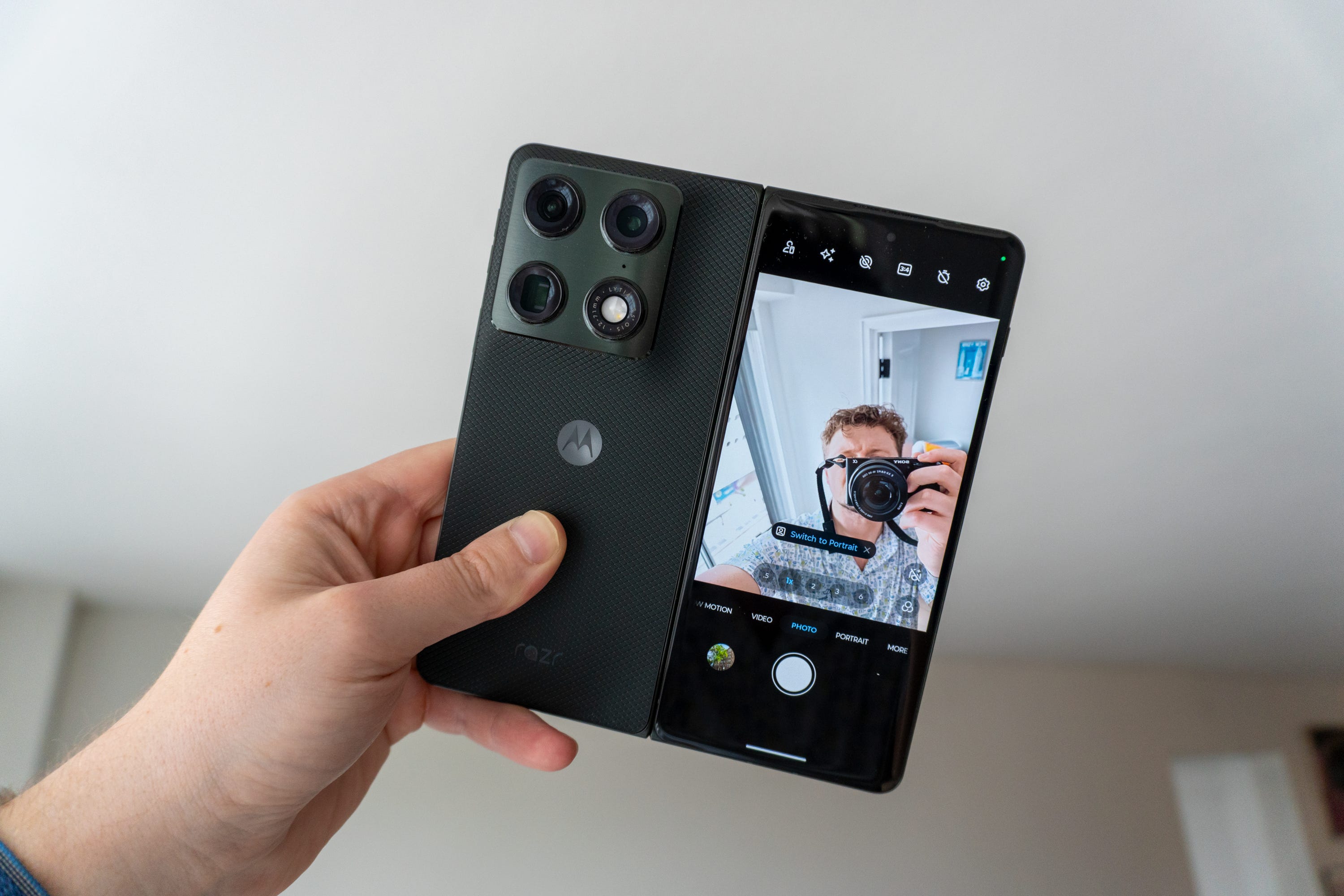
🤳 Shooting with a foldable is always a dream. One thing that’ll never disappoint you is capturing content on the Razr Fold. Like many foldables, Motorola has optimized the experience so that you can use it as a tripod for hands-free group photos, use the cover screen as a viewfinder for your subjects to check themselves before capturing, show a fun animation to keep kids smiling while taking a picture, and more. The bigger canvas is also great for quickly seeing the photo you took with the viewfinder still open, and it’s even better for editing your photos later. If the Razr Fold winds up being your first folding phone, taking pictures with it might ruin taking pictures with a normal phone for you.


📐 Good looks, great durability. The Razr Fold has a unique design that manages to stand out well from the competition. Motorola’s woven fabric-like finish on the back gives it a premium feel, while the Panton Blackened Blue color gives it a sinister-yet-sophisticated look. There’s also a Panton Lily White finish that’s a lot prettier, but the Blackened Blue is the one to get for a sleeker aesthetic. I also like how the glass on the front curves around the sides a bit. It feels more organic/natural, for lack of a better word. Plus, the phone is durable; it’s rated IP48 for dust and water resistance (the same as the Galaxy Z Fold 7, but behind the Pixel 10 Pro Fold’s IP68), it has Corning Gorilla Glass Ceramic 3 on the front (a first for any phone), and it uses a stainless steel teardrop hinge for better longevity.
🤏 Very thin… beside the camera bump. Motorola managed to keep the Razr Fold very slim at 4.5mm thick when open and 9.89mm thick when closed. While it does feel super thin when you’re holding it, the camera bump on the back adds a lot of thickness, to the point where it’s impossible to use the device when it’s lying on a desk. Maybe this isn’t a big deal to you, but for me, I like to type on my phone while it’s sitting on my desk, and it’s basically impossible to do that on the Razr Fold.


📺 Beautiful screens with plenty of space. The displays on the Razr Fold are stunning. The 6.6-inch AMOLED screen on the front has a sharp Full HD+ resolution, a 165Hz refresh rate, and can reach a staggering 6,000 nits of peak brightness. If that wasn’t enough, open the phone and you’ll find an 8.1-inch 2K AMOLED display that can reach 6,200 nits. Its refresh rate is slightly slower at 120Hz, but the difference isn’t noticeable. Both of these screens are slightly bigger than Samsung’s Fold 7, yet the device remains perfectly manageable with its slim design. The screens are also colorful, offer a great deal of sharpness and clarity, and are some of the best I’ve ever tested as a result.


✍️ Pen support is back… Another big perk with these screens? Both are compatible with the Moto Pen Ultra. It’s Motorola’s take on a stylus, letting you do everything from annotate screenshots to signing documents, doodling, navigating the UI, and more. It’s virtually identical to using an S Pen, something Samsung dropped support for on the Fold 7 to the dismay of many. Motorola was able to integrate it without making the phone too thick or bulky, and the result is a superior note-taking experience that many fans of handwritten to-do lists and reminders will appreciate.
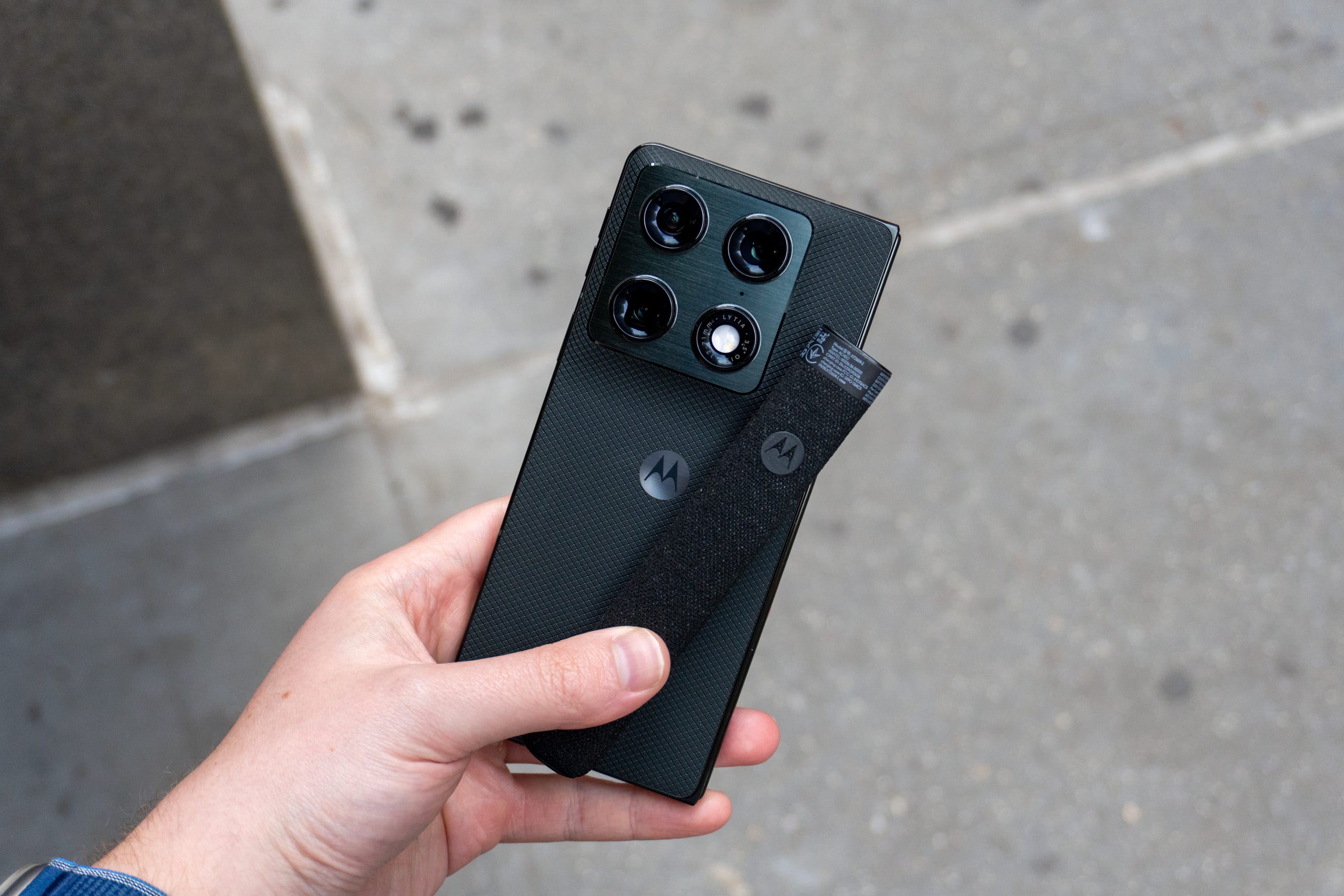
💰 … for $100. The problem is it’s an extra $100 on top of the cost of the phone. Motorola doesn’t include it in the box or anything like that, so you’ll need to buy it separately. What’s more, the pen has nowhere to live inside the Razr Fold. Instead, it requires a dedicated charging case that keeps it juiced up, but is a pain in the butt to carry around. Toss it in a bag and you’re guaranteed to misplace it due to its size, and while you could always throw it in your pocket, it’s by no means an elegant solution. You’ve got to be a dedicated smartphone stylus user to accommodate these two headaches, which many of you might be. But for those who might not use the pen every single day, these roadblocks might be enough to stop you from buying it.
🚀 Flagship-level performance. Motorola made the curious decision to include the Snapdragon 8 Gen 5 chipset in the Razr Fold, not the cutting-edge Snapdragon 8 Elite Gen 5 we’ve been seeing pop up in many Android phones. Fortunately, that hasn’t posed a problem at all. The Razr Fold offers blazing-fast performance thanks to the chip, along with the 16GB of RAM that Moto threw in. This means that multitasking is a breeze, apps open quickly, and it almost never misses a beat. It feels just like using a phone equipped with the most cutting-edge specs on the market, which is what you want from a phone that costs nearly $2,000.


📲 Software isn’t exciting. There’s not a lot to get excited about in the software department. While it does run Android 16 and has multitasking features like split-screen and an app dock, Motorola doesn’t do anything interesting in innovative to get the most out of the unique form factor of the Razr Fold. There are mo advanced drag-and-drop features, no multi-window view, and no unique cover screen features besides Flex View, which shows you a clock and a widget when you open the phone in tent mode. You get seven years of software upgrades which is good, but beyond that, the software story is a boring one. Those who want more advanced multitasking features will have to look elsewhere.
🔋 Best battery life on a foldable. The 6,000mAh battery in the Moto Razr Fold is the biggest you’ll find in North America, and it’s impossible to kill it in a day. Trust me, I tried. Between streaming YouTube in Madison Square Park, taking endless pictures, running apps side-by-side, and placing it on my desk in Flex View when I got back to work, this thing would keep chugging along no matter what. I’d regularly end heavy days with 45-55% left in the tank, so if you’re more mindful than me, you can easily achieve two days of usage on a single charge. When the time comes that you need to plug it in, Moto supplies super-fast 80W wired charging, something I wish more companies would adopt.
🧲 No Qi2 MagSafe support. The Razr Fold also comes with wireless charging and reverse wireless charging, but there’s a big caveat: there are no magnets built into the back for true Qi2 charging. The huge camera bump makes it a pain to try and align the phone with a wireless charger, and even if I do it successfully, it can’t budge from taht position. Otherwise, the camera bump’s slope gets in the way and misaligns it. Motorola could’ve one-upped Samsung here, but instead, it followed a similar, disappointing trend of a lot of Android phone makers in not including any magnets at all. If you want magnetic charging on a folding phone, you’re still stuck with the Pixel 10 Pro Fold.


🤖 Do you need this AI button? The answer is probably no, but I wanted to ask anyway. It sits way at the top of the Razr Fold, and when you trigger it, you get Moto AI on your screen. It’s Motorola’s custom app that integrates Perplexity, Gemini, Copilot, and more to give you quick access to the AI tools you might need. I’ve used it before on the Razr Ultra, and I’m not a fan. Sure, some of the AI features can be helpful in your everyday workflow, but the dedicated key that can’t be customized feels like a wasted opportunity more than anything, especially since it’s so high up on this phone.
Should you buy the Razr Fold?
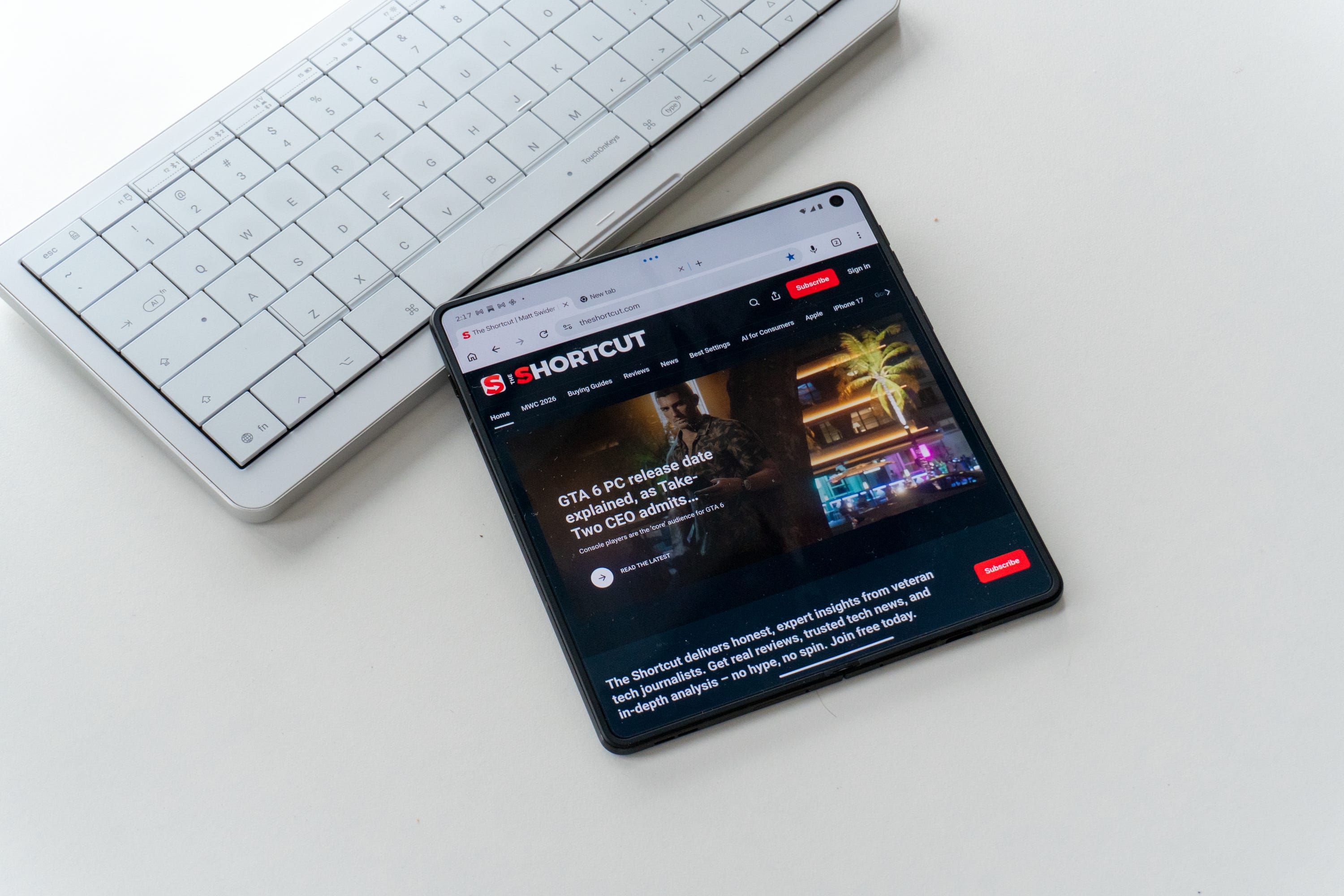
Yes, if…
✅ You want the best battery life on a folding phone
✅ You want a great camera system
✅ You use a stylus with your phone
✅ You want something that looks unique and stands out
No, if…
❌ You want more robust multitasking (get the Galaxy Z Fold 7 or Pixel 10 Pro Fold)
❌ You value MagSafe charging too much (get the Pixel 10 Pro Fold)
❌ You want to take high-quality videos (get the Galaxy S26 Ultra)
Max Buondonno is an editor at The Shortcut and co-host of The Shortcut Live. He’s been reporting on the latest consumer technology since 2015, with his work featured on CNN Underscored, ZDNET, How-To Geek, XDA, TheStreet, and more. Follow him on X @LegendaryScoop and Instagram @LegendaryScoop.