



🏆 Review score: 4/5
🏅 Editor’s Choice Award

✅ Pros
🤏 Compact foldable design that’s super portable
🖱️ Ergonomic arch fits right in your hand
➘ Fast and accurate pointer tracking over Bluetooth or Logitech’s Bolt receiver
↕️ Touch panel delivers the same scrolling performance as a real scroll wheel
2x customizable touchpanel buttons
🔋 22-hour battery that’s fully user replaceable
❌ Cons
🤙 Thumb and pinky fingers are left hanging on this small mouse
🧱 Harsh left-and-right click buttons with almost no travel
The Shortcut Review


The Logitech Mobi Fold might be the best way to spend $79 if you’re constantly in need of a foldable wireless mouse on the go. It’s Logitech’s latest travel mouse that folds like a makeup compact, giving you a far more comfortable way to mouse around on your laptop and tablet.
There have been other transforming mice like the Microsoft Arc and Lenovo Yoga mouse, but the Logitech Mobi Fold is truly the smallest, for better or worse. The best thing this mouse has going for it is that it’s so small, you can fit it anywhere, including folding it over your pocket like a foldable phone. Users with larger hands might find it awkward to drag their thumbs and pinkies as they hang off the small face of this mouse. But aside from the harsh left- and right-click buttons on this mouse, it offers a quick, accurate, and seamless pointer for a variety of devices.
The Logitech Mobi Fold won’t be replacing my Logitech MX Master 4 as my everyday mouse anytime soon, but this is a great travel mouse for whenever I’m away from the office or home.
Full Review

🧳 Travel ready. The Logitech Mobi Fold is truly the smallest mouse I’ve ever used. When folded, it’s about the size of two portable SSDs stacked together. Unfolding the mouse puts it into its arched shape for use, and its surprisingly ergonomic design. The arched back fits perfectly into the palm of your hand, while it’s just wide enough for three fingers to rest on it. That does leave your thumb and pinky hanging, which isn’t my preference, but it’s something you can get used to after a few days to a full week of usage.
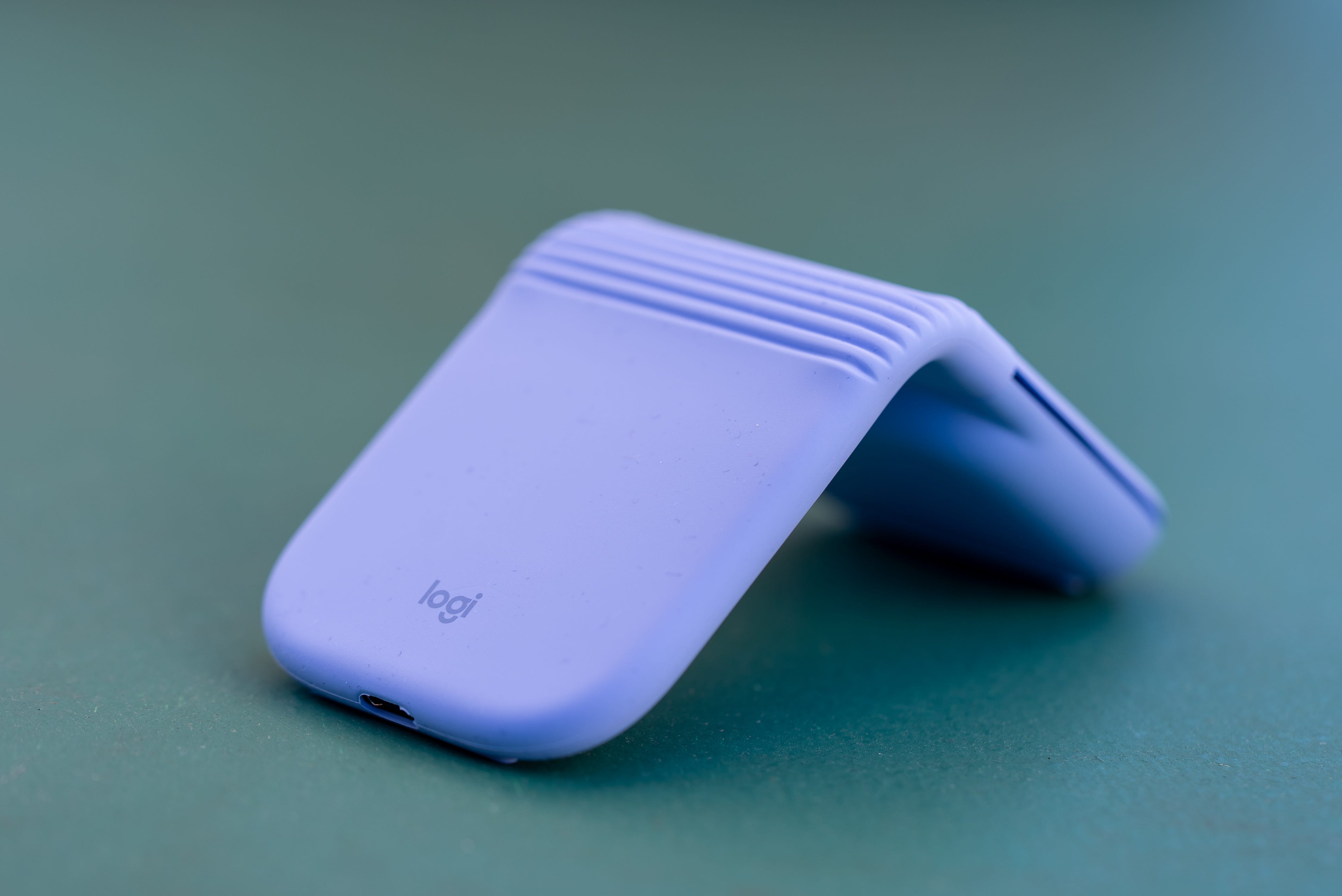
🛜 Bluetooth connection. Unlike most Logitech mice, the Mobi Fold doesn’t come with a Bolt USB dongle unless you buy the $ 10-more-expensive “for Business” model. The good news is that even basic Bluetooth lets you connect to up to three devices across Windows, macOS, Chrome OS, Android, iPadOS, and Linux. Connecting this mouse to Android devices and Chromebooks is especially quick because it’s Fast Pair-enabled, so you can simply turn the Mobi Fold on, and there’ll be a prompt to pair the mouse right on your device.

🎯 Laser tracking. Even with basic Bluetooth connectivity, the Logitech Mobi Fold delivers fast and accurate tracking. Dragging my cursor over specific cells in Excel or placing the typing indicator right between letters is simple with the Logitech Mobi Fold. Having this mouse connected to Logitech’s Bolt receiver makes the cursor move even smoother, but the accuracy isn’t improved over Bluetooth.

🖱️ Harsh buttons. Unfortunately, the biggest letdown on the Logitech Mobi Fold is its only physical buttons, the left and right clicks. There’s hardly any travel, and clicking either button feels especially stiff whenever you press them from the middle. For the best clicking feel, you practically have to have your fingers draped over the front edge of the left-and right-click buttons. While it’s admirable, Logitech still included physical buttons on a mouse this thin; even the Apple Magic Mouse has a better clicking feel than the Mobi Fold.

↕️ Scroll panel. In keeping with the Mobi Fold flat profile, this mouse has a touch panel in place of a traditional scroll wheel. This feels nowhere near as tactile as a scroll wheel, but the scroll panel performs exactly the same. I performed a side-by-side test with the Logitech Mobi Fold and Logitech MX Master 4 to confirm this. The Mobi Fold also offers adaptive touch scrolling, so you can flick the scroll panel to quickly jump up and down a webpage or document.
Touch panel taps. The Logitech Mobi Fold’s touch panel works for more than just scrolling; it’s also a two-virtual-button middle click that offers multiple functions. Double-tapping the middle touch panel lets you zoom in on almost any application. Alternatively, for web browsers, you can tap the top of the panel to jump forward or the bottom to go back to a previous webpage. There are more functions you can assign through the Logi Options+ software.


📋 Software. Logi Options+ gives you plenty of options to customize the Mobi Fold to your liking, including pointer speed and button reassignments. The biggest customization applies to the two touchpanel buttons, which you can reassign as a shortcut to Logitech’s new Action Ring or even to open ChatGPT.

🔋 Battery life. Logitech promises that the Mobi Fold offers 22 hours of nonstop use, enough to last a full 30 days, and that tracks with my usage. After almost a full month of sporadic usage at cafes, the Taipei airport, and anywhere outside of The Shortcut’s NYC office, I’m still at over 35% battery. What’s even better is that the battery is fully replaceable, and it’s easily accessed by prying off the back panel of the mouse’s main body. These batteries likely need to be bought directly from Logitech, but it’s great that you can extend this mouse’s longevity.
Kevin Lee is The Shortcut’s Creative Director. Follow him on Twitter @baggingspam