



🏆 Rating: 4/5
✅ Pros
👓 Lightweight design that looks like normal glasses
📺 Bright display that fades away when not in use
🤓 Prescription lenses available
👆 Easy to control
🧠 Smart features like live translations, conversation transcriptions, and more
🤖 Even AI enables convenient hands-free control
🔋 Up to two weeks of battery life
No camera for guaranteed privacy
❌ Cons
👾 Some features feel like bloatware
🧐 Frame styles might not be for everyone
💰 They get expensive… fast
The Shortcut review
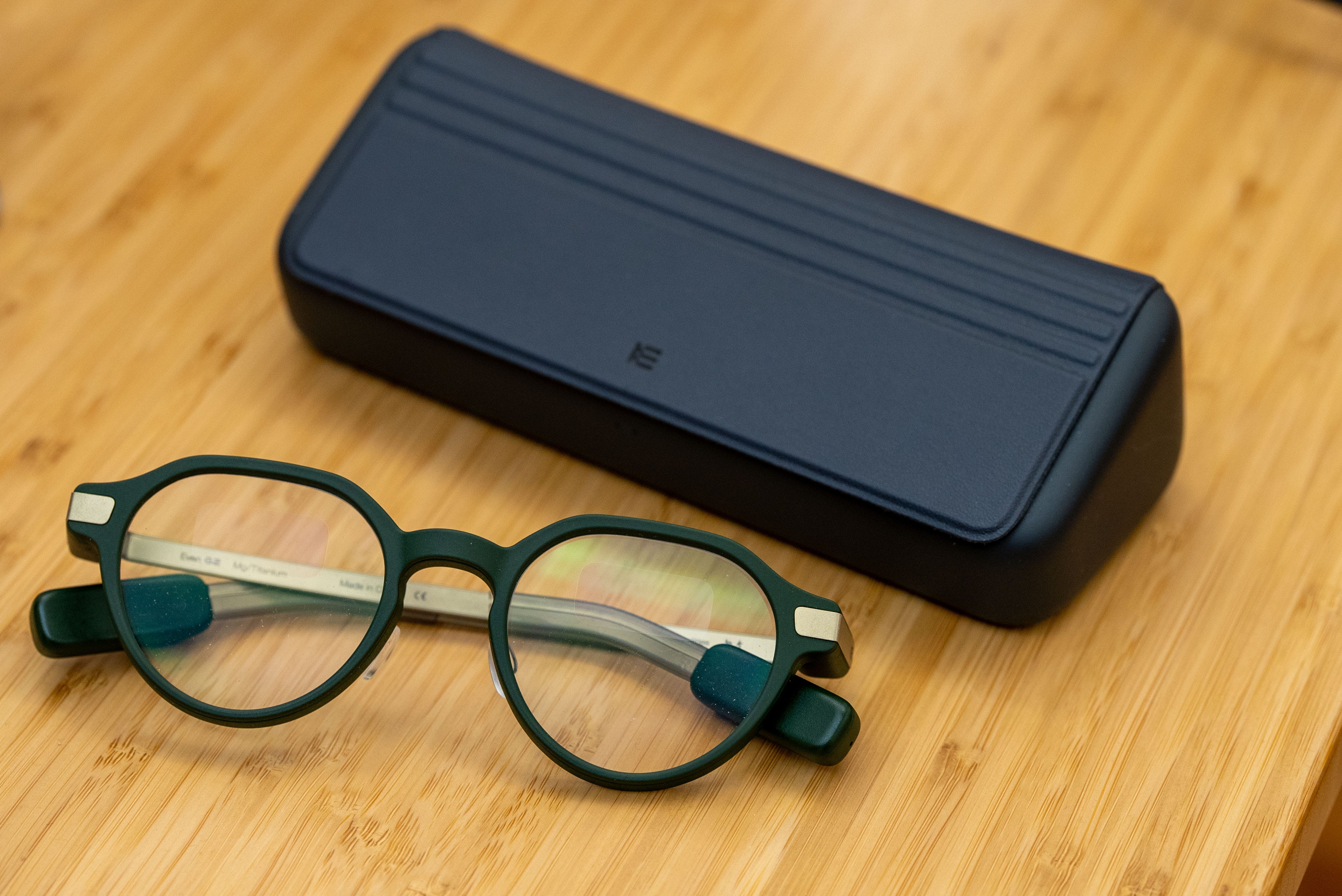
As smart glasses continue to pick up steam, companies are experimenting with different implementations, purposes, and form factors until the “perfect pair” arrives (think Apple Vision Pro-level performance, but in a pair of regular glasses from LensCrafters). Even Realities is one of the latest companies to give this a swing, and the G2 glasses I’ve been testing have really impressed me.
The Even G2 are a big upgrade from the company’s original G1 pair, with a 75% larger display than before, better AI features, a sharper design, and one very important upgrade (for me): a green color option. You can customize your pair with prescription lenses, too, which I requested for my review sample.
After wearing them every day for the past couple of months, the Even G2 have proven to be more useful than I thought. It’s handy being able to see important notifications come in without looking at your phone, and some of the smart features like the teleprompter and live translations feel like must-haves, even though you might not use them every day. Some of the software is a bit buggy, and Even AI isn’t exempt from that, but the G2 are a very promising pair of smart glasses that are great for the office and everyday life. But if you’re looking to play music or take pictures with your glasses, you’ll have to look elsewhere.
Review notes


👓 A seemingly impossible design. Picking up the Even G2 glasses for the first time, I couldn’t believe how thin and lightweight they were. Made from magnesium and titanium, the glasses weigh just 36 grams and - somehow - fit all the necessary components to power the display, Bluetooth, navigation, and other features into tiny nubs on the arms and in the frame. Put them on and they’ll live comfortably on your face, like any pair of normal glasses from LensCrafters. This is one of the most important aspects of finding a good pair of smart glasses; they need to feel normal on your face, and I’m happy to report the Even G2s definitely do.
😎 Style options are limited, but still good-looking. Even Realities offers the G2 in two different frame shapes: The “G2 A” and “G2 B.” The former is the one I have with a vintage, rounded frame and a flat top. The latter is more rectangular and modern. Despite only offering two variations, both look good in person, especially the G2 A. You can also choose among three color options: grey, brown, and green. I opted for the green finish, which has gold accents on the arms, and they fit my personal aesthetic very well. You can also submit your prescription when ordering (although only single vision prescriptions are accepted) and get a pair of matching clip-ons for blocking out the sun.
📸 No cameras in sight. One of the biggest design choices Even made was excluding cameras from the design of the G2 glasses. These aren’t designed to take pictures, videos, or tell you about the world around you. Instead, the glasses focus on AI integration in the display to give you facts, insights into your day, reminders, and more, saving all the photo-taking for your smartphone. It’s better for privacy, of course, and it means that Even was able to slim down the design quite a bit since it didn’t need to fit a camera. Of course, if the reason you want smart glasses is to take first-person photos, these aren’t for you. I’d personally much rather have no camera if it means I get a design like this in exchange.
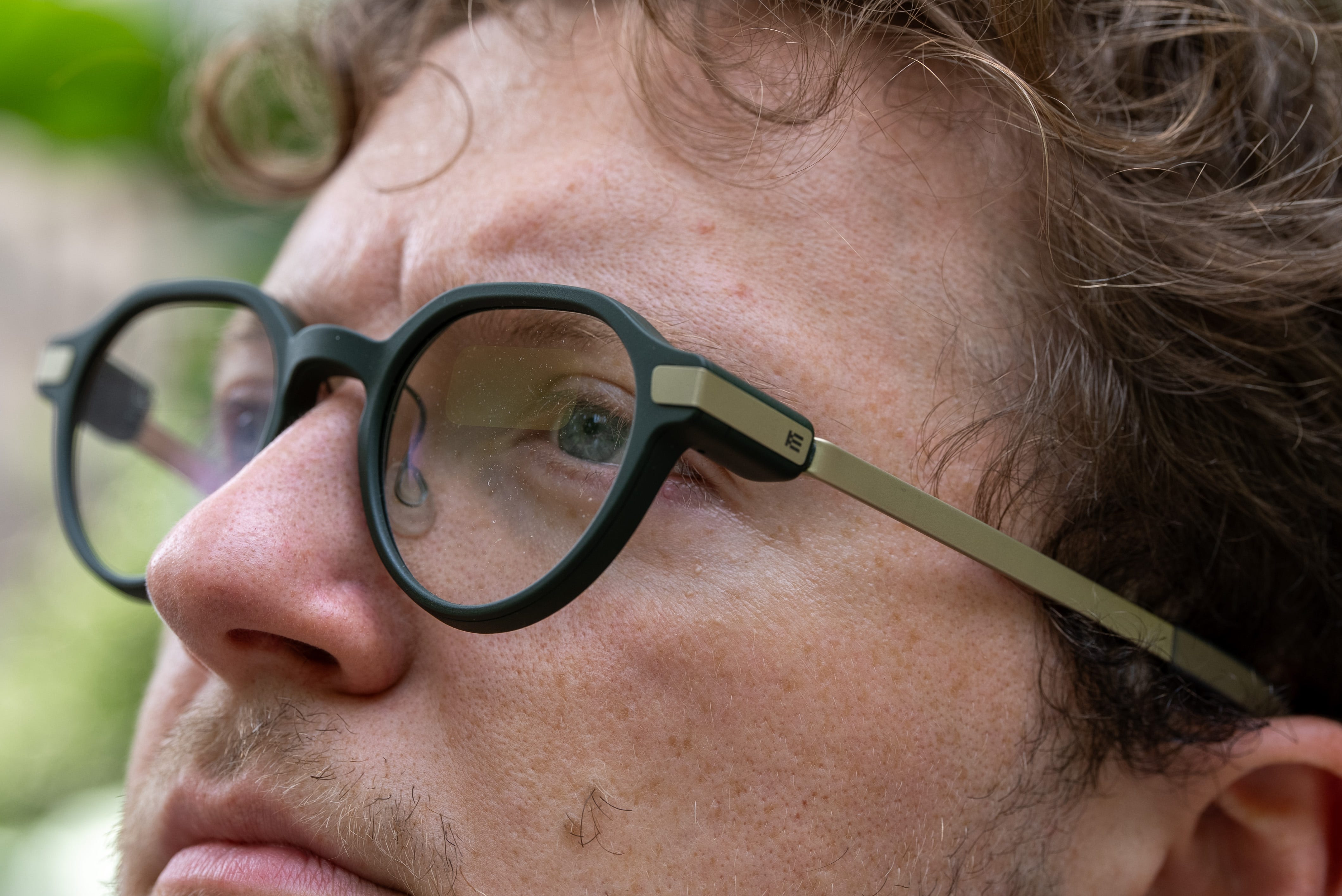
📺 Big screen that’s easy to see… The most impressive thing about the Even G2 is how good the display is. It’s a bit hard to describe how big it is, but it can appear closer to your face or farther away, depending on your preference. I have it set a bit closer to my eyes, and when notifications come in or I trigger the screen myself, it’s effortless to see what’s going on and read the information I need. The display appears in both eyes as overly simplistic green lines and text, with an animation here and there for loading screens and such. It doesn’t have insane graphics or high-quality visual elements, but it gets the job done well.
☀️ … except in the sunshine. The only time it’s difficult to see the screen is when you’re out in the sun. I walked around Flatiron one afternoon and saw a notification come in when I was staring at the building itself, but then when I focused my attention on the blue sky above, the screen was virtually impossible to see. You’ll find yourself readjusting your glance to look at the display more often than you think (unless you primarily stay indoors with the glasses, of course).
🌈 Some weird lens reflections. Because the displays are integrated into the lenses of the Even G2 (where else would they be?), you do see some weird light reflections if you tilt your head the right way. There’s also a noticeable blurriness where the display begins and the lenses end, which can be jarring if you’re reading small text. Both of these issues are generally easy to avoid, but coming from a normal pair of glasses to these, you’ll probably notice this just as much as I did.
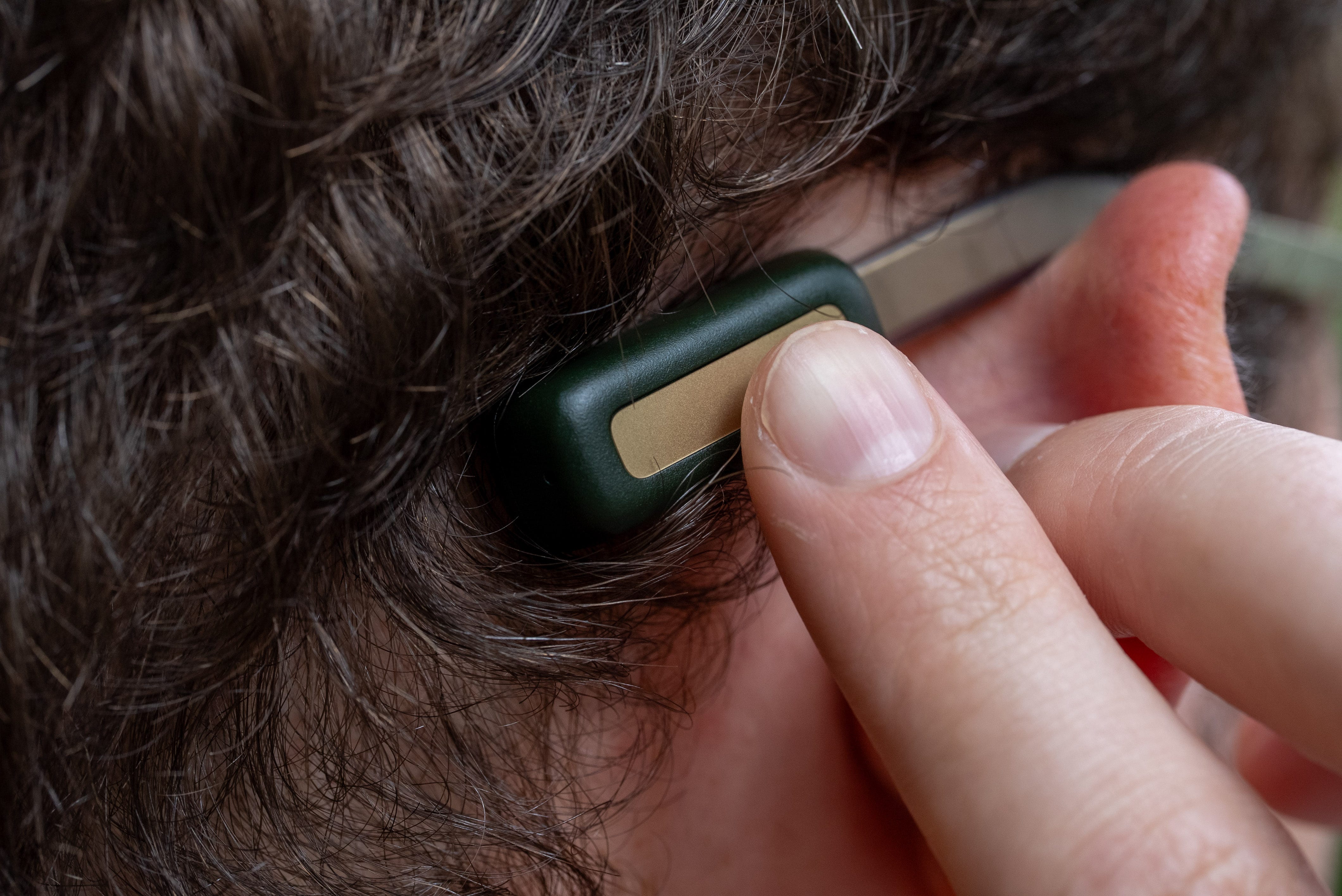
👆 Easy to navigate. Double-tap the back end of either arm on the glasses and the display will appear. From there, Even makes it easy to navigate the interface. A series of swipes up, down, left, and right will cycle through the news, stocks, your calendar, reminders, and your fitness data (assuming you’re wearing an Even R1 ring, which I’m not). Long-press either arm to bring up a separate menu to open your notifications, live translations, a teleprompter, navigation, Even AI, a conversation mode, and more. You can also tilt your head upwards to bring up the dashboard hands-free, although I turned that off the first time I enjoyed a cold one while wearing them. Even says the R1 ring makes it even easier to navigate the interface, but I didn’t get to test it during my review, although other reviews I’ve read about it don’t paint it in a particularly bright light.
📲 Simple but useful features. Much of the G2 glasses’ functionality is simple. It leverages AI to enable hands-free commands such as setting reminders, learning new information, and more. In Conversate mode, you can record conversations and have them transcribed in real time, then go back on your phone and reference it later. There’s also a feature called Prep Notes that displays any notes you want to have in front of you during a conversation, a teleprompter, and live translations for reading what someone’s saying in a different language. You can even see real-time definitions and descriptions for subjects and words brought up during conversations, which, conveniently, can help you sound smarter than you are when speaking with someone.
🤖 Even AI is great for going hands-free. When wearing the glasses, you can say “Hey Even” to trigger Even AI. Powered by Even Search or Perplexity (I chose the latter), the AI lets you ask questions and do research, create reminders, take notes, and more. You can also control your glasses and ask it to open certain features like your notifications and live translations, which is convenient if your hands are full.
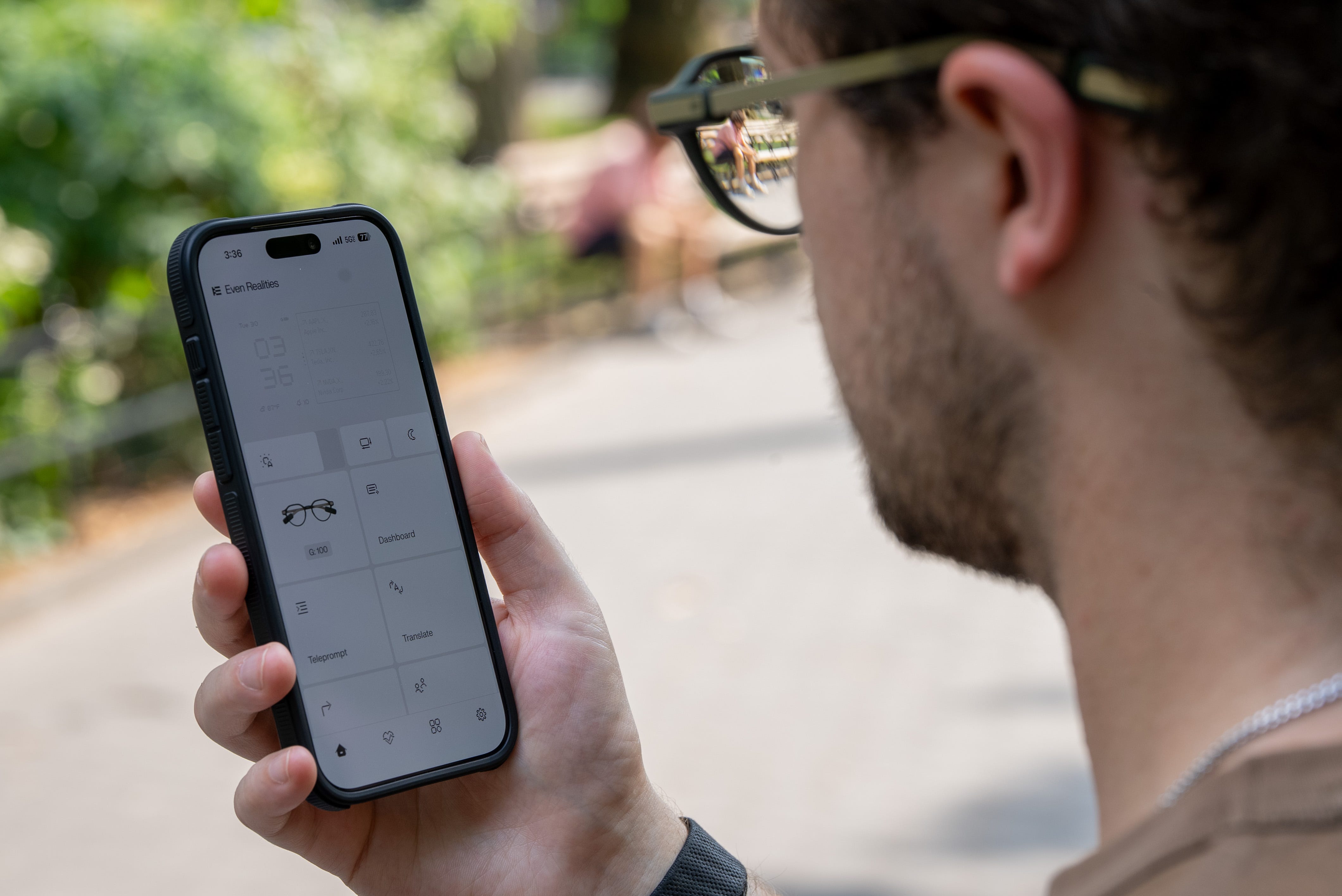
🏪 An ever-growing list with Even Hub… During my time reviewing the glasses, Even updated them with its new Even Hub, a place where developers can publish new plug-ins for the G2s to enable more features. I tried out a few, including a weather app, a plug-in for viewing New York City subway times, a Spotify media player, and even a paddle game. Over time, new apps and experiences will be added and further flesh out what these glasses can do.
👾 … that quickly becomes bloatware. The problem? A lot of it is bloatware. It isn’t that the ideas for each plug-in are bad, and they don’t come pre-installed on the glasses and get in your way, either. But if you want to use something like the weather chart, more often than not, the feature won’t work. That’s because it needs to sync with data from your phone, and the G2s aren’t constantly talking to your phone over Bluetooth, whether due to a bug in the connection or a power-efficiency thing. You need your phone open for the data to sync, so why not just use your phone to check the weather at that point? Even needs to work on the implementation of these features, or make the next version of the glasses more powerful so they don’t run into the same problems. There are good ideas in the Even Hub, but they can’t be executed that well at this stage.


☑️ My favorite features. After using the Even G2 glasses for a while, I realized that I use them almost like a smartwatch. A lot of what I find useful is rooted in glanceable information. However, other features benefit from the microphones and AI built into them, helping me in my workflow each day. Here’s what stood out to me most when using the G2s each day for work and at home.
🛎️ Notifications: It’s handy being able to see important texts or emails fly into view when you’re typing away, or walking to your next meeting. You can set granular controls for all of your notifications, too, so that you aren’t constantly bombarded with them.
📋 To-do lists: Having a to-do list on your glasses is underrated as all get-out. I love being able to swipe it into view and check on what I have to do next during the day. Plus, you can use the AI to quickly add things to do your to-do list.
🗣️ Transcriptions: Seeing what someone is saying as they’re saying it is great for conversations in two languages or if you’re hard of hearing.
📆 Calendars: Quickly checking my calendar on the go has been clutch for staying up to date on busy weeks at Swider Studios. Whether we’re covering a new smartphone launch or hosting an event at our space, it’s surprisingly convenient to have your calendar right on your face.
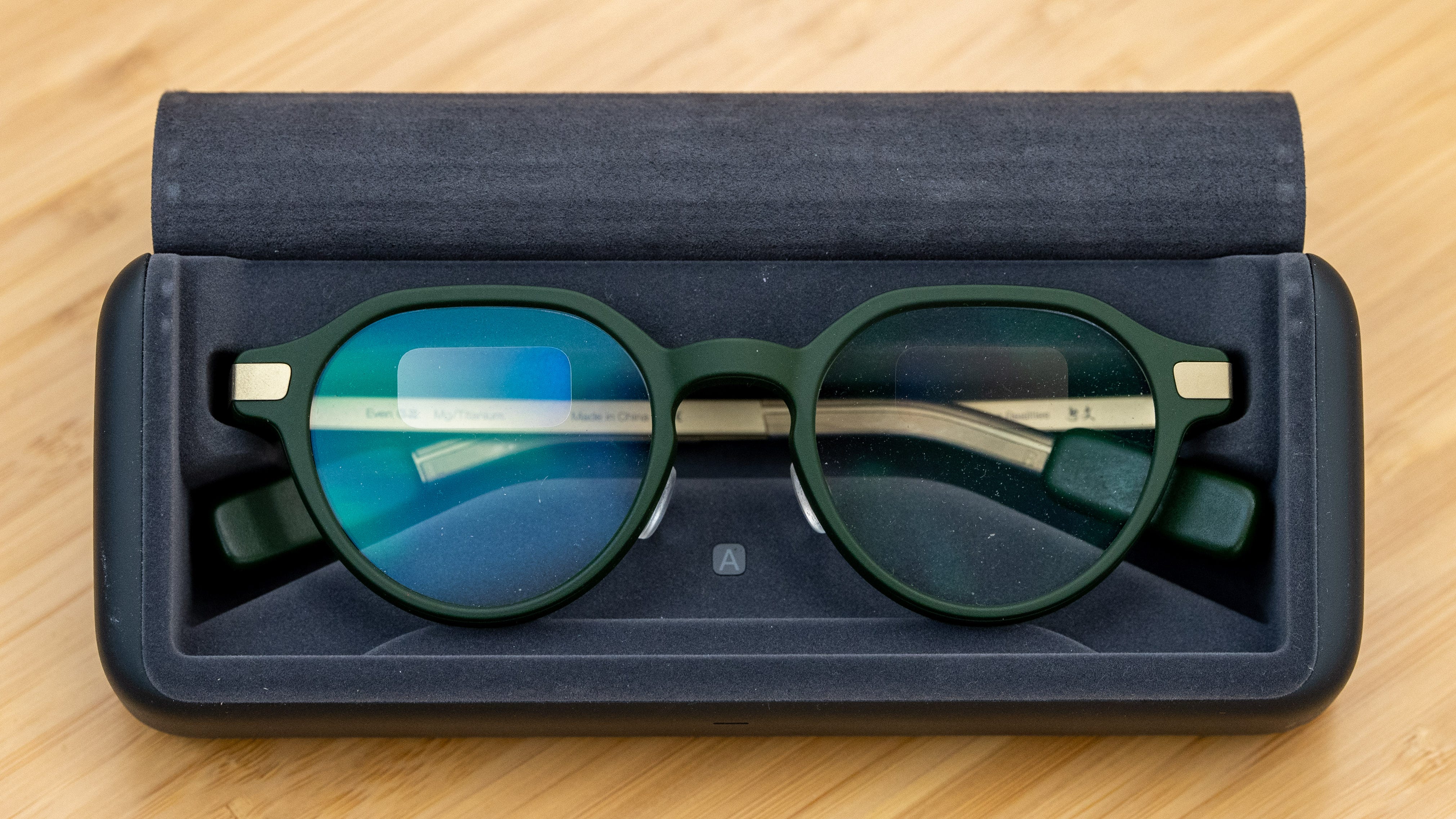
🔋 Two weeks of battery life. It’s really easy to cruise through a couple of weeks of usage with the Even G2 glasses. Not only do the glasses last up to two days on a full charge, but the case they come in supplies up to seven extra charges, so you can charge them once and forget about it for about 10-14 days. Unless you’re transcribing every conversation or reading e-books on these things (which is something you can do through Even Hub, by the way), you’ll likely have the same great battery life that I do.
💰 The price creeps higher and higher. Right off the bat, if you want the Even G2s in either frame option, they’ll set you back $599. That’s $220 more than what Meta charges for its Ray-Ban smart glasses. With prescription lenses, you’ll pay a minimum of $159 extra, depending on how intense your prescription is. Then, if you want the R1 ring to control them with, you’ll need to shell out an additional $249, bringing your (potential) total to $1,007 before tax. There’s no skirting around it - these are expensive glasses, and a huge commitment for a product in such a young market.
Should you buy the Even Realities G2 glasses?

Yes, if…
✅ You want smart glasses that look normal
✅ You’d find all the AI features helpful at work and day-to-day
✅ You don’t want a camera on your glasses
✅ You’re an early adopter
No, if…
❌ You don’t want to spend over $600 on glasses (get the Meta Glasses)
❌ You want to be able to take photos and videos (get the Meta Ray-Ban Gen 2)
❌ You want better graphics than green lines and text (get the Meta Ray-Ban Display)
Max Buondonno is an editor at The Shortcut and co-host of The Shortcut Live. He’s been reporting on the latest consumer technology since 2015, with his work featured on CNN Underscored, ZDNET, How-To Geek, XDA, TheStreet, and more. Follow him on X @LegendaryScoop and Instagram @LegendaryScoop.