




🏆 Review Score: 4.5/5 – ‘Awesome!’
🏅 Editor’s Choice Award
✅ Pros:
😍 A wonderful typing experience
🤫 Astonishingly quiet
📏 Only a hair bigger than a standard TKL keyboard
🛜 Wired, Bluetooth, or 2.4 GHz support
🌈 Pleasing RGB lighting and customization options
🙏 No software installs required
💨 Speed tap, where it’s allowed
🔧 Hot-swappable switches
🔋 Incredible battery life
🤝 Works equally well on PC or macOS
💰 Competitively priced
❌ Cons:
😵💫 Muscle memory may lead to a few more mistypes
🤔 You need to learn a lot of commands
💡 Not technically a backlit keyboard
🫨 The media knob feels a little loose
The Shortcut Review
Gaming keyboards come in various sizes, but the smaller you go, the more keys you have to sacrifice. The Asus ROG Strix Morph 96 flips the switch by including every single key found on a full-sized keyboard, but with a dramatically reduced footprint.
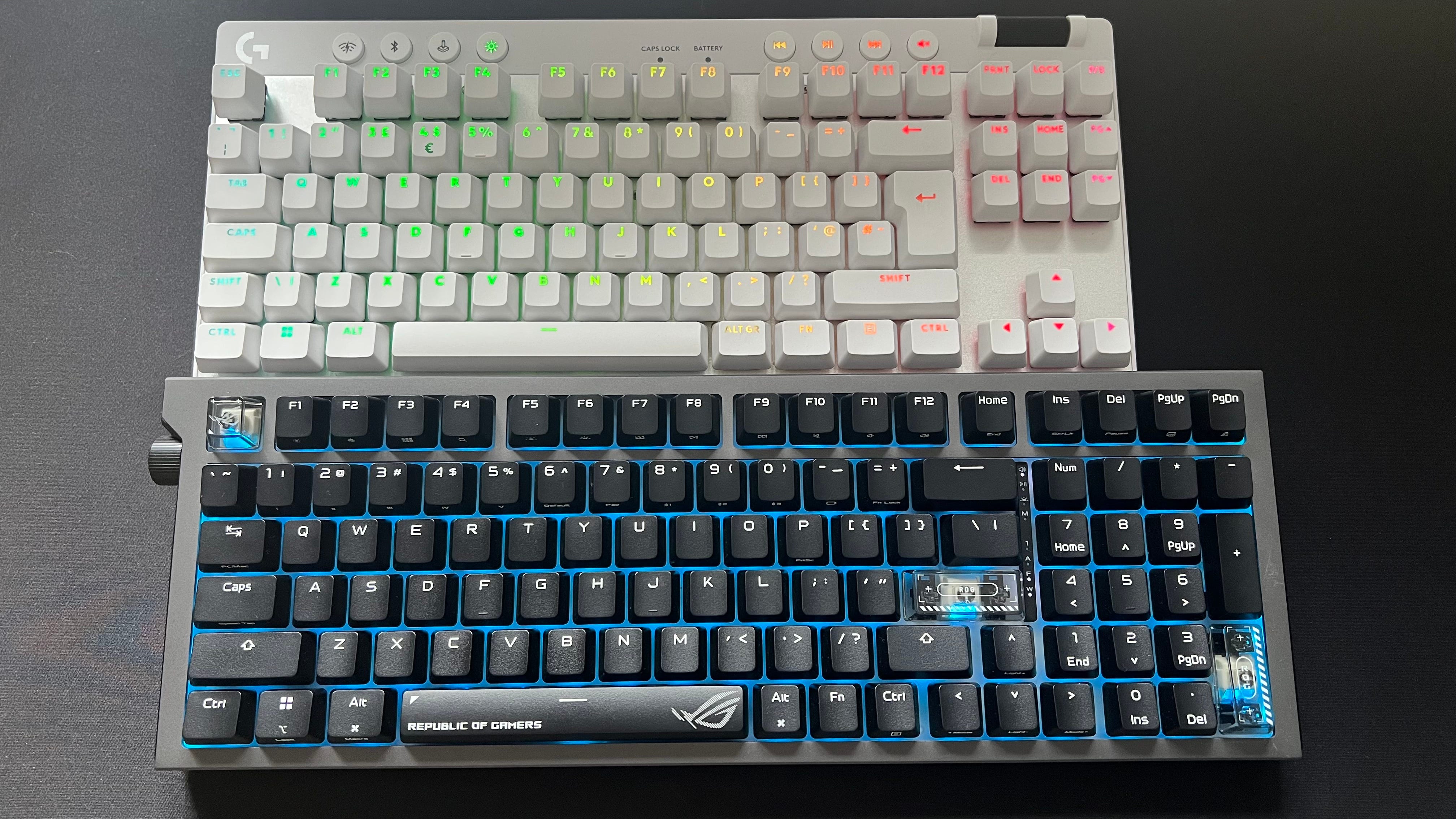
At only a few centimeters larger than most ten-keyless keyboards, the Asus ROG Strix Morph 96 gives you every key you’ll ever need, without dominating your desk space. It also provides a truly wonderful typing experience that’s near silent, making it ideal for those who want the benefits of a mechanical keyboard without being subjected to the cacophony of sound they often produce.
Asus ROG Strix Morph 96 specs 🛠️
Price: $139.99
Key type: ROG NX Snow V2 (linear)
Connection: Wired, Bluetooth, 2.4 GHz
The Asus ROG Strix Morph 96 may be squeezed into a smaller form factor, but it doesn’t make any meaningful compromises. Yes, it takes a while to stop your muscle memory from kicking in, leading to a few more mistypes than I’m used to. But it’s a superb choice for gamers, with its low-profile keys, lockable Windows key, and unwavering wireless connection.
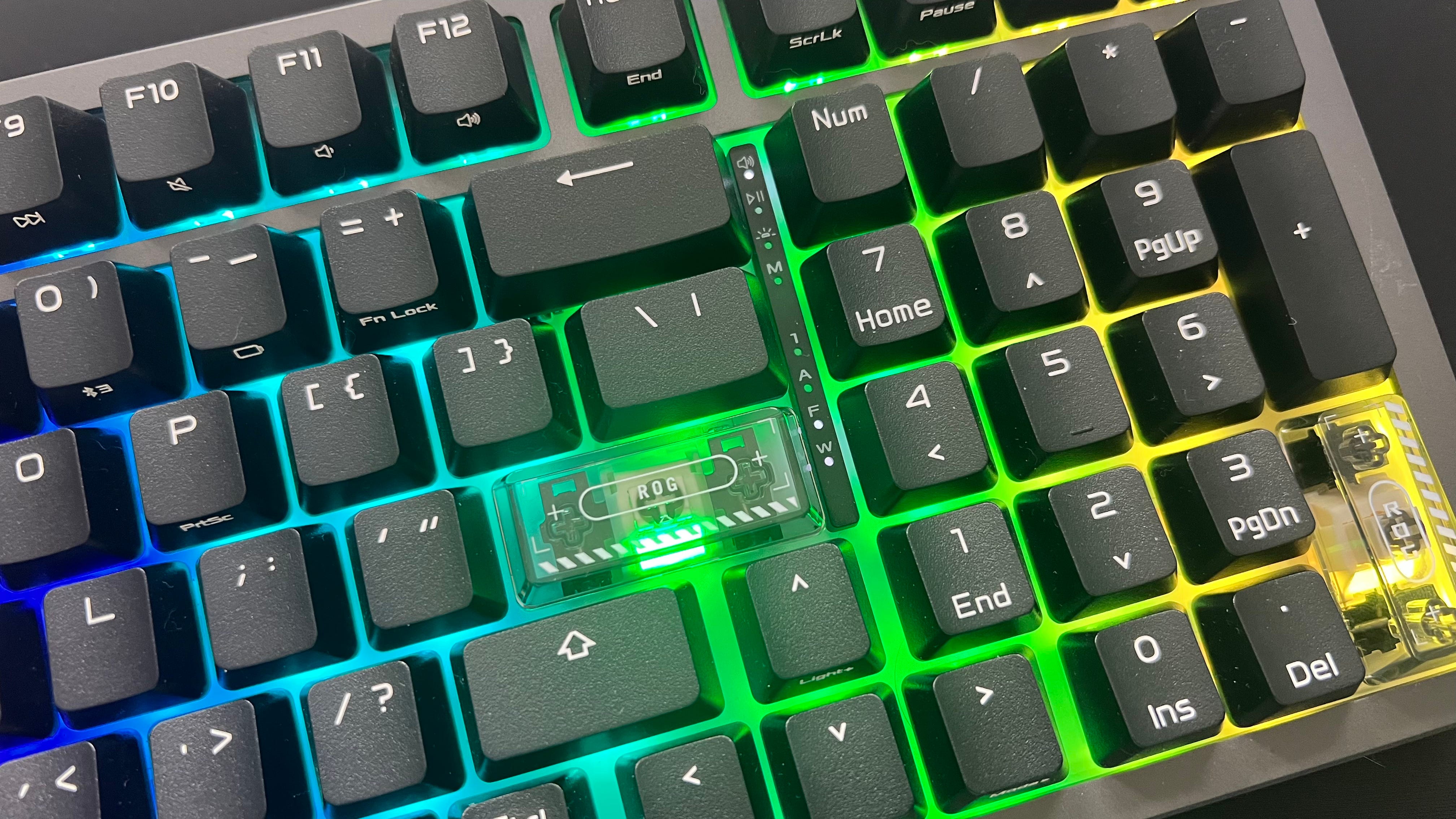
It’s also fantastic for productivity users, with full key compatibility with Windows and macOS – something I wish more keyboards included. You also get alluring RGB lighting, the choice of Bluetooth, 2.4 GHz wireless or wired, a dedicated media dial, and excellent battery life.
The trimmed-down design means you’ll be relying on various hotkey commands, which take some time to learn. But for a price of $139.99, the Asus ROG Strix Morph 96 is seriously hard to beat, even if the previously released Asus Strix Scope II 96 may tempt some when on sale. Read my full Asus ROG Strix Morph 96 review below.
A review unit was provided by Asus.
What I loved about the Asus ROG Strix Morph 96 ❤️
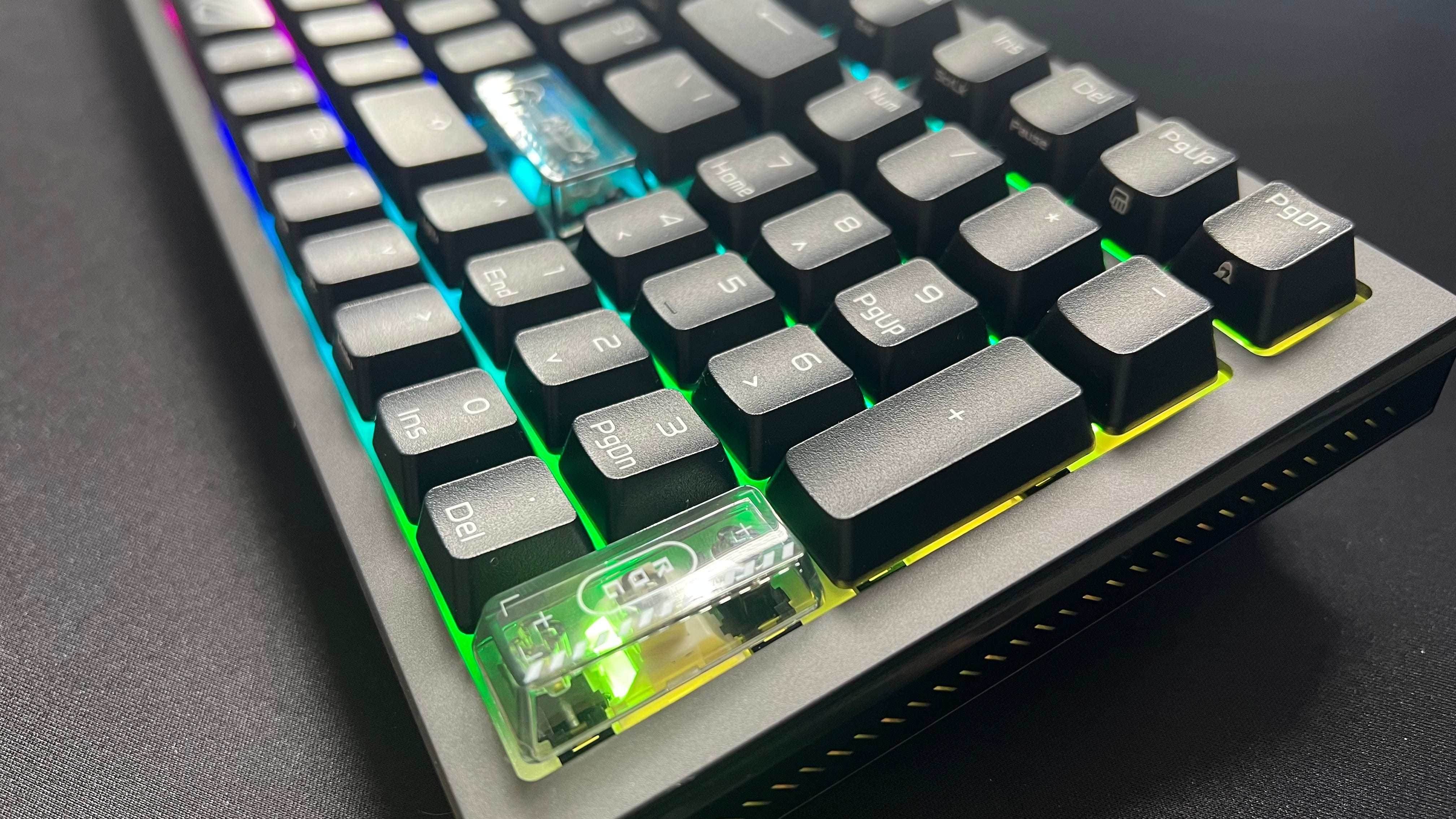
😍 A wonderful typing experience. Anyone who has typed on a mechanical keyboard will tell you just how much better it feels compared to a membrane one. Over the years, I’ve whittled away on everything from blue clicky switches to “thocky” browns and reds, but the Asus ROG NX Snow V2 linear key switches might be my new favorite. They’re a pleasure to type on, and even though they’re a linear switch (which means there’s no noticeable tactile bump) they don’t feel hollow or lifeless when pressed. The short actuation point also means you’re not wasting precious milliseconds pressing down, and I found counter-strafing in Counter-Strike 2 easier to pull off on the ROG Strix Morph 96 than on my usual Logitech Pro X TKL keyboard.
🤫 Astonishingly quiet. One of the biggest downsides of mechanical keyboards is just how loud they can be. It makes them a no-go for the office, or distracting if you’re a streamer. Thankfully, the Asus ROG Strix Morph 96 is a silent assassin, giving you all the benefits and feel of a high-end mechanical keyboard without the increase in decibels. The internal dampening Asus has used is excellent, and there’s no annoying “pings” or rattling when you’re writing an angry email reply.
🪨 Built like a tank. At just over a kg, the Asus ROG Strix Morph 96 has a reassuring heft to it. It also boasts rock-solid build quality, with no noticeable creaks, give or movement to the frame.
📏 Only a hair bigger than a standard TKL keyboard. If you’re a low sense mouse player and need as much space as possible, the Asus ROG Strix Morph 96 gives you all the benefits of a full-sized keyboard, at just a centimeter larger than most ten-keyless keyboards. Despite its compact design, the keys don’t feel cramped or needlessly bunched together.
💨 Speed tap, where it’s allowed. Even though the Asus ROG Strix Morph 96 isn’t a rapid trigger keyboard, it includes a feature called ‘Speed Tap’. It’s off by default and banned from certain games like Counter-Strike 2, but it’s a nice option to have. Speed Tap prioritizes the latest key press when pressing opposing directions such as A and D, which makes movement far more responsive.
🛜 Wired, Bluetooth, or 2.4 GHz support. You can choose from three connectivity options: wired, Bluetooth, or 2.4 GHz. This is great if you jump between a PC for gaming and a Mac for productivity, or simply prefer a wired connection instead of wireless. You can also save up to three Bluetooth connections.
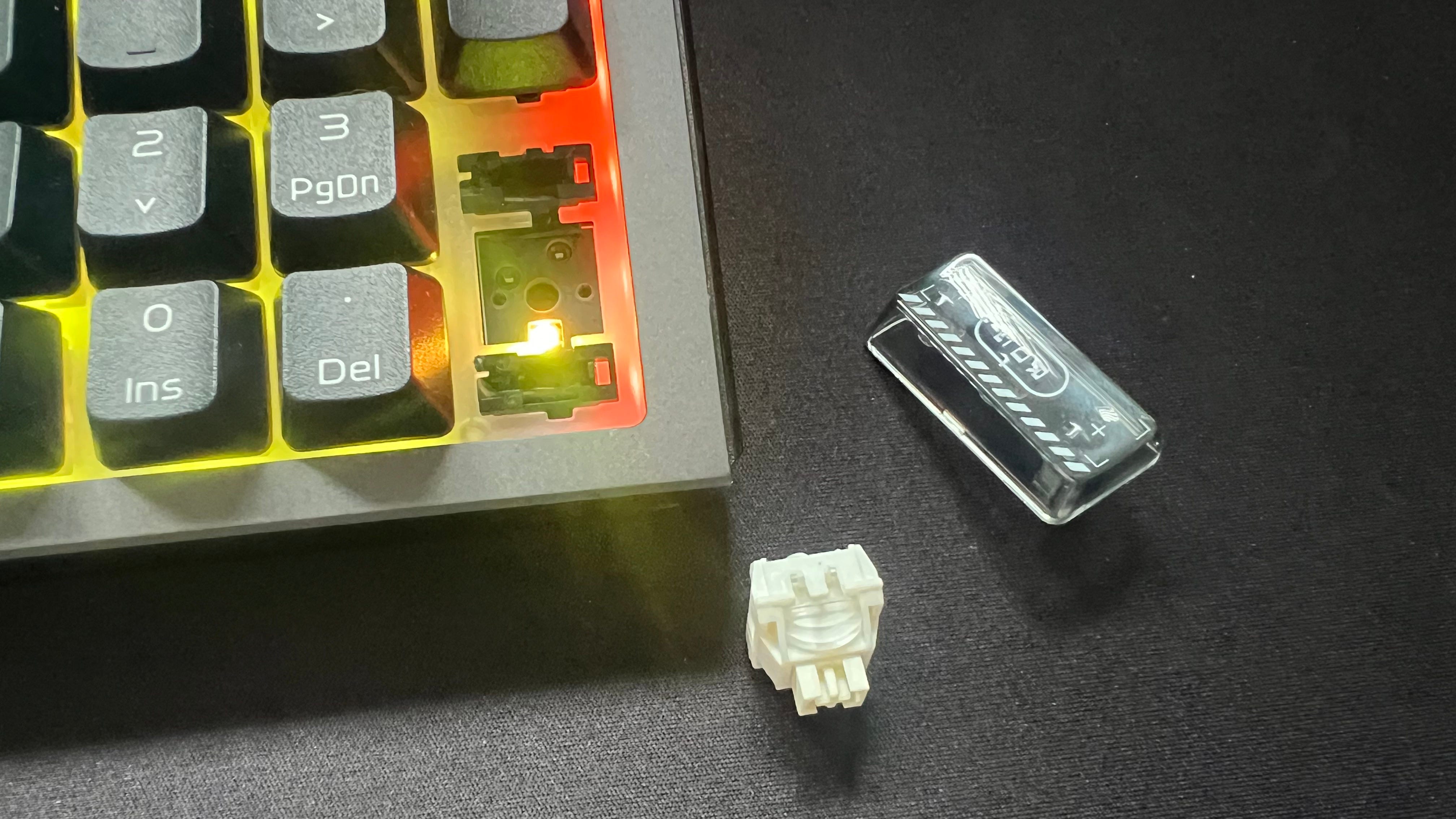
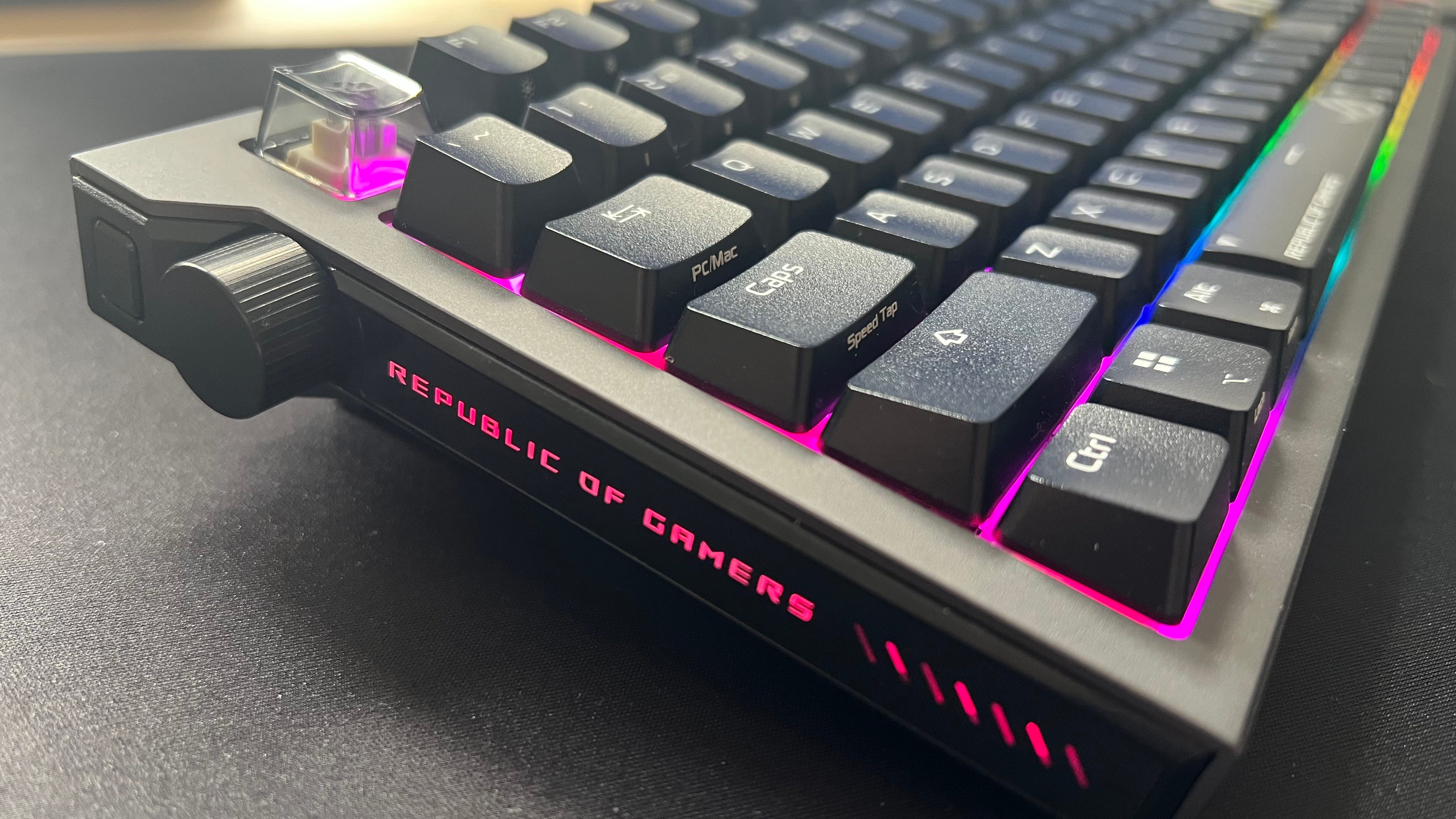
🌈 Pleasing RGB lighting and customization options. The Asus ROG Strix Morph 96 has customizable RGB lighting, as you’d expect, but it uses it in clever ways. You can see how much battery life is remaining, and it also alerts you when a command has registered, such as turning Speed Tap on or off. It also comes with some extra transparent keycaps and has dual side RGB light bars.
🙏 No software installs required. Unlike so many peripherals, you don’t have to install any needless software to get the most out of Asus’s new keyboard. You can use the Gear Link web-based app in your browser, which is a fantastic pro-consumer move, with any changes saved to the keyboard itself.
🔧 Hot-swappable switches. If you want to tweak Asus’s new keyboard to your liking, you can. The ROG NX Snow V2 (linear) and ROG NX Storm V2 (clicky) mechanical switches are hot-swappable, and the ROG Strix Morph 96 is compatible with a wide range of Cherry-profile sets and other aftermarket keycaps. Modders will be very pleased.
🔋 Incredible battery life. You get a whopping 100 hours of battery life from Asus’s gaming keyboard with RGB using the 2.5 GHz dongle, and up to 590 hours if you’d rather turn it off. The battery life increases further in Bluetooth mode, with up to 750 hours with RGB off and 110 hours with RGB on.
🤝 Dedicated PC/Mac switch. If you jump between Windows and macOS, it’s annoying having to relearn how to copy and paste, as each operating system relies on different inputs. Thankfully, the ROG Strix Morph 96 has a clever PC/Mac key that changes the Windows and Alt keys to Option and Command, which means you don’t have to retrain your brain. The function keys (F1-F12) also switch to their corresponding macOS actions, such as Mission Control.
💰 Competitively priced. At around $20 cheaper than most comparable ten-keyless gaming keyboards, Asus has given the ROG Strix Morph 96 an extremely competitive price point. Again, this is a fully featured keyboard in a compact form factor, so a $139.99 price tag will be very appealing to many.
What I disliked about the Asus ROG Strix Morph 96 💔
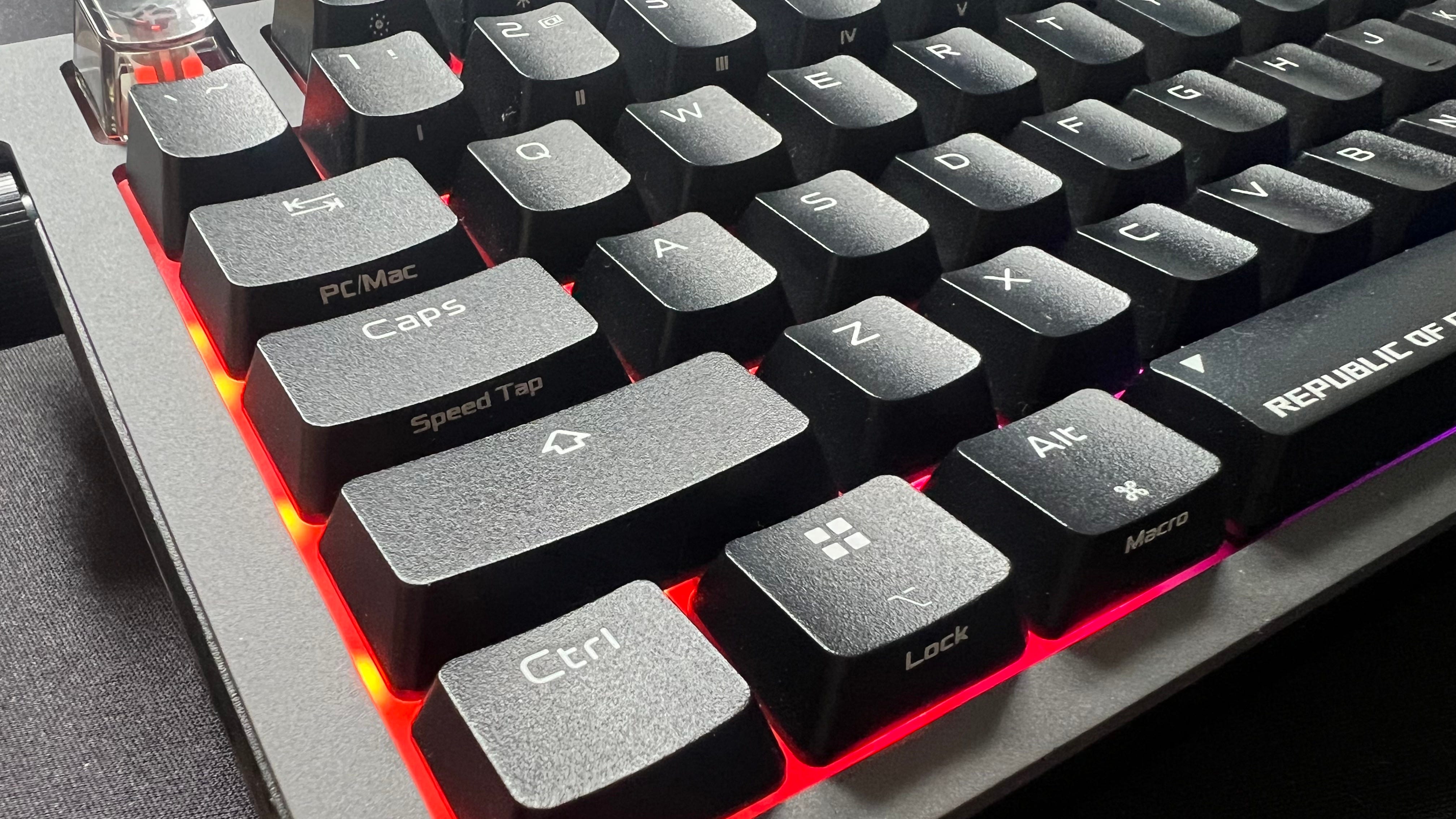
😵💫 Muscle memory can lead to a few mistypes. The Asus ROG Strix Morph 96’s compact, space-saving layout means it takes some getting used to. I frequently found my fingers hovering over the number pad keys instead of the directional keys, and the smaller ‘Enter’ button was also easy to miss.
🤔 You need to learn a lot of commands. As there isn’t space for dedicated media keys aside from a multi-function dial and mode switch button, the Asus ROG Strix Morph 96 relies heavily on using the ‘Fn’ key and hotkey inputs. There’s a lot of labels strewn across the keyboard, so you’ll need to figure things out as you go and learn which inputs perform which commands.
💡 Not technically backlit. Even though the Asus ROG Strix Morph 96 has alluring RGB lighting, the keys themselves (aside from a few transparent ones that are included) don’t let light shine through. Instead, the area around the keys is lit up, which means it isn’t technically backlit like we expect.
🫨 The media knob feels a little loose. It might sound like a nitpick, but because the Asus ROG Strix Morph 96 is so sturdy and well-built, I couldn’t help but notice the media knob felt slightly looser than I’d like. There’s a bit of wobble to it, and I’d prefer more resistance when turned. There is some tactility, but a firmer-feeling wheel would have been appreciated.
🤷♂️ Not rapid trigger. Rapid trigger keyboards have become the gold standard for gamers, as they instantly reset the actuation point for faster and improved responsiveness. While ‘Speed Tap’ is a nice to have, its functionality is limited in games where it would be most impactful.
Should you buy the Asus ROG Strix Morph 96? 🤔
Yes, if…
✅ You want a mechanical keyboard that doesn’t annoy everyone around you.
✅ You want the benefits of a full-sized keyboard but in a compact package.
✅ You work across Windows and macOS.
No, if…
❌ You’re happy to sacrifice the number pad and other keys to save space.
❌ You work in a dimly lit environment and need a truly backlit keyboard.
❌ You need dedicated media controls and don’t want to use hotkeys.
Adam Vjestica is The Shortcut’s Senior Editor. Formerly TechRadar’s Gaming Hardware Editor, Adam has also worked at Nintendo of Europe as a Content Marketing Editor, where he helped launch the Nintendo Switch. He also runs a retro gaming YouTube channel called Game on, boy! Follow him on X @ItsMrProducts.