


🏆 Review score: 4.5/5
🏅 Editor’s Choice Award

✅ Pros
⌨️ Smaller 75% wired keyboard leaves room for wide gaming mouse movements
🔑 Still enough shortcuts and function keys to make this keyboard practical for everyday use
🎚️ Per-key programmable actuation between 0.1mm and 3.5mm
🎯 8000Hz polling rate with Rapid Trigger and Speed Trigger for lag-free FPS gaming
🎵 Keys produce the same crisp and controlled sound anywhere on the keyboard
🌎 Web-based app requires no installation and works for all platforms
❌ Cons
🔌 Wired-only setup is limiting
💲$219 is expensive for a tournament gaming keyboard
The Shortcut Review
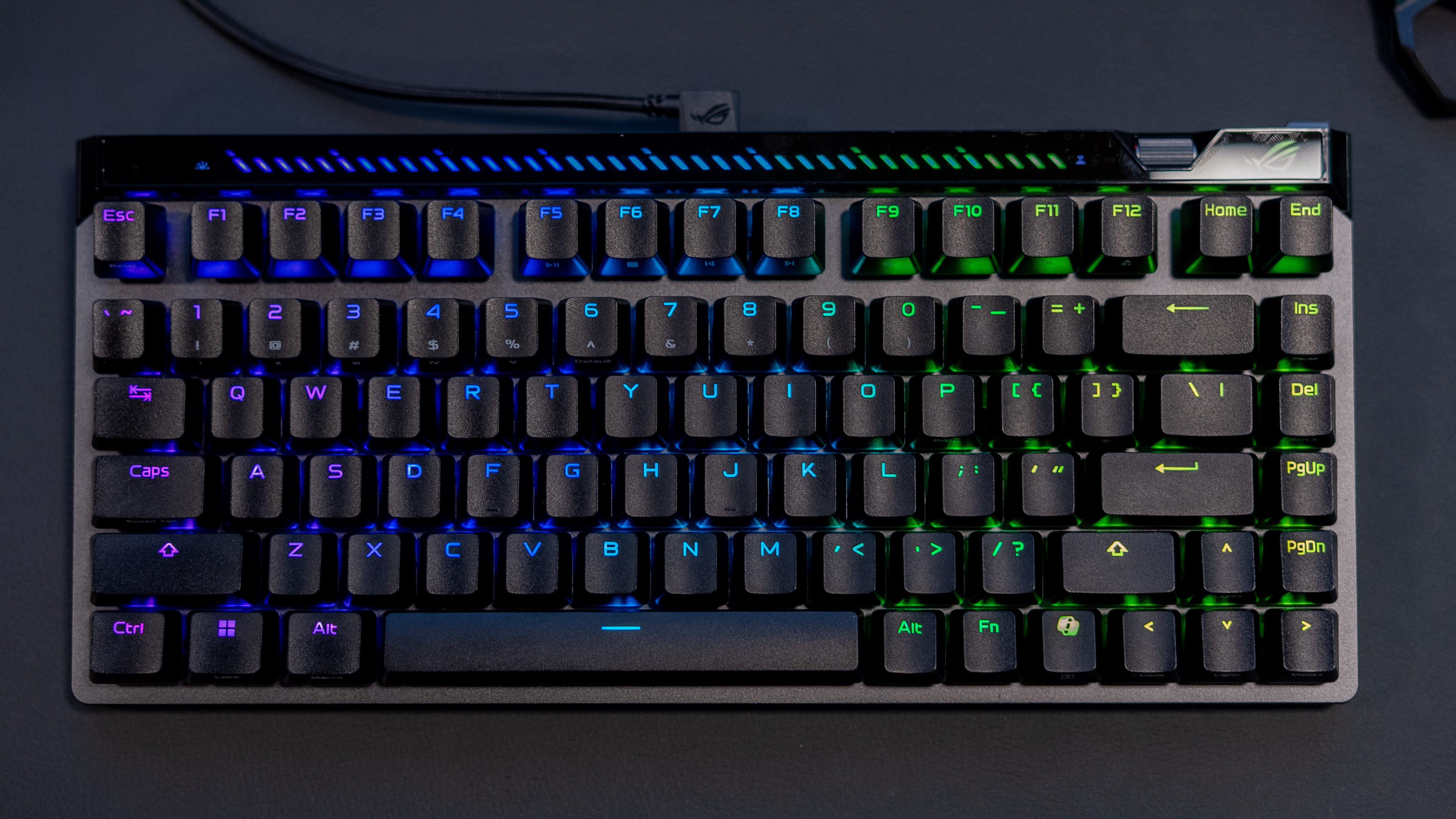
If $219 doesn’t sound like too much for one eSports gaming keyboard, the Asus ROG Falchion Ace 75 HE is a fine tournament-ready weapon. This gaming keyboard was designed to make input lag a thing of the past with Asus’ latest hall-effect switches and an 8,000Hz polling rate. The magnetic key switches in Asus ROG Falchion Ace 75 HE not only react faster than the mechanical switches in most gaming keyboards, but you can also program them to trigger commands at the slightest 0.1mm touch, a full 3.5mm press, or anywhere in between.
Magnetic keyswitches are just one of the Asus ROG Falchion Ace 75 HE’s many tricks. It’s also fully adjustable on the fly with a scroll wheel to set actuation at any moment and a touchbar to set volume, trigger playback controls, or any custom function you’d like. Lastly, it has both Rapid and Speed Triggers to make repeated keystrokes, like side-strafing, lag-free. Plus, its web-based app makes it easy to reprogram from any platform, including Macs and Chromebooks.
Add in the carrying case, and you can see why the Asus ROG Falchion Ace 75 HE was engineered to be the most convenient gaming keyboard for tournament play – even though it’s not wireless.
Full Review
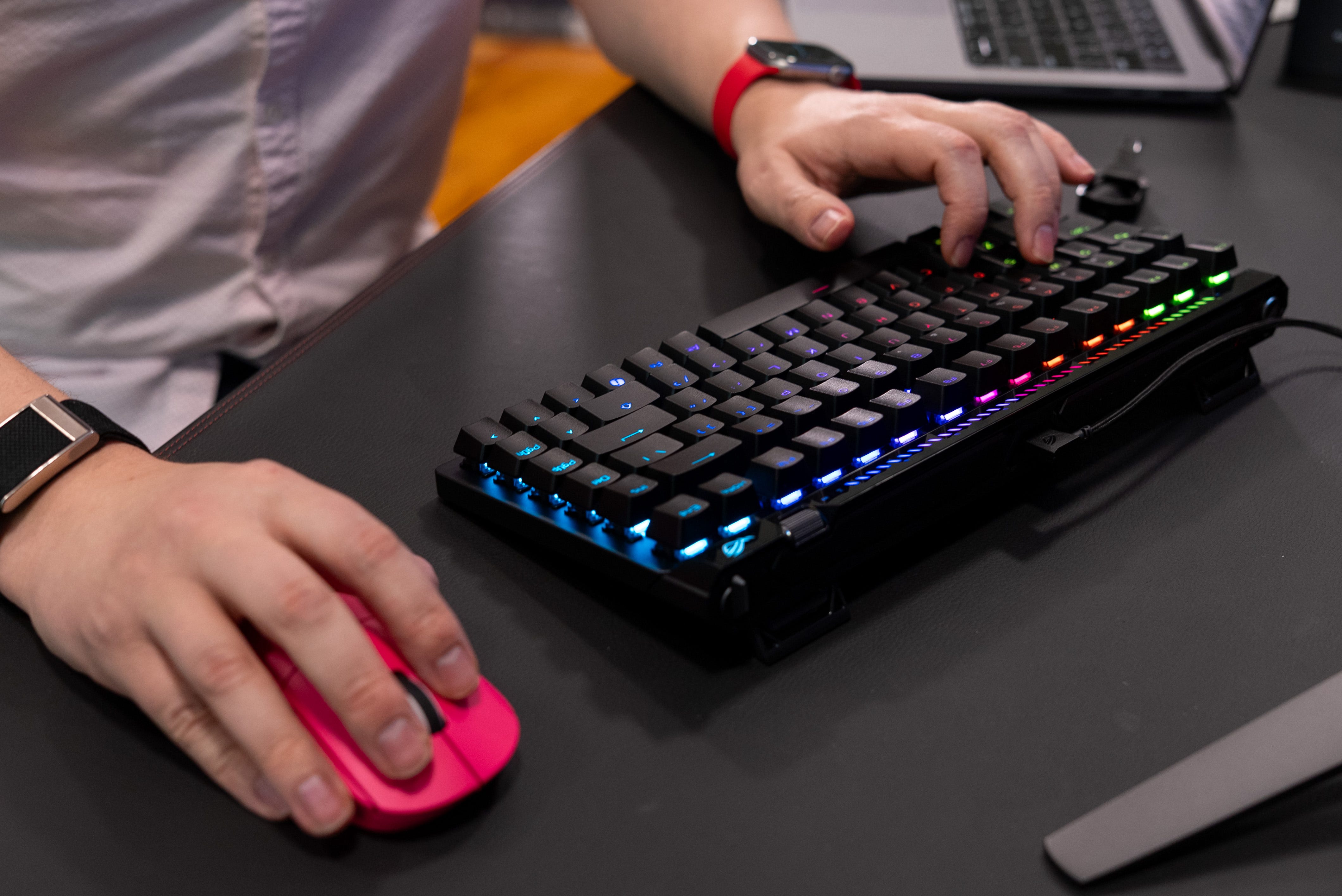
📏 75% form factor. This 75% keyboard hits the gaming sweet spot for me. It’s compact enough that I have more space to whip around my gaming mouse. Meanwhile, there’s still a row of function keys on the right, including end, delete, and page up/down. It’s not nearly as compact and cut down as the Asus ROG Falchion Ace Ace HFX, which erases everything outside of the main keyboard keys. However, if you still plan to surf the web, write emails, or do anything outside of gaming, the Asus ROG Falchion Ace 75 HE is a fully functional keyboard for everyday use when I’m not gaming.
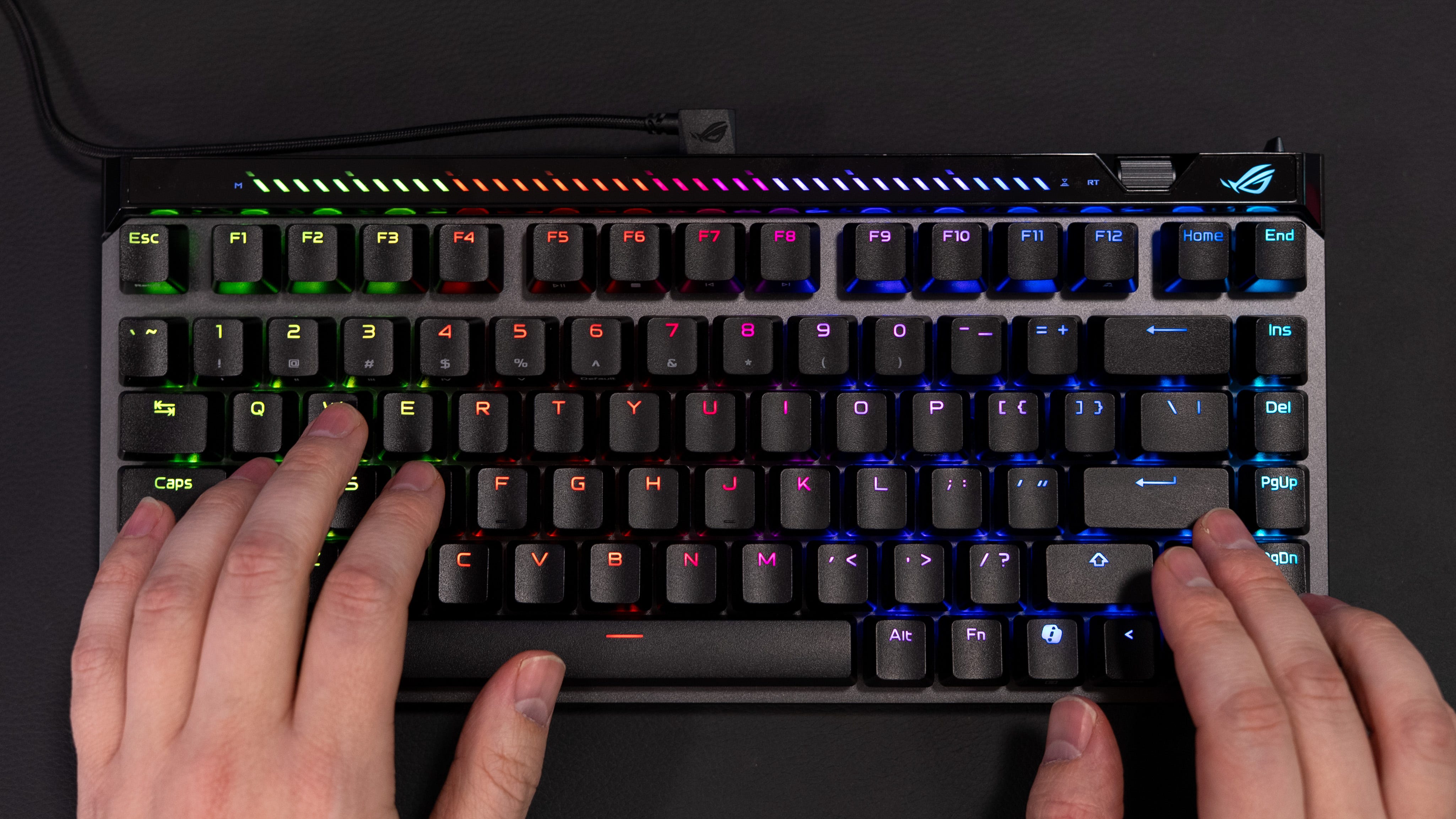
⌨️ Just my type. The Asus ROG Falchion Ace 75 HE comes with factory-lubed HFX V2 magnetic switches that also feel just right. They’re super stable and end with a thocky feel and sound. 32g of initial force also helps the keys provide just enough resistance to feel like you’re still pressing a real mechanical switch. Personally, though, I prefer the Asus ROG HFX V2X switch, as it has an even more stable square-shaped stem and an X-stabilizer. The good news is you can hotswap between switch types if you want to upgrade your keyboard from HFX V2 to HFX V2X switches later.

🧲 Magnetic key switches. No matter which switch you choose, they all feature Asus’ new ROG Hall Sensor, with a customizable actuation point on every key from 0.1mm to 3.5mm. You can also do this per key, so you could have your W-key trigger with the slightest touch, while the R-key requires a deeper or full press. This is the gaming keyboard for those who want to fine-tune the responsiveness of every key for competitive gaming. The only other thing I wish I could do with Asus’ magnetic keys is program two functions at different actuation points, as I can with keyboards from Logitech, Cooler Master, Corsair, and SteelSeries.
🎶Music to my ears. Impressively, the Asus ROG Falchion Ace 75 HE’s keys make the same sound whether you’re hitting CTRL all the way to the bottom-left or the H-key in the keyboard’s center. It sounds so acoustically consistent thanks to its six layers of PORON foam, silicone, and sound-absorbing materials. These materials don’t completely silence the keyboard; instead, they prevent unwanted resonance that would make it sound hollow. You get the same crisp, controlled sound from this keyboard, which goes to show the lengths Asus went to in perfecting its build quality.
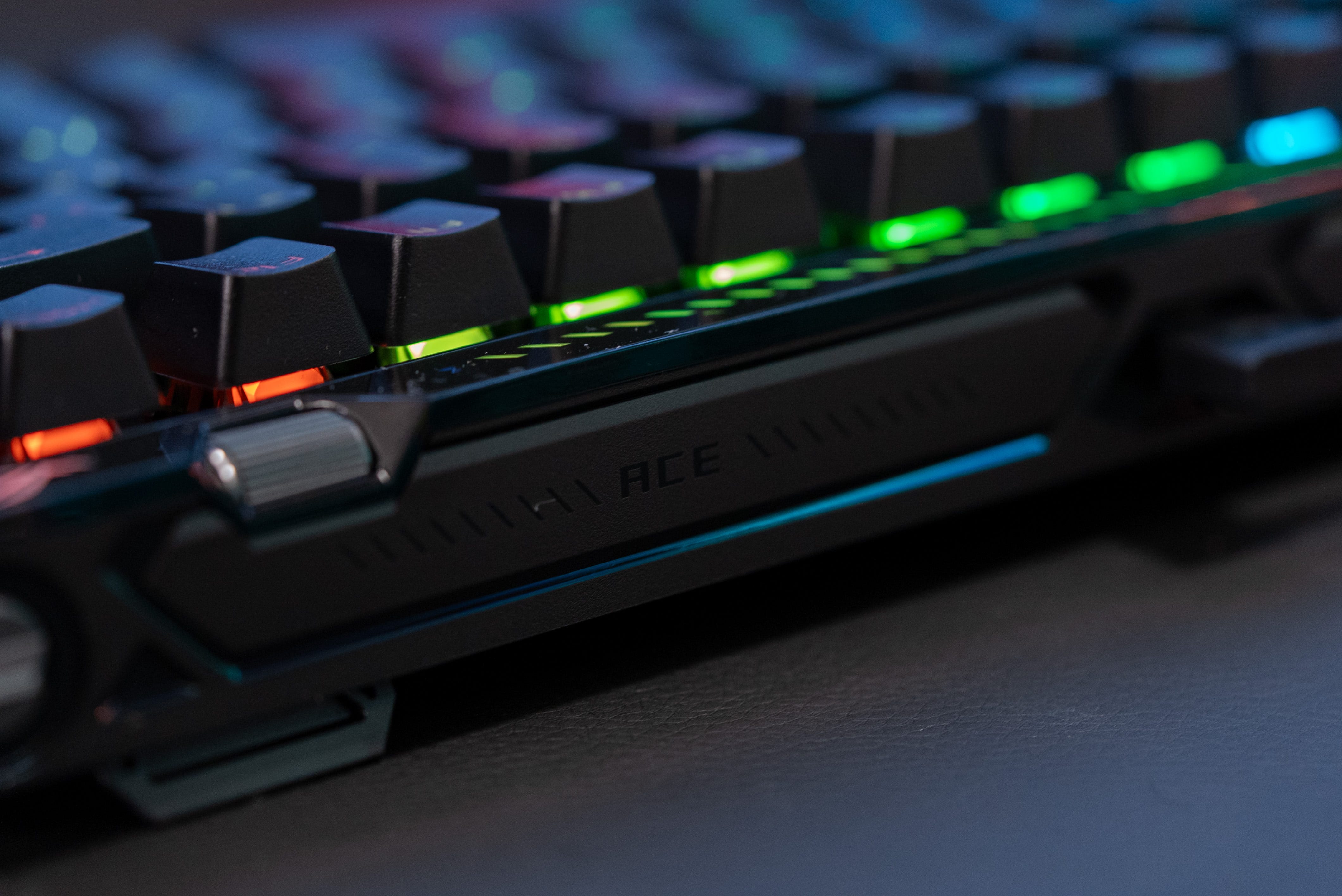
🛞 Scroll wheel. Thankfully, you can also set your actuation point on the fly with the small jog wheel on the keyboard’s upper-right corner. It’s a great addition as you don’t have to dive into the settings every time, especially if you’re in the middle of an online match of Battlefield 6 or CSGO 2. You can also adjust your volume or use this jog wheel to scroll through webpages/documents. The keyboard also shows the adjustment level via a strip of LEDs at the top. I would have preferred a simple digit readout, but this goes better with the cyber-edgey design of this keyboard.
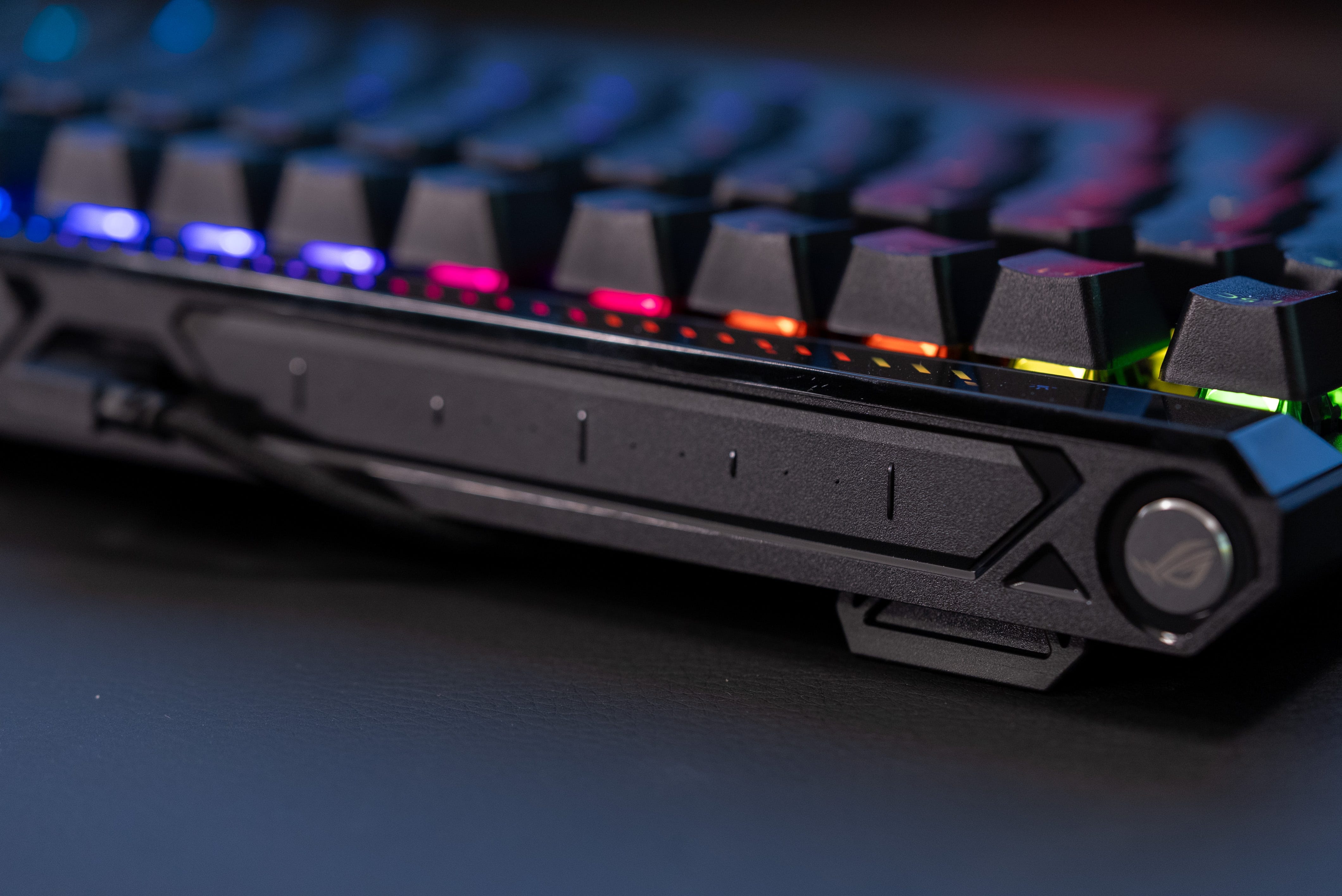
📲 Touch panel. The keyboard features an interactive touch panel that lets you tweak a variety of settings, including volume, media playback, keyboard lighting, and a pair of customizable commands. Like making actuation and volume adjustments, you can see your settings reflected on the LED display bar at the top of the keyboard.
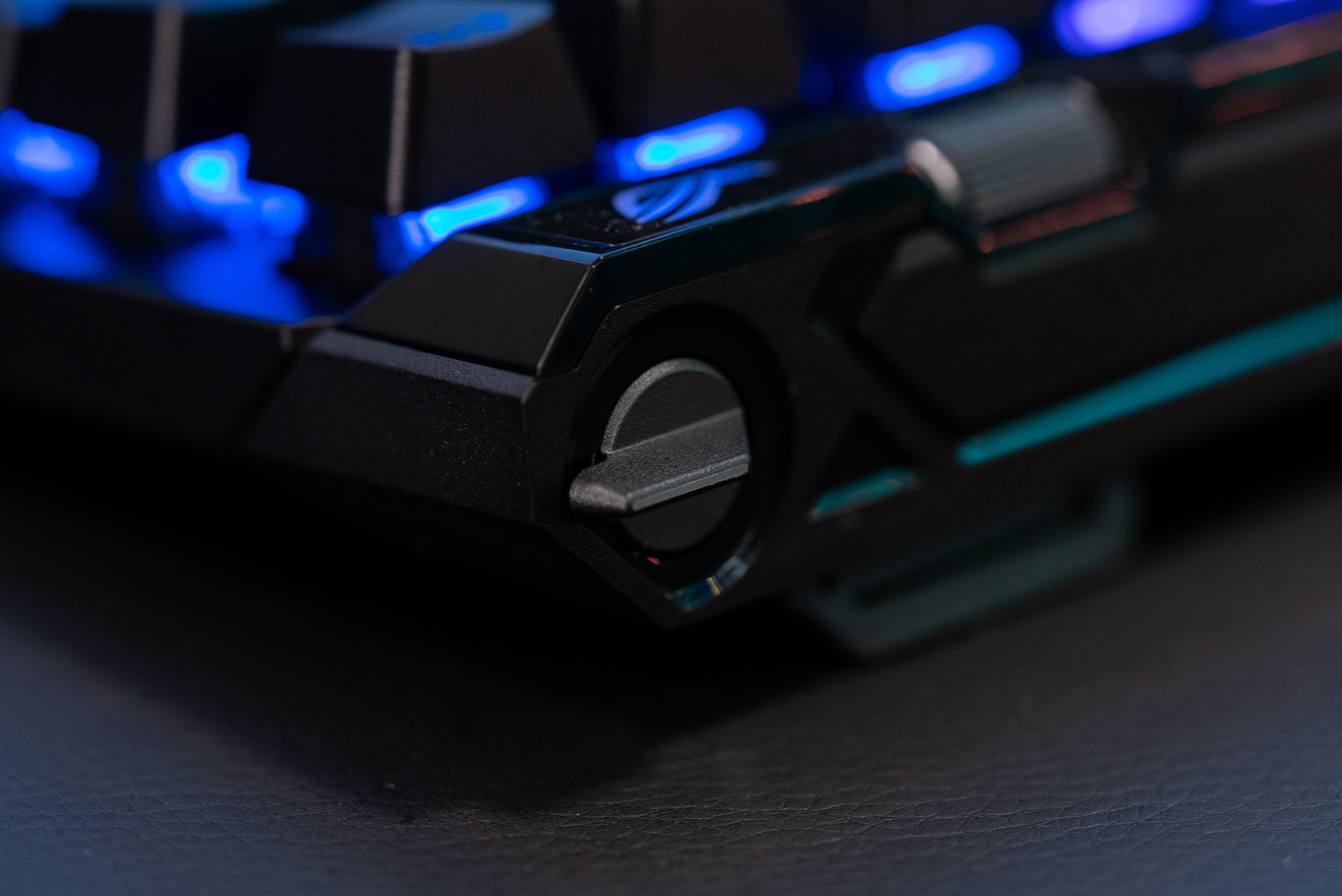
🕹️ Rapid Trigger Flip Switch. The Asus ROG Falchion Ace 75 HE’s last unique control function is a rapid trigger flip switch at the very top-right corner of its frame. When flipped, this switches the keyboard to reset any key the instant you lift your finger off. This lets you input repeated actions more quickly, and you can layer a “Speed Tap” mode on topgvy of it to prioritize directional press so you can side-strafe with zero delay.
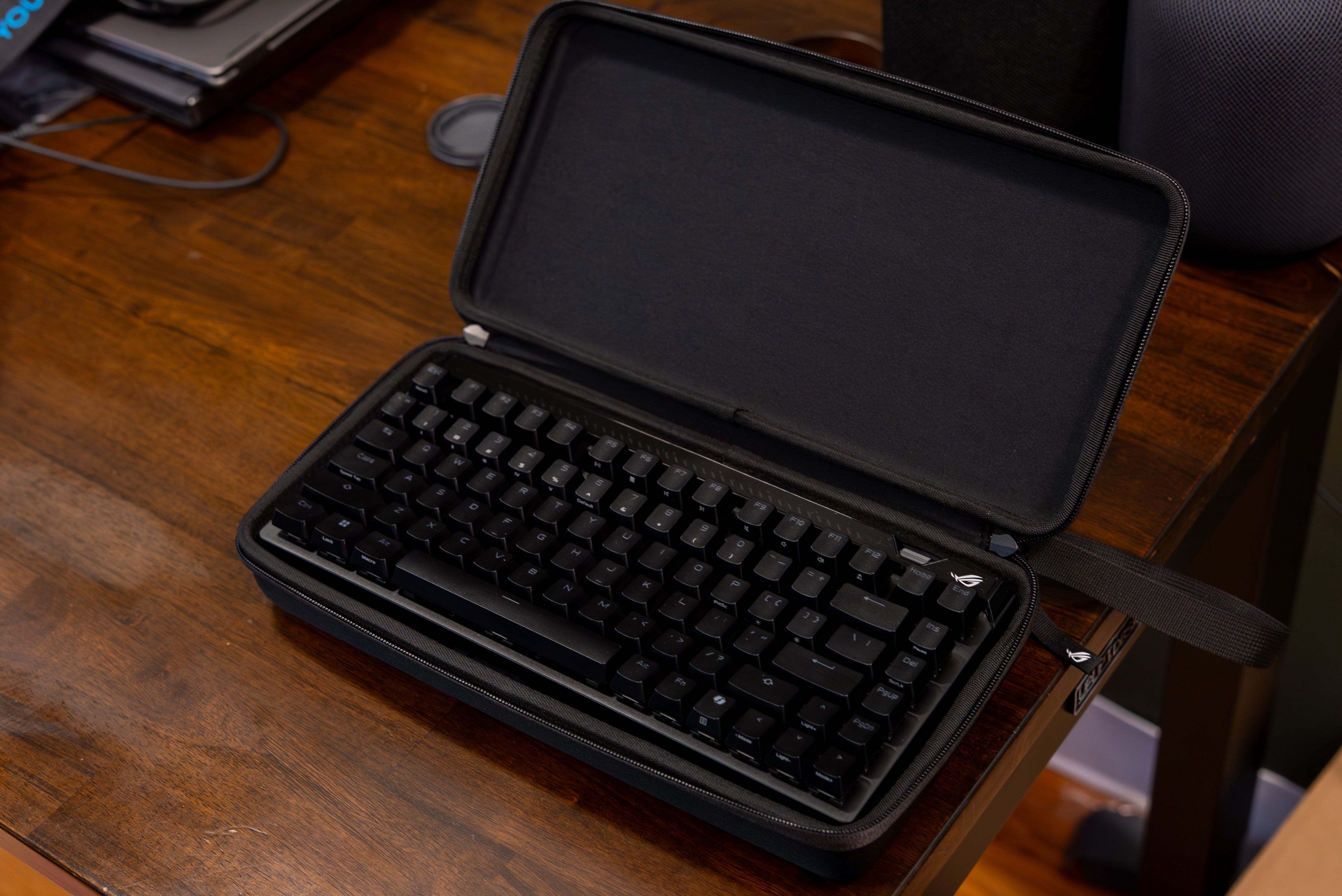
🧳 Go-bag ready. Another thing that makes the Asus ROG Falchion Ace 75 HE tournament-ready is that it comes with a padded carry case. The case includes small divots for a key puller and the braided USB-C cable. The last thing included is a second CTRL keycap in case you want to replace the Microsoft Copilot keycap that comes preinstalled.
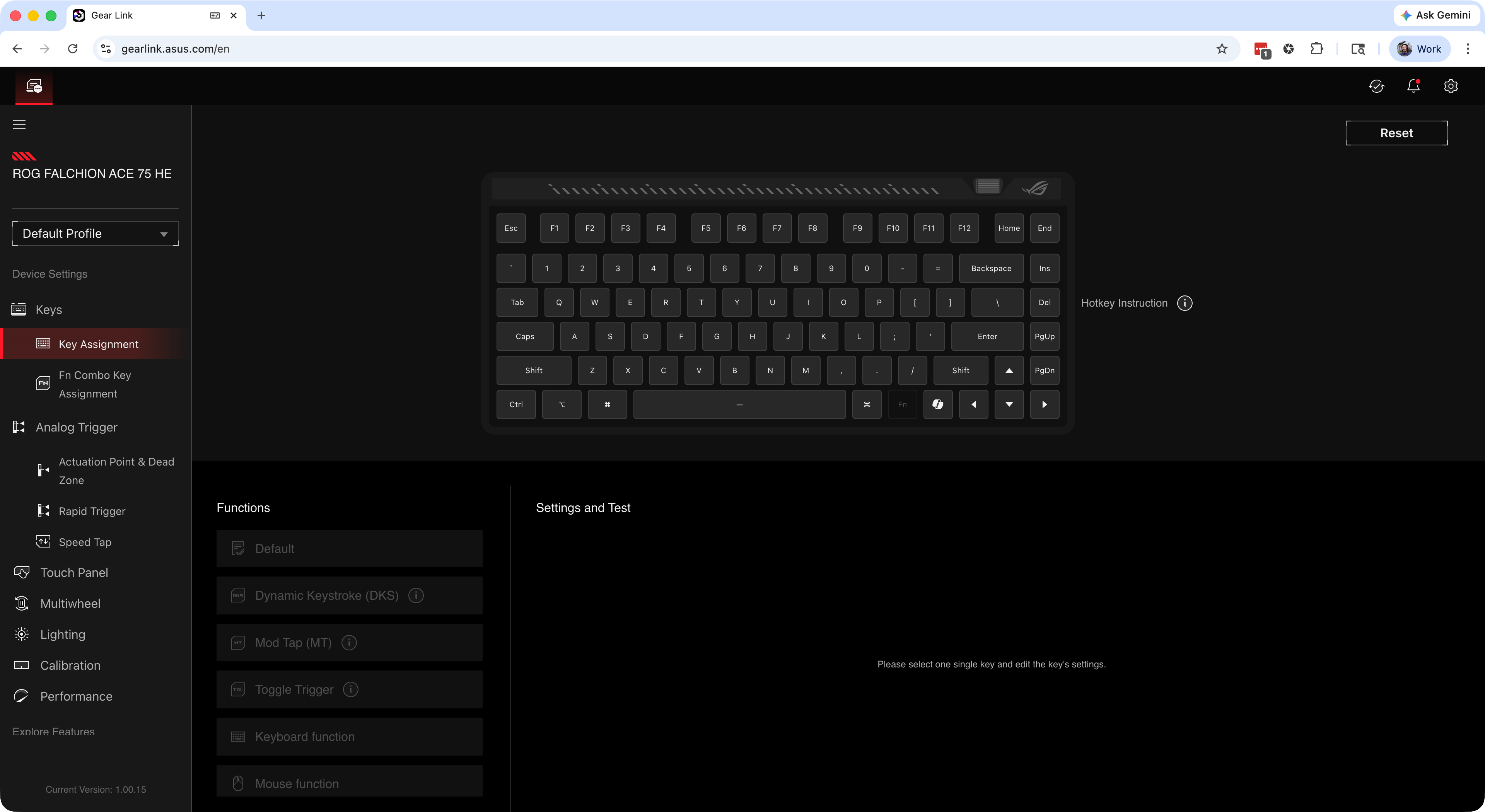
🔗 Gear Link. Thankfully, Asus has moved on to a new web-based Gear Link software to manage the Asus ROG Falchion Ace 75 HE. Not only does this save you the hassle of downloading Armory Crate anymore, but it also feels more responsive now that it isn’t managing your motherboard, CPU cooler, power supply, and every other piece of computing hardware Asus makes. Despite being a web app, Gear Link lets you configure every aspect of this keyboard, including trigger point, rapid trigger, RGB effects, macros, key assignment, and profiles. Also, because Gear Link is a web app, you can run it on any PC you have this keyboard plugged into, including Macs and Chromebooks.
🏆 Designed for tournament play. The Asus ROG Falchion Ace 75 HE isn’t wireless, and while that bugged me, it makes sense that it’s wired because it’s designed entirely for tournament play. You wouldn’t really want to use a wireless keyboard at a (wirelessly) noisy eSports event. The fact that it comes with a carrying case and its web-based app, which requires no installation, also makes it perfect for tournaments.
Should you buy the Asus ROG Falchion Ace 75 HE?
✅ Yes, if…
👾 You’re looking for a gaming keyboard that’s easy to carry and bring to events
🖱️ You’re constantly bumping your gaming mouse into a full-sized keyboard
😧 You hate the sound and feel of a hollow gaming keyboard
❌ No, if…
😌You want the freedom of a wireless gaming keyboard
🤑 $219 is too high a price for one gaming peripheral
Kevin Lee is The Shortcut’s Creative Director. Follow him on Twitter @baggingspam.