


The highly anticipated Nintendo Switch 2 pre-order in the US got delayed from April 9 to April 24, right on top of Adobe MAX London, but I came to the UK anyway to report on what’s new from Adobe’s Creative Cloud. It was worth it.
New AI tools and efficient workflows are coming to Adobe’s software suite: Photoshop, Premiere Pro, Lightroom, InDesign, and Adobe Express, courtesy of its upgraded FireFly AI model. And Firefly itself just got a redesigned web app and is getting an iOS and Android app soon.
The one thing I appreciate about Adobe Firefly is that, unlike OpenAI’s ChatGPT and X’s Grok, I can actually use its Gen AI outputs without worry. It’s trained on Adobe Stock and licensed materials, not scraped from the web, so I’m not stealing someone’s work when I post to my social media account or publish something on The Shortcut
Here’s a distilled view of what’s new with Adobe’s top software:

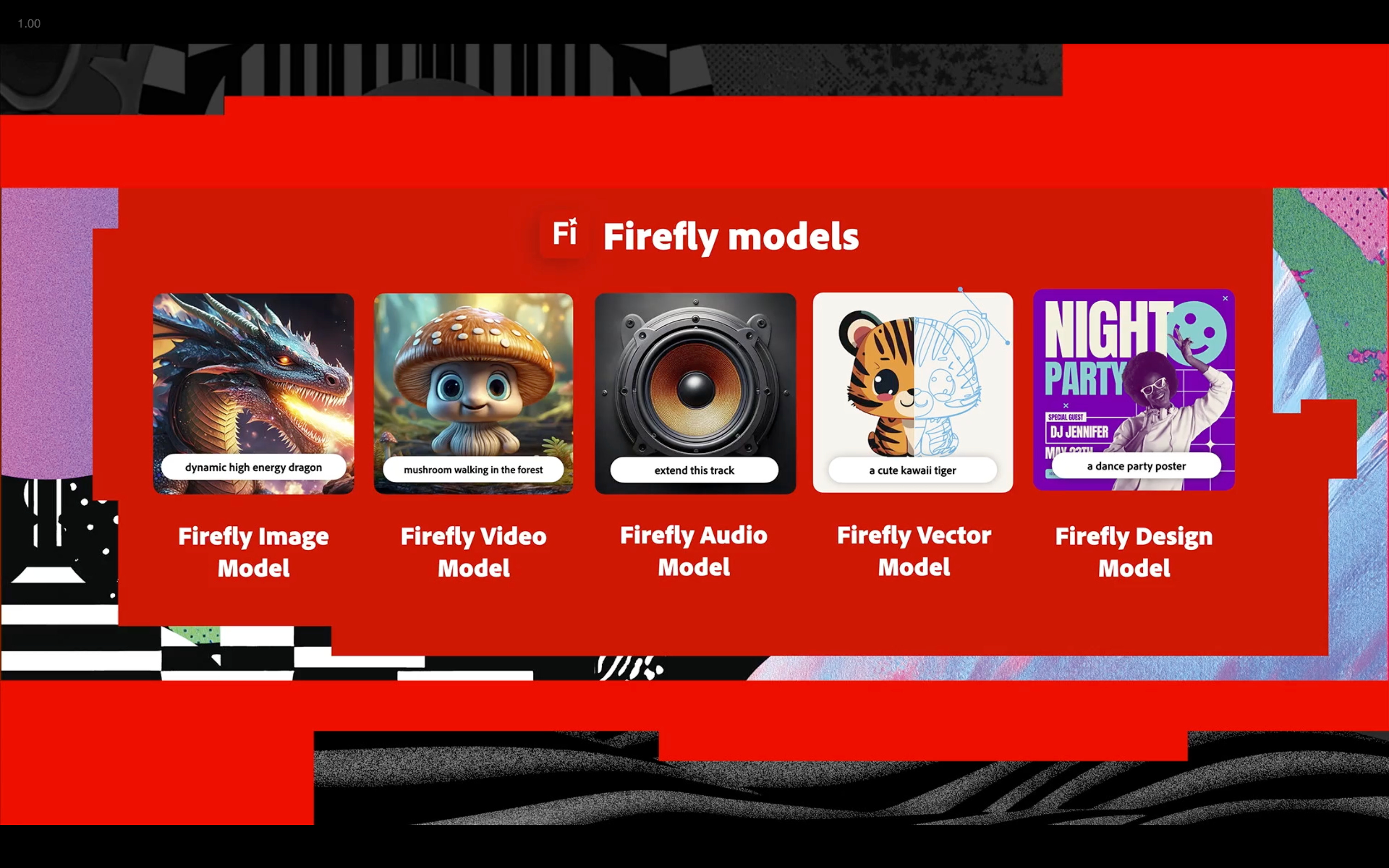
🪄 Firefly AI
🎞️ Adobe’s AI gets text-to-video & image-to-video that’s ‘commercially safe’ to use
🌐 Its newly redesigned web app uses Firefly Image 4 with extra realism
📱 An iOS/Android app for Firefly, Adobe’s AI model, is ‘coming soon’
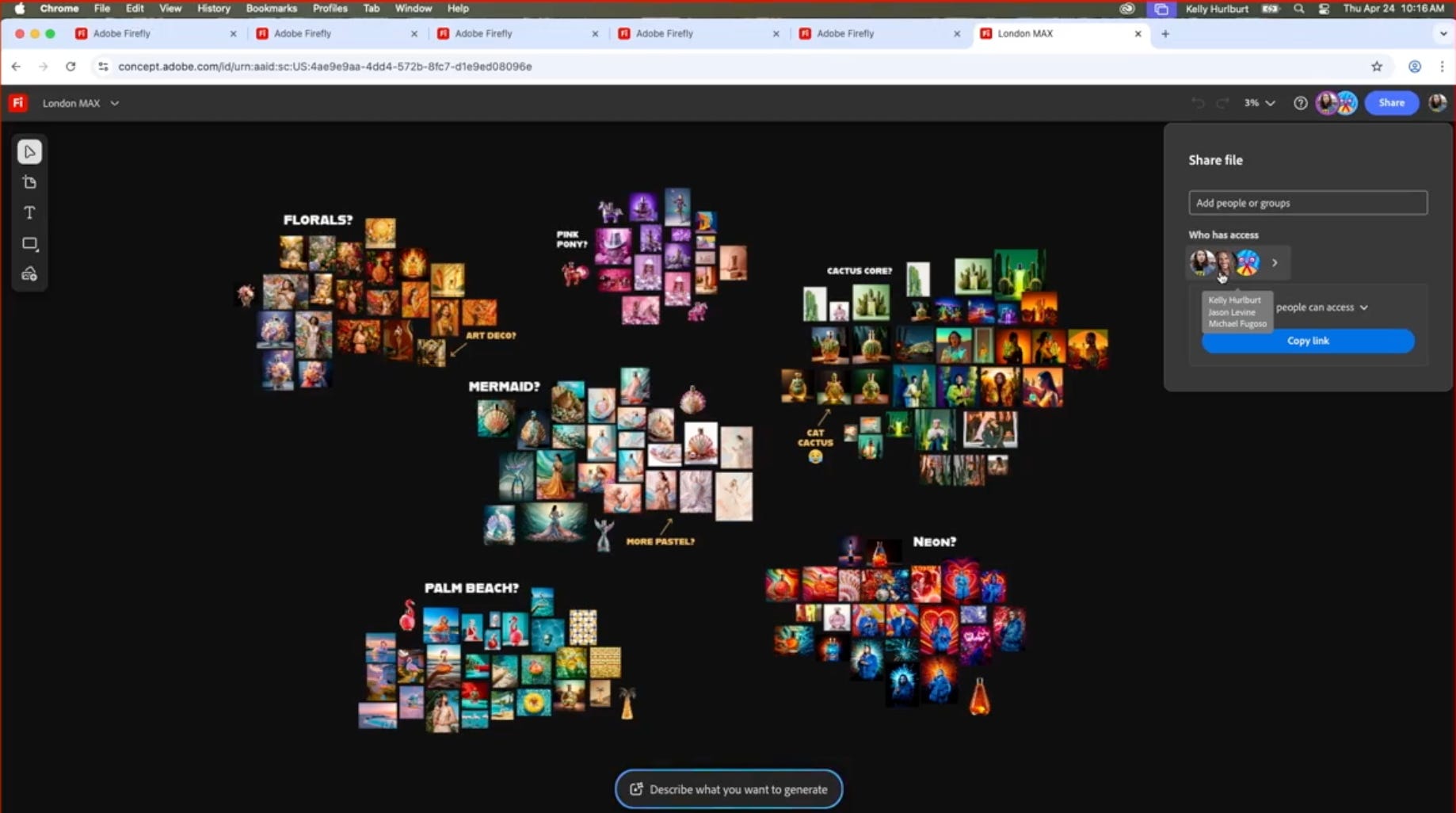
💡 Firefly Boards
🤝 Now in public beta, Firefly Boards allows for team ideation
🧠 It’s an opening act for your budding ideas, and can be visualized
🤖 Gen AI allows you to moodboard and storyboard and invite coworkers
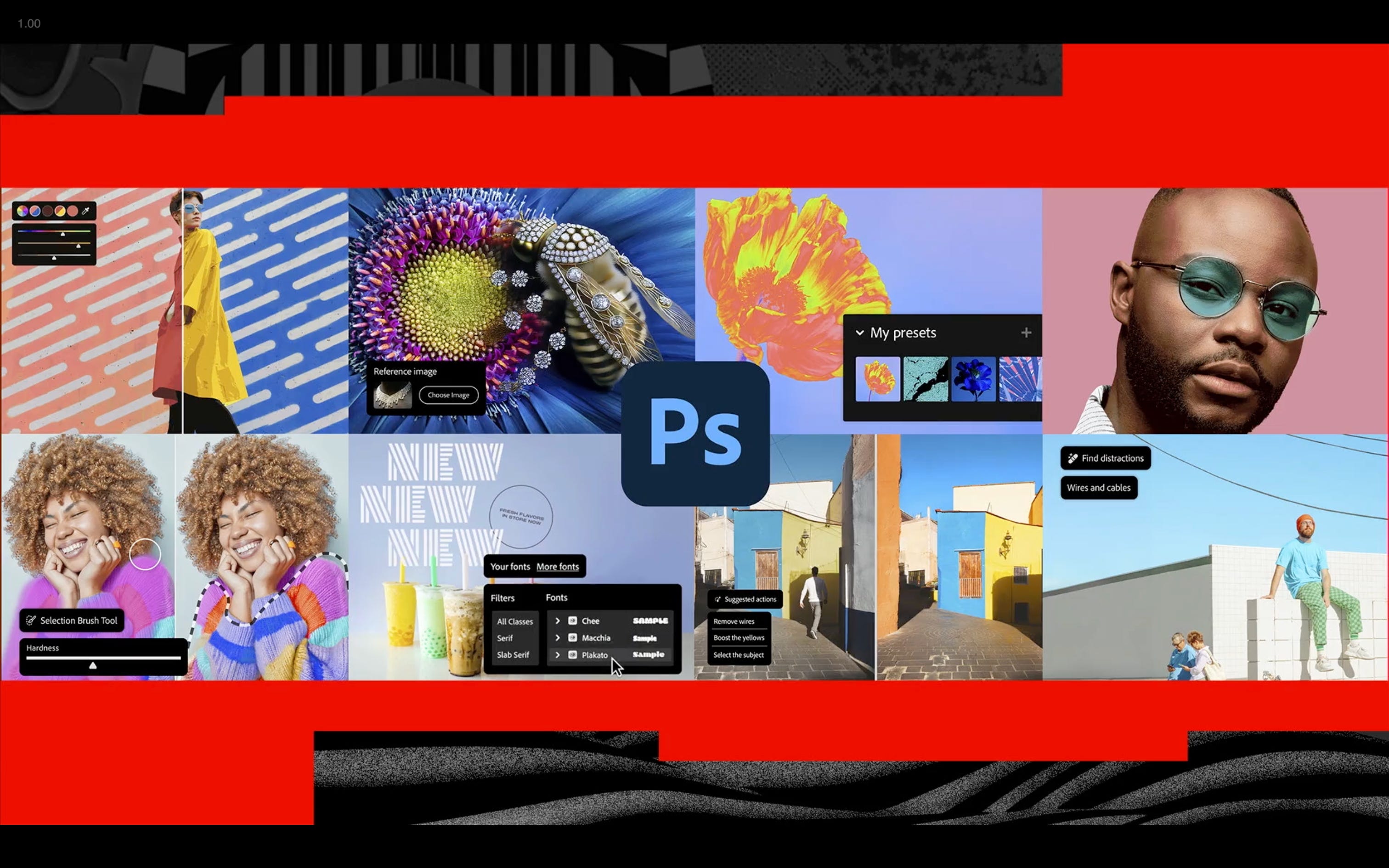
🎨 Photoshop
🦱 Remove background has been improved to work on extremely complicated subjects, i.e., like long hair and fish netting
🖌️ New Stripes background feature is an adjustable alternative to gradients
🎨 Adjust colors to tweak things like hues and saturation from sampled colors
📹 Photoshop gets video. Tap into Firefly’s video model and animate your pics
📱 Photoshop for iPhone launched in late February
🤖 Photoshop for Android is coming to Android in ‘early summer’
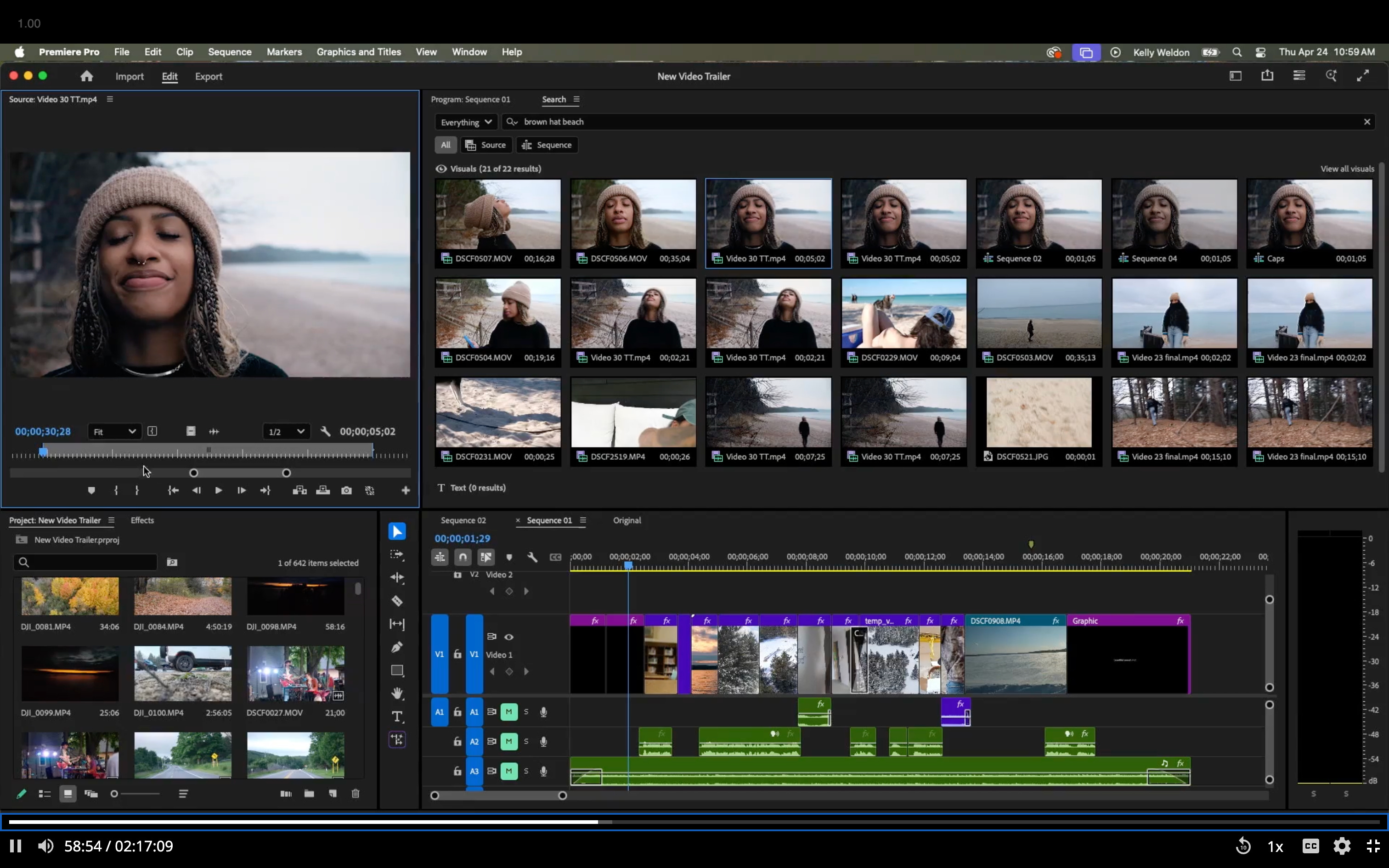
📹 Premier Pro
🔍 Media Intelligence search is a game-changer. AI lets you use natural language to find your mess of video clips: “Show me in that brown hat.” Boom!
🪄 Generative Extend gets a 4K upgrade, letting you use Gen AI to lengthen clips. Ideal for all the times you stop recording too early and need a filler until the next clip
💬 Translated Captions into 25 languages to open your videos to new audiences
🗣️ Translate Voiceover puts your voice in new languages using Firefly. No need to remove music
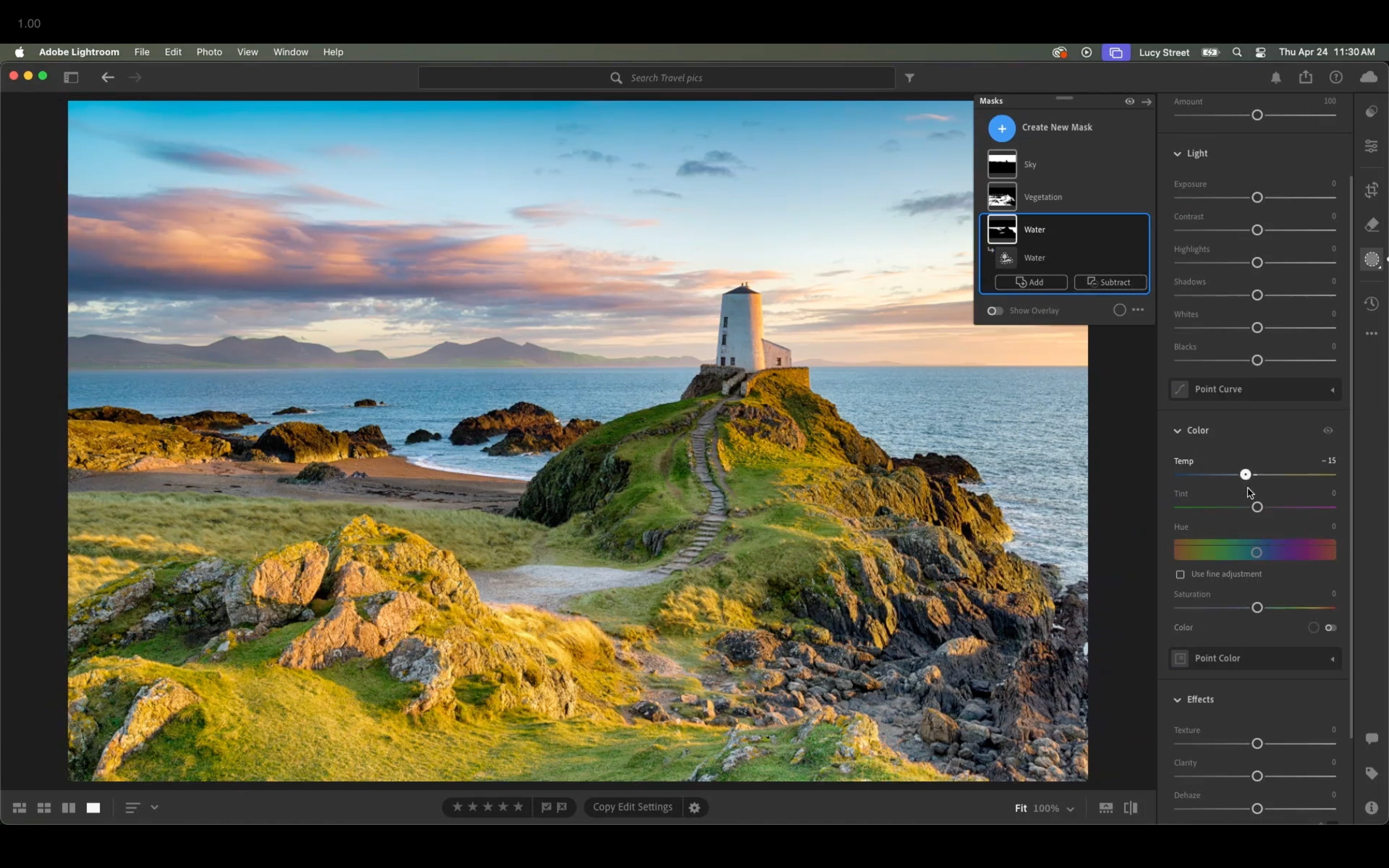
🖼️ Lightroom
🎛️ Individual Retone on Lightroom Mobile gives you the ability to tweak individual subjects (ID’d by facial detection) among aspects like teeth, eyes, skin hair and clothes
🫥 Generative Remove on Lightroom Mobile does a better job with complicated and large subjects using the power of Firefly AI
🏞️ Select Landscape on Desktop gives you the ability to mask environments, just like you can do to subjects and the sky, for fine-tuning grass, architecture, water, etc.
I’ll have more about Adobe’s software, including Photoshop for iPhone and Adobe Max, as I continue to test the betas. Feel free to drop me a line if you want to see something specific.