


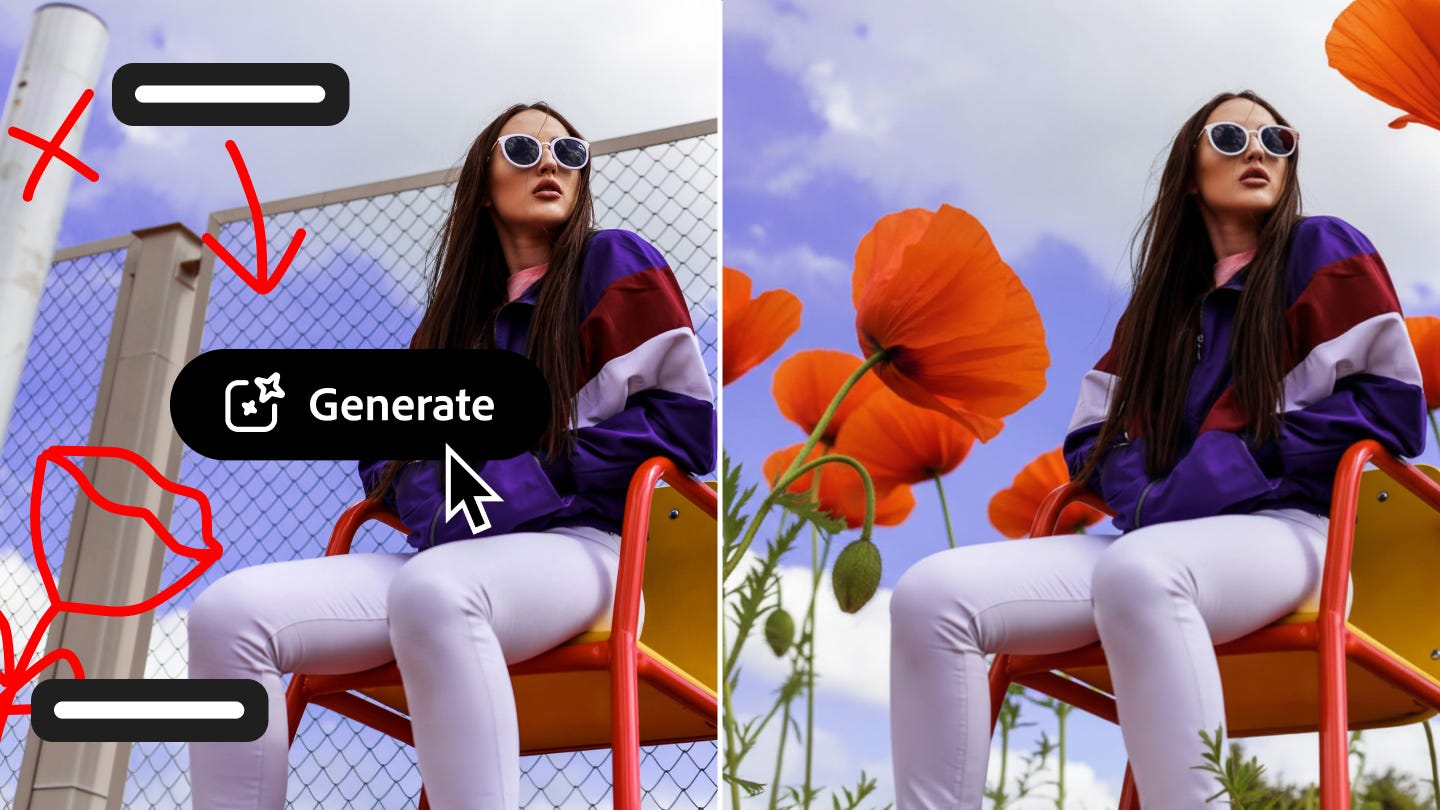

🤖 AI Assistant in Photoshop has you describe the edit, it does it (or walks you through it step by step)
💬 Voice editing is available in the Photoshop app, so you can narrate your edits on the go without touching a single slider
🖋️ AI Markup lets you draw directly on your image & prompt changes to a specific area
📈 Adobe Firefly’s Image Editor just got a serious upgrade with five new generative tools: Fill, Remove, Expand, Upscale, and Remove Background
🏠 25+ AI models are now accessible inside Firefly, including Google, OpenAI, Runway, and Black Forest Labs – all under one roof
📆 AI Assistant in Photoshop is now in public beta on web and mobile
Here’s the honest version of how most people use Photoshop (including me): they Google what they want to do, watch half a YouTube tutorial, try the thing, undo it six times, and eventually get something close to what they wanted. It works, but it’s friction-heavy in a way that never quite made sense for a product that’s supposed to make creativity easier.
Adobe’s answer to that has been building for a while, and today it arrives in a form you can actually try: AI Assistant in Photoshop is now in public beta for web and mobile. The premise is exactly as simple as it sounds — you describe what you want, and either the AI does it, or it guides you through how to do it yourself.
That last part matters more than it might seem. There’s a real difference between a tool that just executes and one that actually teaches. Adobe is giving you the choice, which means a student learning the ropes and a marketing director on a deadline can both get something useful from the same interface.

Talking to Photoshop (literally)
What caught my attention most isn’t the text prompting – it’s the voice editing in the Photoshop app. Tap, speak, done. Describe the lighting you want, the color correction, the background swap, whatever – and it happens without your hands leaving your pockets. For anyone who’s tried to edit a photo on a phone while also existing as a human being in the world, that’s not a small thing.
On the web side, there’s a new feature called AI Markup (also in public beta) that’s worth paying attention to separately. Instead of describing what you want, you draw on the photo to show where you want it. Circle the background, type “replace with a mountain range” — and within seconds, you’ve got a mountain range. It’s the spatial precision that text prompts typically lack, and it lives right in the contextual task bar, so it’s not buried somewhere obscure.
Firefly gets serious about editing
Adobe Firefly has been Adobe’s AI playground since it launched, but the latest update to the Firefly Image Editor feels like a shift from playground to workshop. Five new generative tools are now available: Generative Fill, Generative Remove, Generative Expand, Generative Upscale, and Remove Background.
None of these are brand-new concepts in AI image editing, but the key move Adobe is making is consolidating them – along with access to over 25 different AI models – into a single workspace. You can generate with Adobe’s own commercially safe models, switch over to OpenAI’s image generation, try Runway’s Gen-4.5, Black Forest Labs’ Flux.2 [pro], or Google’s Nano Banana 2, then immediately start editing without exporting, importing, or toggling between apps. That workflow continuity is something Firefly’s competitors aren’t really offering at scale yet.

The unlimited generations play
Both Firefly subscribers and paid Photoshop web and mobile subscribers now get unlimited generations – at least through April 9, after which Adobe will presumably make clear what the ongoing plan looks like. Free Photoshop users on web and mobile get 20 generations to start, which is enough to get a genuine feel for what the tool can do before deciding if it’s worth more.
Adobe is clearly using this window to get as many people as possible to actually depend on AI Assistant as part of their real workflow. Whether unlimited generations become permanent, get tiered, or disappear behind a higher paywall after the promo period will say a lot about where Adobe sees this heading commercially.