



🎬 Adobe has announced some major updates for both Premiere Pro and After Effects
🤖 The new update brings in clever AI-powered tools, such as a new Object Mask
👍 Other additions include redesigned shape masks and more seamless integration with Adobe’s other services
🍿 The updates come as Adobe gears up for another Sundance Film Festival, which is has continued to partner with
Adobe has rolled out major updates for both Premiere Pro and After Effects as it gears up to remind us that 85 percent of premiering films at this year’s Sundance Film Festival were made with its suite of products.
As per a new blog post, Adobe says that the new updates are designed to give “editors and motion designers faster, more intuitive ways to work while maintaining creative flow and intent” and essentially make life easier.
A new AI-powered Object Mask
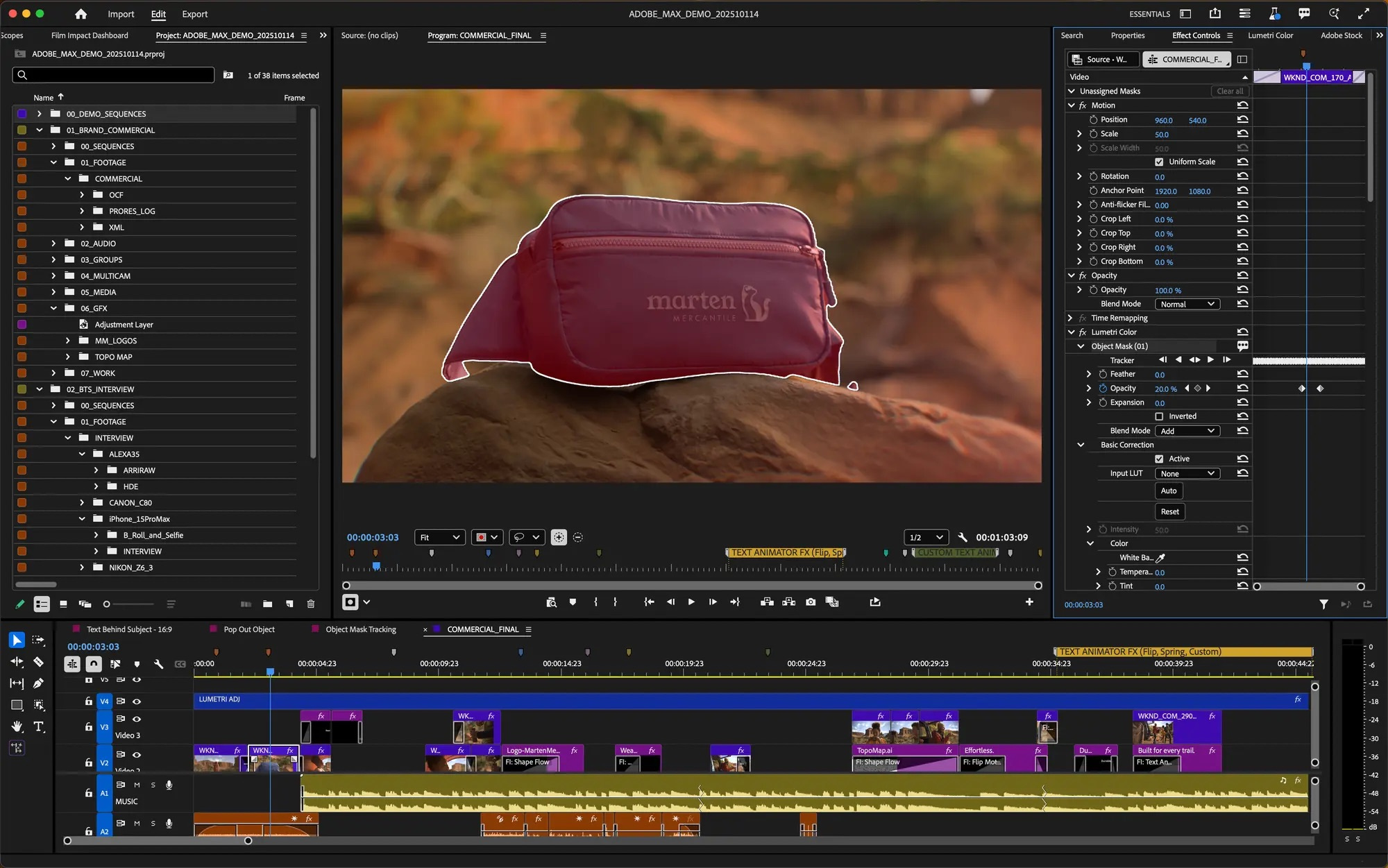
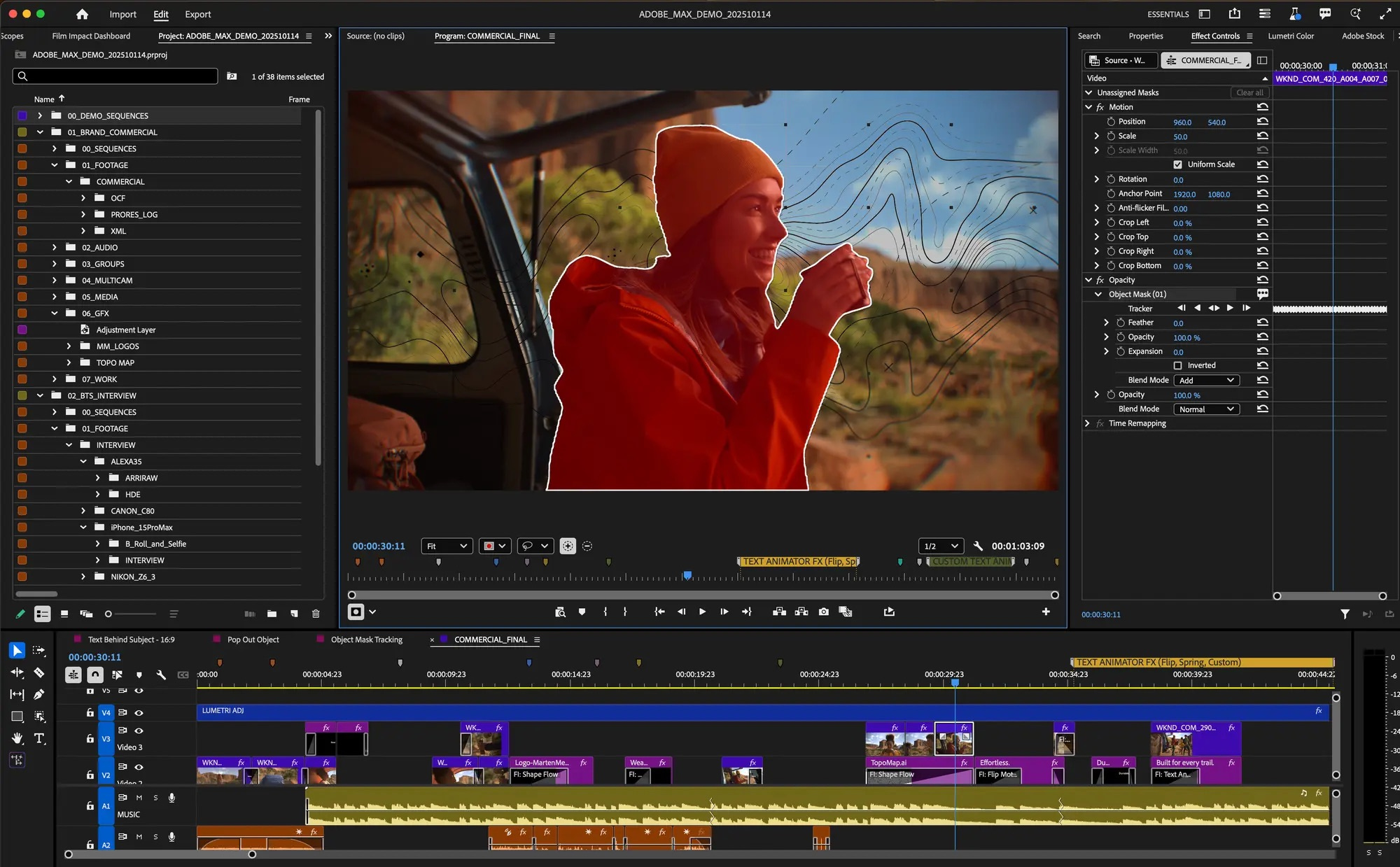
A key feature that Adobe is touting is the AI-powered Object Mask, which is designed to help editors create perfect masks of moving subjects with ease. Adobe says all you need to do is “hover and click” to generate “precise masks in seconds”.
This can be done from the toolbar, allowing you to mask and track any moving person or object. You can then choose from six different colored overlays, or a black-and-white alpha view to preview the mask.
Using fast-lasso or rectangular editing tools, you can even add or subtract areas from the Object Mask, plus adjust it using feathering and resizing controls.
Adobe’s press release says that the Object Mask uses a “new assistive AI model” that’s local to the device.
Redesigned Shape Masks
Adobe has also redesigned the Shape Mask functionality with changes to the Ellipse, Rectangle and Pen mask options. Changes here include more creative control, allowing them to work with other effects such as blurring faces, relighting, and more.
The press release also says that the tracking is up to 20 times faster than other versions of Premiere so you spend less time waiting and more time getting important stuff done.
As with the new Object Masks, the new Shape Masks can be generated directly from the toolbar and you can resize, move, rotate and feather masks with “improved creative controls”.
Adobe says the redesigned Bezier curves provide smoother customizations, and it’s possible to add, subtract, and mix different masks together using different blend modes.
It’s also added bi-directional tracking so you can find the ideal starting frame from which to mask with a single click, plus 3D perspective tracking allows you to affix an anchor to anything you want to that’s going on in the frame. You can even see how fast your mask is tracking with an FPS readout.
With the addition of live tracking previews, Adobe says it’s listened to community feedback by implementing it. In addition, there’s a new ‘Frame’ track editing mode where you don’t need to adjust each tracked keyframe manually. Premiere can now do some of the work for you by combining any corrections you make in one fell swoop.
Further AI integration
Adobe is also adding some more AI features to Premiere Pro, such as a more seamless integration of its Firefly Boards planning feature.
With this, it’s going to be easier to take a pre-production board of ideas and any generated assets and put them into Premiere to blend a generated asset into an ongoing project.
There is also a new Frame.io V4 panel inside Premiere as a beta function, allowing those involved in a project to comment on its ongoing status without leaving the editing suite.
Up next: Sony gives TCL control over its Bravia TV business in new joint venture
Reece Bithrey is a journalist with bylines for Trusted Reviews, Digital Foundry, PC Gamer, TechRadar and more. He also has his own blog, UNTITLED, and graduated from the University of Leeds with a degree in International History and Politics in 2023.